Deadpool doesn’t play by the rules in Marvel Tokon: Fighting Souls, and neither does his move list. Several of his flashiest inputs stay hidden until you pull them off once, and the payoff for finding all of them is the “Deadpool Saves the Tokon Universe” trophy. Most are joke moves packed with fighting-game references, but one of them is genuinely useful in a match.
Quick answer: Play as Deadpool, then perform all six secret commands once each. The easiest route is Quick Training (press Triangle at the main menu). After every command lands, it gets added to Deadpool’s Command List. Once all six are registered, the Gold trophy pops.
What you need before you start
Two things matter here. First, you have to be playing as Deadpool — running these inputs with any other character does nothing for the trophy. Second, the hidden commands don’t appear in his Command List until you’ve successfully done them, so you’re working blind unless you know the motions.
Training mode is the place to grind this out. There’s no match pressure, you can reset spacing instantly, and you can open the Command List after each success to check your progress. The simple input system won’t cover some of these, so you’ll need to do real quarter-circle motions.
The launch build’s Day 1 update tweaked motion priority and responsiveness, so the timing may feel slightly different from the beta. If a motion isn’t registering, slow it down and be deliberate with each direction.
All six Deadpool secret commands and inputs
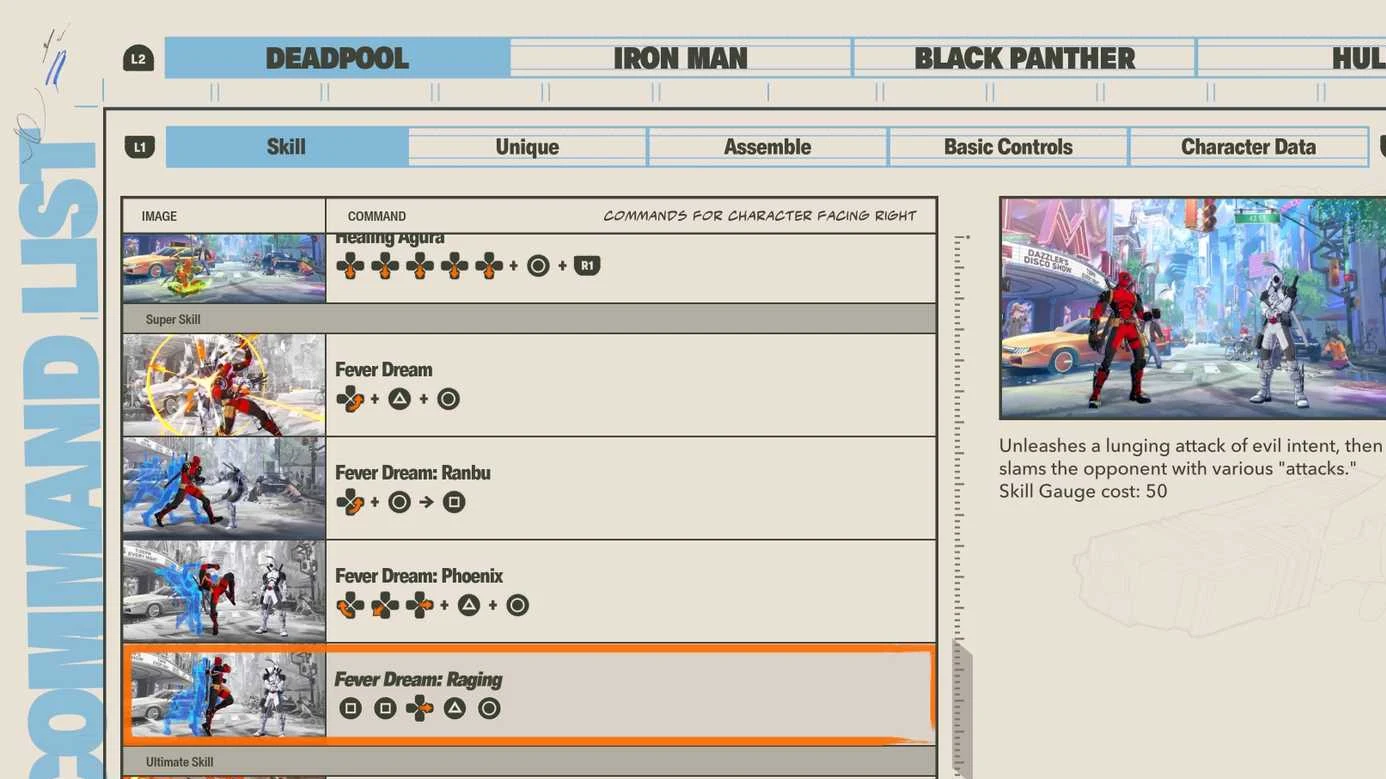
There are six hidden commands, and all six are required for the trophy. The table below uses the default PS5 controls while facing right. “Quarter circle forward” means Down, Down-forward, Forward.
| Command | Input (PS5, facing right) | Effect |
|---|---|---|
| Sexy Centerfold | Down, Down, Down, Down, Down | Strikes a pose on the ground. No combat effect. |
| Healing Agura | Down, Down, Down, Down, Down, then Circle + R1 | Enters the Agura stance and converts Healing Gauge into Vital Gauge. |
| Fever Dream | Quarter circle forward, Triangle + Circle | Lunges forward, then slams the opponent with a string of attacks. |
| Fever Dream: Ranbu | Quarter circle forward, Circle + Square | Lunges with older-style moves before slamming the opponent. |
| Fever Dream: Phoenix | Down, Down-back, Back, Down-back, Forward, Triangle + Circle | A righteous lunging attack followed by slams. |
| Fever Dream: Raging | Square, Square, Forward, Triangle + Circle | An evil-intent lunging attack followed by slams. |
Only two of these have practical value. Healing Agura trades your Healing Gauge for Vital Gauge, which is worth knowing in a real fight, and Fever Dream is a proper attack. The rest are pure fan service, packed with nods to games like Tekken and Dragon Ball FighterZ, plus poses lifted straight from Street Fighter and Guilty Gear Strive.
How to land the trickier inputs
How to confirm the trophy unlocked
You don’t have to do all six in a single fight. The game only cares that each command has been registered in Deadpool’s Command List. After each successful input, open that list and check the entry has appeared. Treat the list as your checklist and clear the missing ones one by one.
Once all six are in the list, “Deadpool Saves the Tokon Universe” pops as a Gold trophy. It’s one of the more confusing tasks on the road to Platinum without knowing the inputs, but with the motions in hand it’s an easy rare unlock. The trophy is also one of several Gold entries tied to major completion goals in the game.
If the trophy doesn’t pop
The most common reason is a command that never actually registered. If Deadpool performed the animation but the Command List entry isn’t there, the input didn’t count, so repeat that specific move until the entry shows up. Stay on Deadpool, reset your position, and redo only the ones still missing.
Some players have reported the trophy not triggering even after doing every input. If that happens to you, reopen the Command List to verify all six entries are present, and try re-performing any move you’re unsure about so the game logs it cleanly.