Dead Battery is the first order on page 2 of the Underground chapter in Modern Warfare 4’s DMZ. It has two tasks. You print a DDOS Field Upgrade at your base, then use it to knock out three enemy vehicles or drones. Printing it is easy. Getting the ingredients home is the hard part.
Quick answer: Exfil with 30 Electronics and 3 Detonators, open the 3D Printer at base, print the DDOS from the Field Upgrades category, then equip it in your Field Upgrade slot.
Dead Battery tasks and DDOS recipe cost
The order appears on the base briefing board as DMZ ORDERS P13, Chapter 04: Underground 2/2. Death From Above and Operation: Shopping Hacks sit on the same page. Dead Battery’s two tasks read:
- Print a DDOS Field Upgrade
- Disable 3 Enemy Vehicles or Drones With the DDOS Field Upgrade (0/3)
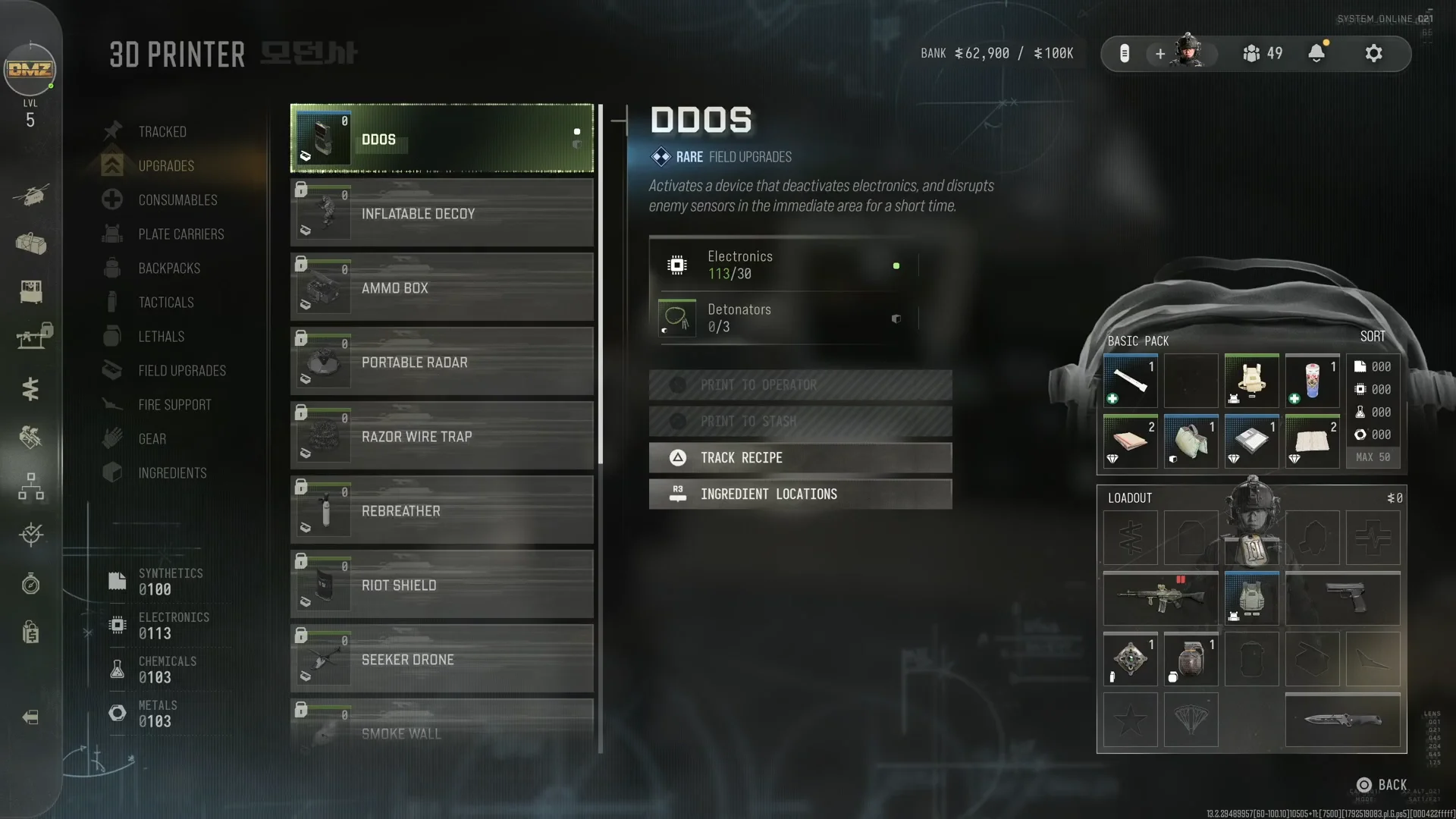
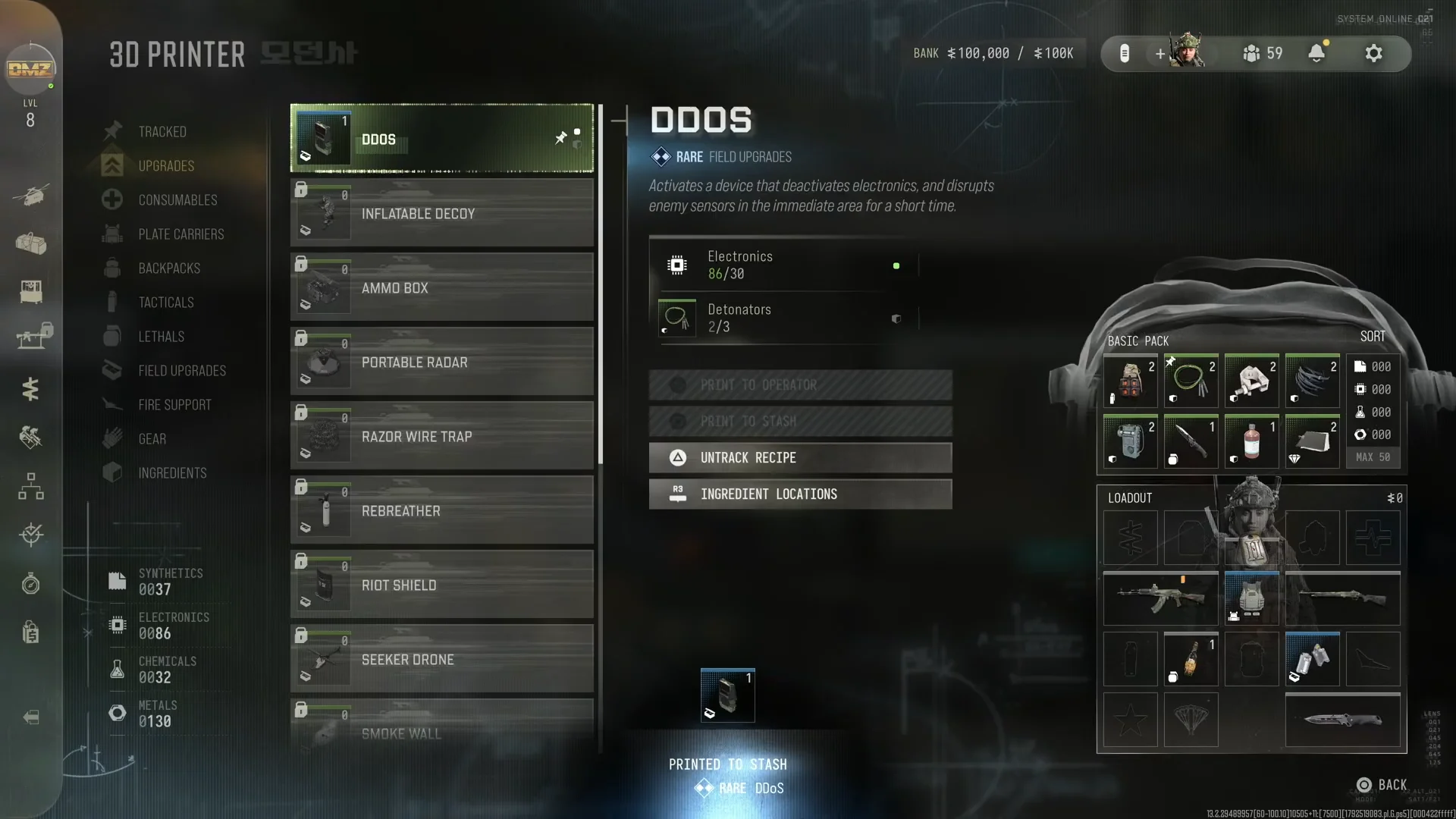
The DDOS is printed at the 3D Printer, which is at your base between deployments. It is listed under the Field Upgrades category. That category opens with the 3D Printer: Field Upgrades station upgrade at DMZ level 12, so you need to reach that level before the recipe can be used.
| Ingredient | Amount | Rarity |
|---|---|---|
| Electronics | 30 | Uncommon |
| Detonators | 3 | Uncommon |
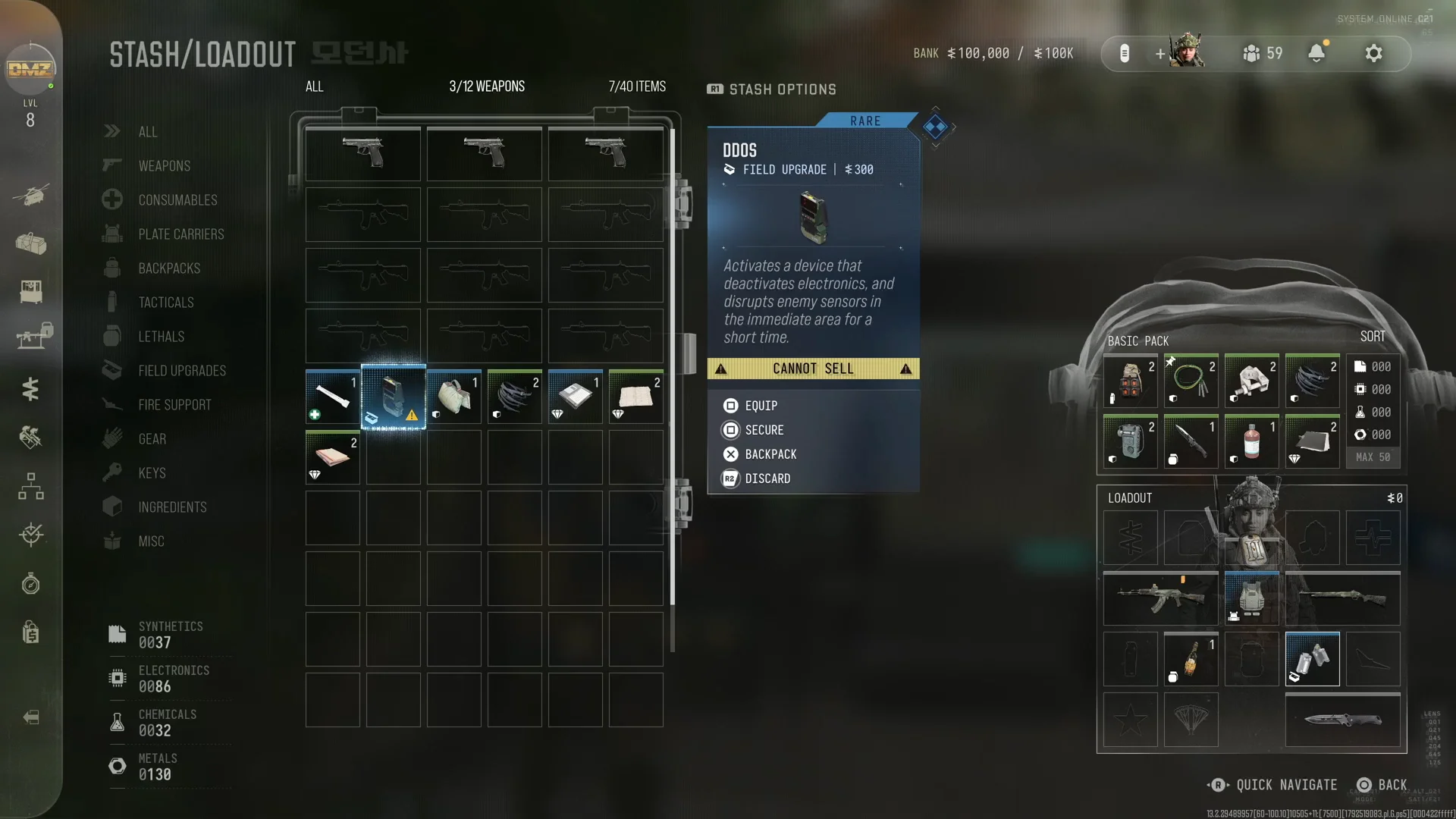
The printer shows how much of each ingredient is already in your base inventory. A count like 0/3 Detonators tells you exactly what to bring home from your next run. The finished DDOS is a Rare Field Upgrade valued at $300. Its in-game description says it “activates a device that deactivates electronics, and disrupts enemy sensors in the immediate area for a short time.”
Detonators location in MW4 DMZ
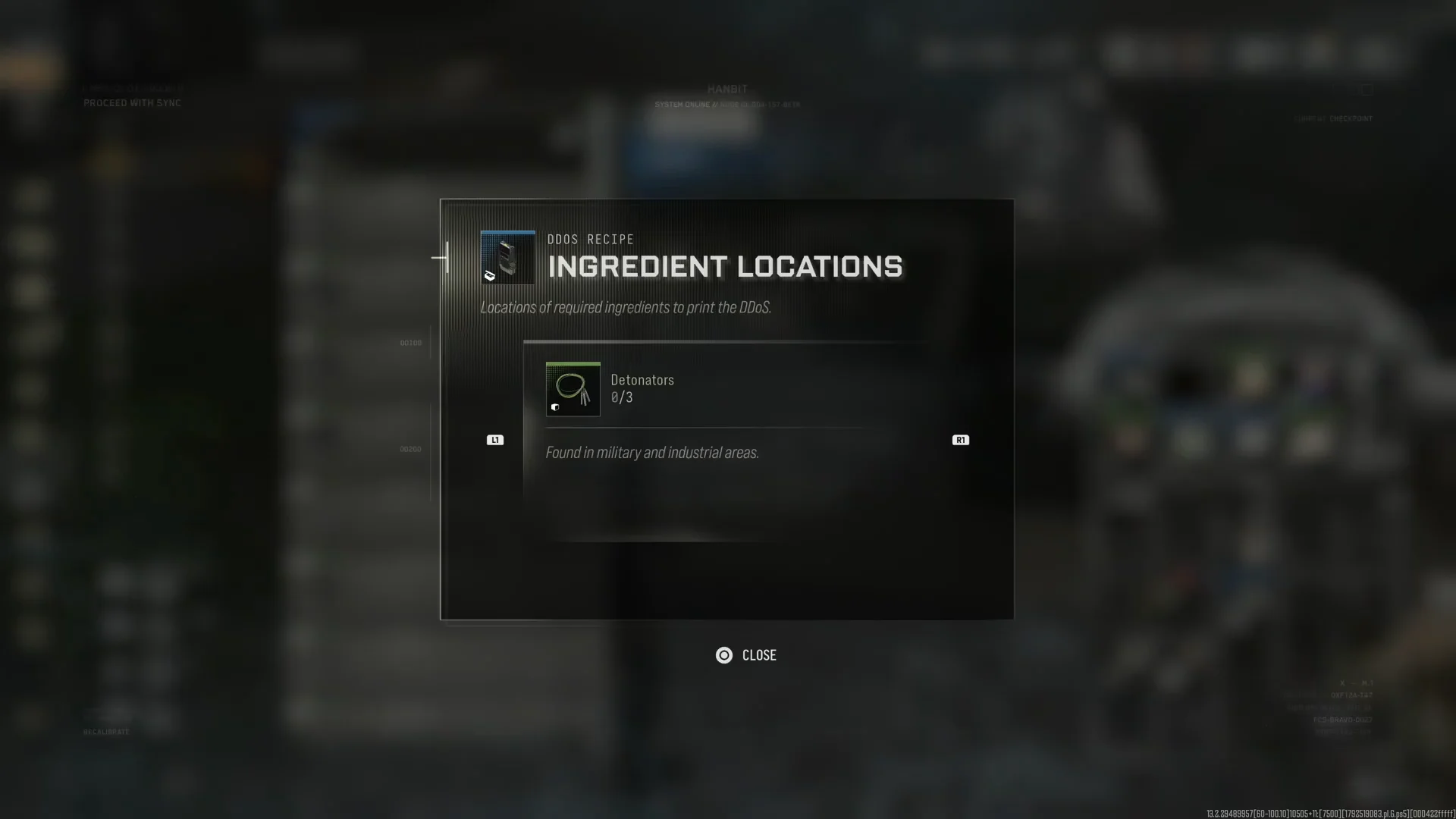
Detonators are the ingredient that holds most players up. Open the Ingredient Locations sub-menu from the recipe and the game gives you a one-line hint. Detonators are “found in military and industrial areas,” so aim your drop at those zones.
Search loot containers and duffel bags in those areas. Side objectives are also a good source, because finishing one drops a reward care package. Completing “Destroy the Trucks Carrying WMDs” near Cheongun Outskirts spawned a care package labelled CARE PACKAGE: LOOT CONTAINER, and it held Detonators.
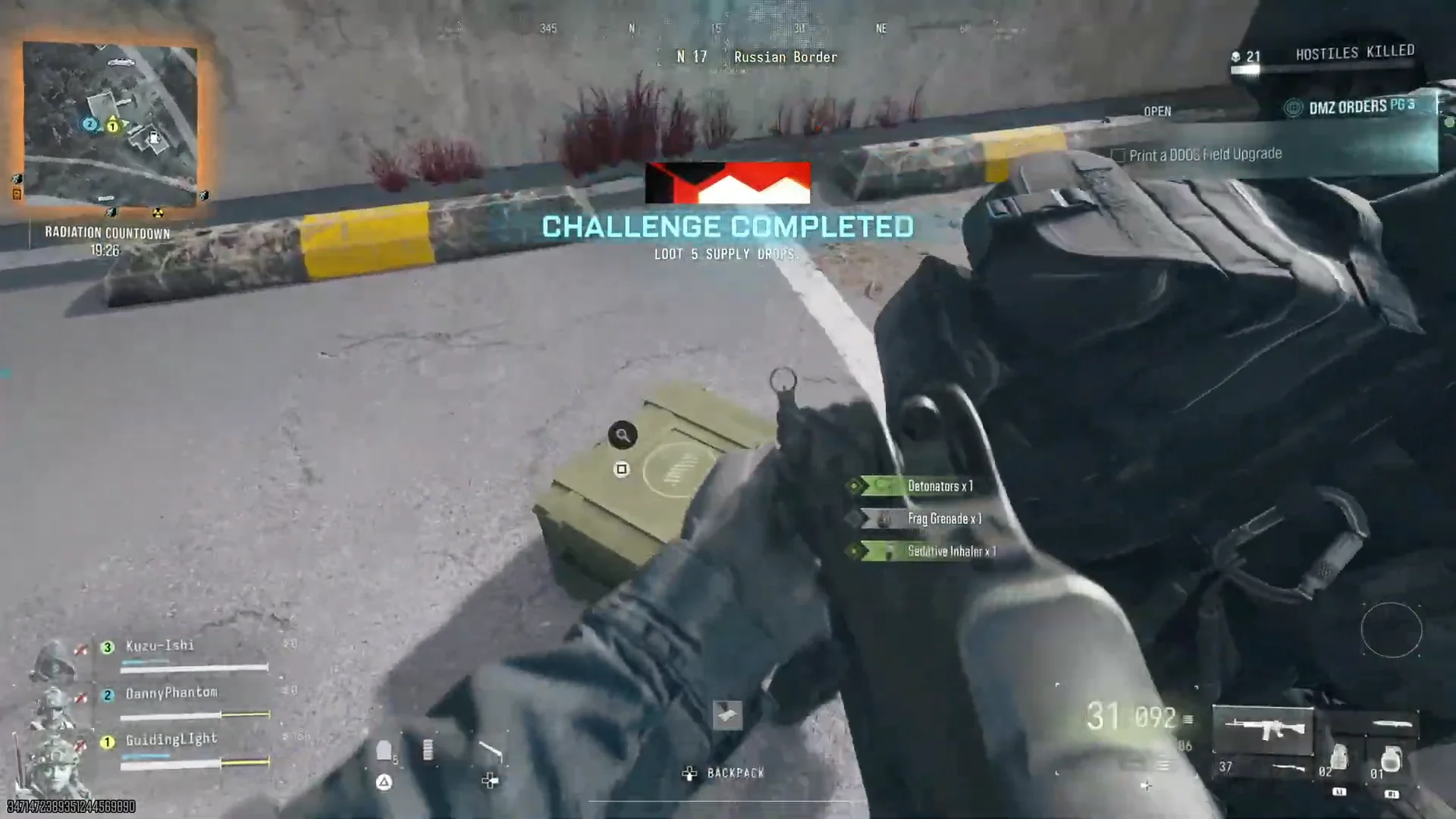
Before you head for exfil, open your backpack and make sure it shows all three Detonators. Leaving with two means another full run.
Electronics location for the DDOS recipe
Electronics are much easier to find. Ordinary residential and commercial buildings are full of them. Clearing houses in Cheongun Outskirts works well. Check every duffel bag, shelf and container inside, and you will pass 30 quickly, especially with a vehicle to hop between buildings.
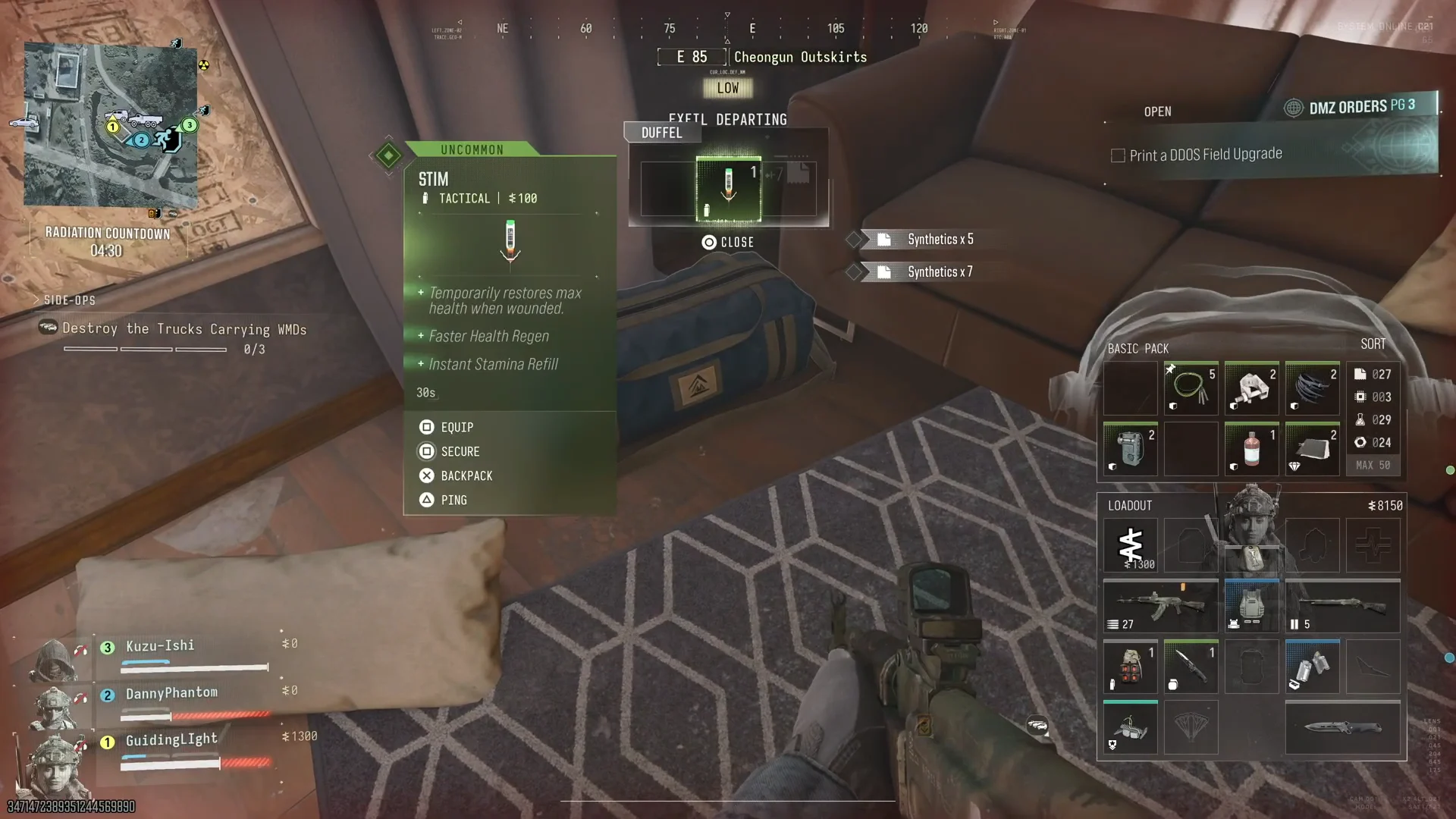
Any spare Electronics already in your base inventory count too. If the printer shows more than 30, you only need to bring Detonators.
How to print and equip the DDOS Field Upgrade
Disabling 3 enemy vehicles or drones with the DDOS
With the DDOS equipped, deploy and set it off close to enemy vehicles or drones. Its pulse shuts down electronics in the immediate area. The task counter tracks progress toward 3, and you can check it on the Dead Battery entry.
A DDOS is fully used up when you activate it. If one blast does not catch several targets, you will need to print more and take them into later matches. Bringing spare Detonators home on each run saves you a dedicated farming trip.
Both tasks are done once the order shows the print task complete and the counter reads 3/3. Dead Battery is then finished, and you can move on to the rest of the Underground page.