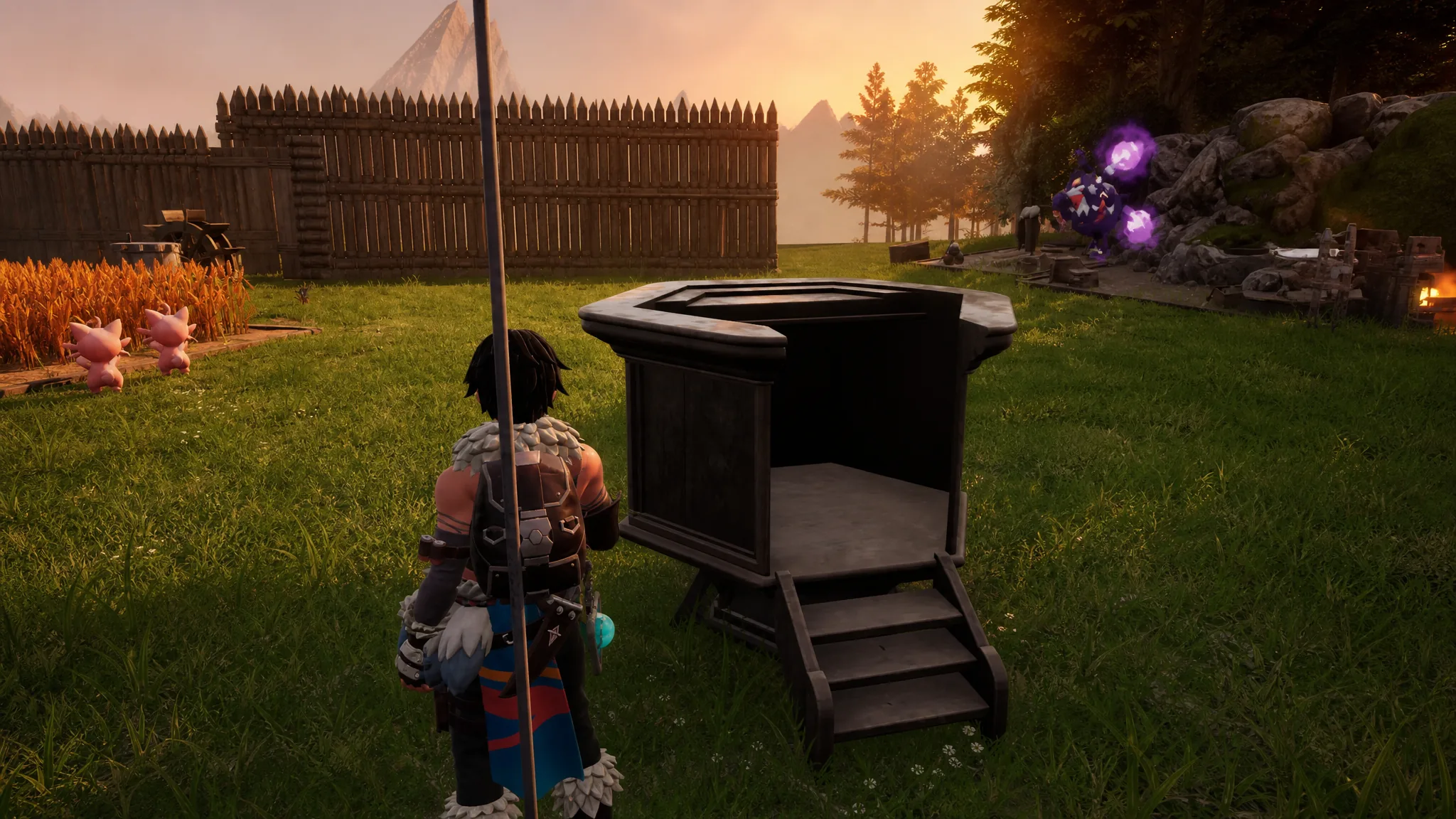
The Monitoring Stand is the base management console in Palworld. It lets you decide how hard your Pals work, which jobs each Pal is allowed to do, and which workstation a Pal stays glued to. Without it, Pals wander between tasks on their own, so a miner might drop an ore node to go chop trees or plant seeds.
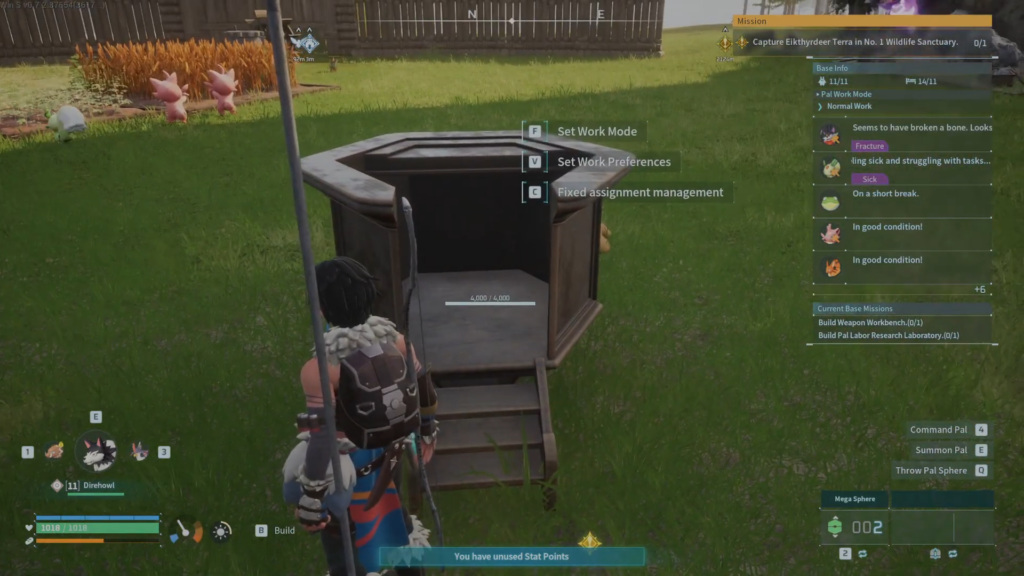
Quick answer: Unlock the Monitoring Stand in the Technology Tree at Level 7 for 2 Technology Points, build it with 30 Wood and 10 Stone inside your base, then interact with it. Press F to set the work mode, V to allow or ban specific jobs per Pal, and C to lock Pals to fixed workstations.
Unlock and build the Monitoring Stand
You need the technology unlocked before you can place it. Both the Wood and Stone requirement are cheap, so you can add it to a base early.
Set the work mode (F)
Press F to open the work mode menu. This sets a single baseline effort level for every Pal at the base at once. Higher intensity finishes tasks faster but drains sanity (SAN) and hunger much quicker, so you need enough food and rest facilities to keep up.
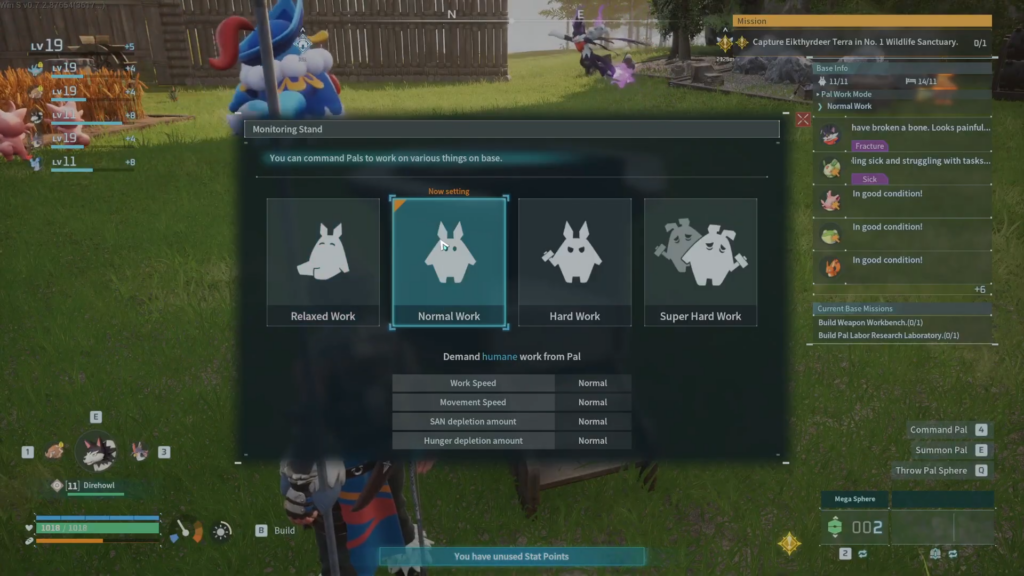
| Work mode | Work speed | Movement | SAN drain | Hunger drain |
|---|---|---|---|---|
| Relaxed Work | Low | Normal | Low | Low |
| Normal Work | Normal | Normal | Normal | Normal |
| Hard Work | High | High | High | High |
| Super Hard Work | Highest | Highest | Highest | Highest |
Tip: Only push Hard or Super Hard Work when you need a short burst of production and you have high-tier food plus a hot spring ready to offset the sanity loss. Leaving a base on Super Hard indefinitely leads to depressed, injured, and slacking Pals.
Toggle work preferences per Pal (V)
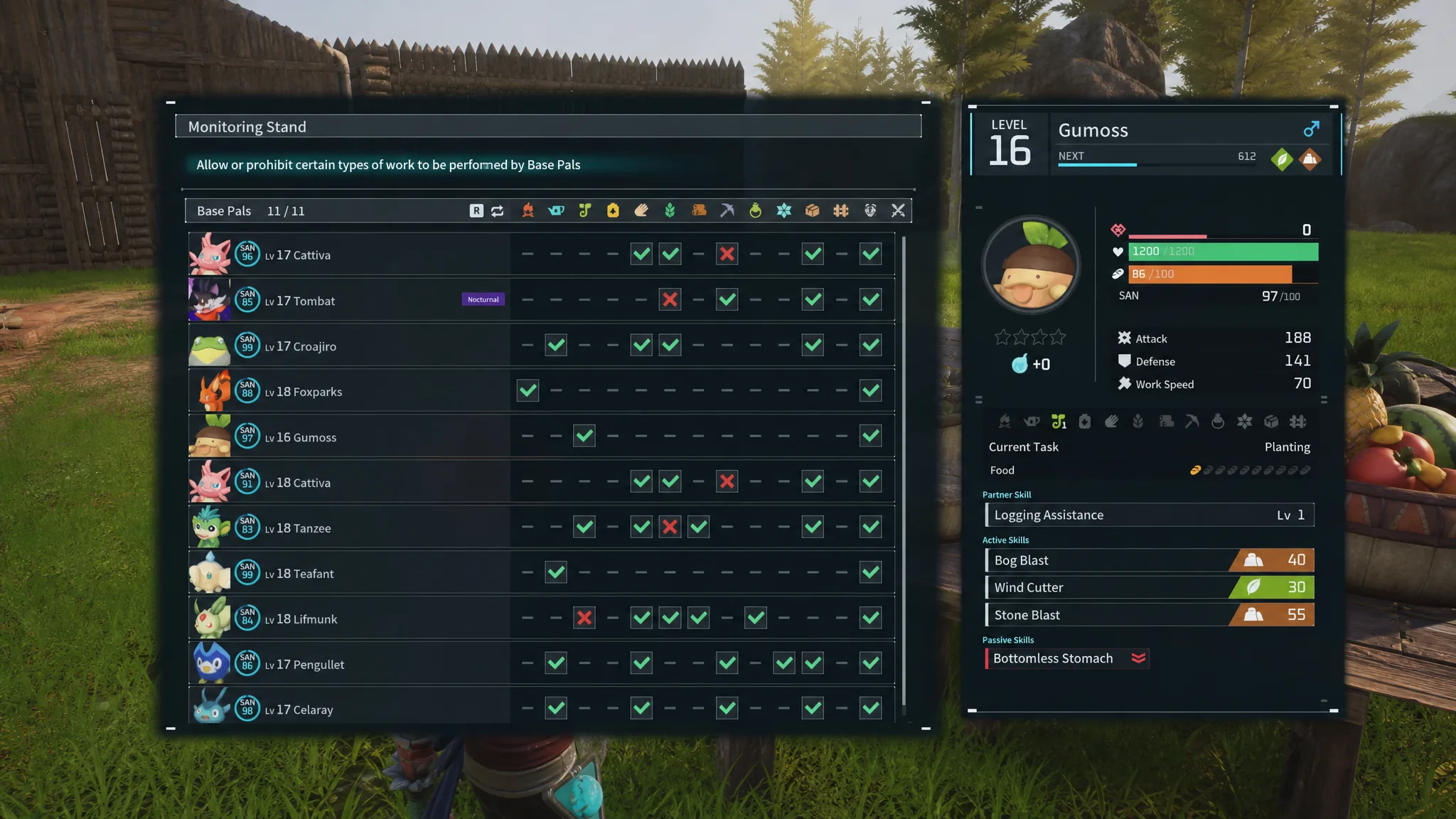
Press V to open the work preferences grid. The left side lists every Pal stationed at the base, and the columns are the work types. Each Pal only shows the roles that match its own suitabilities.
A green checkmark means the Pal will do that job. Click the checkmark to switch it to a red X, and the Pal will stop doing that task. This is how you force a multi-talented Pal to focus. Turn off everything except the one or two jobs you want it handling, and it stops abandoning a workstation to do something else.
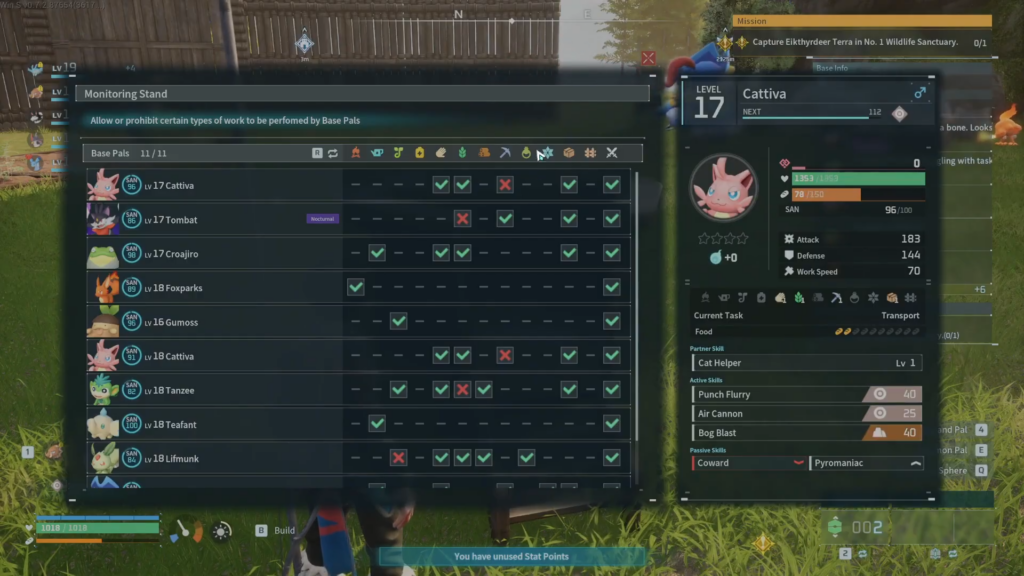
The work types you can allow or ban include the following.
- Kindling, Watering, Planting
- Generating Electricity, Handiwork, Gathering
- Lumbering, Mining, Medicine Production
- Cooling, Transporting, Farming, Combat
Selecting a Pal shows its full details on the right, including level, gender, SAN, stats, current task, and skills. None of these choices are permanent. Return to the stand any time to flip a job back on.
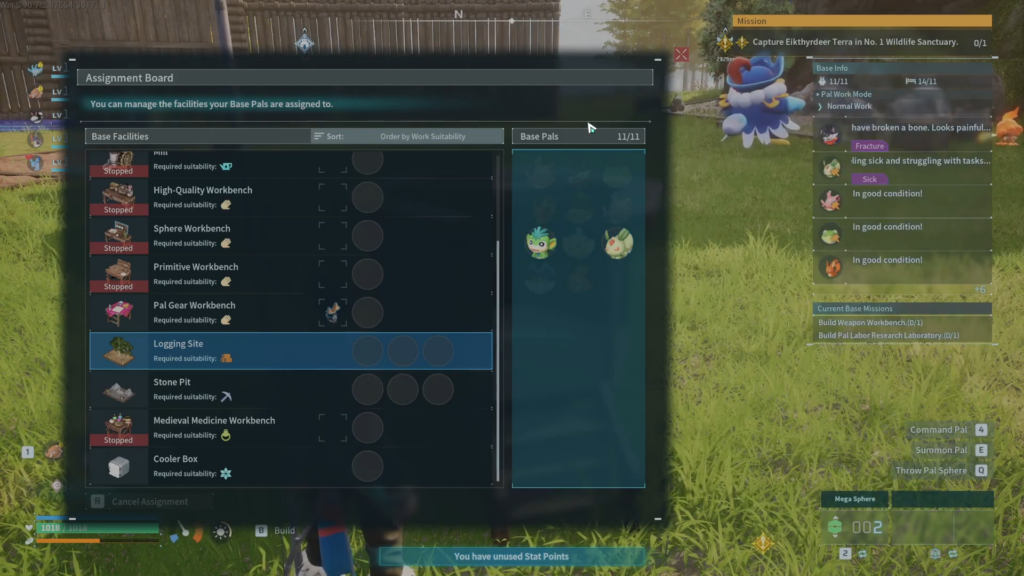
Lock Pals to a workstation with fixed assignment (C)
Press C to open the Assignment Board. This ties a Pal to a specific structure so it never wanders off, which replaces the old method of physically picking up a Pal and throwing it at a station.
Upgrade to the High Quality Monitoring Stand at Level 28
Once you reach Level 28, you can build the High Quality Monitoring Stand. It works exactly like the basic version for work modes, preferences, and assignments, but it adds a passive area buff that lowers the natural SAN cost of labor. Working conditions improve, so the Pals at that base are less likely to become dissatisfied.
| Detail | Monitoring Stand | High Quality Monitoring Stand |
|---|---|---|
| Required level | 7 | 28 |
| Materials | 30 Wood, 10 Stone | 100 Ingot, 30 Cement |
| Workload | 2,000 | 300 |
| Passive effect | None | Lowers SAN cost of labor |
You will know the setup is working when Pals stop hopping between stations and stick to the jobs you left checked, and when a fixed assignment keeps a single Pal parked on its workstation. If a Pal still ignores a task, check that its work type is not toggled off in the preferences grid and that another facility has not pulled it away through a fixed assignment.