Homework in Paralives is one of those systems the game quietly drops on you without much explanation. Child, preteen, and teen Parafolks can return from school with an active assignment, but the option to actually complete it doesn’t appear on desks, bookcases, or anywhere in the household inventory. It lives on the computer, and only when an assignment has been handed out.
Where homework actually is
Paralives treats homework as a computer task, not a physical object. There is no notebook in the household inventory, and interacting with desks or bookcases will not surface the assignment. The school sends the work to the computer, and that is the only place to complete it.
If you have several computers on the lot, any of them will work. The interaction is tied to the Para, not a specific machine.
Completing an assignment
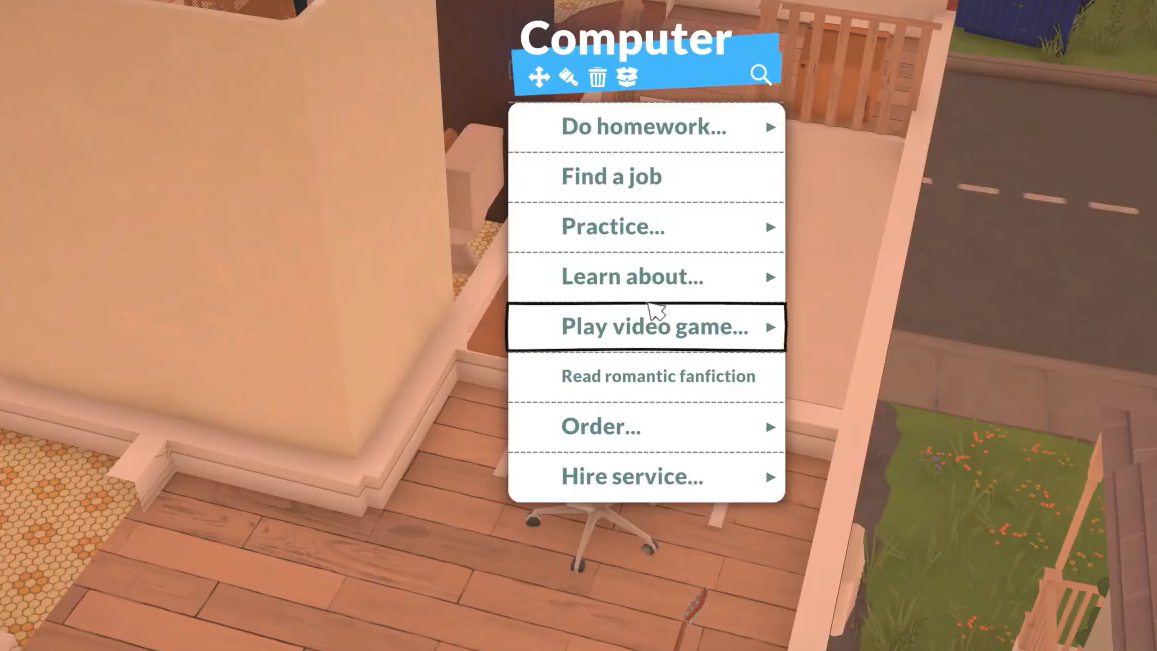
Why the option might not appear
If Do Homework is missing from the computer menu, the most likely reason is simple: the Para does not currently have an assignment. Homework is not a daily guarantee, and the prompt only shows up once school has issued one.
| Symptom | Cause | Fix |
|---|---|---|
| Nothing in household inventory | Homework isn’t a physical item | Use a computer instead |
| No option on desks or bookcases | Those objects don’t host homework | Click a computer |
| No Do Homework on the computer | No active assignment that day | Check again after the next school day |
| Menu shows the wrong options | An adult or non-student is selected | Select the student Para first |
Deadlines and grade impact
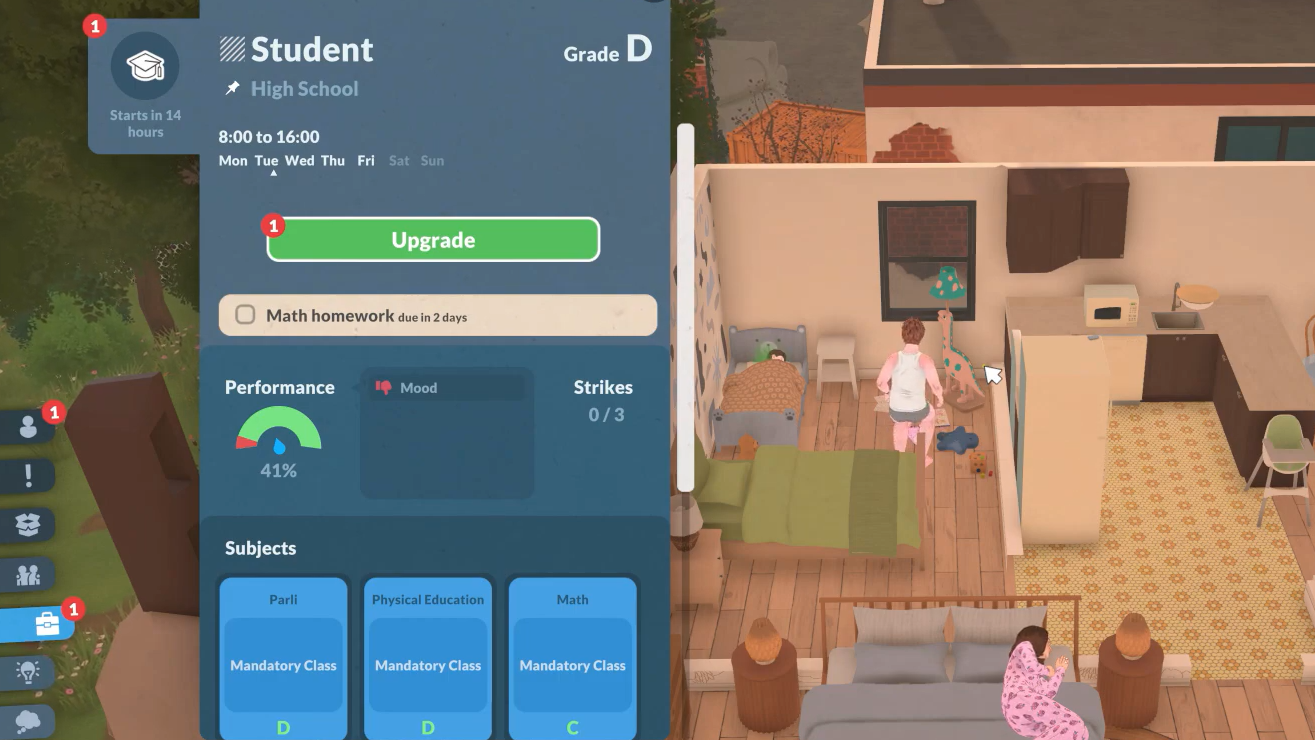
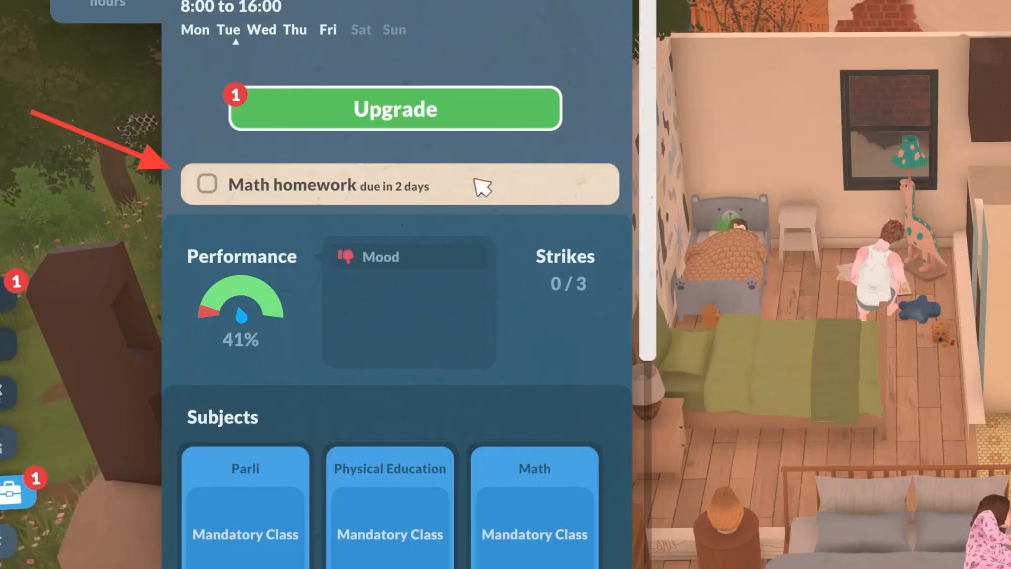
Once an assignment lands, you have roughly two in-game days to finish it. Completing homework raises the grade in that specific class, which feeds directly into school performance. Skipping it pushes grades down and chips away at performance over time.
Homework is also tied to a young Para’s three core school obligations: showing up, keeping grades up, and finishing assignments. Letting the work pile up long enough can trigger Child Services, so it is worth clearing each assignment soon after it arrives rather than waiting until the deadline.
Who gets homework
School and homework apply to Child, Preteen, and Teen Parafolks. Children and preteens attend Elementary School with mandatory subjects including Art, Math, Music, Parli, Physical Education, and Science. Teens move on to High School, where electives enter the picture and a compatible part-time job becomes possible alongside classes.
During the current Early Access build, all student life stages receive the same homework, and that is expected to change in future updates. Schools also function as rabbit holes for now — Paras leave the lot, attend off-screen between 9:00 and 15:00 on weekdays, and return home, sometimes with an assignment in tow.
How to confirm it worked
You will know homework is completed when the Para finishes the computer interaction without it being cancelled, the assignment clears from the school/career tab, and the relevant class grade ticks up. If the tan homework indicator is gone from the school tab, the work is done.
The cleanest routine is to check the computer every time a student Para gets home. If Do Homework is there, knock it out before dinner, hobbies, or skill grinding. If it isn’t, there is nothing to do that day, and you can stop hunting for a hidden notebook that doesn’t exist.