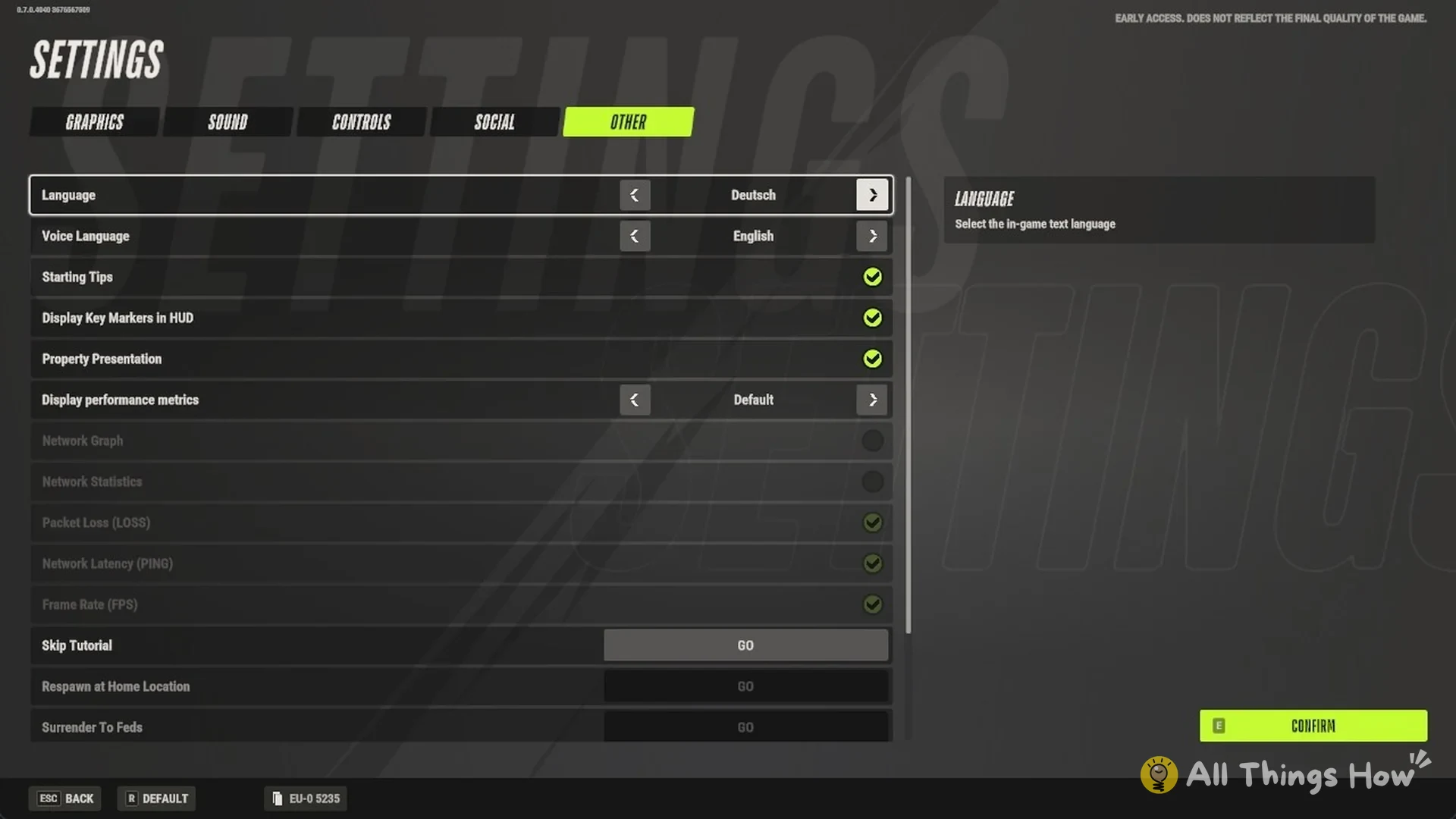
Quick answer: Open Settings, go to the OTHER tab, and use the arrows on the Language row to pick a language. Then press CONFIRM. The menus switch right away, with no restart.
Rob Run puts both of its language options in one menu. The text setting and the voice setting sit next to each other there, and you can change them separately. If you’re still setting up the game, the Rob Run beginner’s guide covers the basics, and you can also change server before you jump in.
How to change the language in Rob Run
Open SETTINGS. The main menu places it after AUTHORITY and CUSTOMIZATION. While in Looty Bay, hit Esc, then select Settings.
Select the OTHER tab. It’s the last of the five tabs along the top, after GRAPHICS, SOUND, CONTROLS and SOCIAL.
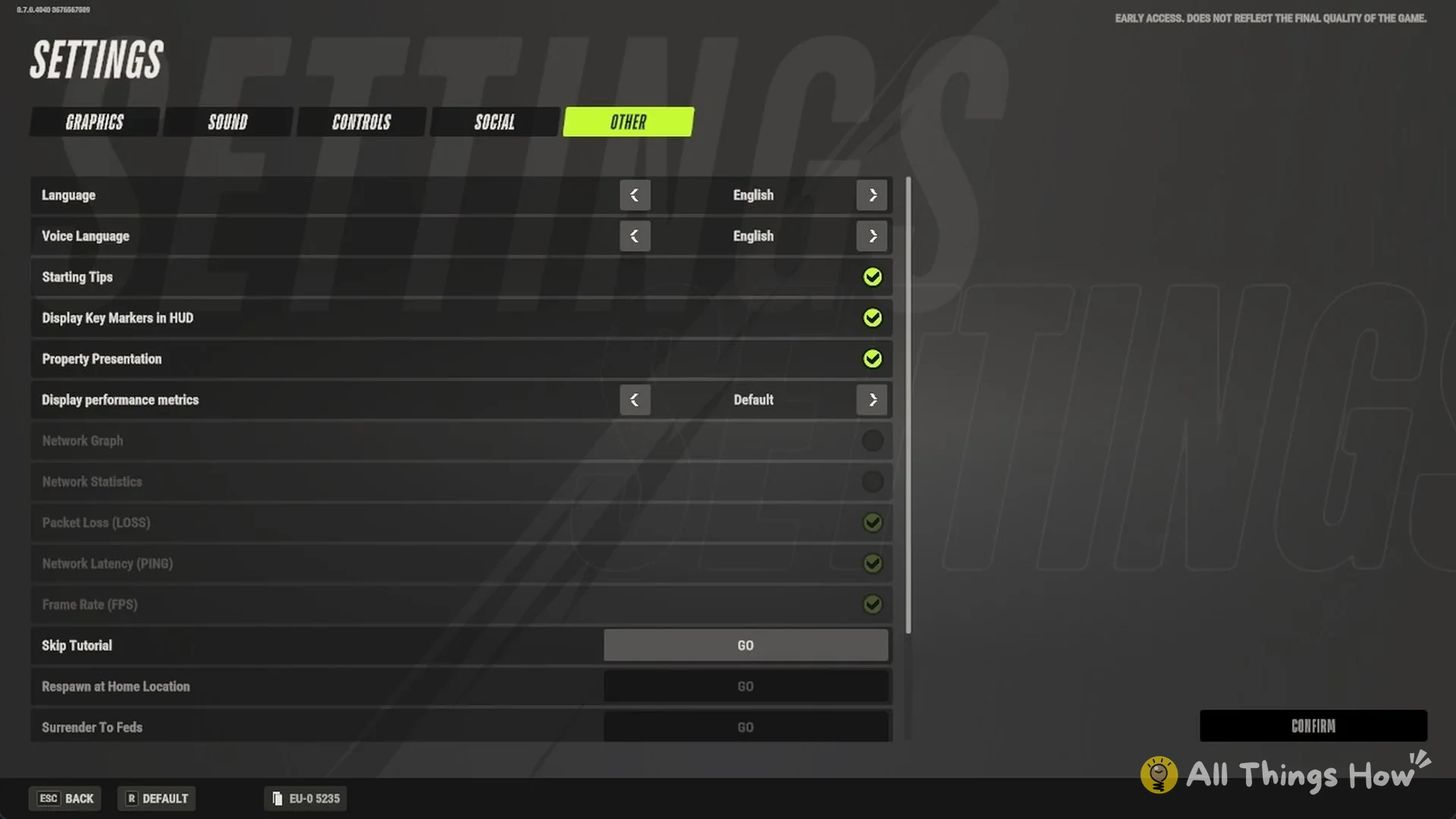
Find the Language row at the top of the list. Its description reads “Select the in-game text language”. Click the left or right arrow on that row until the language you want appears.
Press CONFIRM in the bottom-right corner, or hold E. The button lights up once you’ve made a change.
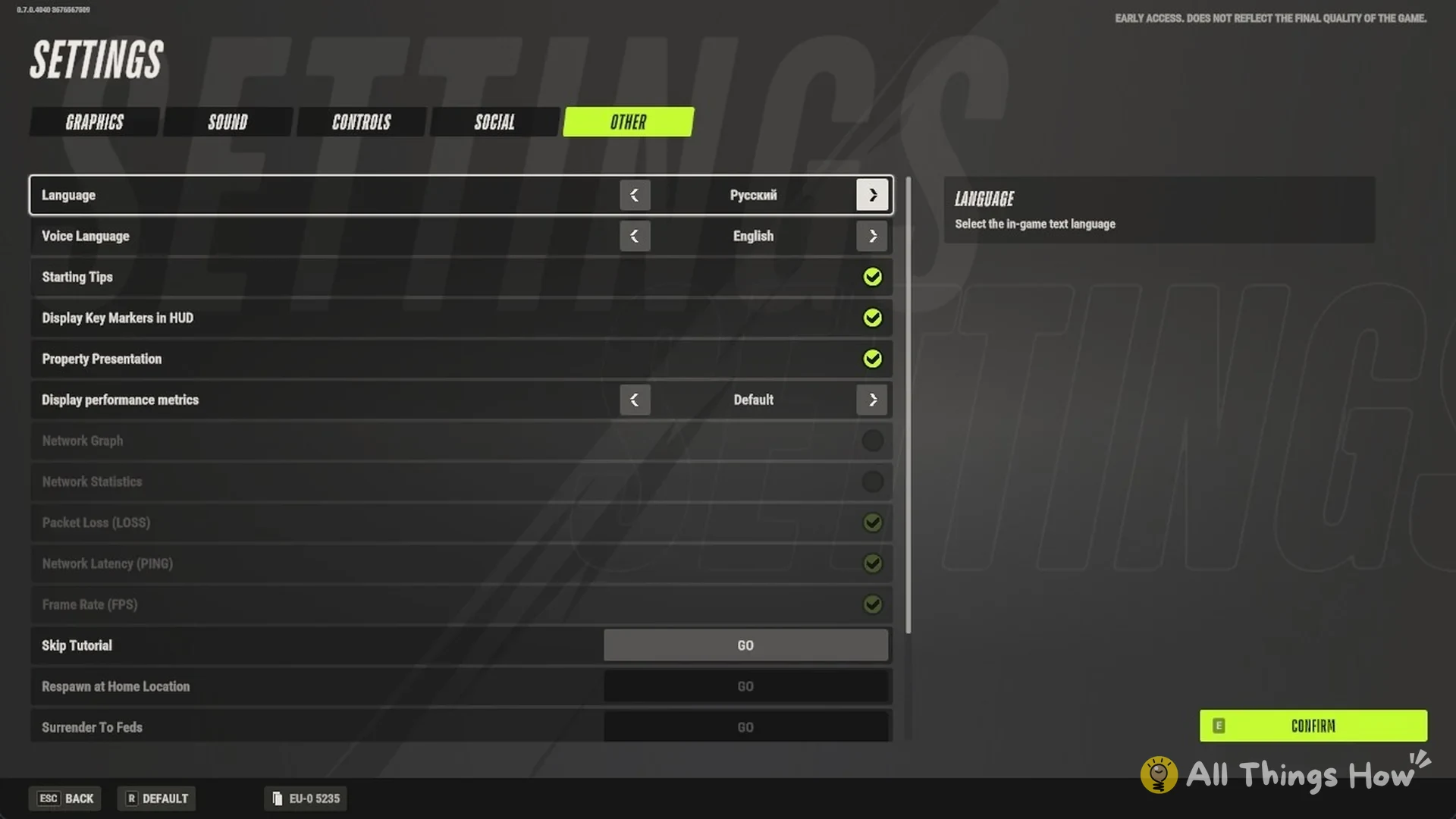
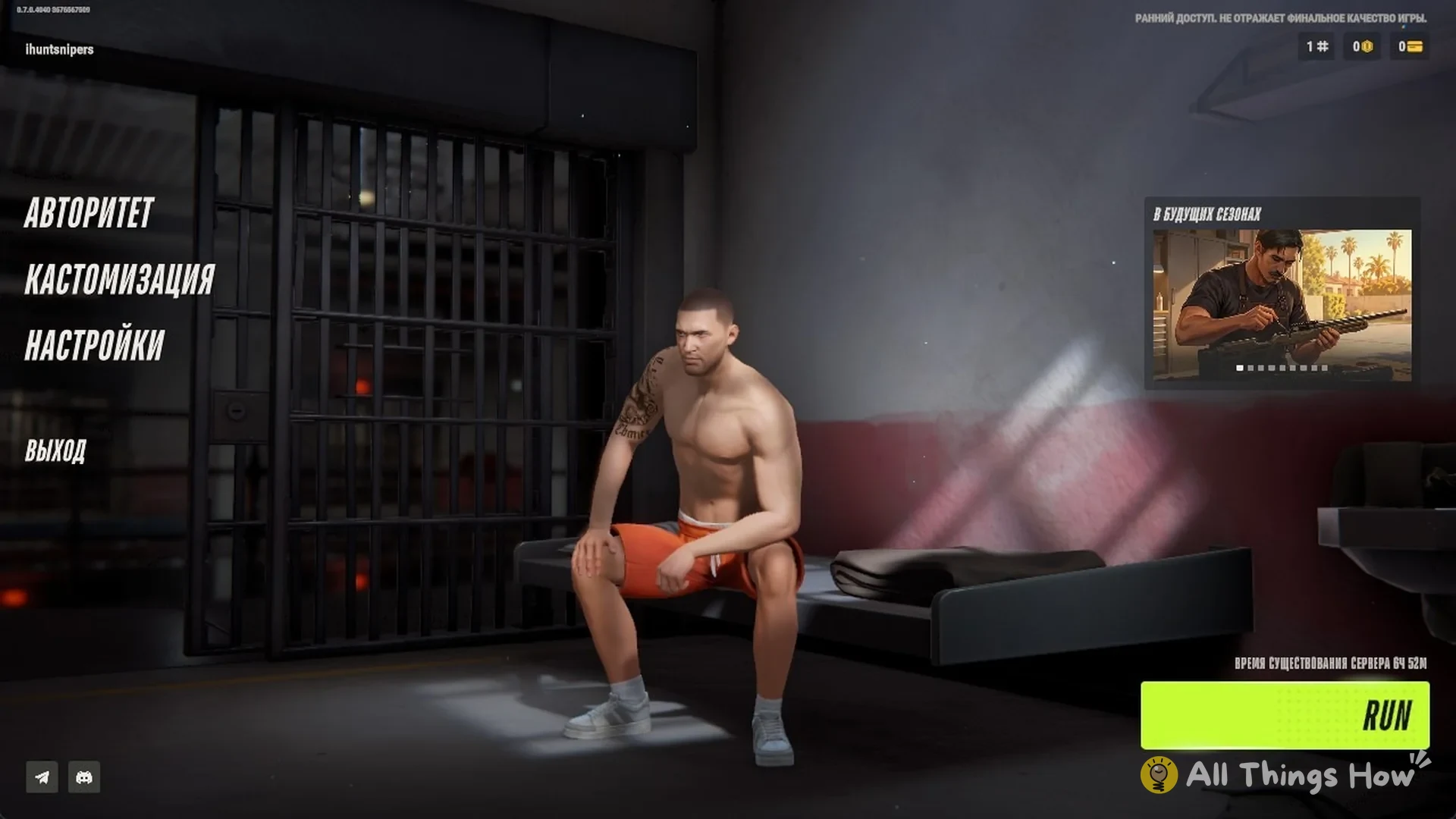
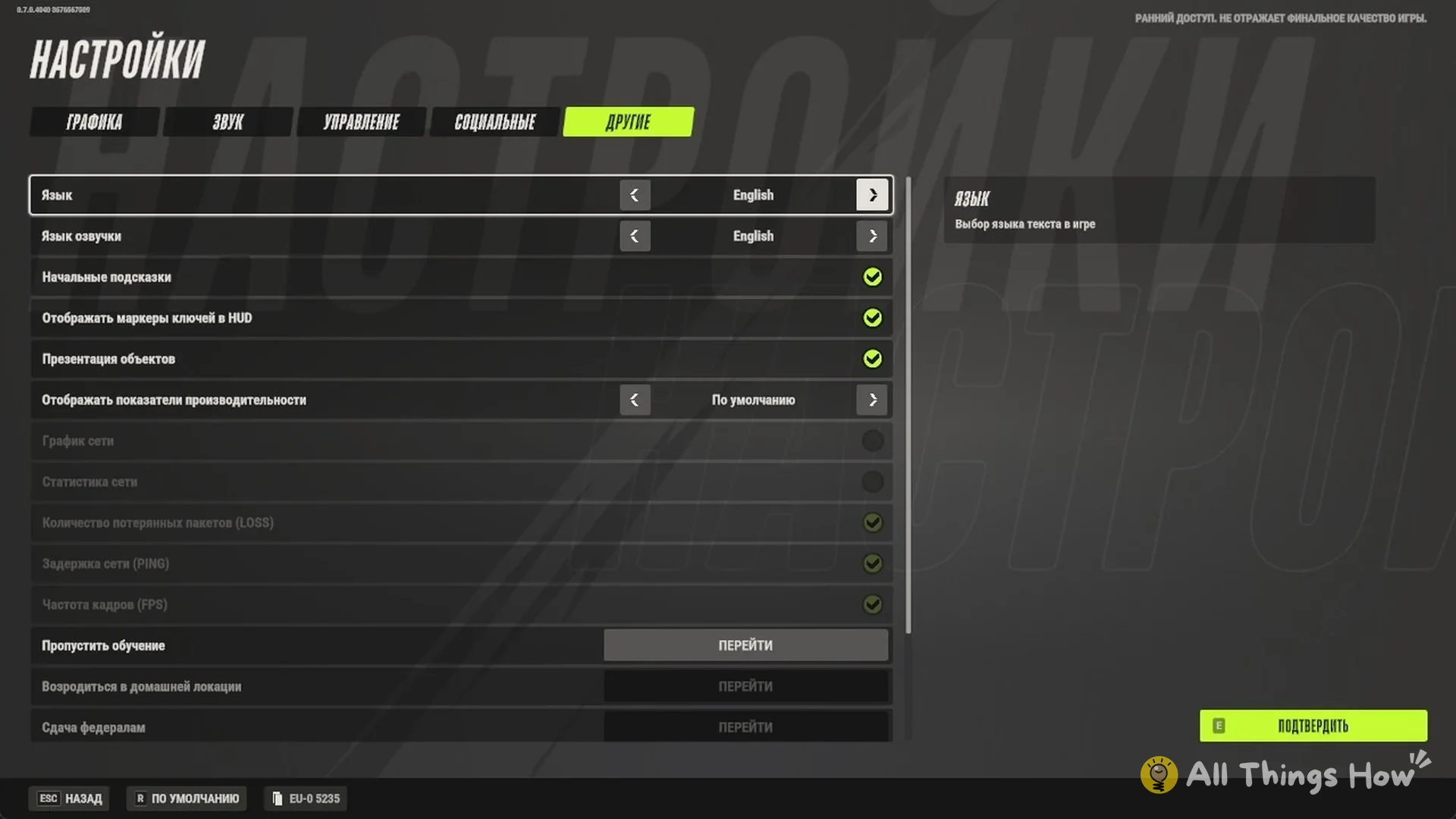
The menus redraw in the new language as soon as you confirm, so you’ll know the change worked. If you pick Русский, for example, the main menu changes to АВТОРИТЕТ, КАСТОМИЗАЦИЯ, НАСТРОЙКИ and ВЫХОД. The Settings screen becomes НАСТРОЙКИ, and the OTHER tab becomes ДРУГИЕ.
All languages in Rob Run
The Language row offers six text languages. The arrows move through them in this order:
- English
- Русский (Russian)
- Français (French)
- Deutsch (German)
- Português brasileiro (Brazilian Portuguese)
- Español (Spanish)
How to change the voice language
Voice Language is the second row on the same OTHER tab, and its description reads “Select character voice language”. It has two options, English and Русский.
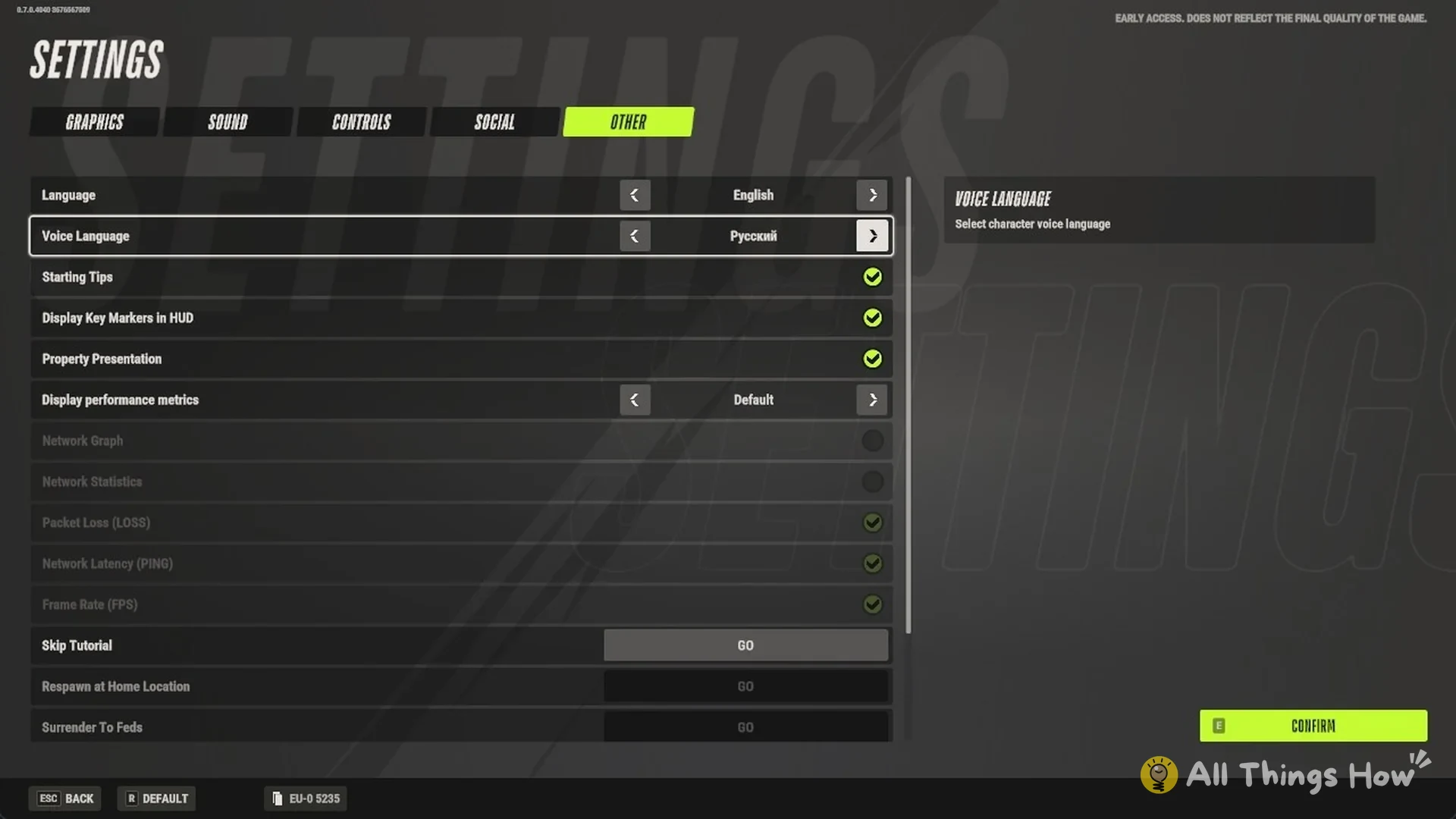
Voice and text settings are independent. You can keep English text while the characters speak Russian, or the other way around.
Is there a Chinese language option?
No. As of 17 November 2026, Rob Run does not include Chinese (中文). Only the six languages listed above appear in the Language list. Since the game remains in Early Access, its available languages could change later.
How to switch back to English
The Language row stays in the same spot no matter which language is active, so you can find it even if you can’t read the menus. In Russian, for example, open НАСТРОЙКИ and go to the ДРУГИЕ tab. Then use the arrows on the first row, Язык, to select English, and press ПОДТВЕРДИТЬ. The menus return to English right away.
FAQ
Does Rob Run have Chinese?
As of 17 November 2026, the Language setting offers only English, Russian, French, German, Brazilian Portuguese and Spanish.
Can you change the voice language in Rob Run?
Yes. Use Voice Language on the OTHER tab to set character voices to English or Russian.