Quick answer: Servers in Rob Run are called states. Pick one from the Escape poster in prison. To switch later, use Settings, Other, Surrender To Feds, which sends you back to prison and confiscates your belongings.
Servers are called states
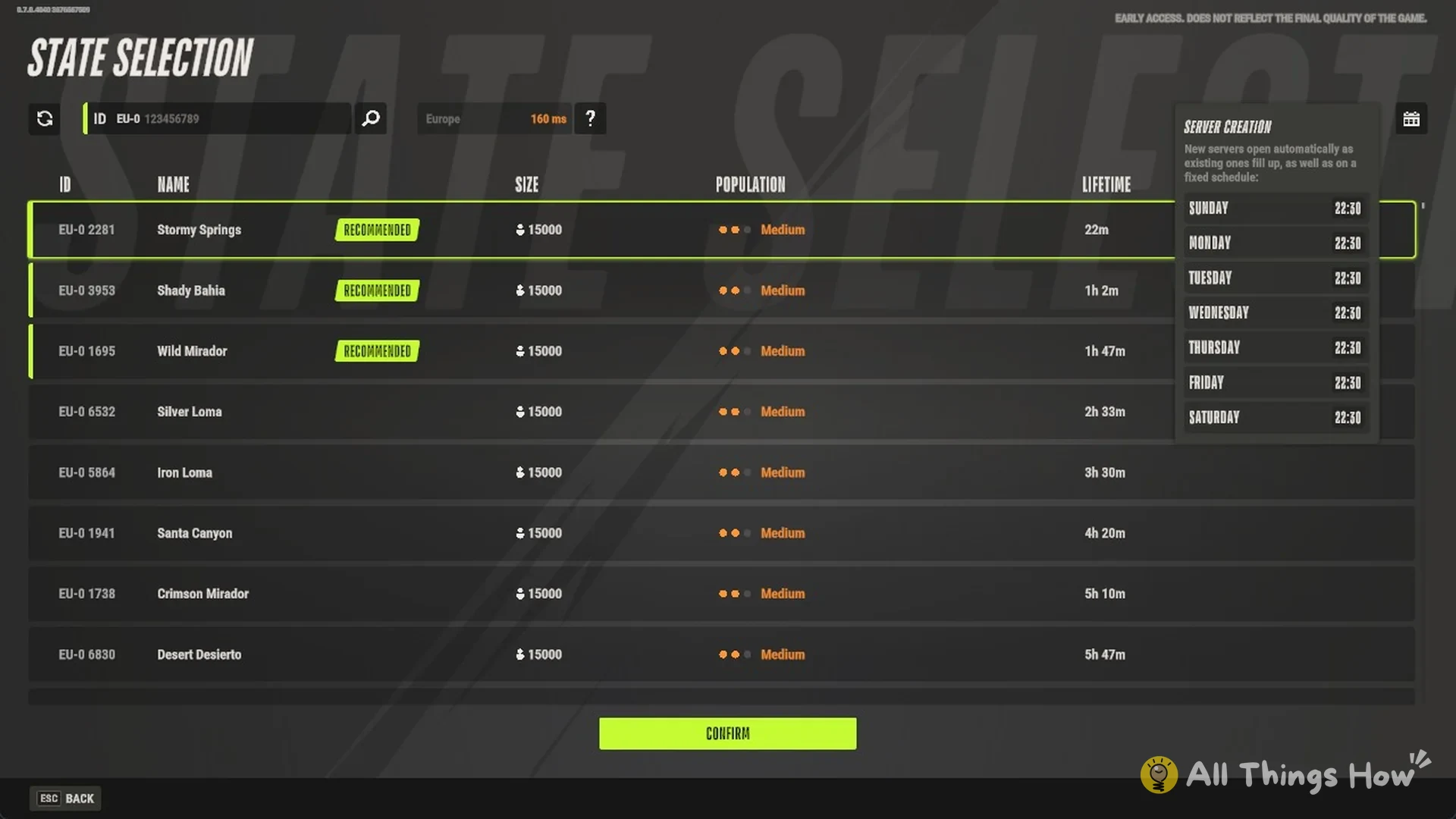
The list contains states, each identified by an ID, such as EU-0 2281, and a name, such as Stormy Springs. One state can contain as many as 15,000 players, displayed as SIZE 15000 in the list.
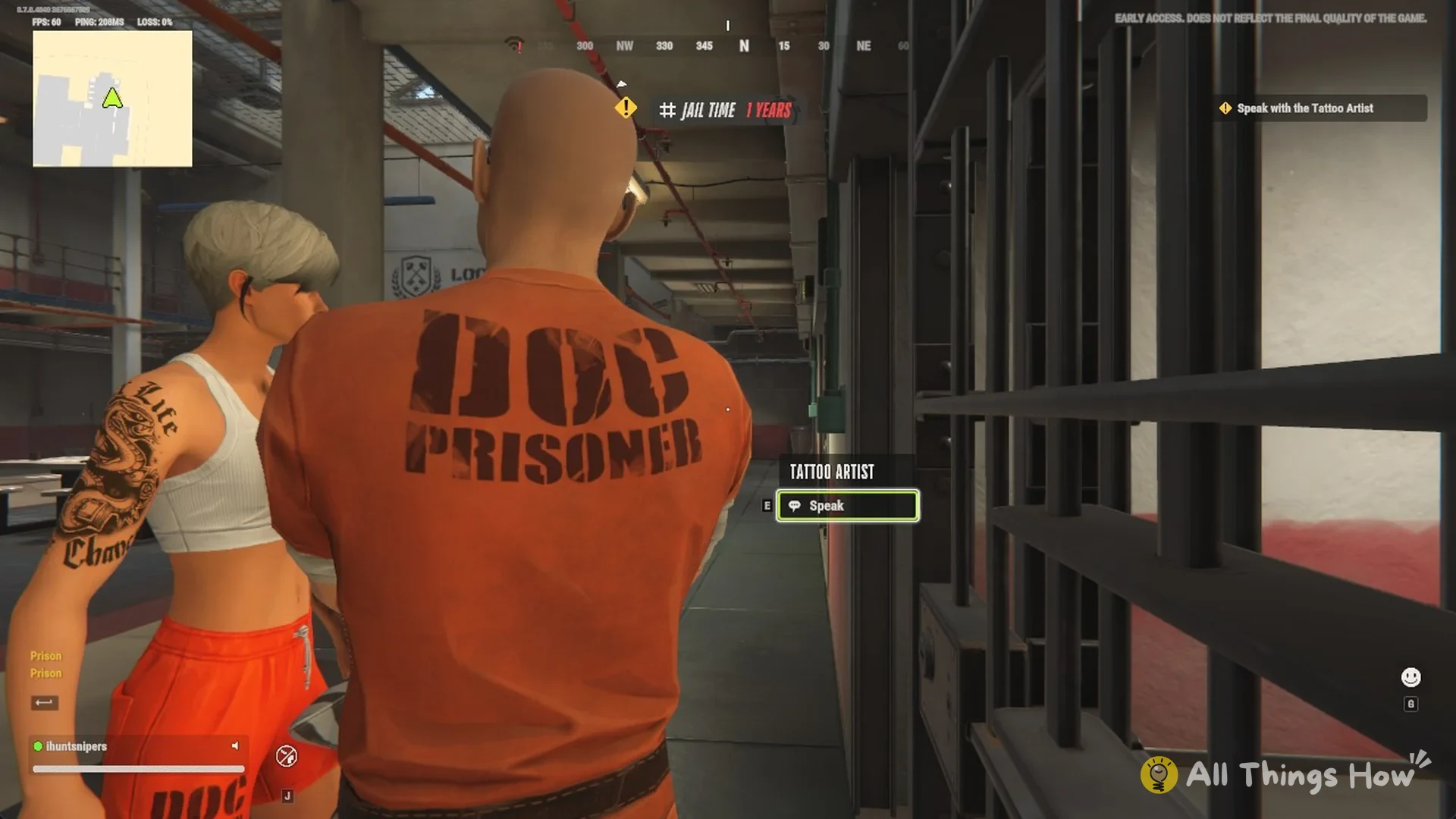
Authority, Customization, Settings and Quit Game appear on the main menu, which offers no state list. State selection is available only from prison. Your character starts there, and escaping lets you reach a state of your choice.
How to pick a state from prison
The state list sits behind a poster on your cell wall. Your objective in prison reads “Escape!”, and that poster is the way out.
- Inside the prison, head to the EXIT poster on your cell wall.
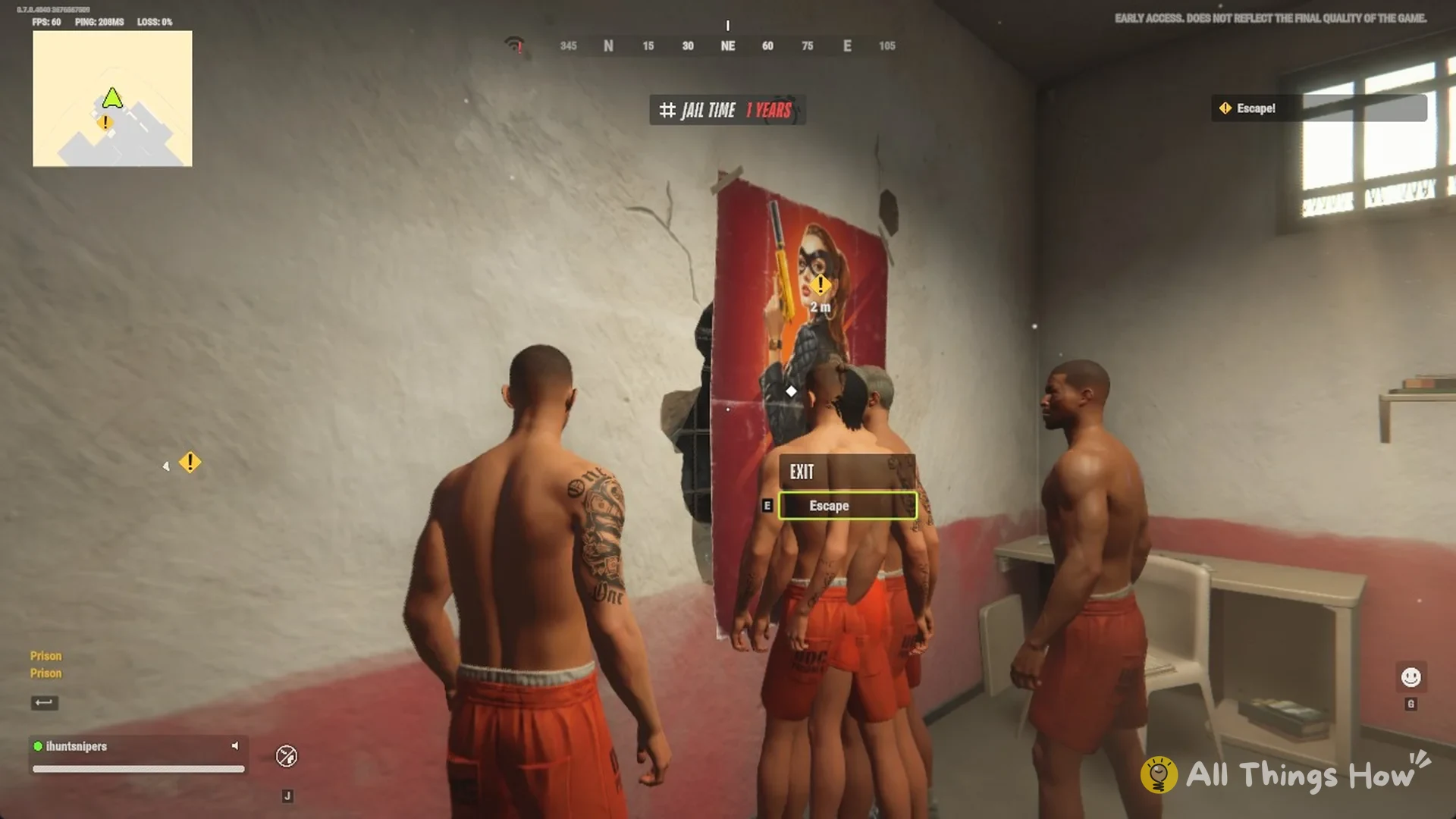
- Press E on Escape. The STATE SELECTION screen opens.
- The server list gives each state’s ID, NAME, SIZE, POPULATION (such as Medium), and LIFETIME, meaning its running duration. RECOMMENDED appears beside the entries at the top.
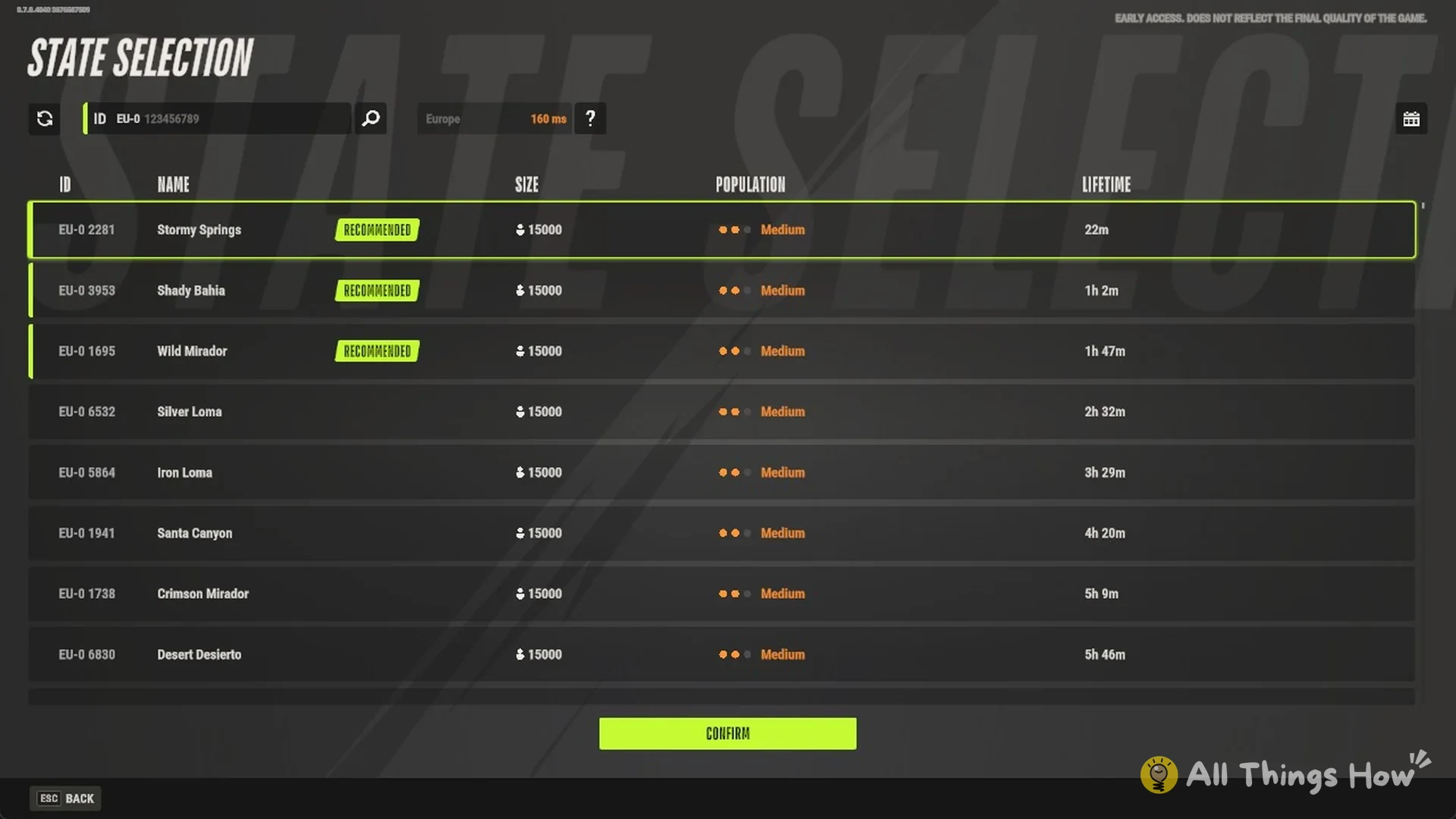
- To enter a particular state, for instance, the one your friends use, enter its ID in the search field at the top, using a format like EU-0 123456789.
- Select a state and confirm.
It worked when you spawn outside Lenny’s Motel in the state you picked.
How to switch server later
Once you are out in the world, the only way to reach a different state is to give yourself up. Surrender To Feds puts you back in prison, and from there you escape again into a new state.
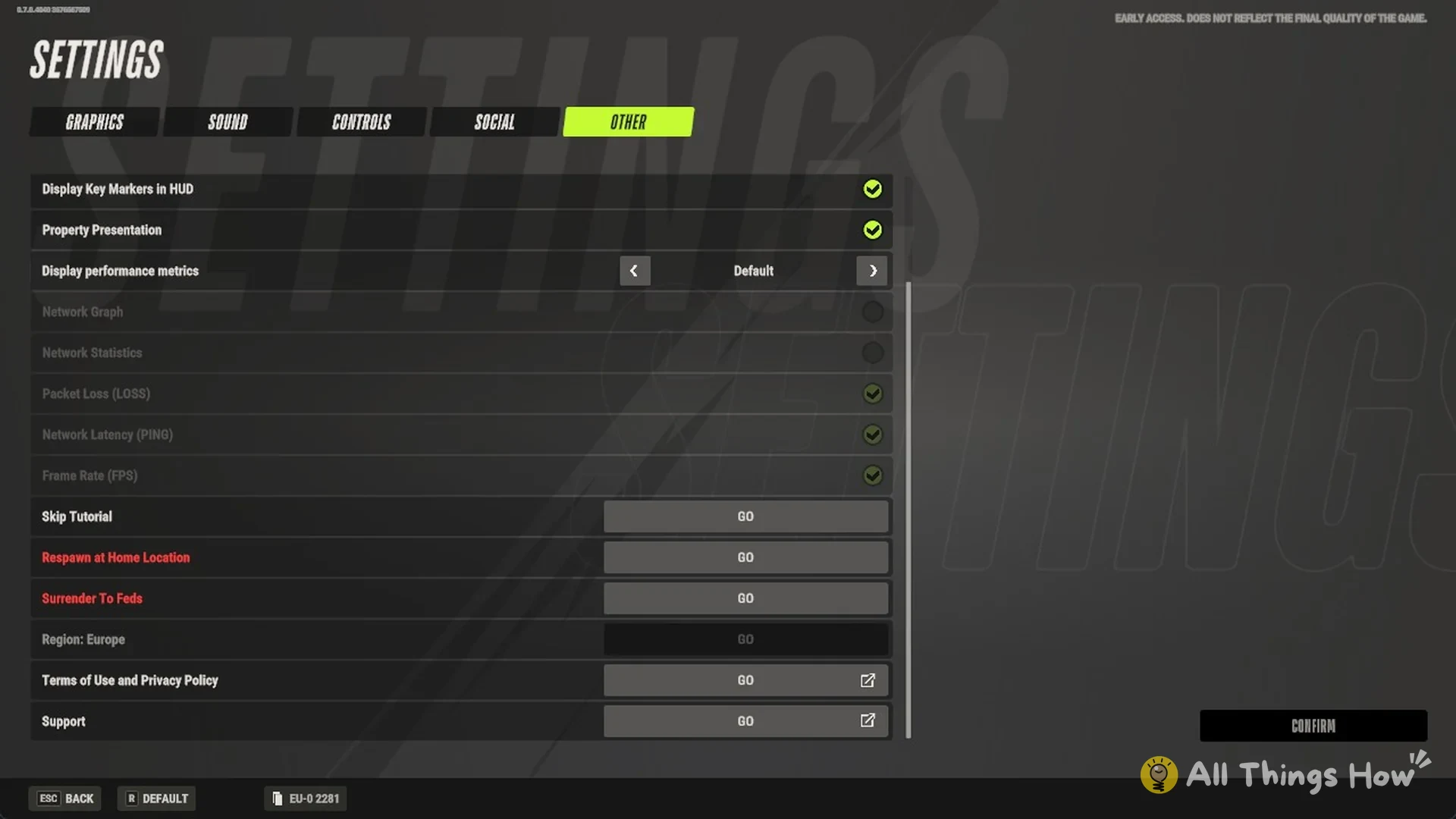
- Hit Esc, select Settings, and switch to the Other tab.
- Select GO beside Surrender To Feds. This control is greyed out in prison and becomes usable only after you leave.
- Read the prompt: “Are you sure you want to surrender to the feds?”
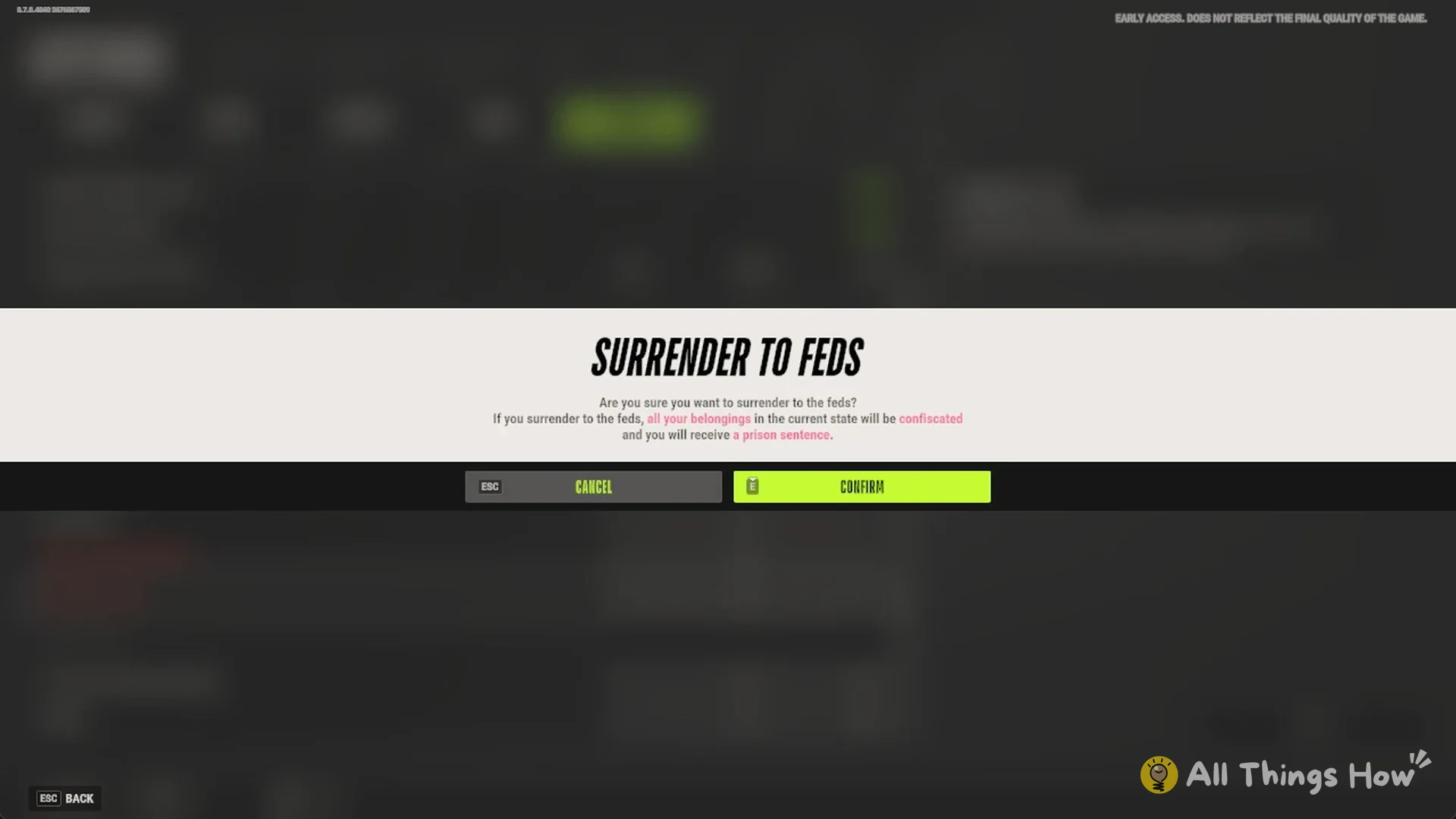
- Confirm to return to prison. From there, use the Escape poster to choose another state from the list.
Surrendering confiscates everything you own in the current state and hands you a prison sentence.
Kefir has acknowledged that having to surrender and return to prison makes switching inconvenient, and plans to make server selection much simpler. Quitting is not a shortcut. Esc, Exit shows “Leave game?” with Quit to Desktop or Quit to Main Menu, and leaving does not change your state. Leaving also starts a timer during which your character stays vulnerable in the world, even though the game closes at once.
How to change region
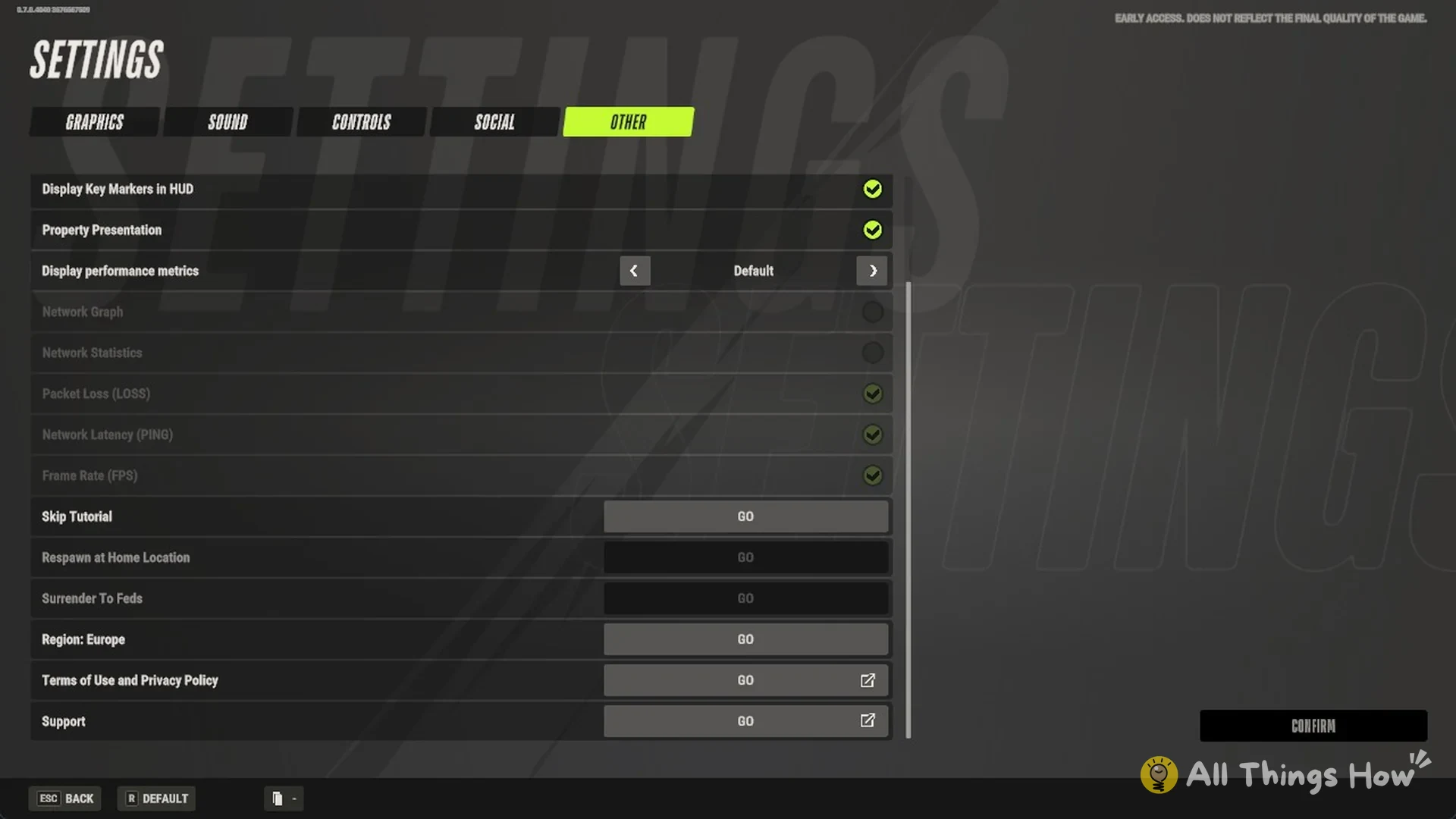
Your region is independent of your state, but you can change it only while in prison. Outside prison, Region is unavailable (greyed out). The “?” beside the region on the STATE SELECTION screen refers to this same setting.
- In prison, use Esc to bring up Settings.
- Under Other, choose GO beside “Region: Europe”.
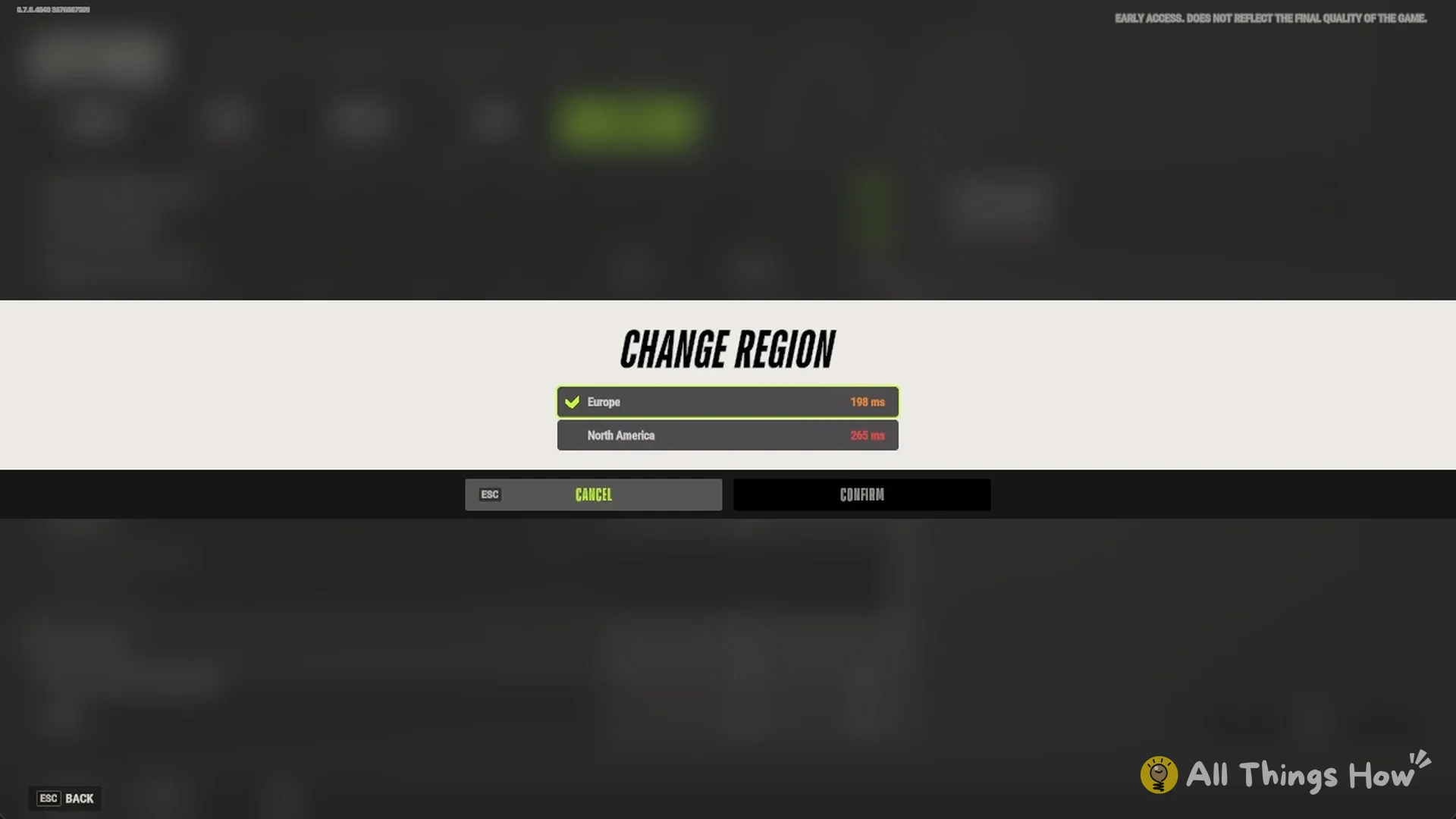
- In the CHANGE REGION window, compare your ping to Europe and North America, pick one and confirm.
Is there an Asia server
No. On 13 Nov 2026, Kefir stated that Asia or Oceania servers could not arrive before at least the end of 2026. Asia-based players can join either region, though their ping will be higher.
How to check which server you are on
Your state ID appears in two places. It is the number friends need to join you.
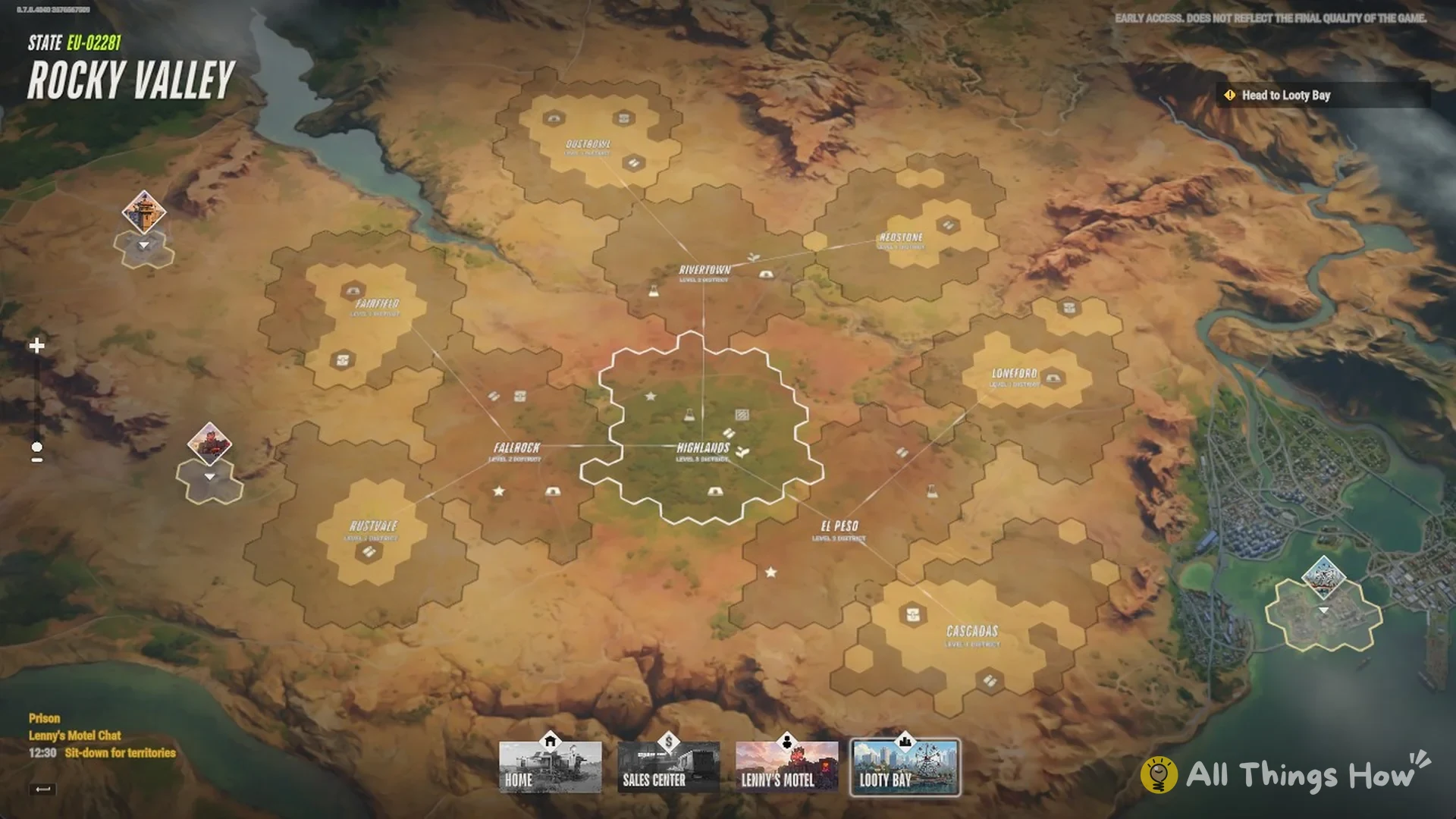
- Global Map: once you leave an area, for example by driving out of Lenny’s Motel, the top-left corner shows “STATE EU-02281” along with the state’s map name.
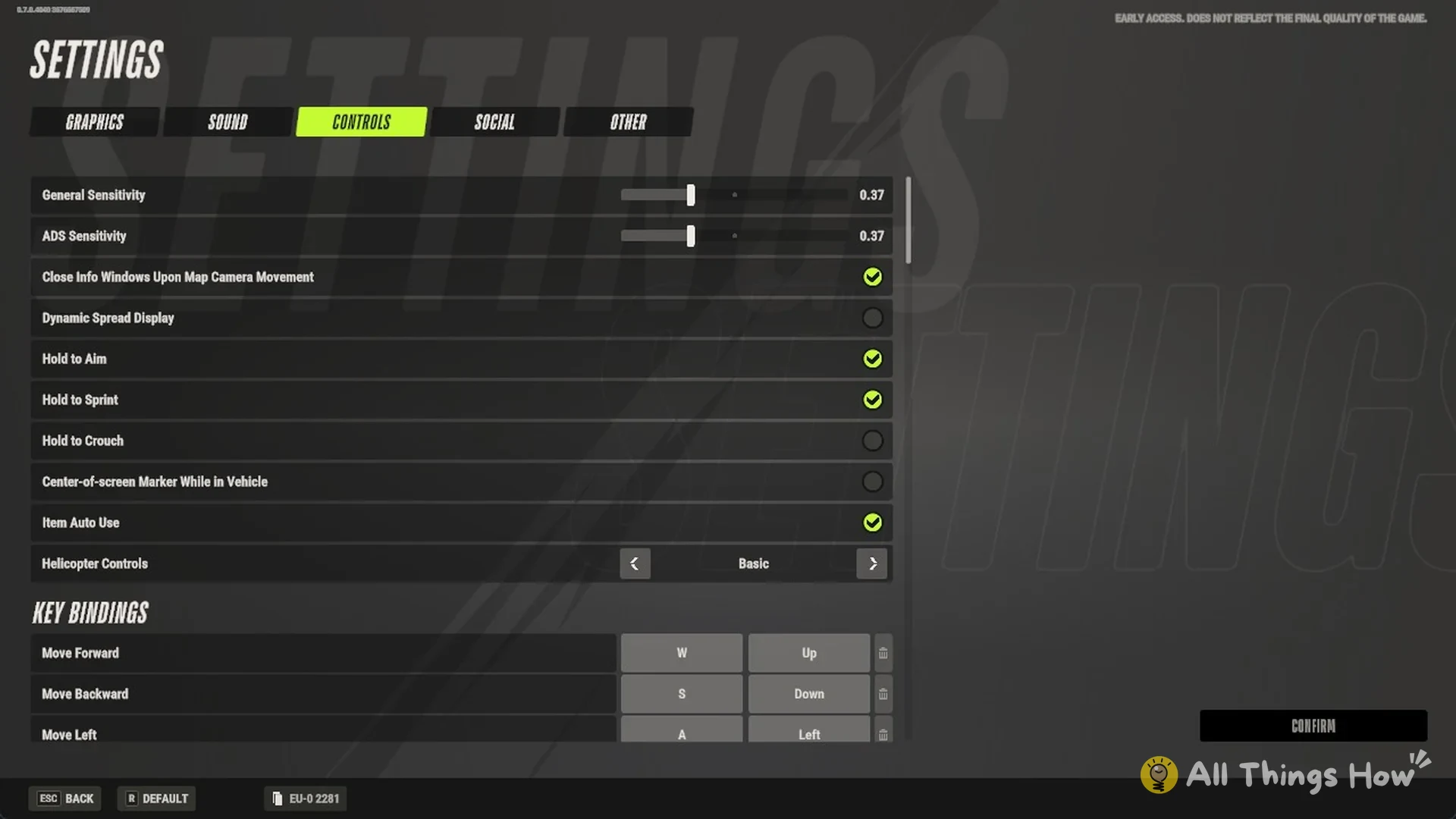
- Settings: Open Settings with Esc to find the current state ID, such as EU-0 2281, at the screen’s bottom beside ESC BACK and R DEFAULT.
- Party: Give friends this ID; they can enter it in the ID search on the STATE SELECTION screen.
When new servers open
The calendar icon on the STATE SELECTION screen opens SERVER CREATION. New states open automatically as existing ones fill up. They also open on a fixed daily schedule, Sunday to Saturday, with one time per day shown in your local time.
| Region | Daily new server |
|---|---|
| Europe | 5 PM UTC |
| East US | 8 PM ET (01:00 UTC) |
Each region gets at least one fresh server per day, and extra servers open automatically when needed. When a new state goes live, a “NEW SERVER AVAILABLE” banner with its name appears on screen, for example “NEW SERVER AVAILABLE: DUSTY SPRINGS”. States are wiped every 7 days.
FAQ
Can you change server in Rob Run?
Yes. Use Surrender To Feds in Settings, Other to return to prison, then escape and select another state from the STATE SELECTION list.
Do you lose your stuff when you switch server?
Yes. Surrendering to the feds confiscates everything you own in that state.
How do you see what server you are on?
The top-left of the Global Map displays STATE and its ID; the ID also appears at the bottom of the Settings screen.
Is there an Asia server in Rob Run?
No. Only Europe and North America are available, and Asia or Oceania will not arrive before the end of 2026.
How do you play on the same server as friends?
Ask them for their state ID, then enter it in the STATE SELECTION screen’s ID search field.