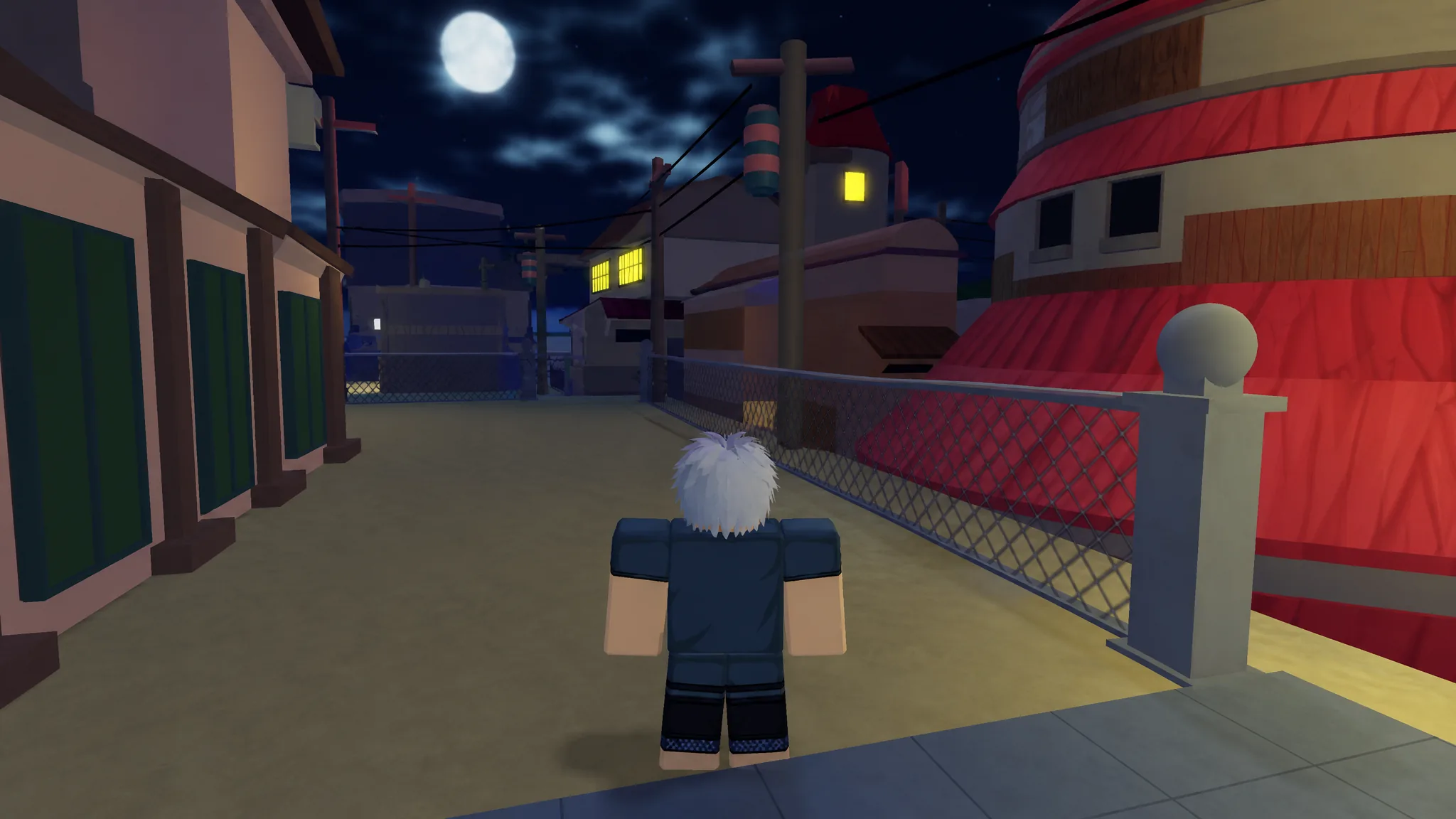
Shindo Life runs a set of text commands you type straight into the game, letting you build a squad, start training drills, customize your Tailed Spirit, and control War Server matches without digging through menus. There are 40 usable commands in total, each beginning with an exclamation mark.
Quick answer: Open the Type Command box at the bottom left of the screen (or the default chat box if it is glitched), type a command such as !squad or !bell, and press Enter to run it.
Where to type Shindo Life commands
The Type Command function sits in the bottom-left corner of the menu. Click it, enter the command exactly as written including the ! prefix, and hit Enter to activate the action. Commands are case-sensitive for a couple of entries, so match the spelling shown here.
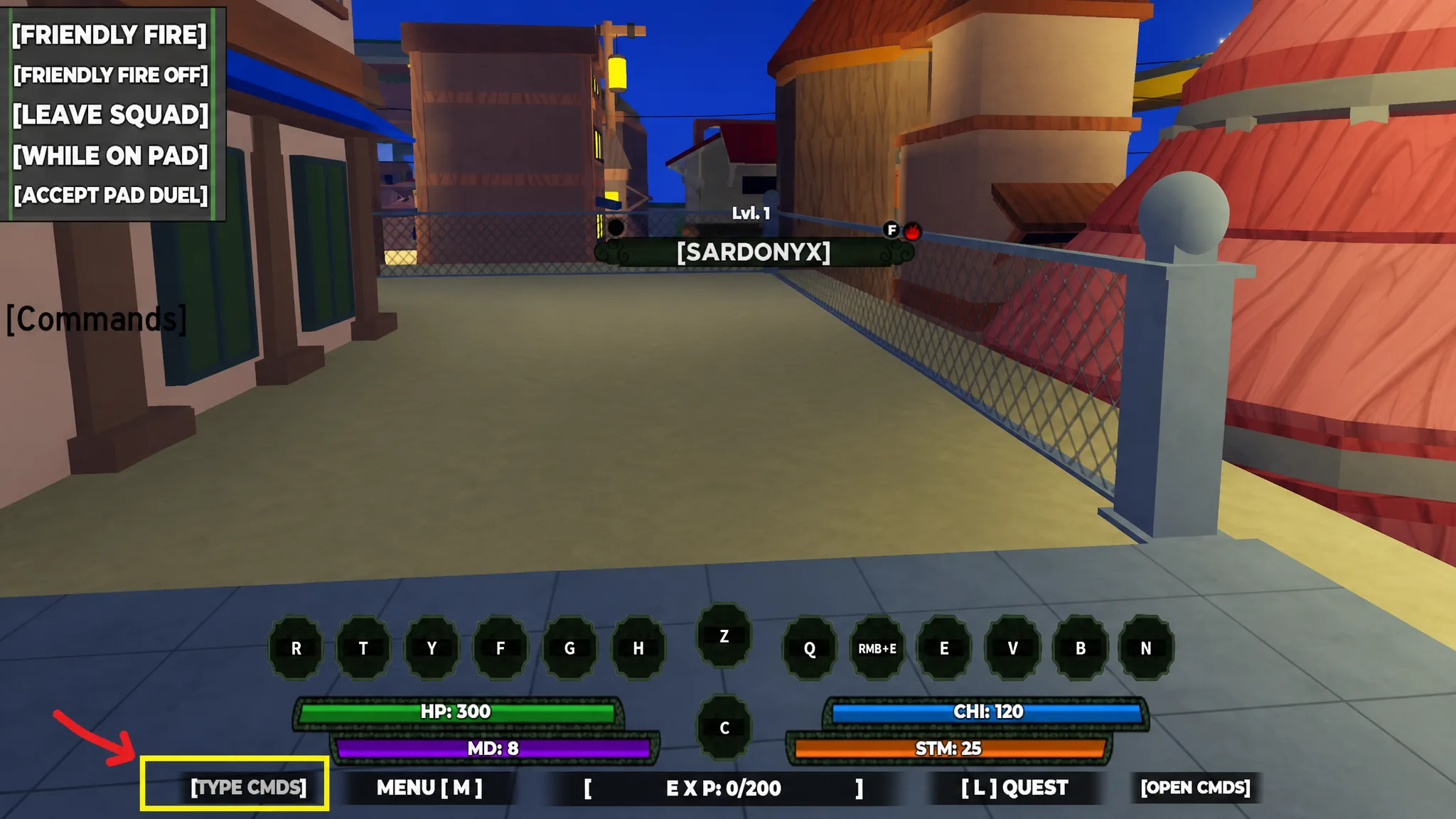
If the Type Command box does not appear because of a bug, use the standard chat box instead. Chat was the original input method for these commands, so both routes trigger the same functions.
Note: Some commands only work in specific conditions, such as being a village Kage, having an active Tailed Spirit mode, or playing on a War Server. Those requirements are listed in the tables below.
Squad, duel, and general commands
These commands cover forming a group, inviting and dueling other players, moderation, and switching common settings on or off.
| Command | What it does |
|---|---|
!squad | Creates a new squad. |
!inv [username] | Invites a player to your squad. |
!acc [username] | Accepts a squad invitation. |
!kick [username] | Kicks a player from your squad. |
!leave | Leaves your squad, or deletes it if you are the leader. |
!duel [username] | Sends a duel request (both players must be on a pad). |
!accd [username] | Accepts a duel invitation. |
!1v1 [username] [username] | Starts a 1v1 training session between two players. |
!cancel | Cancels your current mission. |
!topad | Teleports you to the CPAD training area. |
!ffon | Enables Friendly Fire. |
!ffoff | Disables Friendly Fire. |
!rogue | Turns your character into a Rogue (Kage command). |
!unrogue | Removes Rogue status and restores village affiliation. |
!name | Changes your in-game roleplay name, e.g. !name Naruto. |
!cmds | Opens the in-game commands list. |
!ccmds | Closes the commands menu. |
Training commands
Training commands set up drills, run them, and hand out the reward at the end. Create a pad first, pick a drill type, then begin and end the session.
| Command | What it does |
|---|---|
!cpads | Creates a Custom Pad (CPAD) training session. |
!begin | Starts the selected training session. |
!end | Ends the current training session. |
!reward | Gives the reward for completed training. |
!inf | Shows information about the current training session. |
!bell | Starts Bell Training. |
!tm | Starts Team Deathmatch (TDM) training. |
!pushup | Starts the Push-Up exercise training. |
!treejump | Starts the Tree Jump exercise training. |
!ktrain [username] | Starts Kunai training with the named player. |
Tailed Spirit and cosmetic commands
Several commands change how your character or Tailed Spirit looks and behaves. A few need a specific mode active or cost Robux to reroll colors.
| Command | What it does |
|---|---|
!spirit | Opens the Tailed Spirit customization menu for its look and color. Needs an active Tailed Spirit mode and two spins to reroll colors. |
!spirit off | Exits the Tailed Spirit customization room. |
!beserk | Auto-attacks nearby enemies with melee, Z, and Q while you answer your Tailed Spirit’s questions. |
!Tentacion | Activates Tentacion Mode. Generation 3 Tailed Spirits teleport you to the Tentacion Boss Arena to unlock Stage 4. Requires the Tailed Spirit at Level 2000. |
!cdog | Changes the color of Okami’s dog for 25 Robux. |
!village [village name] | Changes your headband symbol to a chosen village, e.g. !village Ember or !village Haze. |
War Server commands
These commands only function inside a War Server. They handle spawning maps, assigning teams, and starting or ending matches.
| Command | What it does |
|---|---|
!spawn [mapname] | Spawns the named map, e.g. !spawn Ember. |
!spawn team | Spawns the selected team into the server. |
!despawn | Removes the currently spawned map. |
!game tdm | Starts a Team Deathmatch game. |
!game elim | Starts an Elimination game. |
!team1 | Assigns players to Team 1. |
!team2 | Assigns players to Team 2. |
!endgame | Ends the current War Server game. |
How to know a command worked, and why some fail
A successful command produces an immediate response in-game. Running !village Nimbus shows a “Changed band symbol to Nimbus” notice, !cmds opens the on-screen commands list, and !spirit teleports you to the Spirit Realm with a customization menu. If nothing changes after you press Enter, the command did not run.
Commands most often fail for one of these reasons:
- The command needs a role you do not have.
!rogueand!unrogueare Kage commands, and!cpadsis restricted to certain hosts. - A required state is missing.
!spiritand!beserkneed an active Tailed Spirit mode, and!Tentacionneeds a Generation 3 Tailed Spirit at Level 2000. - You are on the wrong server. The
!spawn,!game,!team1,!team2, and!endgamecommands only work on a War Server. - The username or map name is misspelled. Commands that take
[username]or[mapname]need the exact name.
When the Type Command box is unresponsive, fall back to the chat box for the same result. With the full list above, you can chain training drills, run squad matches, and customize your ninja entirely through text input.