VIP in Slayers 2 is not a drop, a quest reward, or something you unlock by leveling. It is a paid subscription sold inside the game’s own Shop menu, and the entry point is easy to miss because the section stays locked until you click directly on it.
Quick answer: Open the side menu, go to Shop, click the locked VIP panel, and confirm the prompt for 150 Robux per month.
Where the VIP option lives in Slayers 2
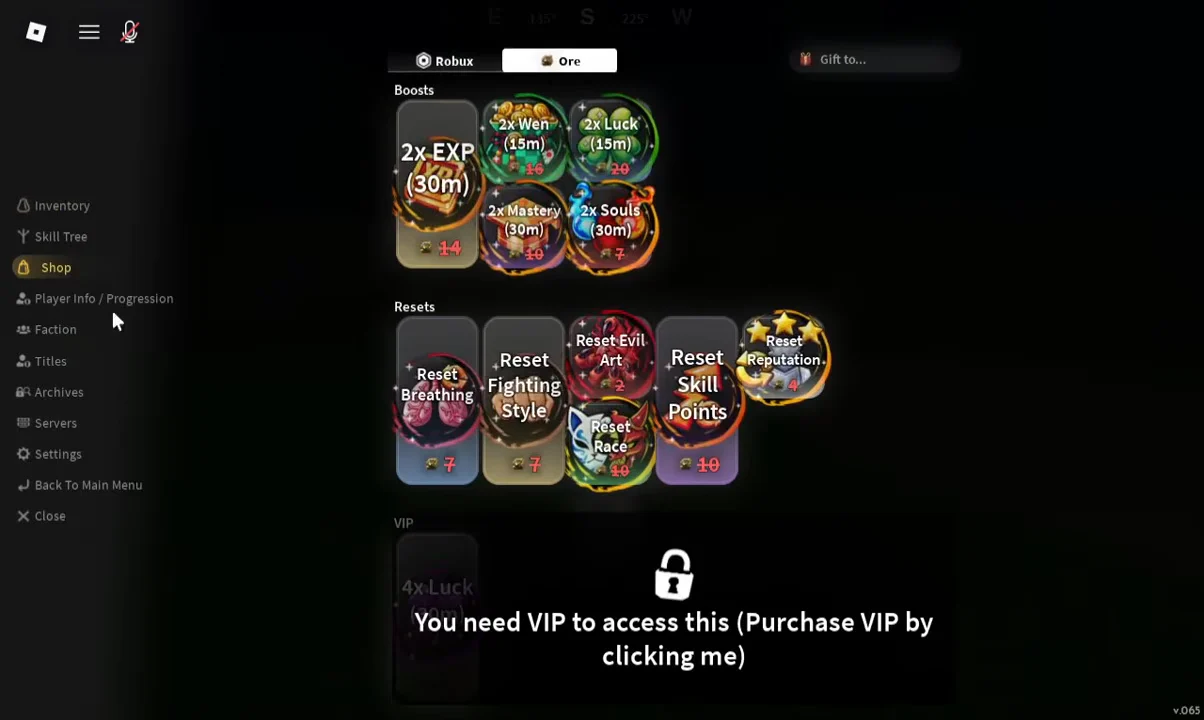
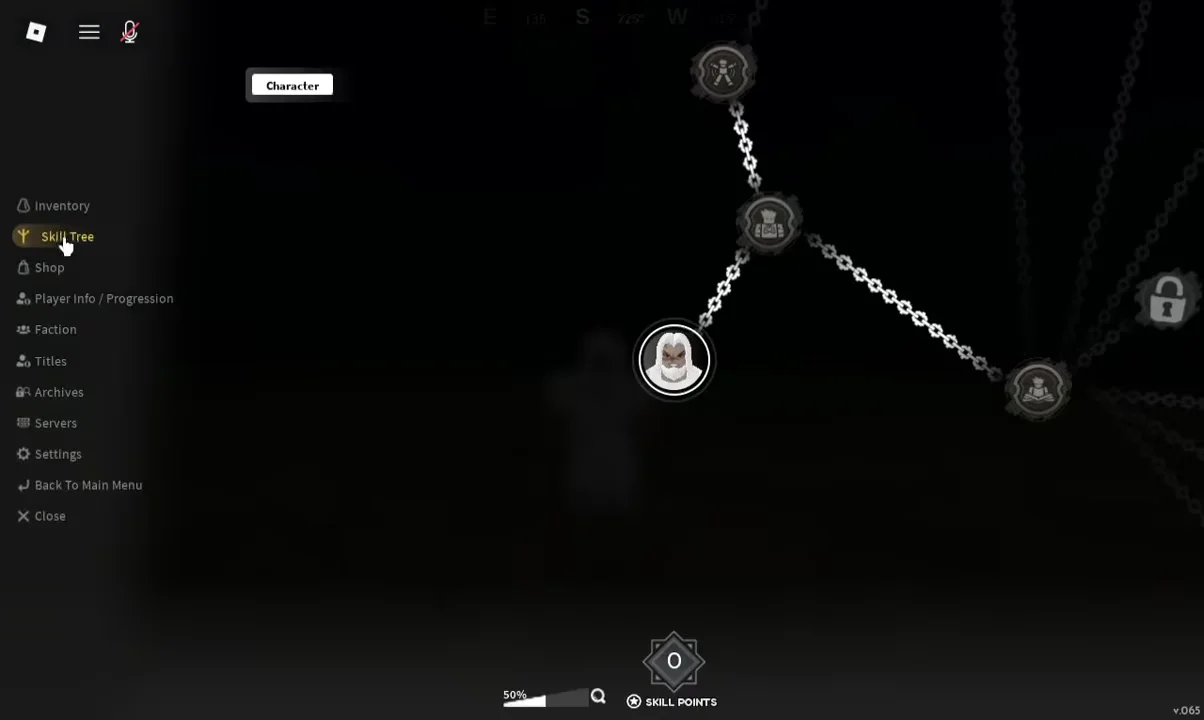
The menu sits on the left side of the screen once you are loaded into the world. You do not need to be in a specific village, at a trainer, or at a particular level to reach it, so it works the same whether you are still clearing bandits in the starting area or already grinding at Final Selection.
Inside that menu, Shop holds the VIP entry. Rather than a normal buy button, it appears as a greyed-out section with a lock icon and the line “You need VIP to access this (Purchase VIP by clicking me)”. That message is the button. Clicking anywhere on the locked panel is what opens the purchase window.
If the panel looks like an error or a bug, it is not. The lock state is the intended look for players who do not own VIP yet.
Buying VIP in Slayers 2
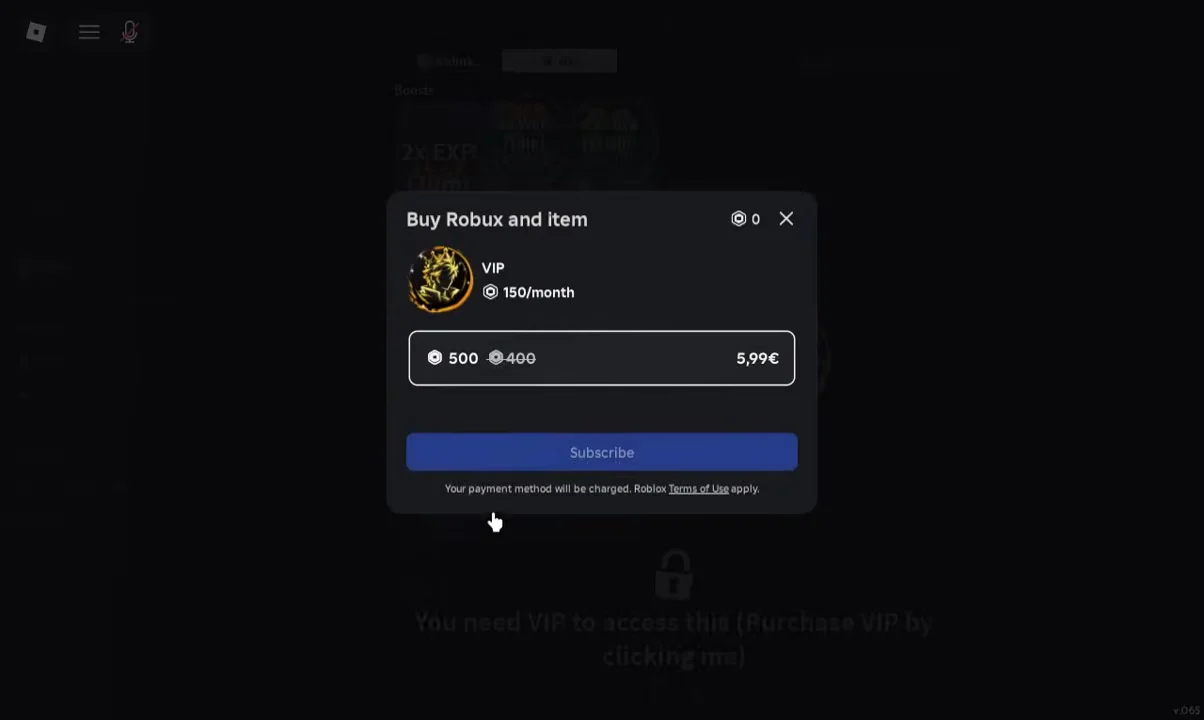
VIP is billed as a recurring monthly subscription, not a one-time game pass. Robux subscriptions are managed through your Roblox account rather than through the Slayers 2 menu, so cancel there if you only want a single month.
How to confirm VIP is active
Return to the Shop tab after buying. The lock icon and the “You need VIP to access this” line should be gone, leaving the VIP section open instead of greyed out. That change in the Shop panel is the clearest in-game signal that the subscription registered on your character.
Your Skill Tree and Inventory tabs are unaffected by the purchase. Nodes you have already unlocked and the items sitting in your Loadout slots stay exactly as they were, so there is nothing to re-spend or re-equip afterward.
Paid extras versus grindable rewards
VIP is separate from the rest of Slayers 2’s paid layer. The Shop also sells boosts and reset items, and a number of those can be bought with ores earned in-game rather than Robux, which means some shop rewards are reachable without spending money at all.
| Purchase type | Cost | Grindable? |
|---|---|---|
| VIP | 150 Robux / month | No |
| Game passes | Robux or ores | Yes, via ores |
| Clan spins | Robux or ores | Yes, via ores |
Ores come from chests scattered around the world, from completing Final Selection, and from world bosses, which award four at a time. If your goal is shop boosts rather than the VIP panel specifically, farming ores is the route that costs nothing but time.
Codes are the other free source worth checking, and Slayers 2 lists them inside the game itself, just above the redemption box on the main menu. Clicking a code there pastes it straight into the box, so you can claim spins, wen, and refinement ore without leaving the menu.