Splatoon Raiders is built as a solo adventure, but you can bring up to three other players into a raid once the game opens the door for it. There are two ways to team up. You can build a room for people you choose, or you can use quick online matchmaking to grab or offer a hand for a single raid. Everyone plays on their own Nintendo Switch 2 with their own copy of the game.
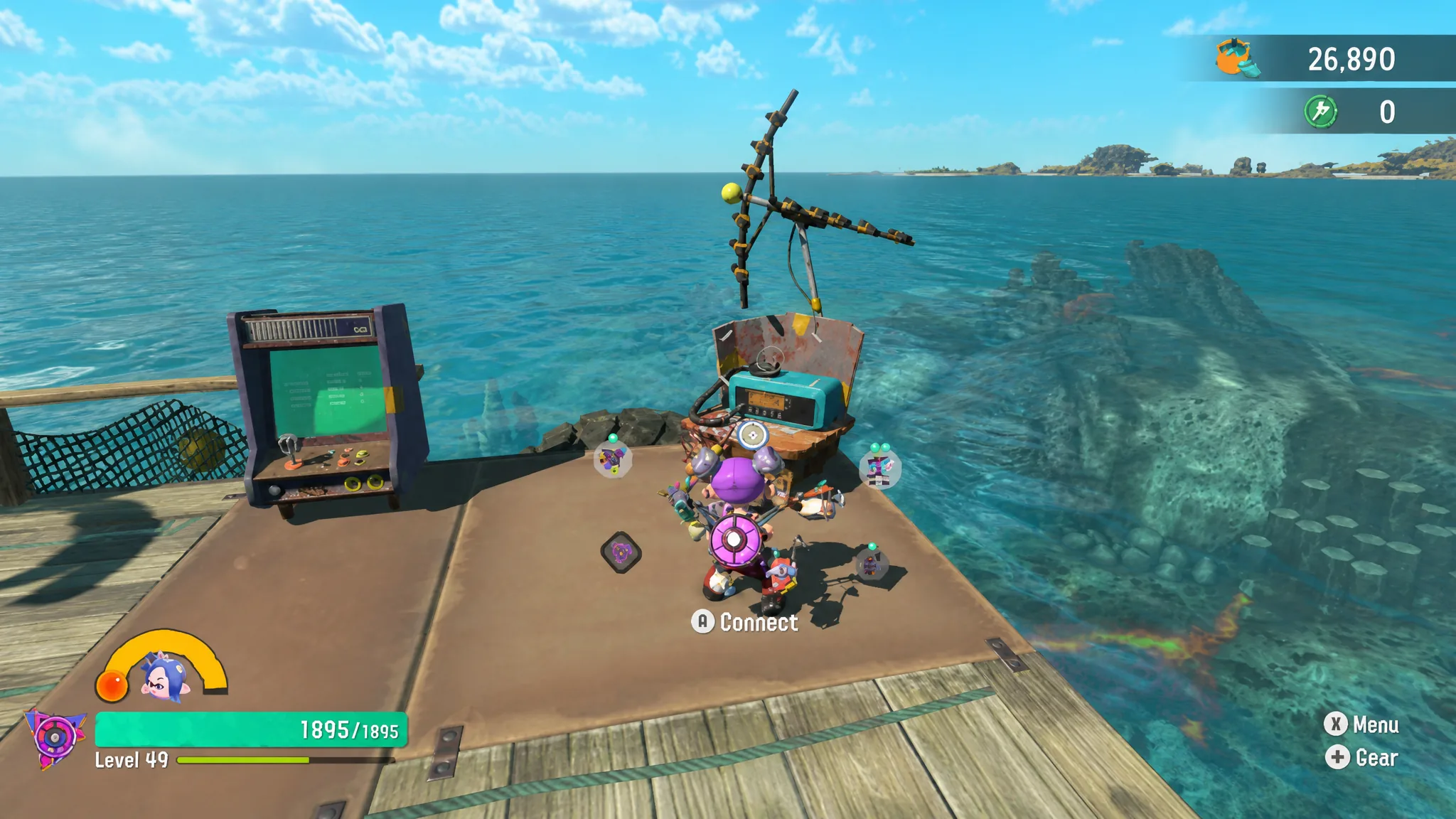
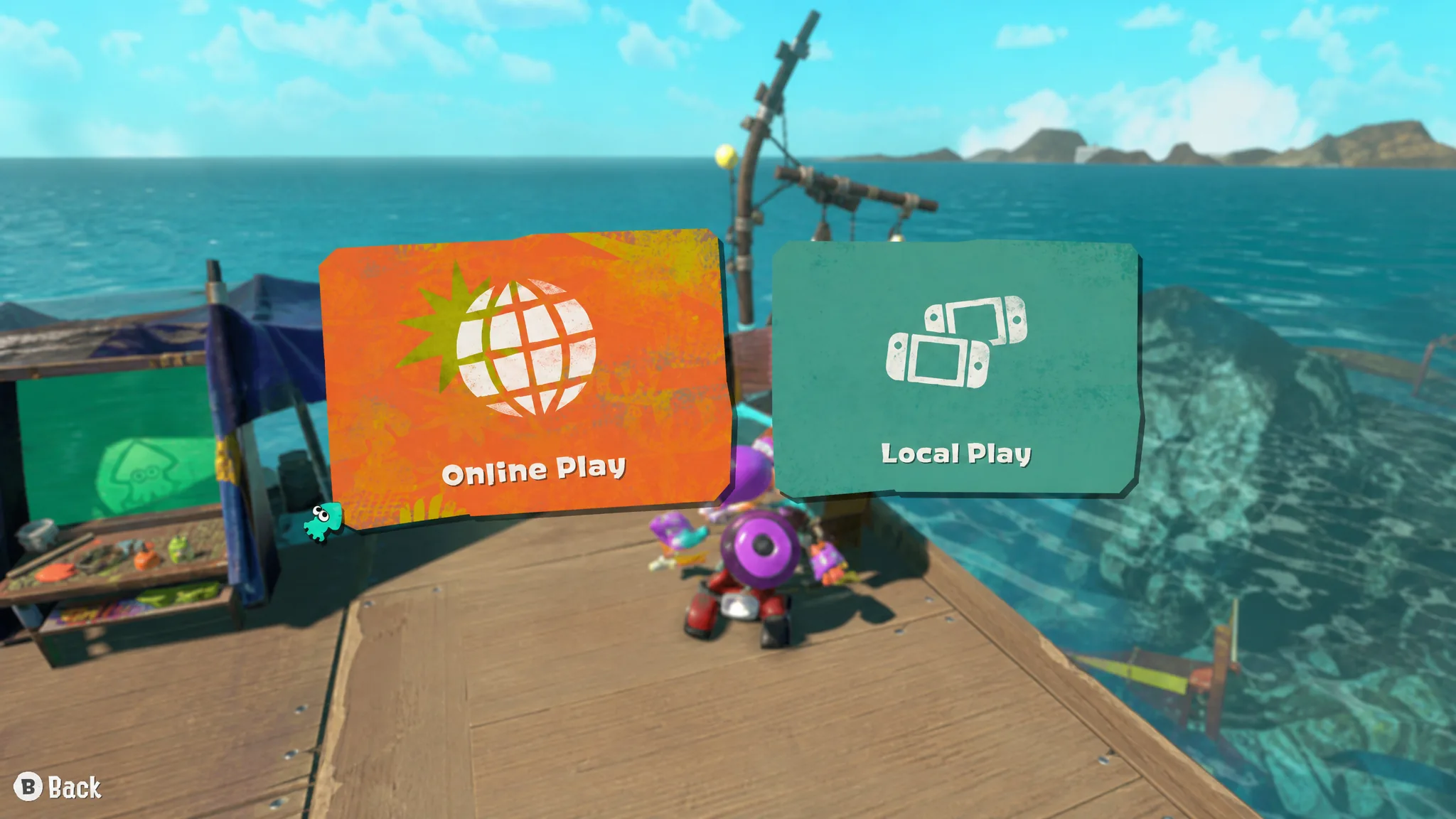
Quick answer: Finish the first three raids on Erpp Island, then walk to the radio on the Hideout Ship and press A. Pick Local Play or Online Play, have one player create a room, let others join, and the host selects a dungeon to start a 2–4 player raid.
What you need before you can play co-op
Multiplayer runs across separate consoles, not on a single screen. There is no split-screen and no GameShare, so each participant needs their own hardware and their own copy of the game. Online sessions also need a paid membership and an updated game.
| Requirement | Details |
|---|---|
| Players | 2–4 total, one per Nintendo Switch 2 |
| Game copies | One copy per player |
| Online play | Nintendo Switch Online membership plus an internet connection |
| Local play | Nearby consoles on local wireless, no membership needed |
| Software | Updated to the latest version for online features |
| Split-screen | Not supported |
Note: Call for Help supports up to three players in total, while a created room can hold the full four.
How to unlock multiplayer
Co-op is locked at the start. It becomes available after you complete the first three raids on Erpp Island. Once that condition is met, a radio appears on the Hideout Ship near your base, and interacting with it opens the multiplayer options. You will hit this point early in the campaign, usually within the opening stretch of the story.
The first time you open the radio, the game asks you to review its multiplayer information and community guidelines, then enter a nickname other players can see. You only do this setup once.
Create a room for friends or by keyword
A room is the flexible way to play, because you choose exactly who joins and you can run several raids in a row without dropping out after each one. The steps are the same for local and online play, with the only difference being which mode you pick at the radio.
Use a keyword to find strangers online
Under Online Play, press the R Button to open the Keyword tab. Press the plus Button to set a keyword of up to 32 characters, confirm it, and any player who enters the same word can find your room. Many players use the word “splatoon” to fill a lobby quickly. To switch keywords, delete the current one first, then set a new one.
Call for Help and Go Help
These two options are for quick, one-off online teamwork rather than a planned session. Both need an internet connection and a membership, and both use random matchmaking.
Successfully helping someone earns a Help Bonus, which can include weapons, gadget parts, and other materials. After a successful Call for Help raid, you cannot request help again until a cooldown passes, so save it for the dungeons that give you trouble.
A few things worth knowing before you queue up. In random online play your nickname is hidden and you appear under a marine animal name such as Ghost Crab, Albacore, or Arowana. Temple levels replay their cutscenes and cannot be skipped. And if a raid fails, no rewards or loot are handed out.
Difficulty, player power, and Bot Buddies in co-op
The game automatically scales player power so people at different points in the story can raid together, which means a friend with stronger gear can still join without steamrolling everything for you. Difficulty is a separate setting with three options that change combat only and never the loot you can earn.
| Difficulty | Effect |
|---|---|
| Tourist (Easy) | Salmonids deal the least damage |
| Raider (Normal) | Salmonids deal standard damage |
| Survivalist (Hard) | Salmonids deal the most damage |
You can change difficulty at any time from the Hideout Ship, and it only alters enemy strength, not drops. During a co-op raid the Bot Buddy that the host selected joins the fight and follows the host. Other players can jump to the host instead of calling that Bot Buddy over, and a guest who chose a different Bot Buddy can still use that character’s Showstopper.
Once the radio is on the Hideout Ship, you know multiplayer is unlocked, and a raid only kicks off after every player holds A to confirm they are ready. If a room will not appear for a friend, refresh with the X Button and double-check the passcode or keyword, since a mistyped entry is the usual reason a lobby stays hidden.