Tickets in ZOO or OOF 2 let you skip the random team assignment and lock in exactly how you want to play a round. You either queue up as a zookeeper or choose which animal you spawn as, instead of leaving it to chance. There are two reliable ways to stock up on them.
Quick answer: Open the Daily Rewards menu to claim a free Animal Ticket on Day 2 and a free Zookeeper Ticket on Day 4, or buy either ticket instantly for 29 Robux each from the purchase prompt at the lobby booths.
What tickets do in ZOO or OOF 2
Every match splits players into animals that hide among the NPCs and a zookeeper who hunts them down. By default your side is picked for you. A ticket overrides that pick for the next round.
There are two ticket types, and each controls a different choice.
| Ticket | What it lets you do |
|---|---|
| Zookeeper Ticket | Enter the queue to play as the zookeeper for the next round. |
| Animal Ticket | Pick the exact animal you spawn as for the next round. |
Claim free tickets from Daily Rewards
The cheapest way to get tickets is to log in and collect them. The Daily Rewards track hands out both ticket types on specific days.
| Login day | Free ticket |
|---|---|
| Day 2 | +1 Animal Ticket |
| Day 4 | +1 Zookeeper Ticket |
Buy tickets with Robux
If you do not want to wait for the daily cycle, you can purchase tickets on the spot. The buy prompt lets you add a single ticket to your balance right away.
| Purchase | Price |
|---|---|
| +1 Zookeeper Ticket | 29 Robux |
| +1 Animal Ticket | 29 Robux |
Confirm the Robux charge in the “Buy Robux and item” window to complete the purchase. The ticket count updates as soon as the transaction goes through.
Spend tickets at the lobby booths
Tickets are used at two machines in the main lobby, one for each role. Walk up to the booth that matches the ticket you hold.
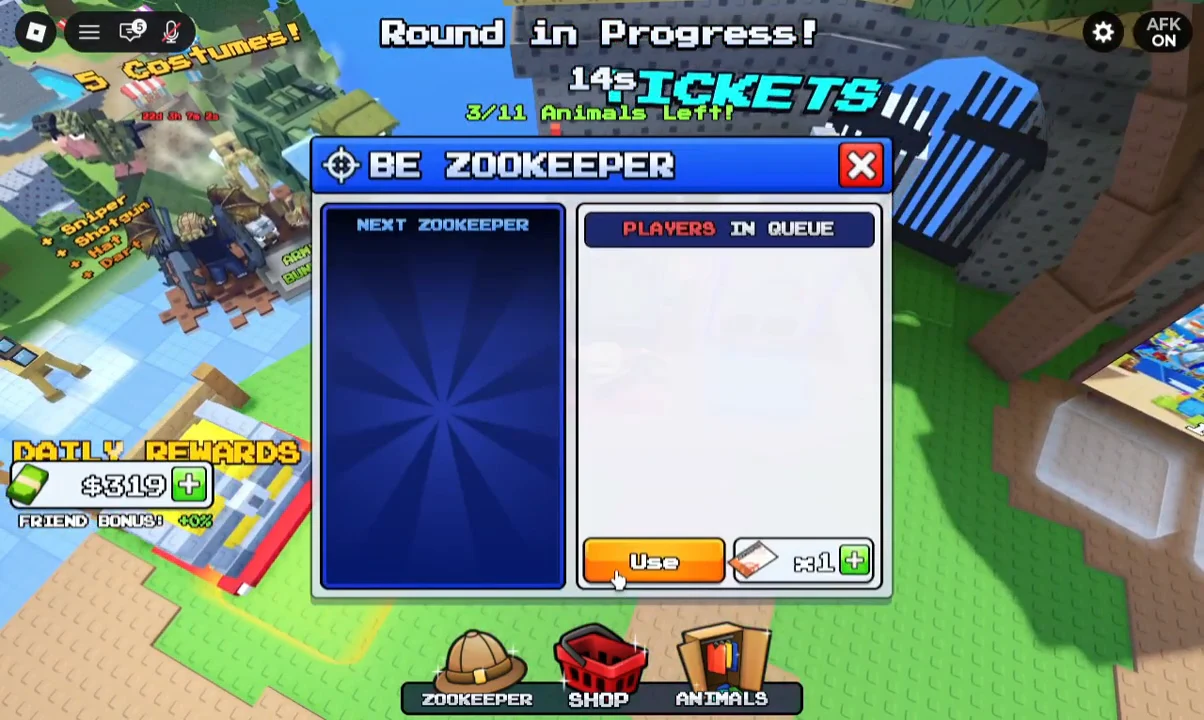
You will know a ticket worked when the queue or animal selection updates and your balance drops by one. If the booth still shows an empty queue or ignores your input, you have no matching ticket to spend, so claim or buy one first.
Other lobby shops nearby
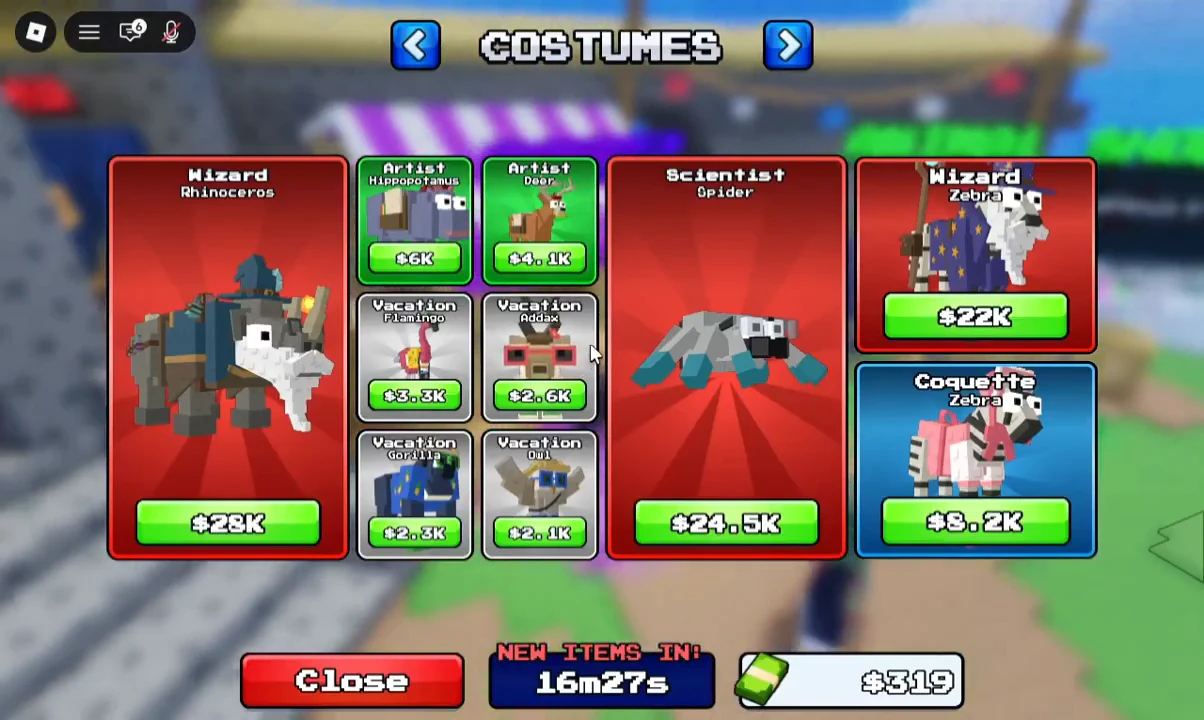
The same lobby area holds the Animal Shop, where you can unlock animals across the Savannah, Boreal, and Desert categories, along with a Costumes menu for character outfits. These are separate purchases from tickets and do not affect your ticket balance.
Between free Daily Rewards and the 29 Robux purchases, you can keep a steady supply of both ticket types on hand. Log in daily for the Day 2 and Day 4 drops, and buy singles only when you need to guarantee a role for a specific round.