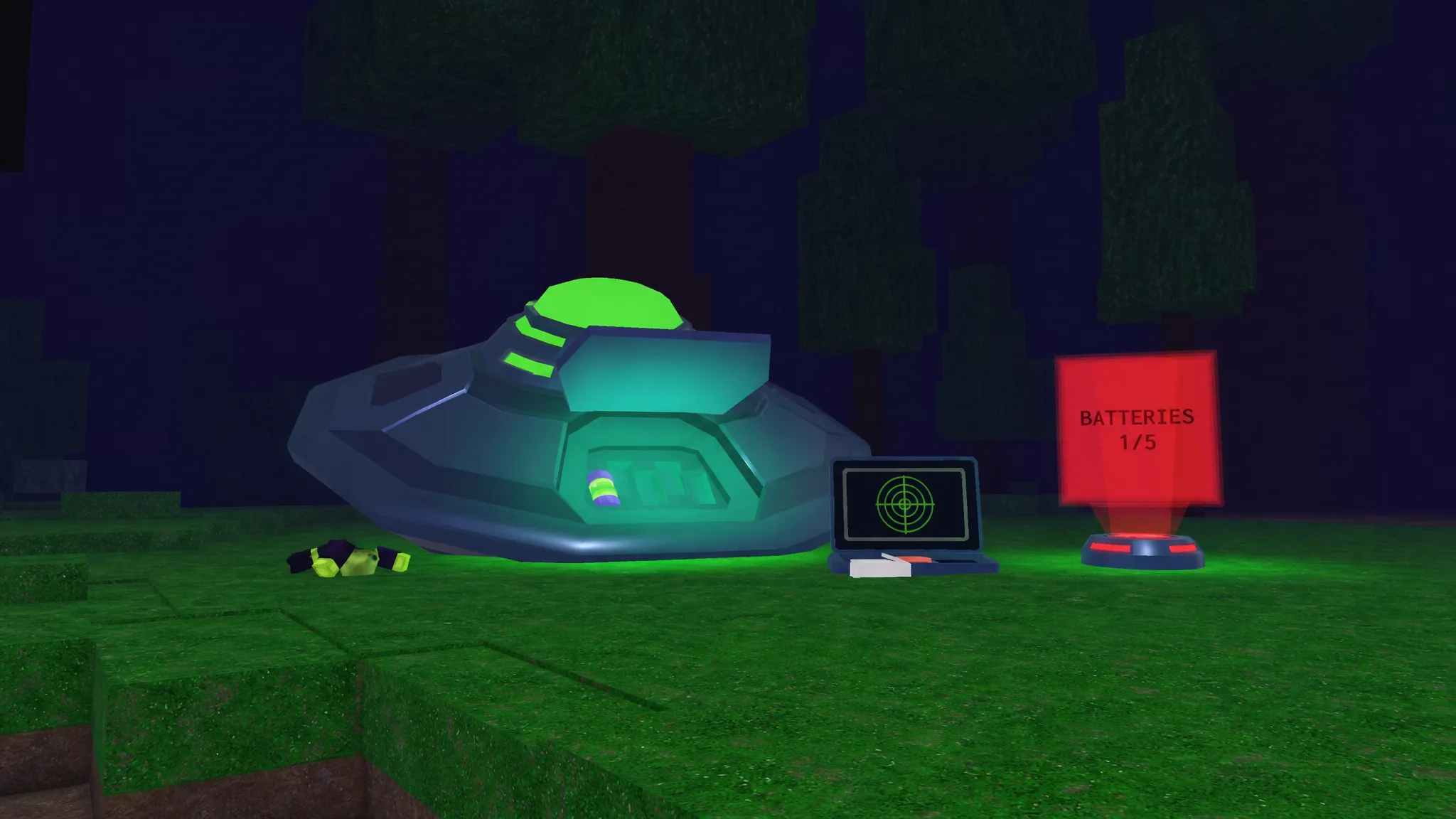
The Command Ship that crashes near your camp on Night 3 won’t fly until it has a full set of five Alien Batteries. These green cylinders are scattered across the map at several different alien locations, and tracking them down by hand can burn your whole night. A scanner sitting right beside the wreck takes most of the guesswork out of it.
Quick answer: Interact with the Alien Battery Scanner next to the broken Command Ship to mark 5 battery locations on your map. Collect batteries from Alien Sites, Alien Outposts, Alien Ponds, Alien Drops, and Alien Scanners, then drop each one into the ship’s open hood. You only need to find 4, since one battery is already attached by default. When all five slots are filled, the ship lifts off and a green beam appears underneath it.
Use the Alien Battery Scanner to mark locations
The Alien Battery Scanner is positioned beside the broken-down ship near the campfire. Walk up and interact with it to scan the surrounding area. It reveals five nearby battery locations at once and pins them on your map.
Those markers are temporary, so note the general direction of each one and start moving before they fade. The scanner mixes location types, so expect a blend of Outposts, Ponds, Drops, and Sites depending on what has spawned around you. Each time you return with a battery, the scanner on the ship updates to show where the rest are, meaning you don’t have to memorize every point in a single trip.
All 5 Alien Battery location types and their risk
Batteries appear at five distinct location types, and each demands a different amount of effort. If you want the safest run, prioritize Alien Sites and fish any green-tinted ponds you pass. The combat options are more common across the map, so most runs end up mixing several sources together.
| Location type | How it works | Combat |
|---|---|---|
| Alien Sites | A chest and battery sit under the structure with no guards. Walk up and grab both. | None |
| Alien Ponds | Green mutated ponds. Fishing here has a chance to pull a battery directly. | None |
| Alien Scanners | A small purple pad. Defeat nearby aliens and bring one corpse to spawn the chest and battery. | Yes |
| Alien Drops | Blue launch pads. Bring 3 alien corpses to the pad to spawn a chest and battery. | Yes |
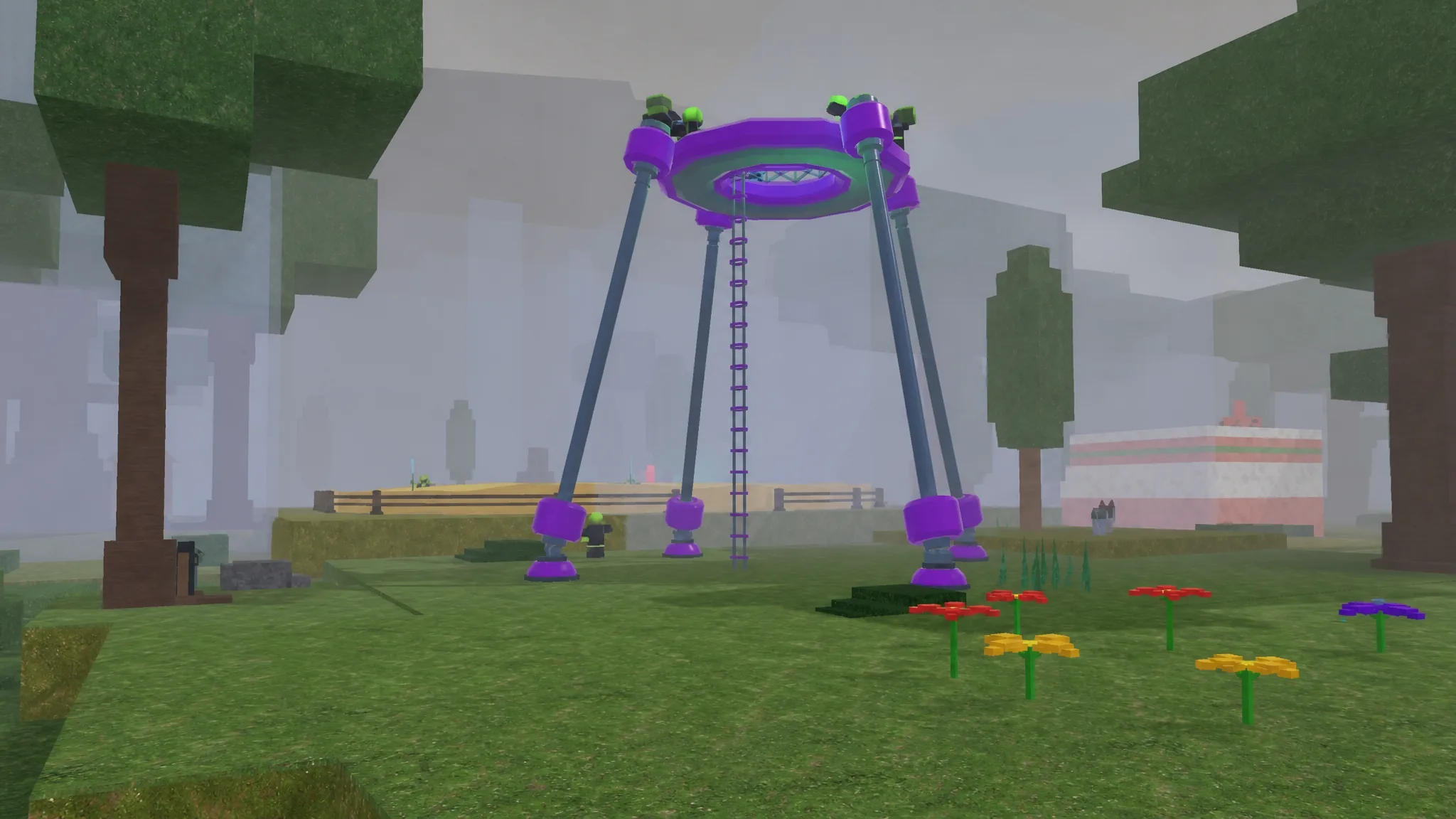
| Alien Outposts | A tall tower guarded by multiple mobs. Clear the guards, then climb to the top for the battery and chest. | Yes |
Alien Sites and Alien Ponds are the quickest, lowest-risk pickups. Alien Scanners need fewer kills than Drops since they only require a single corpse, while Drops demand three before the reward appears. Outposts carry the most danger because of the stacked guards, but completing any of these also rewards an alien chest with UFO scrap and weapons, so they remain worth doing beyond the battery itself.
Repair the Command Ship with the batteries
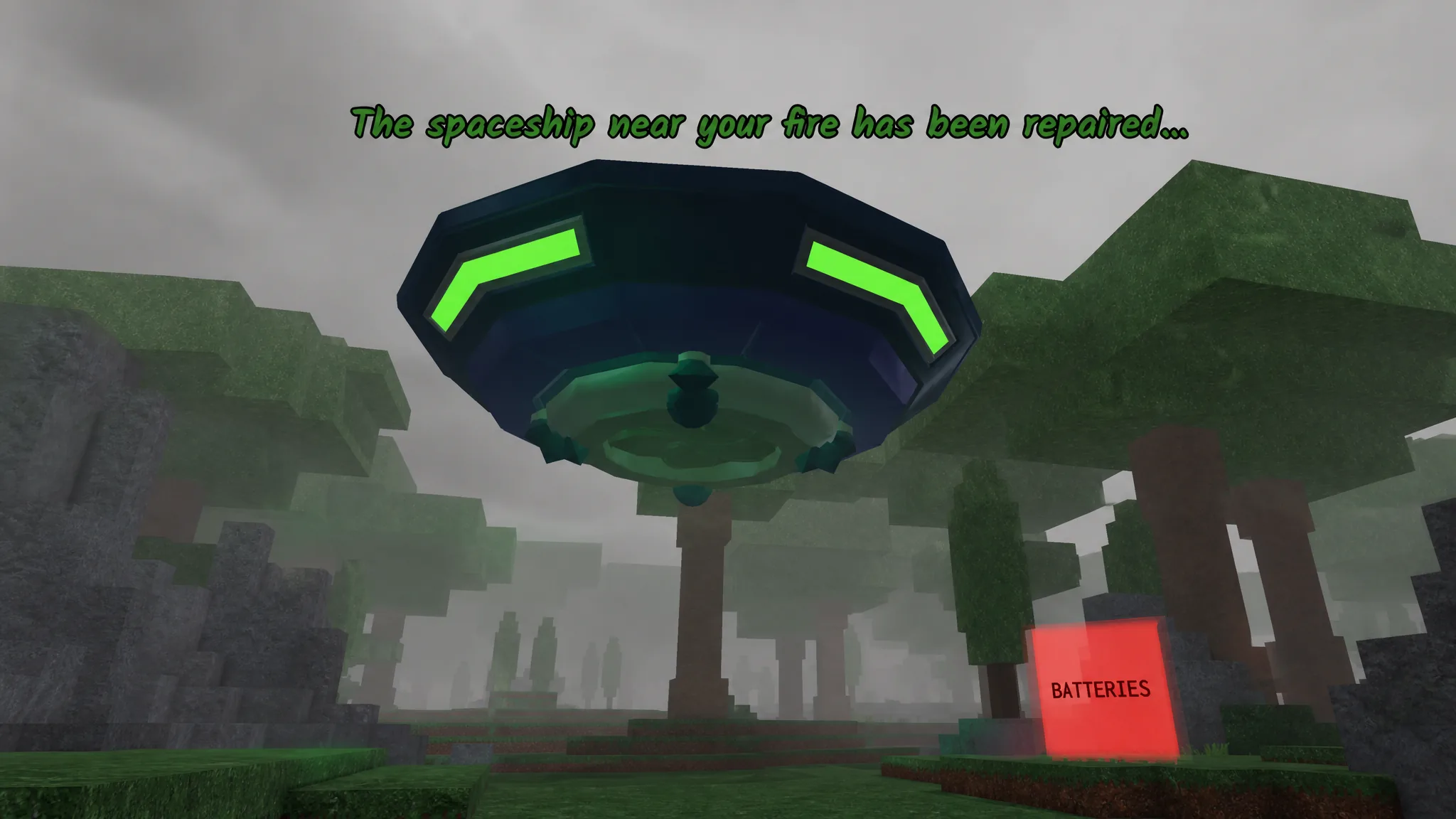
How to confirm the repair worked
You know the repair is done when the ship lifts off the ground and the green beam appears beneath it. Stepping into that beam carries you upward onto the ship, which is your signal to move on. Repairing it by finding the five batteries also unlocks the Engineering badge.
Note: The scanner beside the wreck can be used again, but it only reveals the first set of locations rather than rolling new ones. If you lose track of a marker, return to the ship after dropping off a battery and the on-ship scanner will point you to whatever you still need.