Journey rewards in The Division 2 are seasonal payouts you earn by finishing objectives tied to the current season. The catch is that they don’t drop into your inventory on their own. You have to dig into the seasonal menu, find the Journey tab, and claim each tier by hand once you’ve hit its requirement.
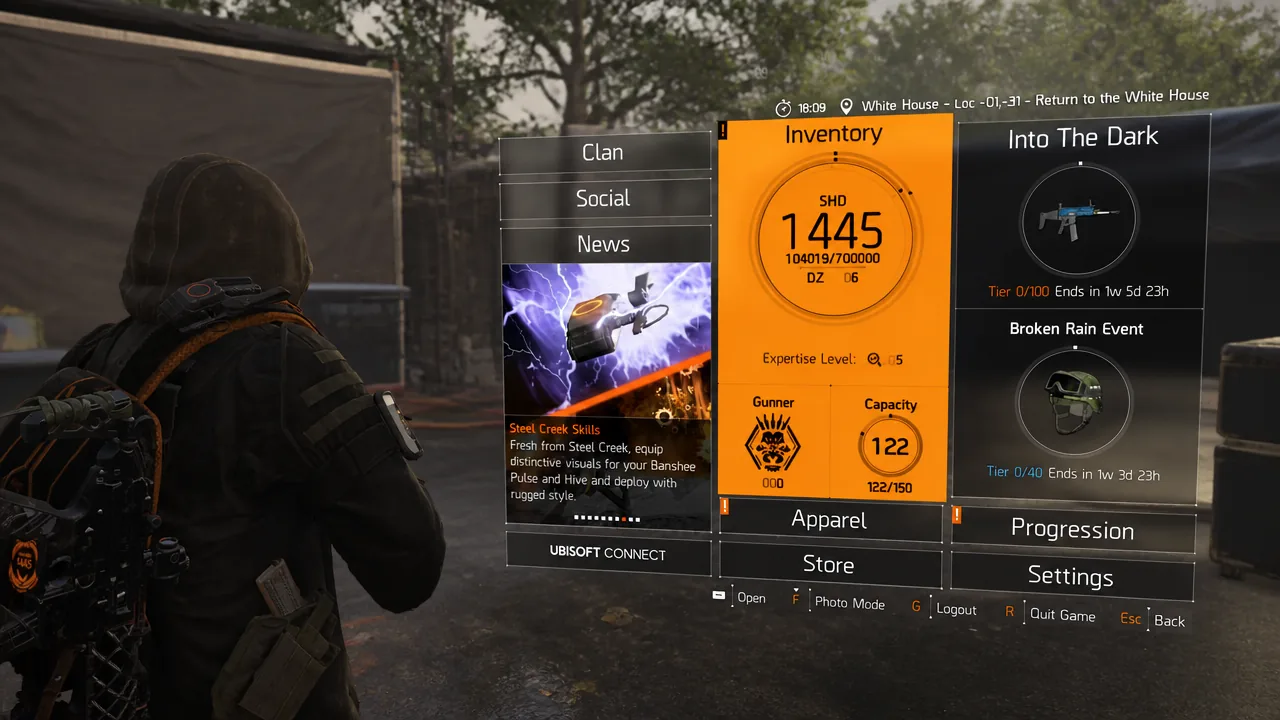
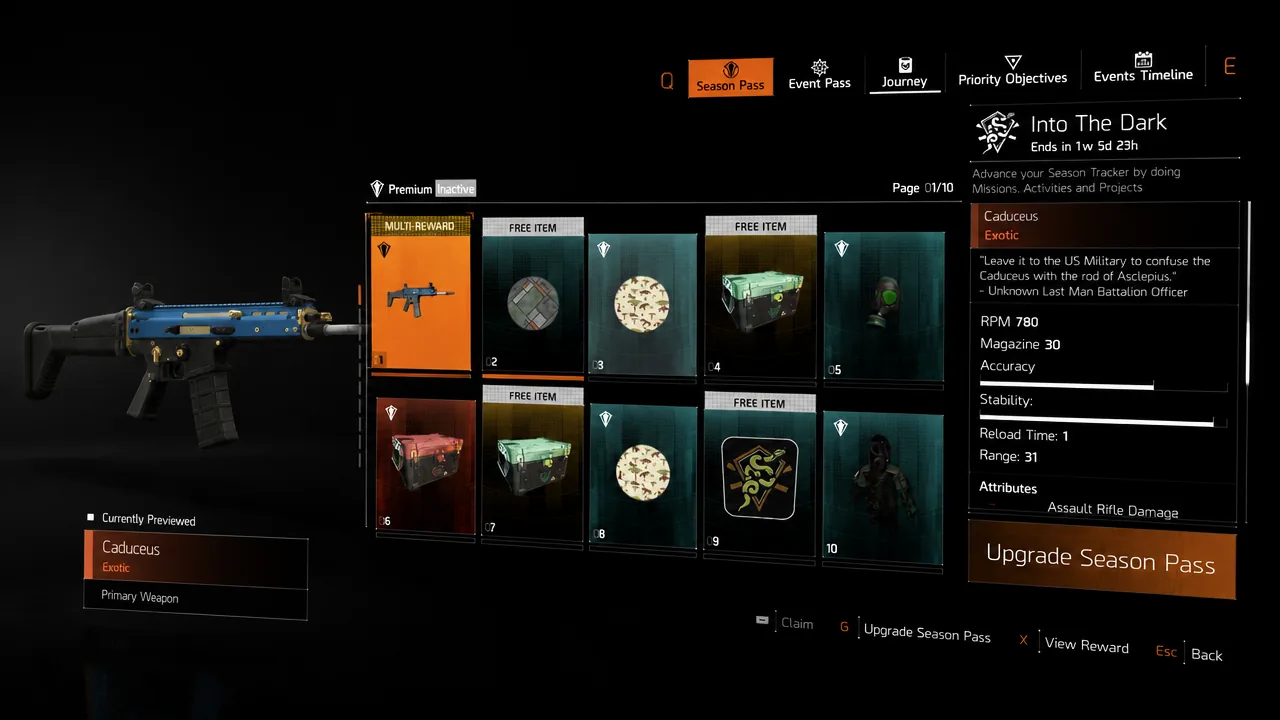
Quick answer: Open the main menu, select the seasonal tab on the right, switch to the “Journey” tab at the top, pick a completed tier on the far left, and press the claim button at the bottom of the screen (hold F on PC) to collect its rewards.
Where the Journey menu lives
The Journey system sits inside the seasonal section of the game, not in your inventory or project log. It’s a few clicks deep, which is why so many players finish the objectives without ever collecting what they earned.
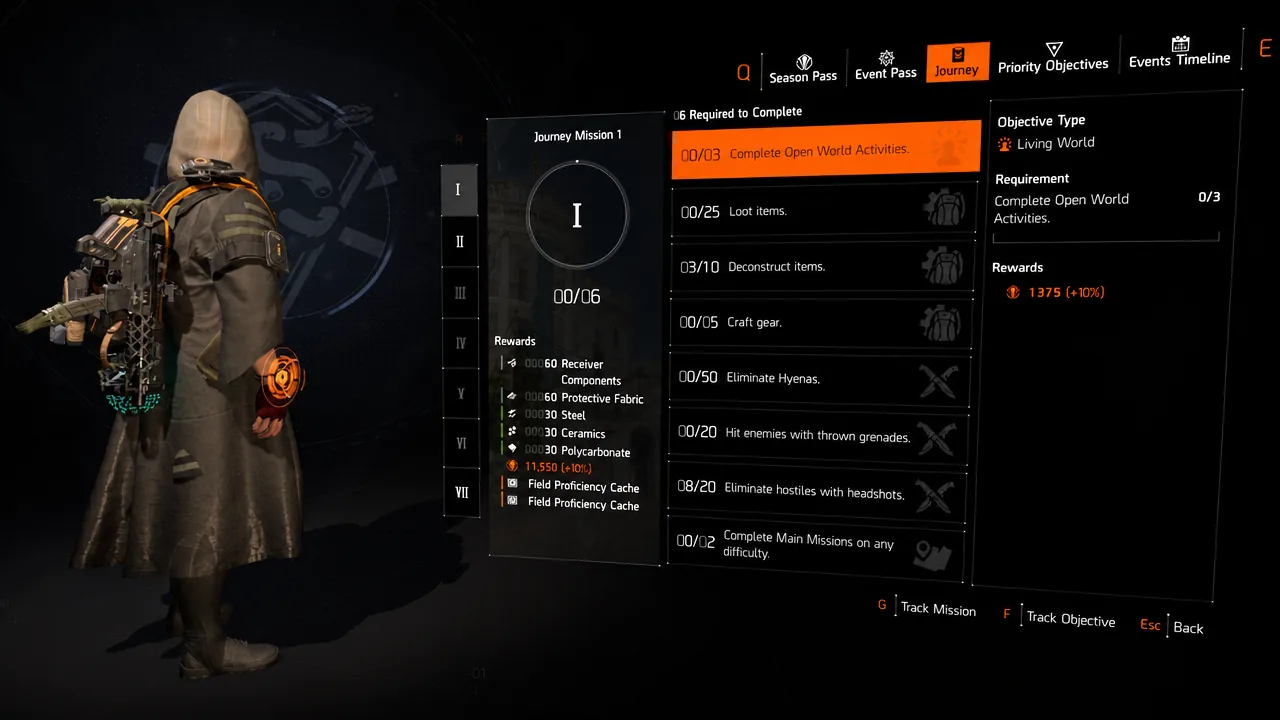
How tiers unlock and how to claim them
Each tier lists a set of objectives, and you only need to clear a portion of them to qualify. Tier 1, for example, asks you to finish any 6 of its 8 tasks. Selecting a tier on the far left opens a small window that shows the rewards inside it plus the number of completed tasks required to unlock them.
You know it worked when the reward pulls from the window and the tier no longer shows as unclaimed. Progress through the Journey is account-bound, so every character on your account contributes to the same objectives.
What the Journey pays out
Rewards scale up as you climb the tiers. Early tiers lean heavily on crafting materials and caches, while later tiers hand over the seasonal modifiers that shape how the season actually plays. In some seasons those modifiers can only be unlocked by finishing Journey objectives, so skipping the Journey means skipping seasonal mechanics entirely.
| Reward type | What it covers |
|---|---|
| Crafting materials | Receiver Components, Protective Fabric, Steel, Ceramics, Polycarbonate, Carbon Fiber, Electronics, Titanium |
| Caches | Field Proficiency Caches and Journey Build Caches |
| Progression | Season Pass XP and SHD XP |
| Seasonal modifiers | Active and Passive modifiers used for that season’s mechanics |
Because the Journey resets at the end of the season, anything you haven’t claimed is gone once the season ends. Completed objectives can’t be replayed, so it’s worth checking the Journey tab before a season closes to make sure no tier is left sitting unclaimed.
If the claim prompt won’t clear
A common snag is a persistent “!” marker on the Journey tab that suggests a reward is waiting when there’s nothing left to grab. Hold the claim button (F on PC) on any tier that still shows as unclaimed to pull everything you’re owed. The notification icon has been known to linger even after every reward is collected, so an empty tier with a lingering marker usually means there’s simply nothing to claim.
Once you’ve made the seasonal tab and the Journey layout part of your routine, collecting rewards becomes a quick pass at the start of each play session. Clear enough objectives to light up a tier, hit claim, and move on to the next one as it unlocks.