Creating links that navigate directly to specific text on a web page can greatly enhance how you share information. The ‘Scroll to Text Fragment’ feature in Google Chrome (version 81 and later) and Microsoft Edge allows you to link to selected text, but it’s not fully integrated in all browsers yet. Developer Paul Kinlan has developed a handy bookmarklet to leverage this feature even now.
Bookmarklets are bookmarks containing small JavaScript code snippets that execute predefined actions when clicked. In this case, the bookmarklet formats the URL in your address bar to point directly to the text you’ve selected on a webpage.
Drag and Drop the ‘Scroll to Text’ Bookmarklet into the Bookmarks Bar
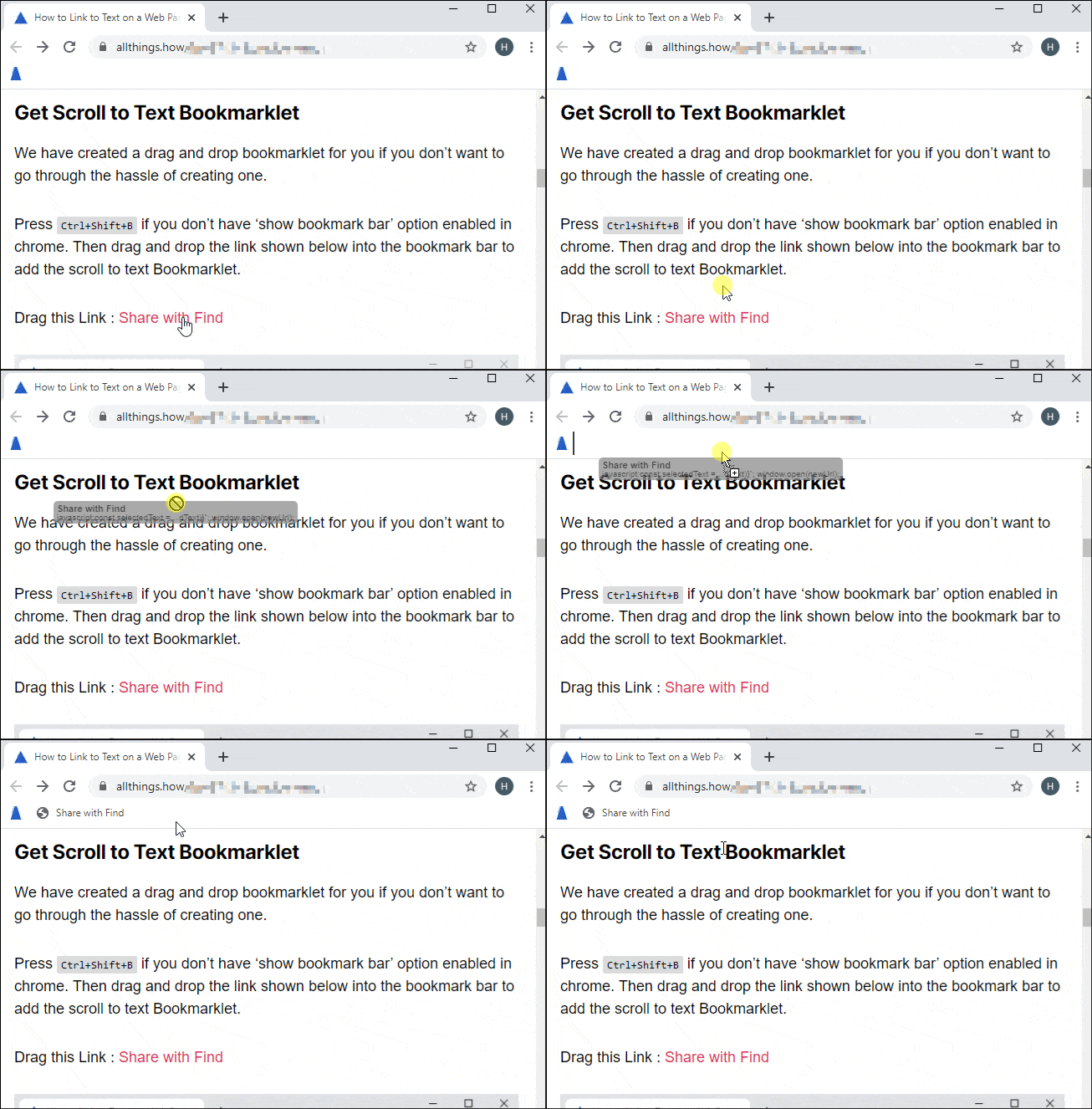
If you prefer a quick setup, you can simply drag and drop the bookmarklet below into your bookmarks bar in Google Chrome or Microsoft Edge.
If your bookmarks bar isn’t visible, press Ctrl+Shift+B to enable it. Then, drag the following link into your bookmarks bar to add the ‘Scroll to Text’ bookmarklet.
Drag this Link → Share with Find
Create the Bookmarklet Manually in Chrome
Ctrl+Shift+O, or click on the menu, navigate to ‘Bookmarks’, and select ‘Bookmark manager’.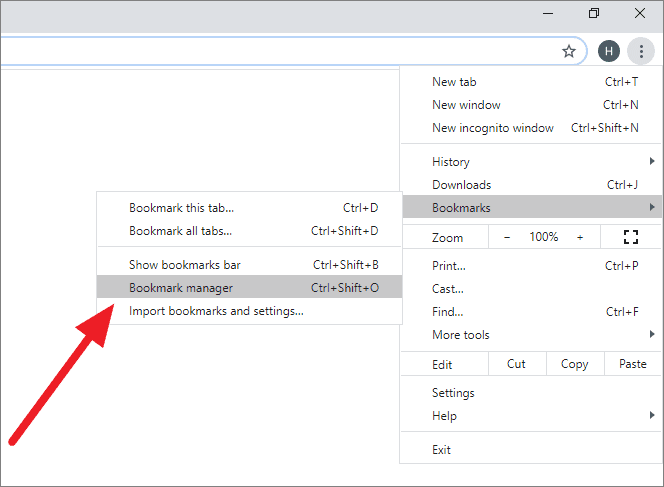
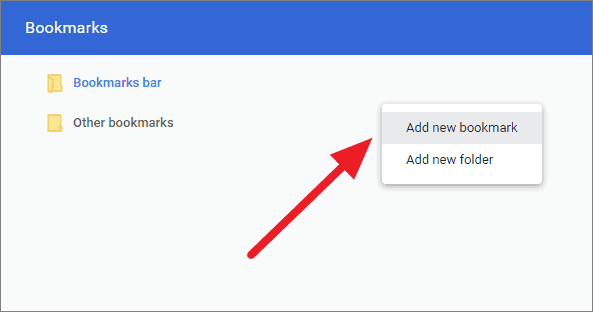
javascript:(function(){const selectedText=getSelection().toString();const newUrl=new URL(location);newUrl.hash=`:~:text=${encodeURIComponent(selectedText)}`;window.open(newUrl);})();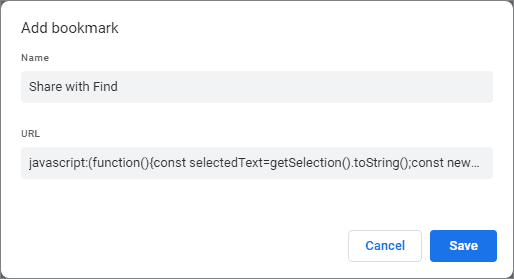
Ctrl+Shift+B. The ‘Share with Find’ bookmarklet should now appear in your bookmarks bar.Create the Bookmarklet Manually in Edge
Ctrl+Shift+O, or navigate through the Edge menu to Favorites » Manage favorites.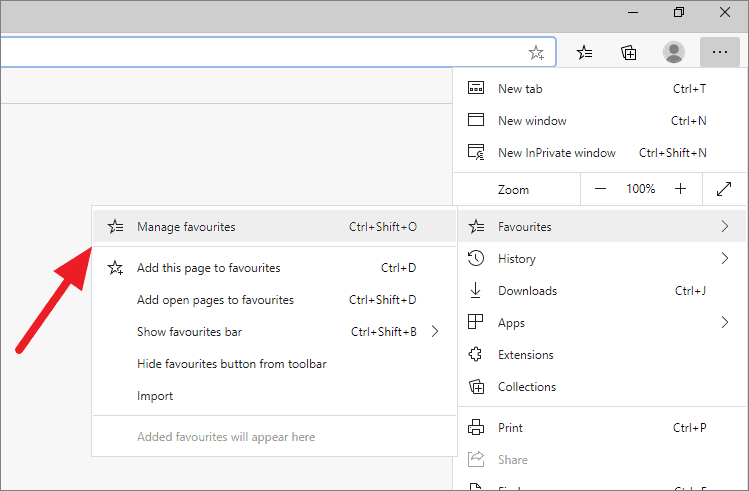
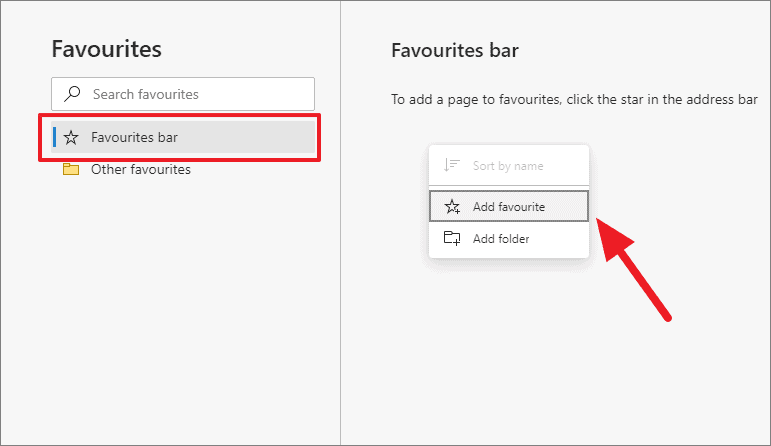
javascript:(function(){const selectedText=getSelection().toString();const newUrl=new URL(location);newUrl.hash=`:~:text=${encodeURIComponent(selectedText)}`;window.open(newUrl);})();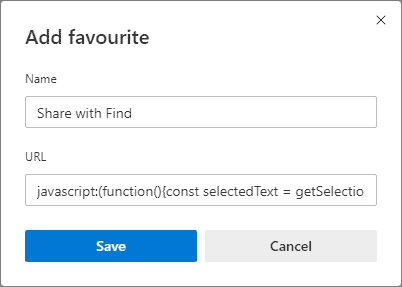
Ctrl+Shift+B. The ‘Share with Find’ bookmarklet should now be accessible from your Favorites bar.Using the ‘Scroll to Text’ Bookmarklet
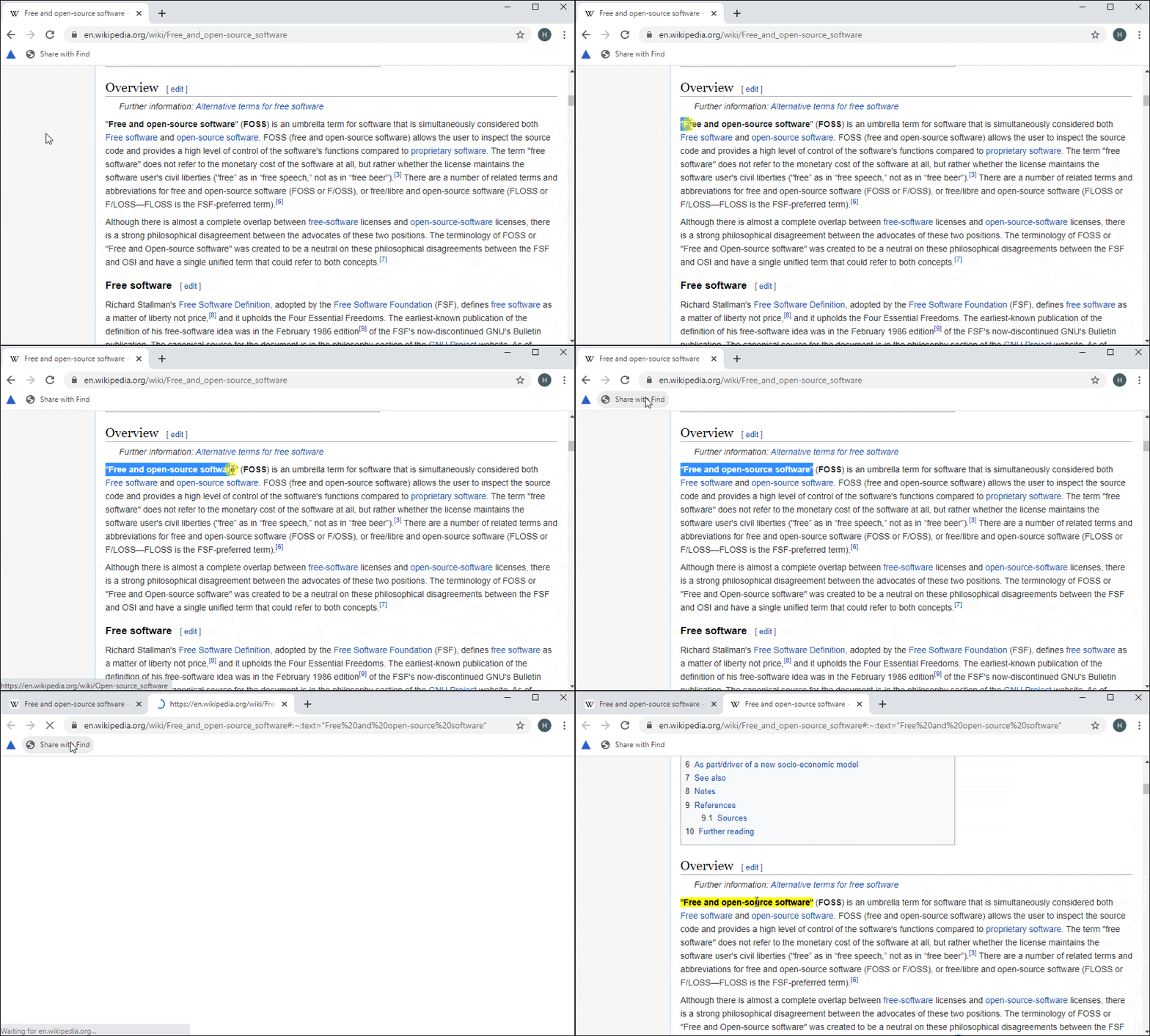
Recipients using Google Chrome or Microsoft Edge will be directed straight to the highlighted text when they open the link.
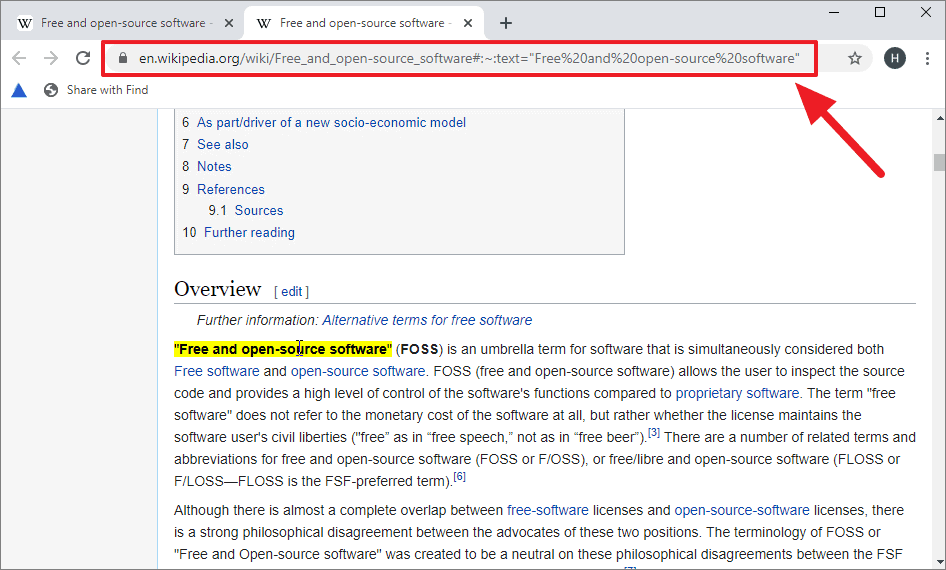
Directly linking to specific text enhances how we share and reference information online. Interestingly, Google Search utilizes the ‘Scroll to Text Fragment’ feature to highlight content when users click on featured snippets in search results.