Microsoft Teams provides a robust platform for virtual meetings, making it easy for users to connect and collaborate. Whether you need to plan a meeting in advance or start one right away, Microsoft Teams offers features that cater to both scenarios for free users.
Schedule a Meeting in Microsoft Teams
Open the Microsoft Teams desktop app or visit teams.microsoft.com to use the web version. Ensure you are signed in to your account.
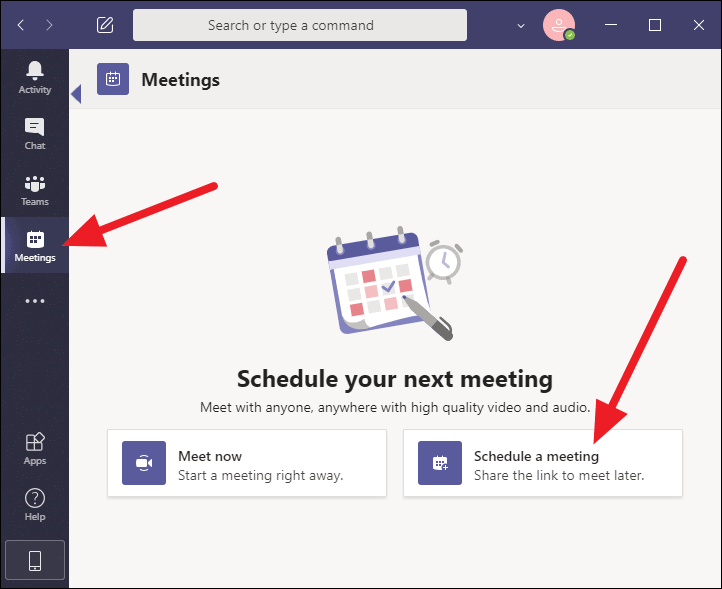
On the Meetings screen, select the ‘Schedule a meeting‘ option. This will allow you to set up a meeting for a future date and time.
A dialog box will appear where you can enter the meeting details. Provide a title for your meeting to inform participants of its purpose.
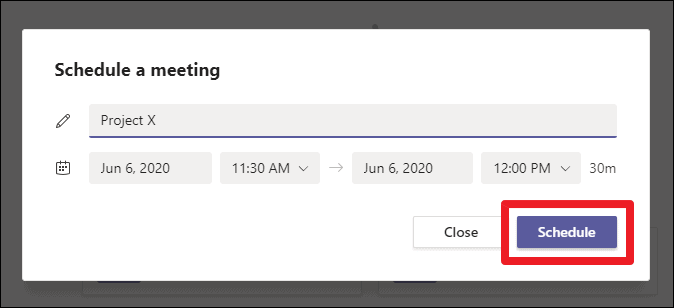
Set the start and end times by selecting the appropriate dates and times for your meeting. This scheduling helps participants know when to join.
After filling in all the necessary information, click the ‘Schedule‘ button at the bottom-right corner of the dialog to finalize the meeting setup.
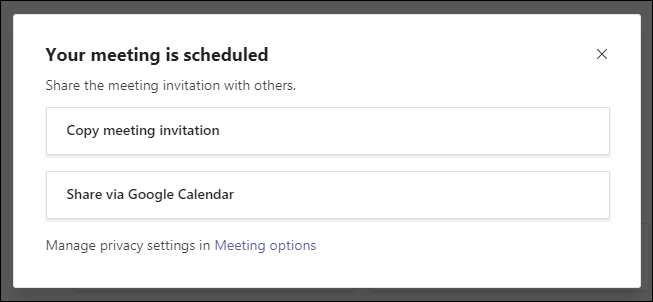
Once scheduled, Teams provides options to invite attendees. You can copy the meeting invitation details to share directly with participants or use the ‘Share via Google Calendar‘ option to send invites and add the meeting to their calendars.
Start a Teams Meeting without a Teams Channel
Launch the Microsoft Teams desktop application or go to teams.microsoft.com for the web app. Ensure you are logged into your account. Note: This feature is currently not available on the mobile app.
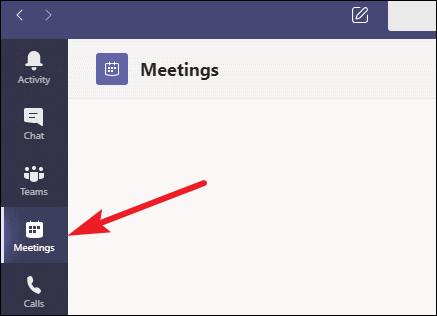
If you don’t see the ‘Meetings’ option, try updating the Teams app to the latest version. If it’s still unavailable after updating, the feature may not have rolled out to your account yet.
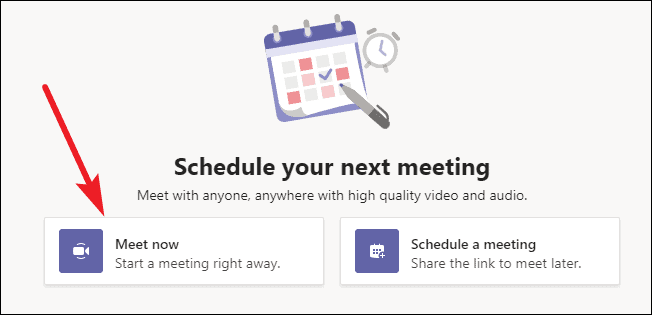
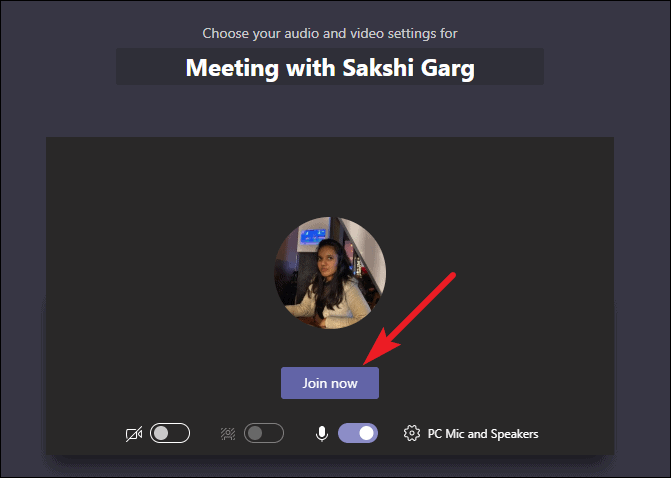
Before entering the meeting, you can adjust your audio and video settings, choose a virtual background, and assign a name to your meeting. When you’re ready, click the ‘Join now‘ button to start the meeting.
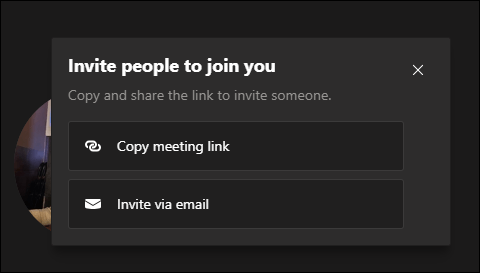
After joining, you can invite others by copying the meeting link or sending an email invitation. Participants can include both organization members and external guests.
With these features, Microsoft Teams enhances your ability to host meetings effectively. Whether scheduling in advance or meeting spontaneously, Teams provides the flexibility to connect with others seamlessly.