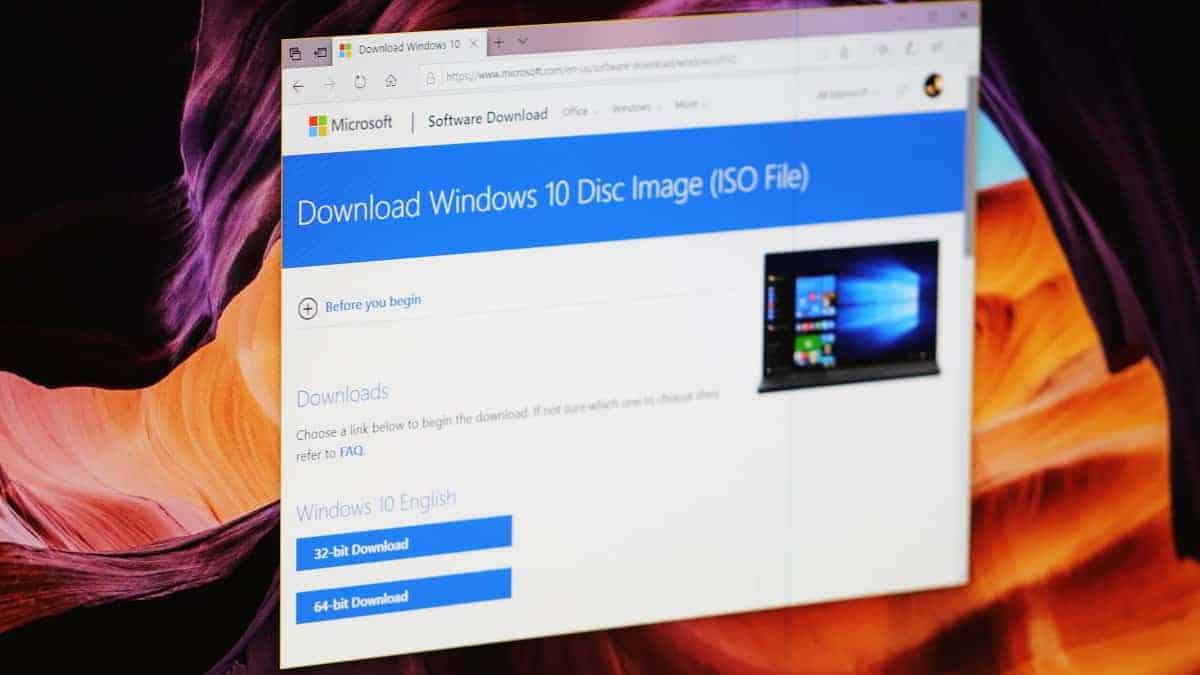
Windows 10 version 2004, known as the May 2020 Update, brings a host of new features and enhancements to improve user experience. While Microsoft rolls out this update gradually to eligible devices, there’s a way to download the ISO file directly from Microsoft’s servers. This allows for a clean installation or updating multiple devices without repeated downloads. Here’s how you can obtain the Windows 10 2004 ISO file without using the Media Creation Tool.
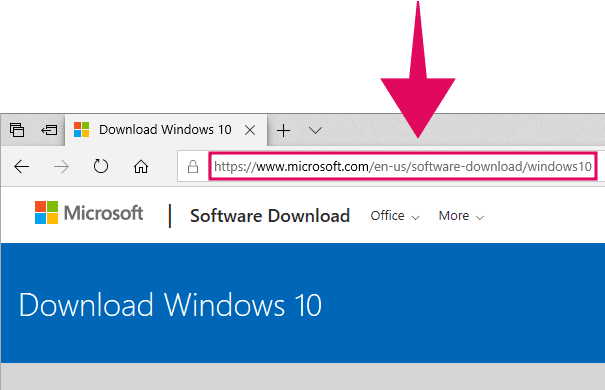
Ctrl+Shift+I on your keyboard for a shortcut.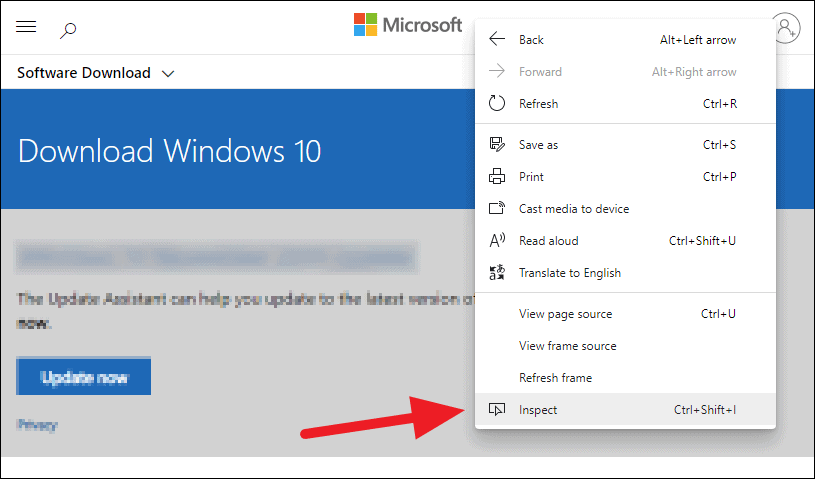
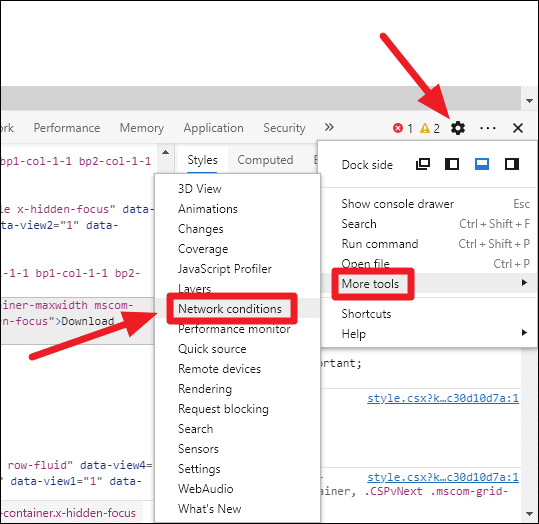
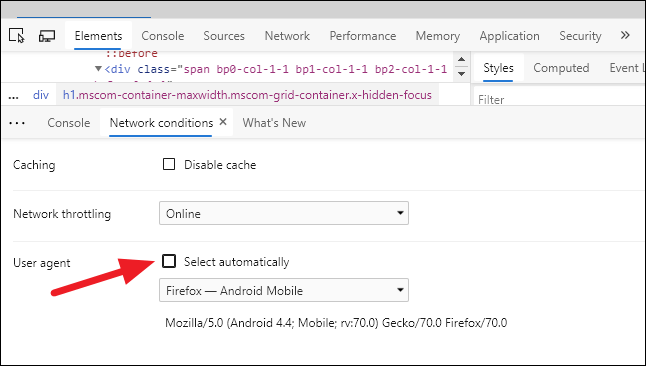
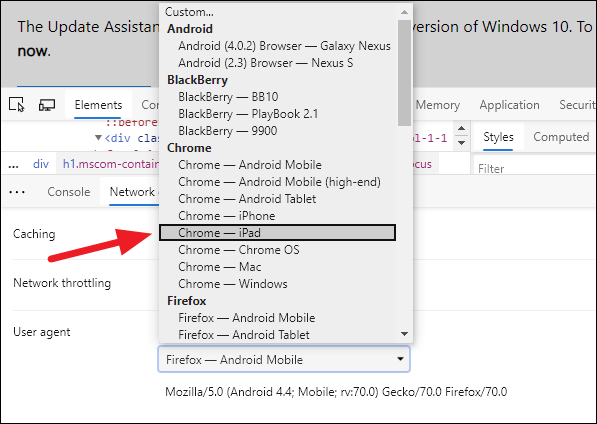
Do not close the Developer Tools panel after changing the user agent, as closing it might reset the setting.
Ctrl+R or clicking the refresh button. The page should automatically redirect to the Windows 10 Disc Image (ISO File) download page at microsoft.com/en-us/software-download/windows10ISO.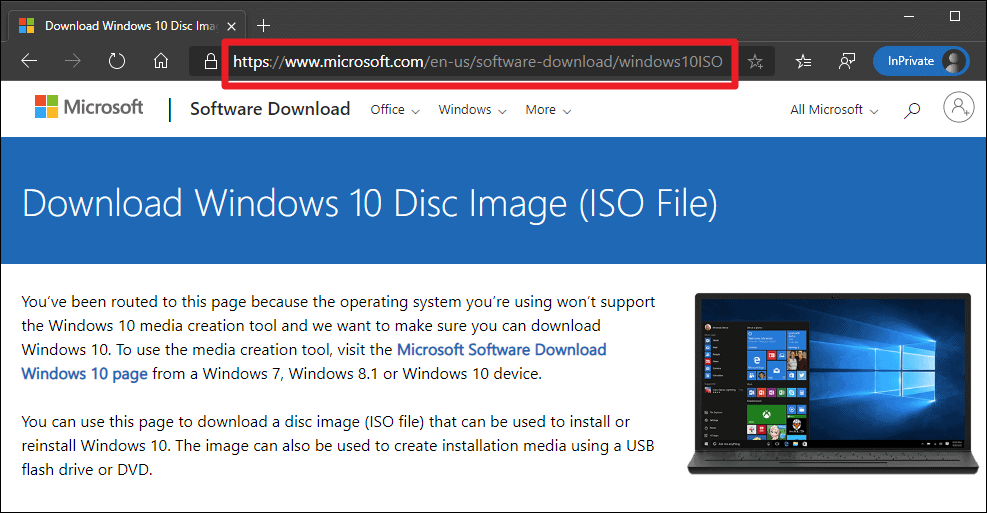
If the page doesn’t reload automatically, you can manually navigate to microsoft.com/en-us/software-download/windows10ISO after changing the user agent.
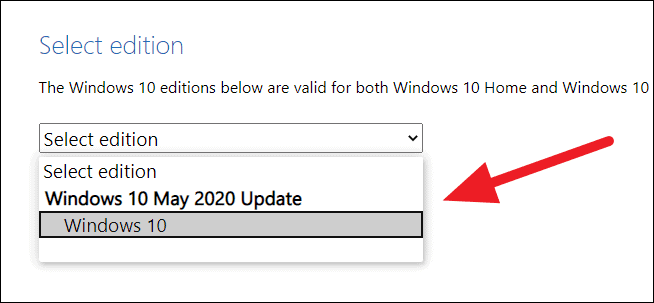
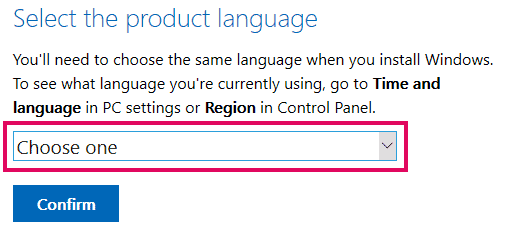
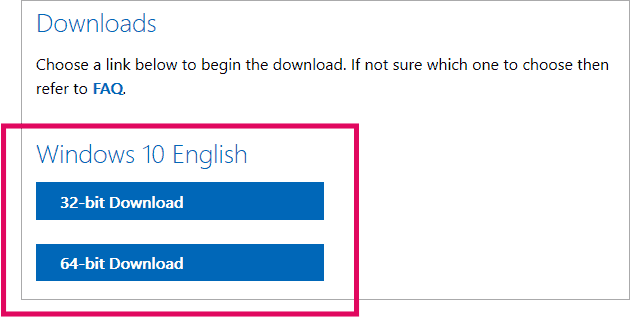
The download links are valid for 24 hours from the time of creation. Be sure to start your download within this period to avoid repeating the process.
The above method allows you to download the Windows 10 2004 ISO file directly from Microsoft without any third-party tools. This can be especially useful for performing clean installations or updating multiple devices efficiently.