
If you’ve encountered the error code 0xA00F42A0 <SceneSwitchFailed> while using your camera on Windows 10 or Windows 11, you’re not alone. This error can prevent your camera from functioning properly in applications like the Camera app or video conferencing tools. Fortunately, there are several solutions you can try to resolve this issue.
Understanding the 0xA00F42A0 Scene Switch Failed Error
The 0xA00F42A0 <SceneSwitchFailed> error typically indicates a problem with switching the camera scene or mode. This can be caused by outdated or corrupted camera drivers, incorrect privacy settings, conflicts with antivirus software, or recent Windows updates that affect camera functionality.
Methods to Fix the Camera Error
Below are several methods you can use to troubleshoot and fix this camera error. Try these solutions in the order presented for the best results.
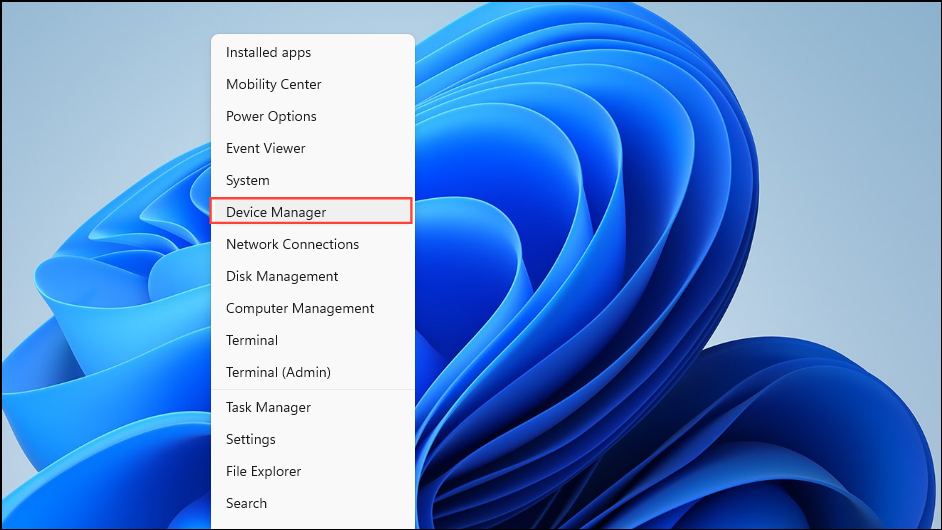
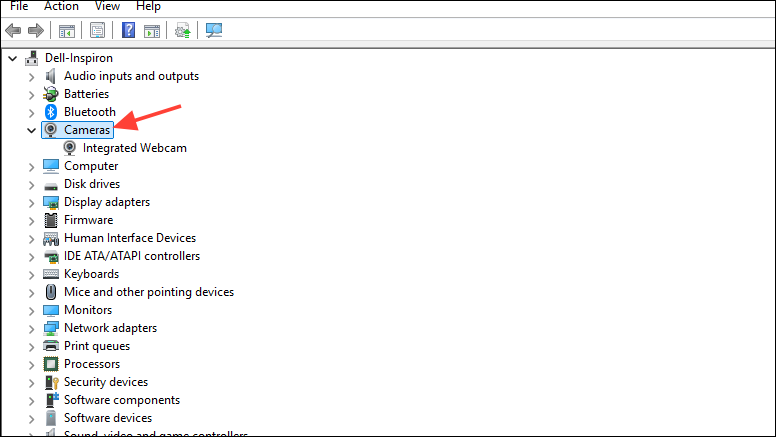
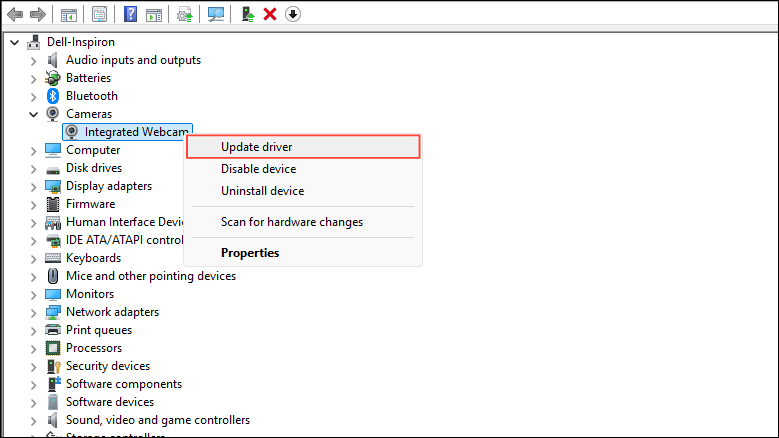
Method 1: Update Your Camera Driver
An outdated or corrupted camera driver can prevent your camera from communicating effectively with your system. Updating the driver can resolve this issue.
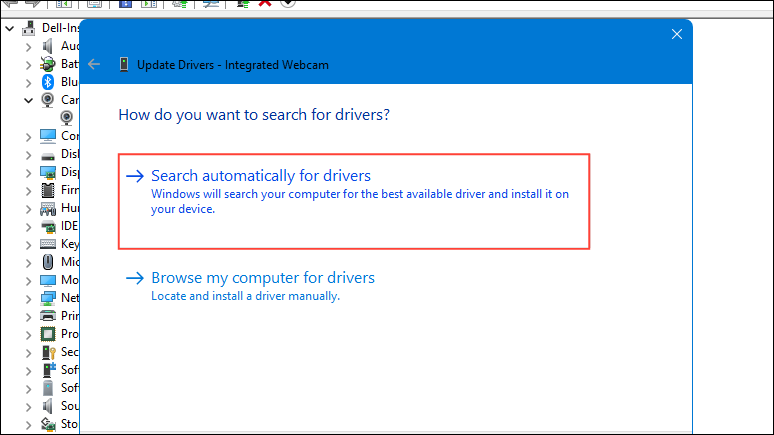
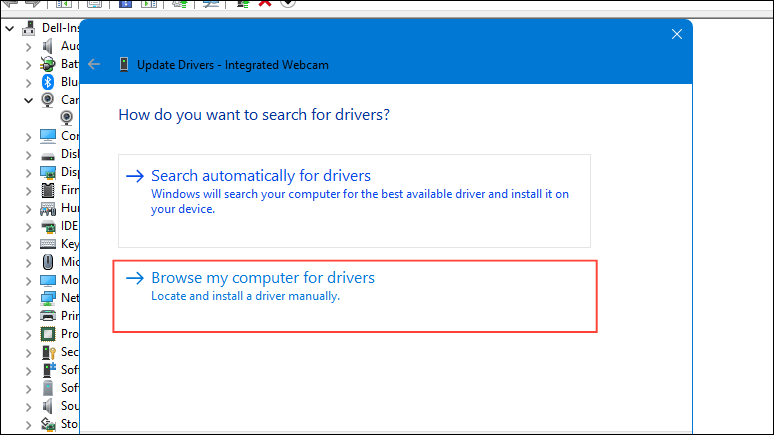
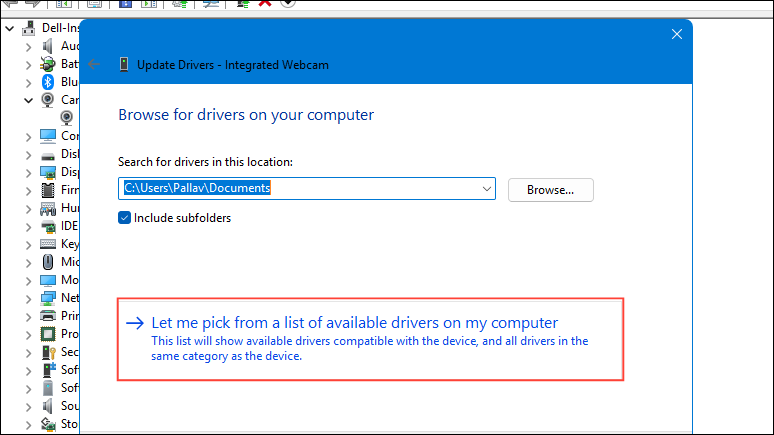
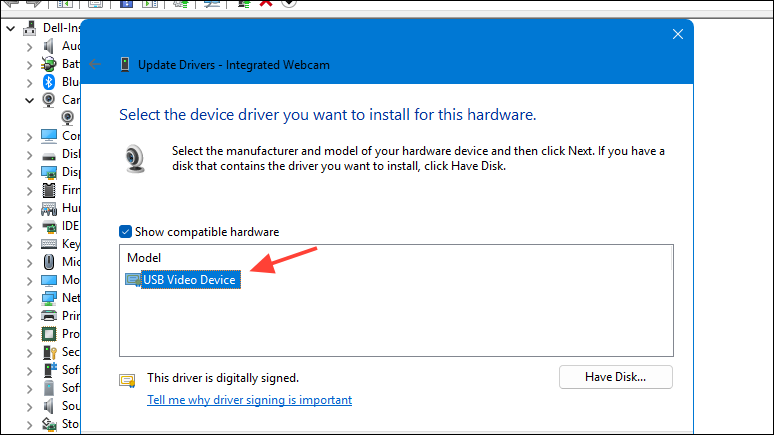
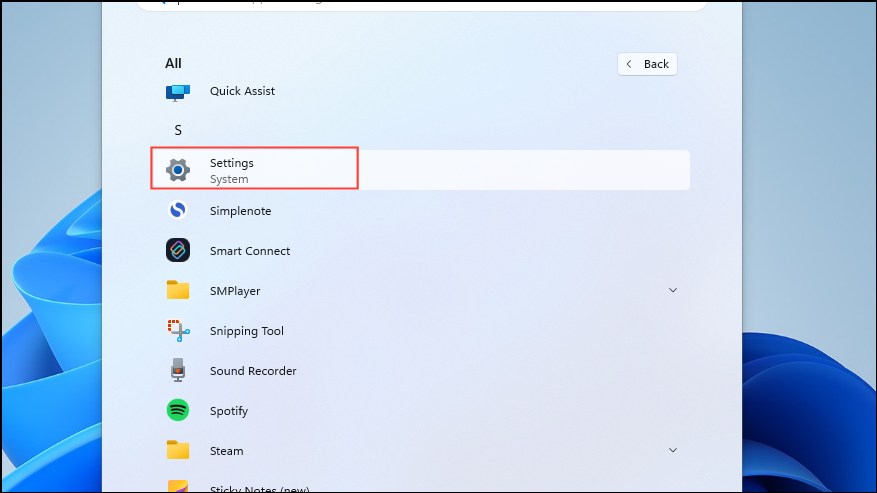
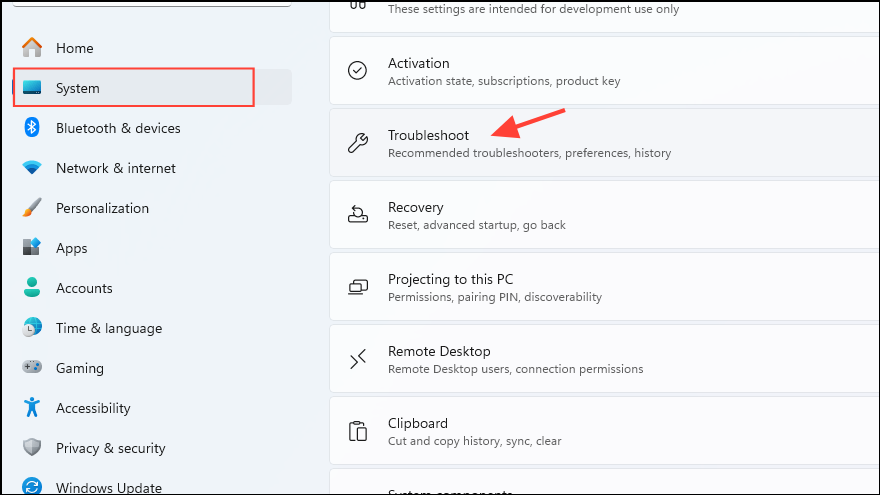
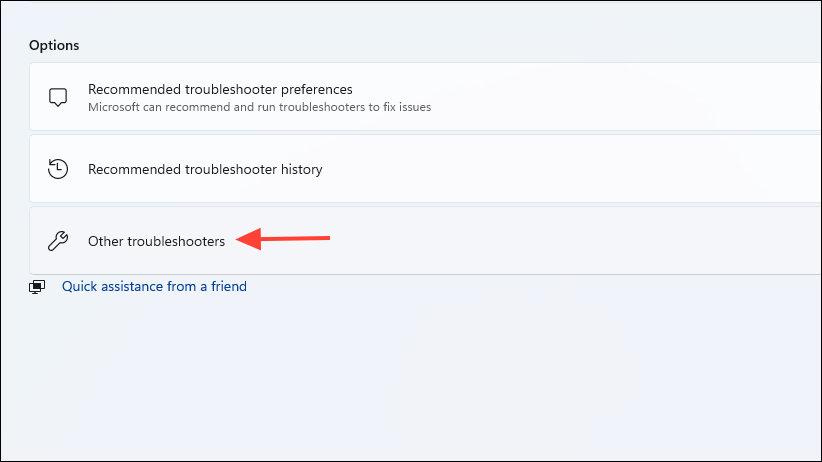
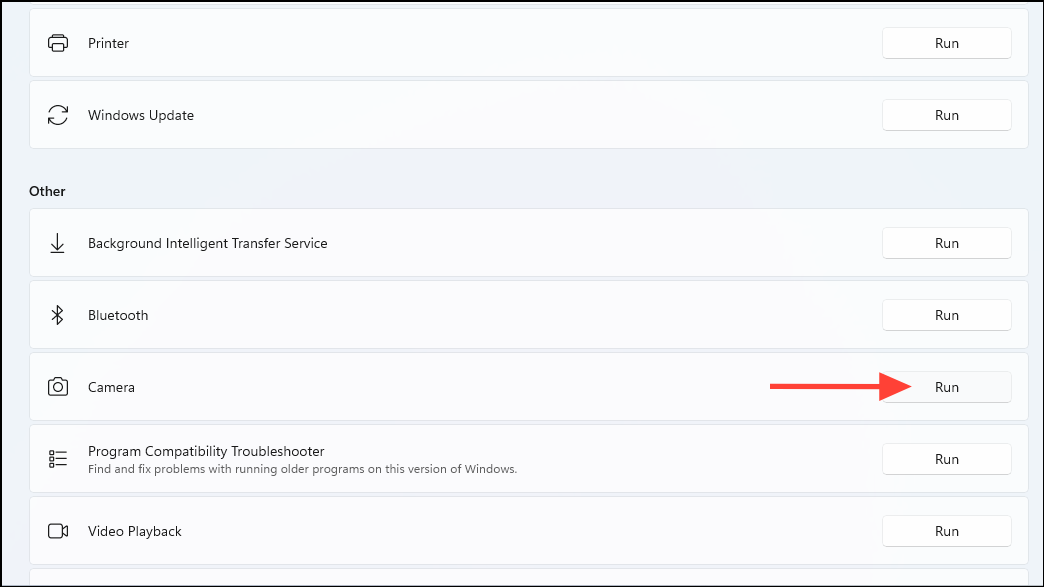
Method 2: Run the Camera Troubleshooter
Windows includes a built-in troubleshooter that can automatically detect and fix common camera problems.
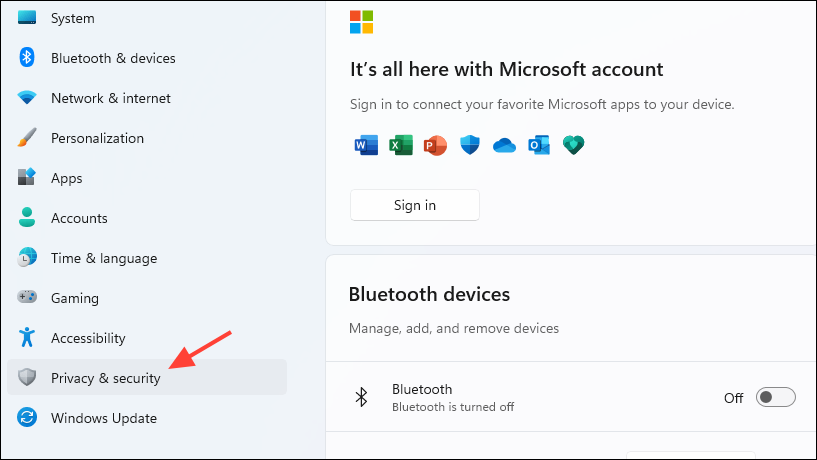
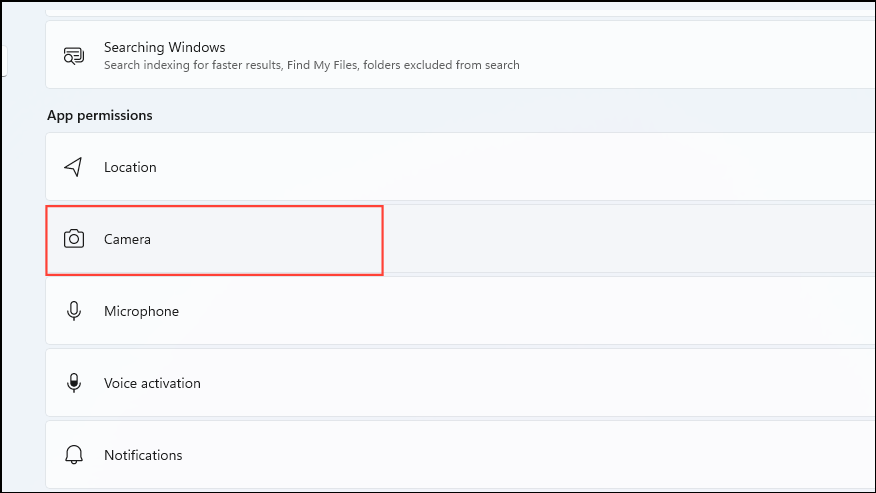
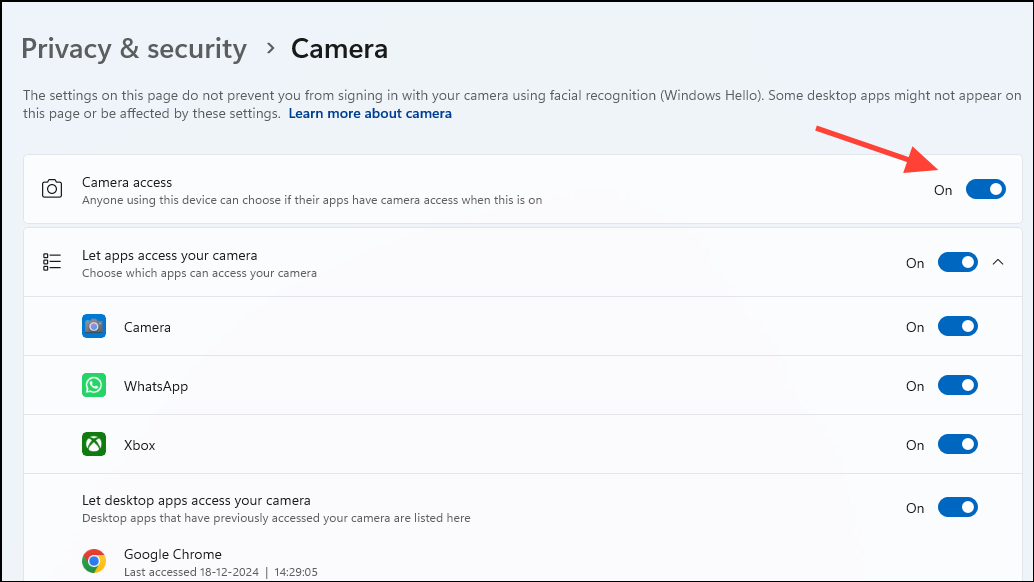
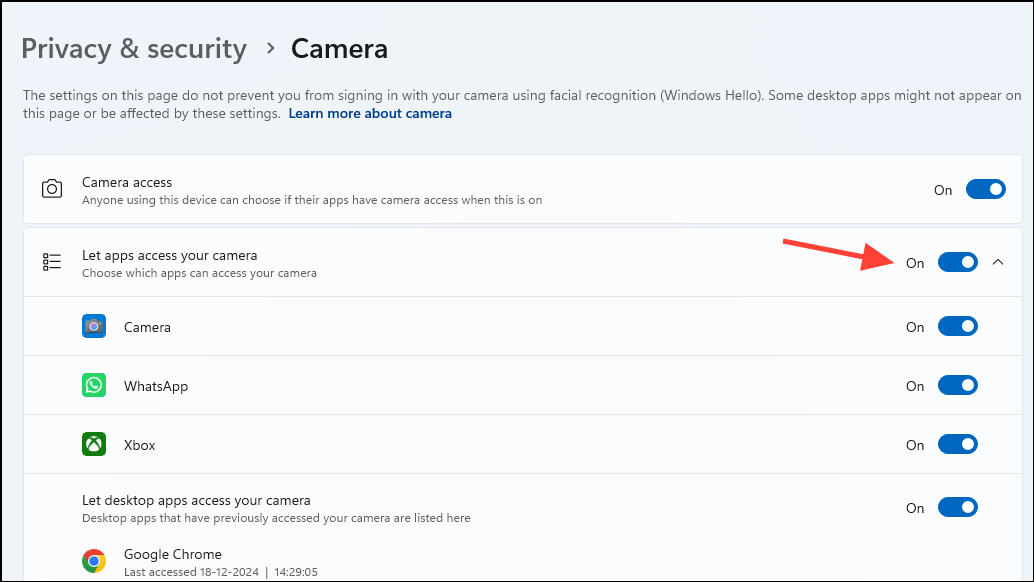
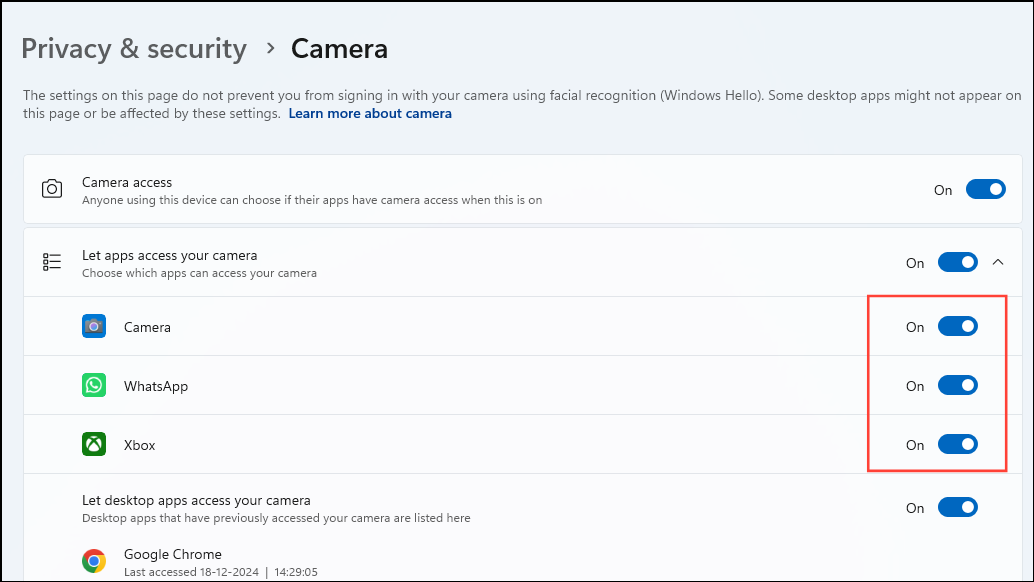
Method 3: Check Camera Privacy Settings
Incorrect privacy settings can block access to your camera, leading to errors. Ensure that apps have permission to use the camera.
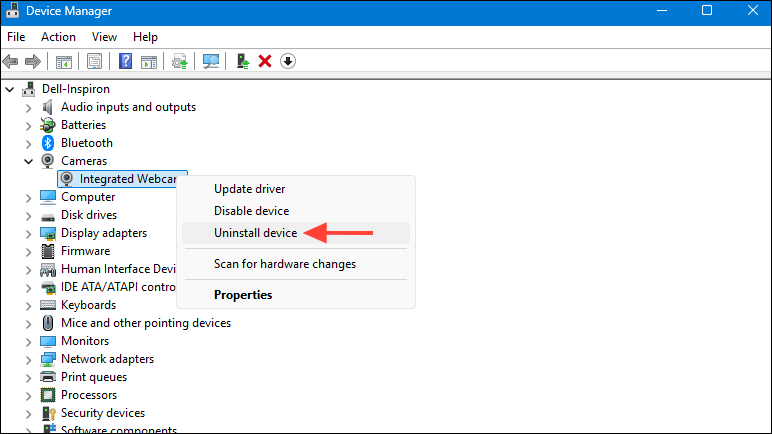
Method 4: Reinstall the Camera Driver
If updating the driver doesn’t work, reinstalling it can fix corruption issues.
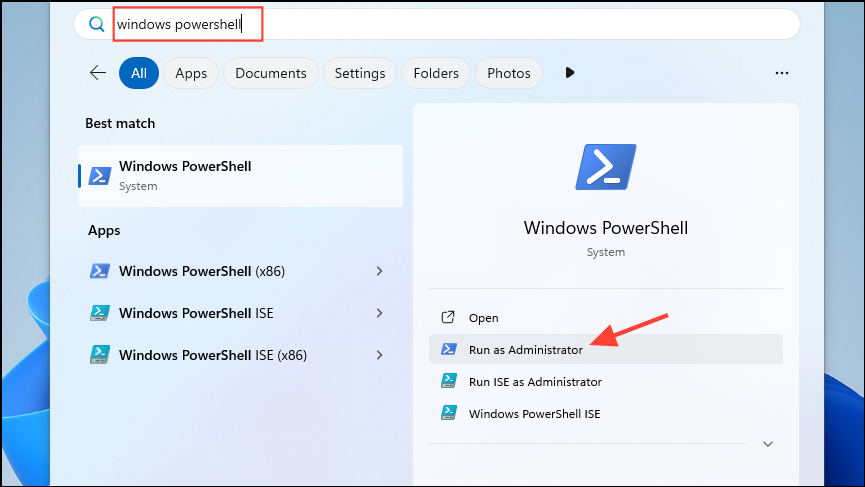
Method 5: Reinstall the Camera App
Sometimes, the Camera app itself may become corrupt. Reinstalling it can restore its functionality.
Get-AppxPackage Microsoft.WindowsCamera | Remove-AppxPackage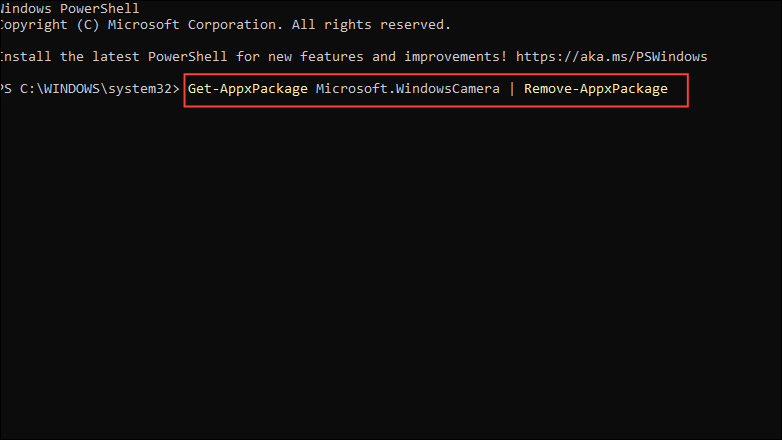
Get-AppxPackage -allusers Microsoft.WindowsCamera | Foreach {Add-AppxPackage -DisableDevelopmentMode -Register "$($_.InstallLocation)\AppXManifest.xml"}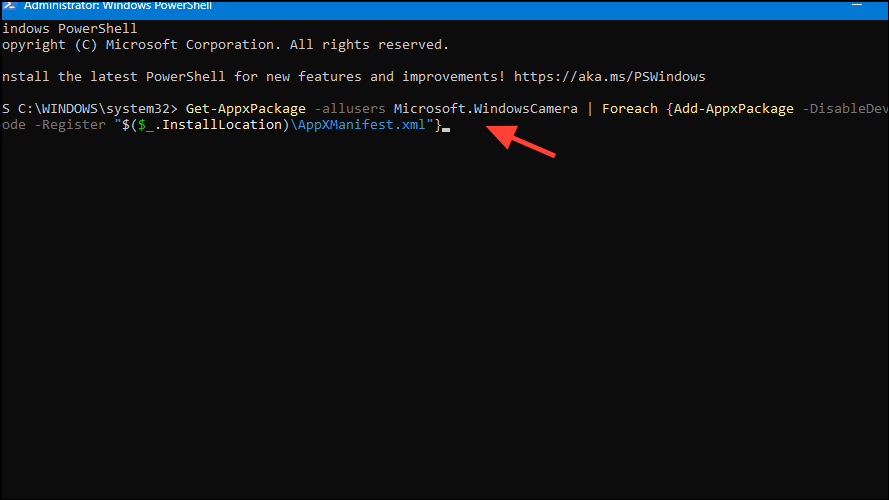
Method 6: Disable Antivirus Temporarily
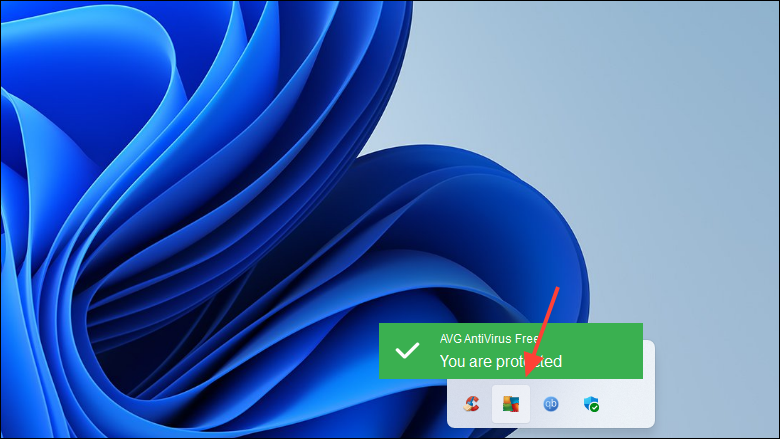
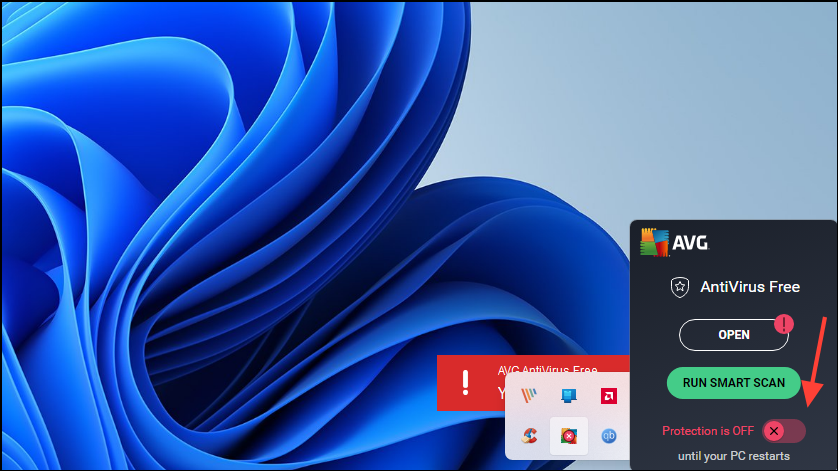
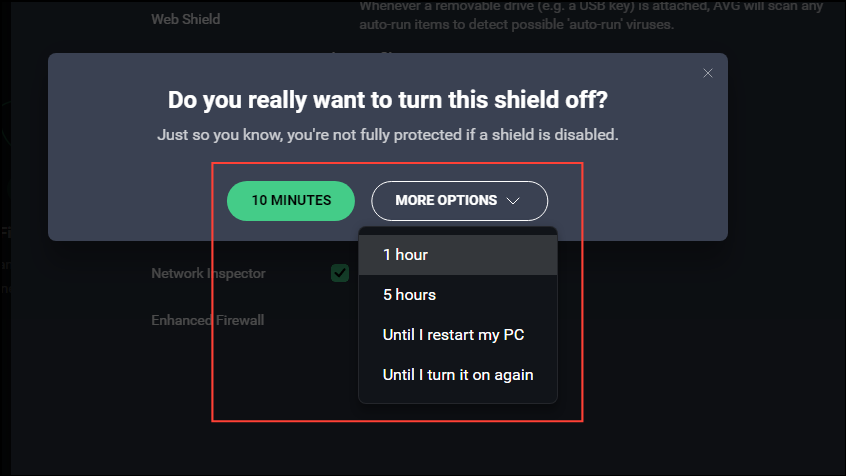
Your antivirus software might be blocking the camera for security reasons. Disabling it temporarily can help identify if it’s causing the issue.
By following these methods, you should be able to resolve the 0xA00F42A0 <SceneSwitchFailed> camera error on your Windows PC. If the problem continues, consider reaching out to your device manufacturer or Microsoft Support for further assistance.



