With the rise of remote work and online education, Google Meet has become a staple for virtual meetings and classrooms. While it offers robust features, keeping detailed notes during lengthy discussions can be challenging. Fortunately, there’s a way to automatically transcribe and save your Google Meet sessions, allowing you to focus on the conversation without the need to jot down notes manually.
Add to Chrome button to add it to your browser.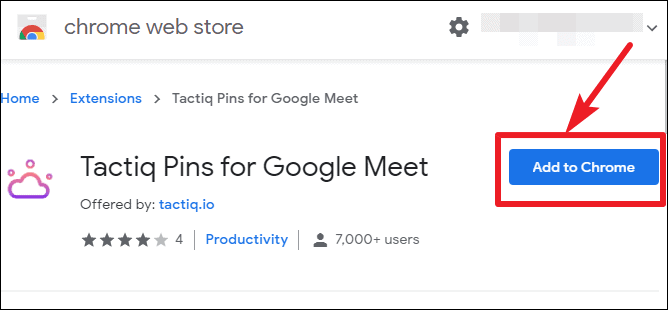
Add extension in the confirmation dialog that appears. Once the extension is installed, its icon will appear to the right of your browser’s address bar.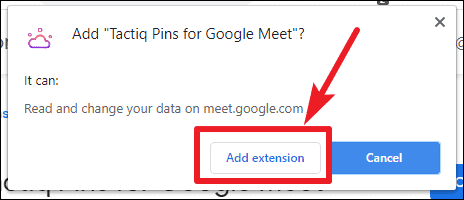
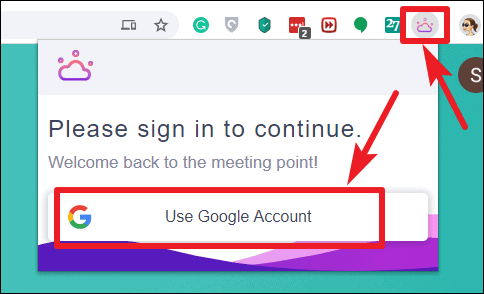
Allow. This will set up the extension for use during your Google Meet sessions.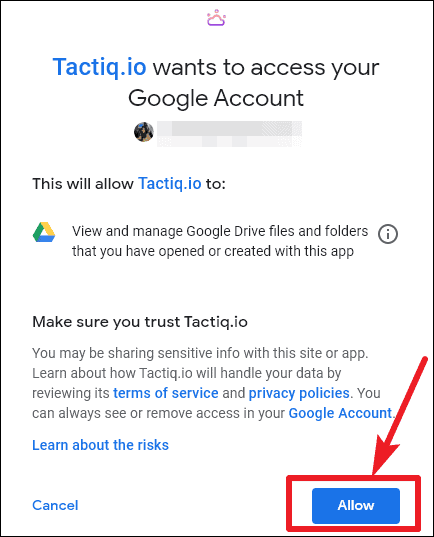
Utilizing Tactiq in Google Meet
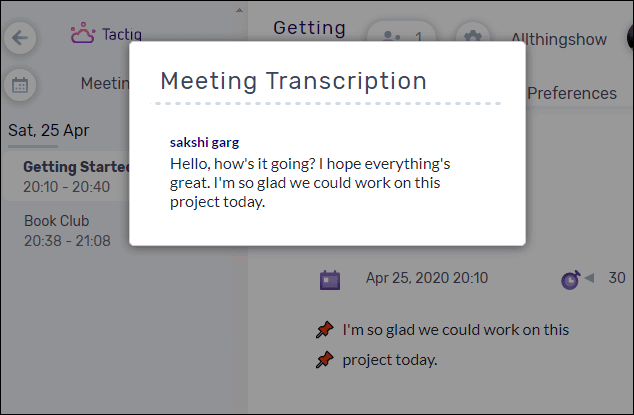
When you join a meeting, the Tactiq transcription window will automatically appear on your screen. You can reposition this window anywhere that’s convenient for you.
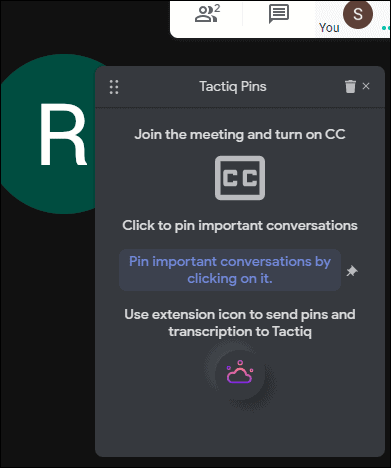
Turn on captions button located at the bottom right corner of the meeting screen. Tactiq relies on Google Meet’s caption feature to transcribe the conversation.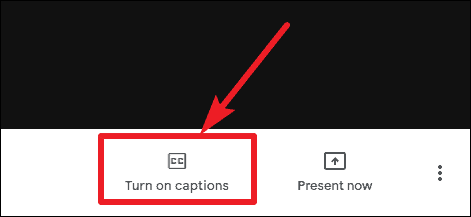
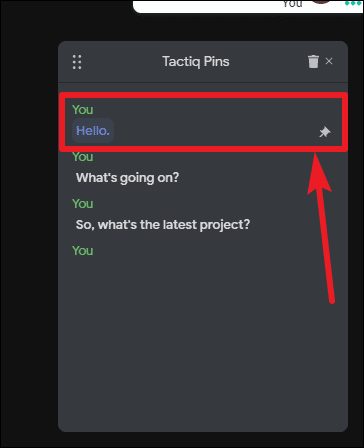
Export Format dropdown menu to choose how you’d like to save the transcript. Options include copying it to your clipboard, saving it as a text file, exporting to Google Docs, or saving it within Tactiq’s own platform.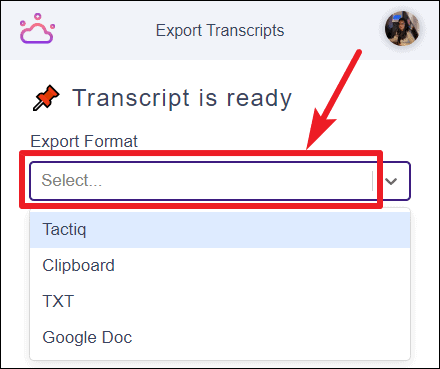
Exporting to Google Docs is a convenient choice since it saves the transcript directly to your Google Drive, making it accessible from anywhere and easy to share.
If you opt to save the transcript within Tactiq’s platform:
Create button. This will redirect you to Tactiq Meetings, where you’ll need to sign in with your Google account if you haven’t already.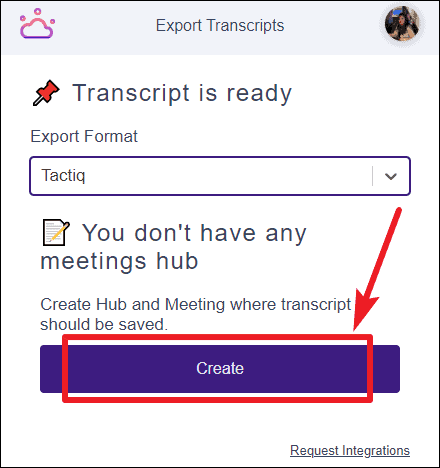
+ icon to create a new meeting hub. This hub will serve as a repository for all your transcribed meetings.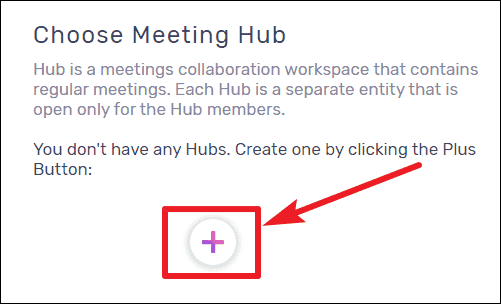
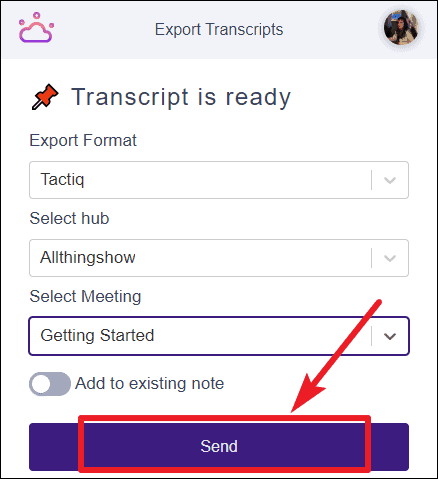
Your transcripts will now be organized within Tactiq Meetings, allowing you to access and review them at any time.
By using Tactiq Pins for Google Meet, you can effortlessly capture and save transcriptions of your meetings. This tool not only helps in keeping accurate records but also frees you from the distraction of taking notes, enabling you to engage more fully in discussions.