Roblox is a user-generated platform where anyone can build games, chat, and trade virtual items, which means safety depends heavily on how each account is set up. The strongest protection comes from a small set of built-in controls: verified account recovery, two-step verification, restricted chat, and, for younger players, a linked parent account. Configure these once and you close off the most common risks.
Quick answer: Add a verified email or phone to the account, turn on 2-Step Verification in Account Settings under the Security tab, set chat and messaging to Friends or off, and for a child under 13 link a verified parent account to manage those settings.
Secure the account first
Account security is the base layer, because it protects everything else. Two settings matter most, and both live in Account Settings.
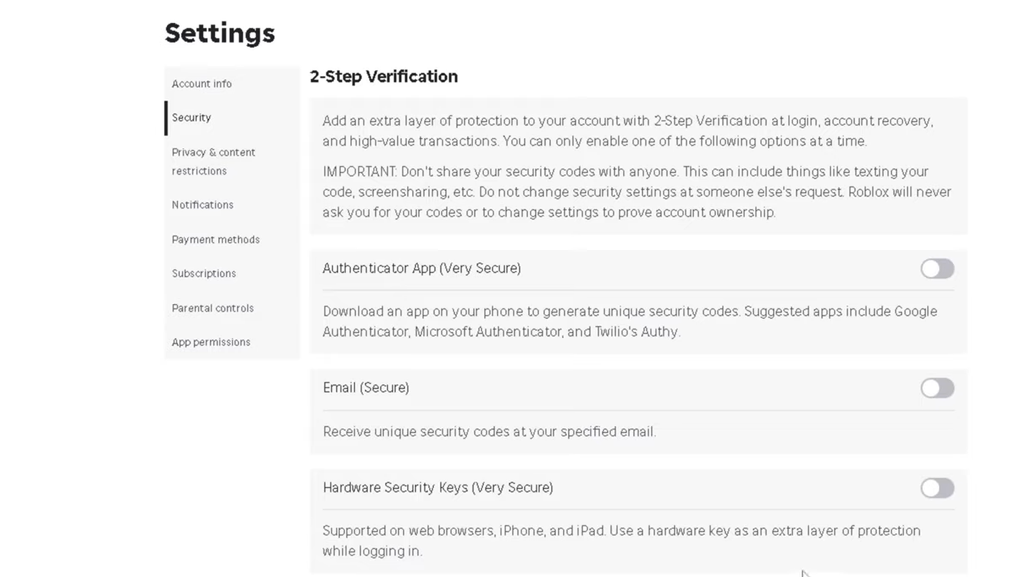
You know it worked when the Security tab shows 2-Step Verification as enabled and a verified contact method is attached to the account.
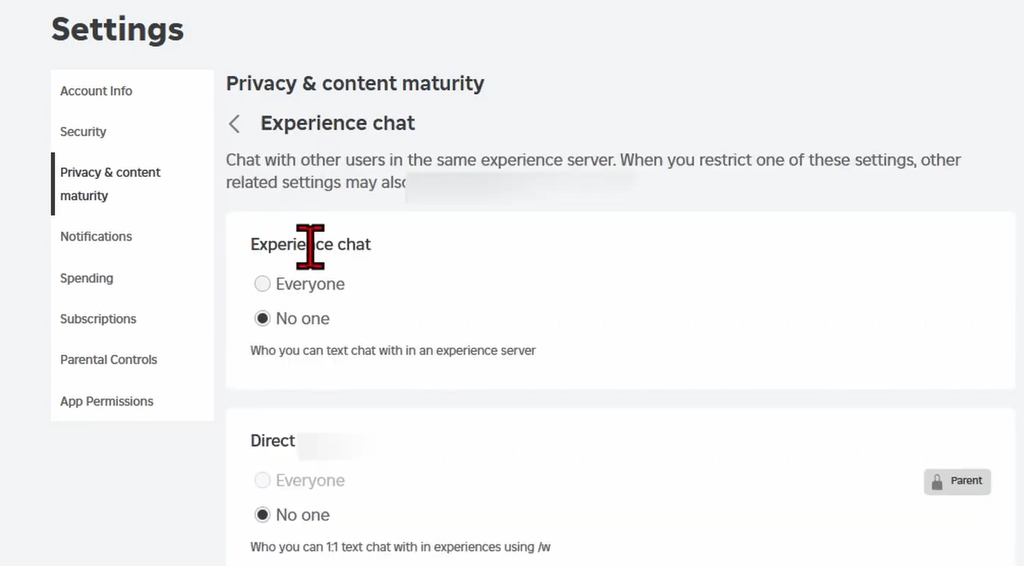
Control who can chat and message
The social side of Roblox is where most safety problems start, because players can talk to strangers around the world. The privacy settings let you decide exactly who can reach an account.
| Setting | Recommended value |
|---|---|
| Who can message you | Friends or No one |
| Who can chat with you in-game | Friends or disabled |
| Who can follow you into games | Friends |
| Who can join your games | Friends |
| Who can see your inventory | Friends |
Voice chat deserves particular attention. If an account is playing with strangers, disabling voice chat in settings removes a direct line of unmoderated contact. Muting text chat cuts off unwanted messages as well. Both toggles sit in the account’s settings menu.
For accounts that are not age-verified or belong to younger users, several of these communication features may already be switched off automatically, so you may find nothing to change.
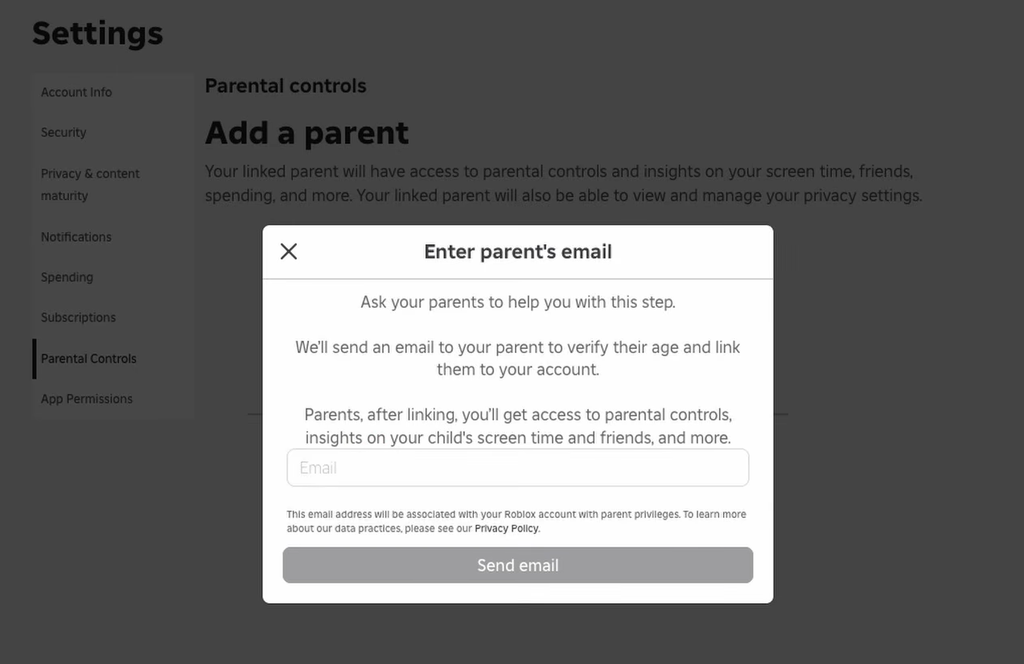
Set up parental controls for kids under 13
Roblox draws a clear line between users under 13, who it treats as kids, and those 13 and over, who it treats as teens. Accounts for kids under 13 automatically get more restricted settings, including being limited to messaging only accepted friends. Users age 12 and under are covered by extra privacy protections under the Children’s Online Privacy Protection Act (COPPA).
A major set of changes reshaped these controls in November. Parents now create their own account and link it to a child’s account, and verifying as a parent requires a government ID or a credit card authorization. That verified link unlocks a full set of tools.
- Manage the child’s privacy and chat settings
- View screen time and set screen time limits
- Set spending limits and turn on spending notifications
- Block specific games
- Review the games a child is playing and who they talk to
Direct messaging outside of games is no longer available to users under 13. Inside a game, a one-to-one message, for example to a teammate, requires parental consent first. Linking an account takes only a few minutes, and even without touching a single control, playing a few games alongside a child gives you a realistic picture of what they experience. You can review activity history at any time through the tools in the Roblox Help Center.
Avoid scams and phishing
A few habits shut down the scams that target players most often. None of them require special software, only awareness.
- Never share personal details such as your real name, email address, home address, or school with anyone in a game or chat.
- Do not click external links sent through Roblox. Some are phishing attempts designed to steal login details.
- Ignore any offer of free Robux. Roblox does not hand out currency this way, and anyone promising it is almost certainly a scammer. If it looks too good to be true, it is.
These three rules matter most together, since a fake “free Robux” offer usually leads to an external link that asks for account details.
Report and block problem players
Roblox filters content and runs a moderation team, but reporting fills the gaps by flagging what the system misses. The Report Abuse tool appears throughout the site and inside games, and every report helps enforce the platform’s Rules of Conduct.
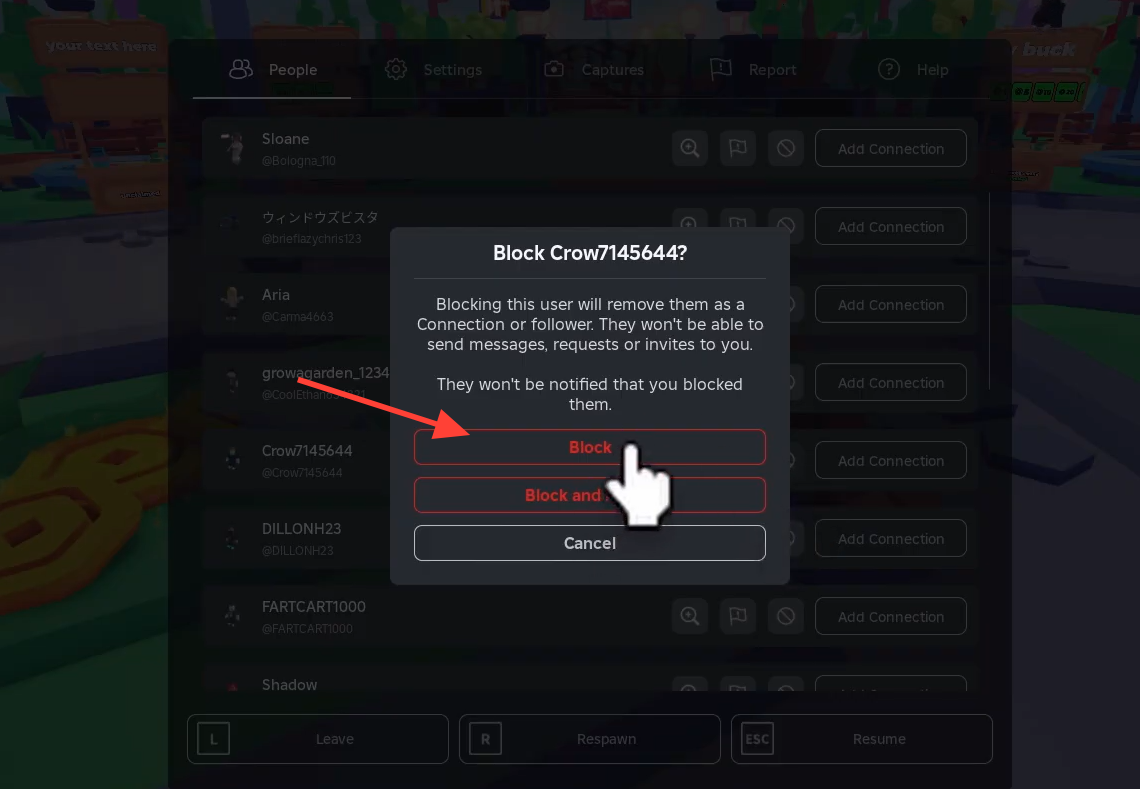
Blocking stops that player from chatting with or joining you again. Full instructions live in the Roblox guide on how to report rule violations. Teaching younger players to report and block gives them a way to handle problems on their own, and it works alongside a simple house rule to tell a parent when something feels wrong.
Set up together, these controls keep the fun parts of Roblox open while closing off the risks. Revisit the privacy and security settings every so often, since both the platform and a growing player’s needs change over time.