Equipping in Dungeon Quest Reborn happens entirely through one menu, and it works the same way for weapons, armor, rings, and abilities. Everything you own sits in storage until you click it, and clicking an already-equipped item pulls it back out. There is no separate confirm button and no loadout screen hidden elsewhere in the lobby.
Quick answer: Click the Inventory button at the bottom right of the screen, open the Gear tab, then click a stored weapon, armor piece, or ring to slot it — it appears in the equipped panel on the left immediately.
Where the Inventory button is in the lobby
You start on the dock area and walk toward the village center, where the lobby interface stays on screen the whole time. Along the bottom of the display you get Cosmetics, Inventory, Play, Show Friends, and Show Players. Inventory is the green button on the bottom right on PC.
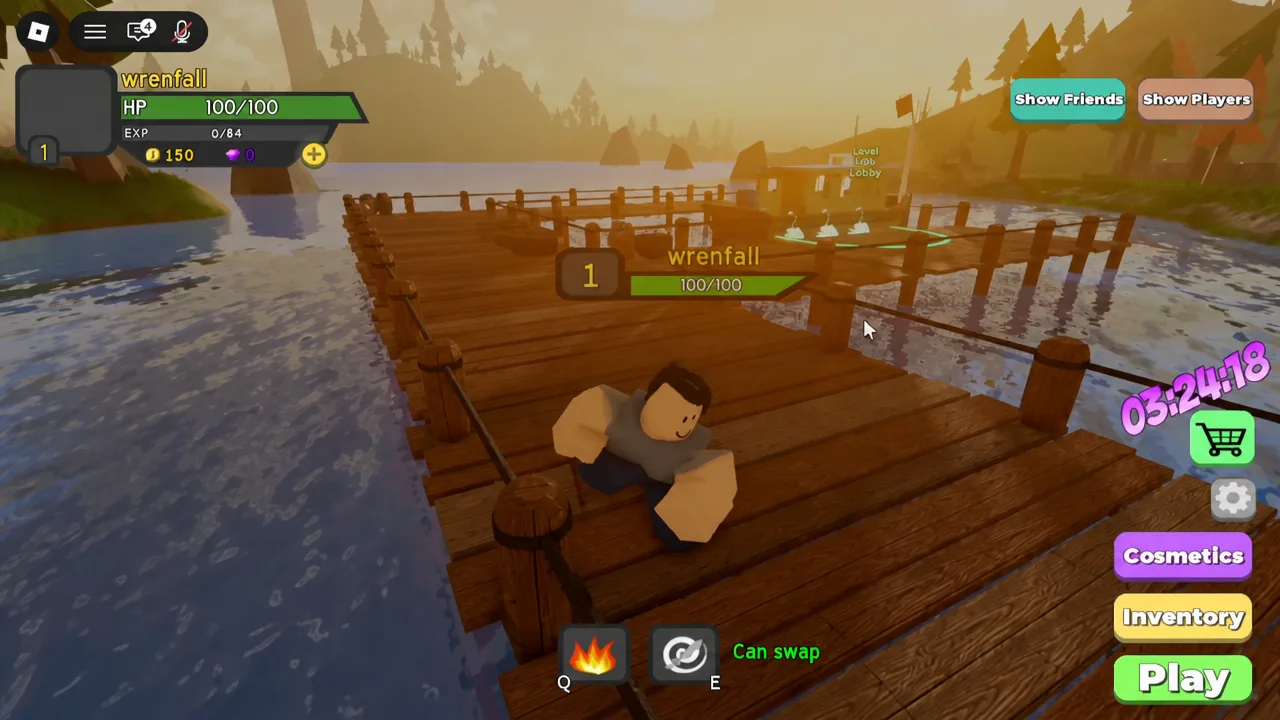
Button placement shifts between PC and mobile, and updates can move things. Read the labels rather than memorizing a screen position. The top-left corner also shows your character card with level, HP, EXP, and gold, which is useful for checking whether an item’s level requirement is met before you try to equip it.
Equipping weapons and armor from the Gear tab
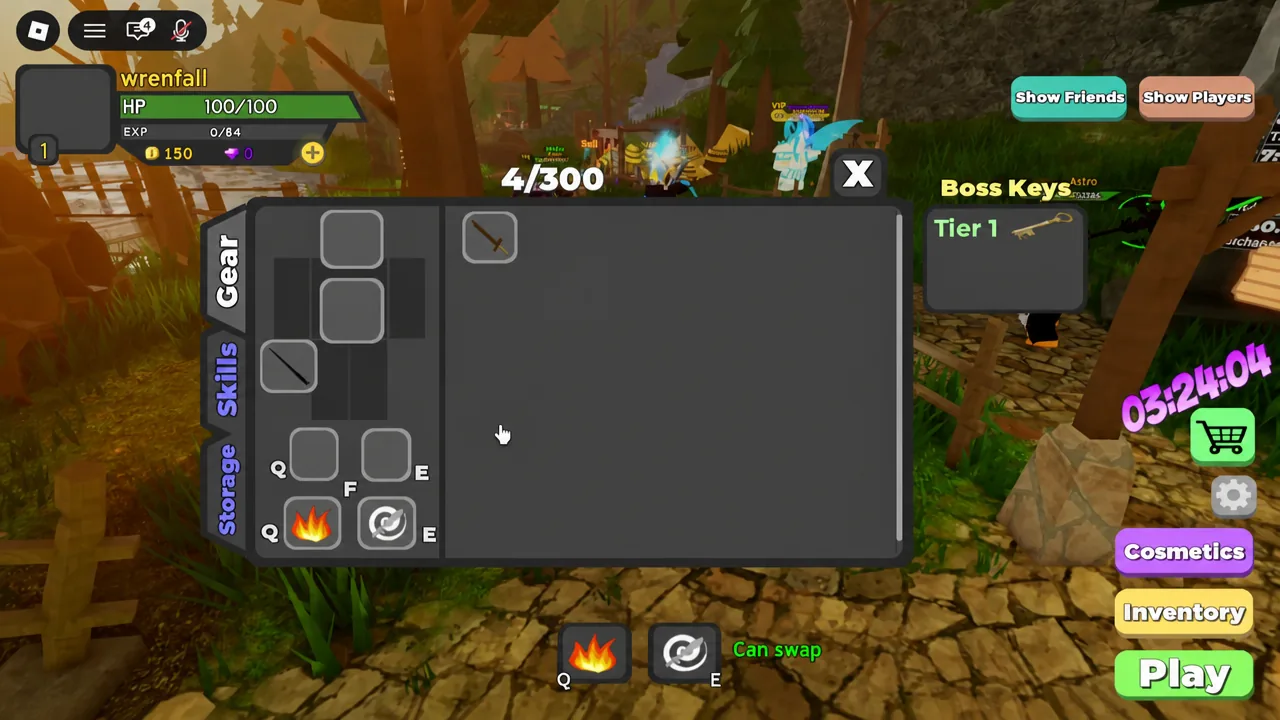
The inventory splits into three tabs: Gear, Skills, and Storage. Gear is where every equip action happens. Your currently worn items sit on one side, and the storage grid holding everything else takes up most of the panel.
Rings behave slightly differently. Clicking a stored ring asks whether you want it in the left or right slot, so you pick before it equips. Storage sorts itself automatically, first by whether an item is favorited, then by gear type, then by rarity from ultimate down to common, and finally by required level.
Starter weapon stats you begin with
New characters carry two weapons that pull in opposite directions. The Bronze Dagger is the physical option and the Starter Wand is the spell option, and both are usable at level 1. Pick whichever matches the damage stat you plan to build around, because splitting between the two wastes the stats on your gear.
| Stat | Bronze Dagger | Starter Wand |
|---|---|---|
| Physical Damage | 6 | 1 |
| Spell Power | 1 | 6 |
| Level required | 1 | 1 |
| Upgrades | 0/2 | 0/2 |
| Sell value | 100 gold | 100 gold |
Note: a level 1 character starts with 150 gold, so selling a starter weapon you will never use is a quick way to fund early upgrades. Only do it once you are certain of your damage type.
Equipping abilities and the Skills tab
Abilities live in the same Gear tab as your weapons, not in Skills. Clicking a stored ability brings up a prompt asking which ability slot, meaning which keybind, you want it assigned to. Fireball and Whirlwind are the two you start with.
One hard rule catches people mid-run: an ability that is on cooldown cannot be unequipped or swapped. Wait for the cooldown to finish before changing your loadout.
The Skills tab is a separate system for spending skill points, and the tree you invest in is what determines your class. You can jump to it by pressing the large orange plus button over your avatar in the top left whenever you have unspent points. Resetting points is only possible in lobbies, and each reset charges a small fee that grows as you spend more, unless you own the Free Skill Reset game pass.
The 300-item storage limit and why equipping stalls
Inventory capacity caps at 300 items, and the counter sits in the top right of the equipped gear section. A fresh character reads 4/300. That total counts equipped items as well as stored ones, and every item takes one slot regardless of rarity.
| Situation when inventory is full | Result |
|---|---|
| Finishing a dungeon or claiming Daily Rewards | A warning appears and the items are not granted |
| Sending or accepting a trade | Blocked, though you can still receive trade requests |
| Rewards from Gregg or AFK Mode | Delivered anyway, bypassing the cap |
Certain sources can push you past 300 — Hardcore dungeon drops, runs with the Extra Item Game Pass, Wave Defense, Daily Rewards, and trades. Excluding Gregg and AFK Mode, the ceiling players can reach that way is 329 items. The limit exists because unlimited inventories once exceeded data size limits and items disappeared, so clearing out obsolete gear regularly is worth the habit.
The Gear tab also holds the Gurk’s Auto-Sell Service interface and, for Dungeon Quest Plus owners, Quick Swap Abilities. Auto-sell is the fastest way to stop low-value drops from filling storage between runs.
Upgrading equipped weapons at the lobby Upgrade circle
Upgrades are handled outside the inventory. A glowing orange circle labeled Upgrade sits in the village lobby, and stepping into it opens the upgrade interface for your equipment.
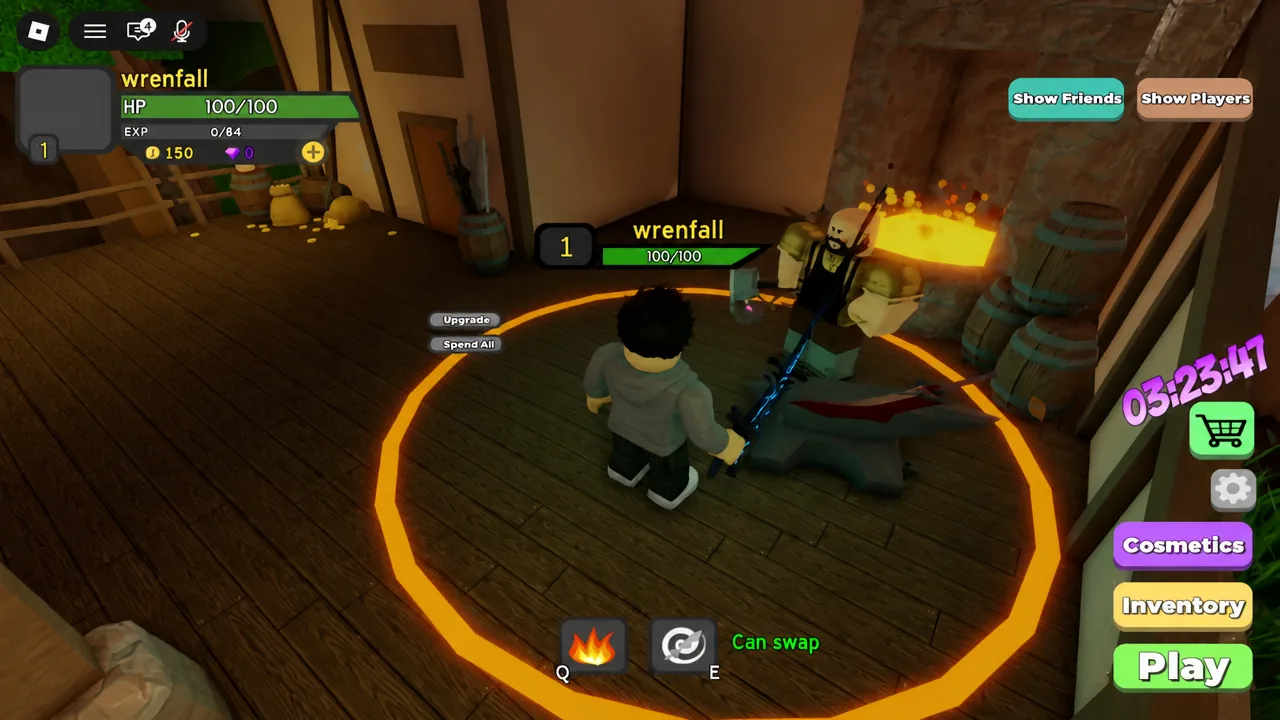
The panel shows the weapon name, its upgrade count, the price, and three stats you can pour gold into: Health, Spell, and Physical. Buttons for Upgrade 10x and Spend All let you commit gold in bulk rather than one click at a time.
Both starter weapons show Upgrades: 0/2, so there is very little room to invest in them. Save gold for drops you expect to keep across several dungeon runs instead. Put points into the stat that matches your weapon — Physical for the Bronze Dagger line, Spell for wands — since spreading gold across all three dilutes your damage.
Confirming an item is actually equipped
Verification is visual. The item you clicked moves out of the storage grid and appears in the equipped panel, and whatever it displaced shows up in storage in its place. Your stat readout in the Gear tab updates at the same time, so a jump in physical damage or spell power confirms the swap took.
If a click does nothing, there are only a few reasons. The item’s REQ Lvl. may be above your current level. You may be trying to swap an ability that is still on cooldown. Or you clicked an item that does not belong in the slot you expected, since weapons and armor only go into their matching slots.
Because interface positions and item values can shift with updates, treat the live game as the final word on any specific stat or button placement. Open Dungeon Quest Reborn on Roblox and check the Gear tab before a run rather than assuming a loadout carried over from your last session.