Skill points are the part of your character that no drop can hand you. Gear comes out of dungeons and gets stronger with Gold, but Physical Power, Spell Power, and Stamina only move when you spend the points your level grants — and the menu that lets you do it is tucked one tab deep in the inventory, which is why plenty of new players never find it.
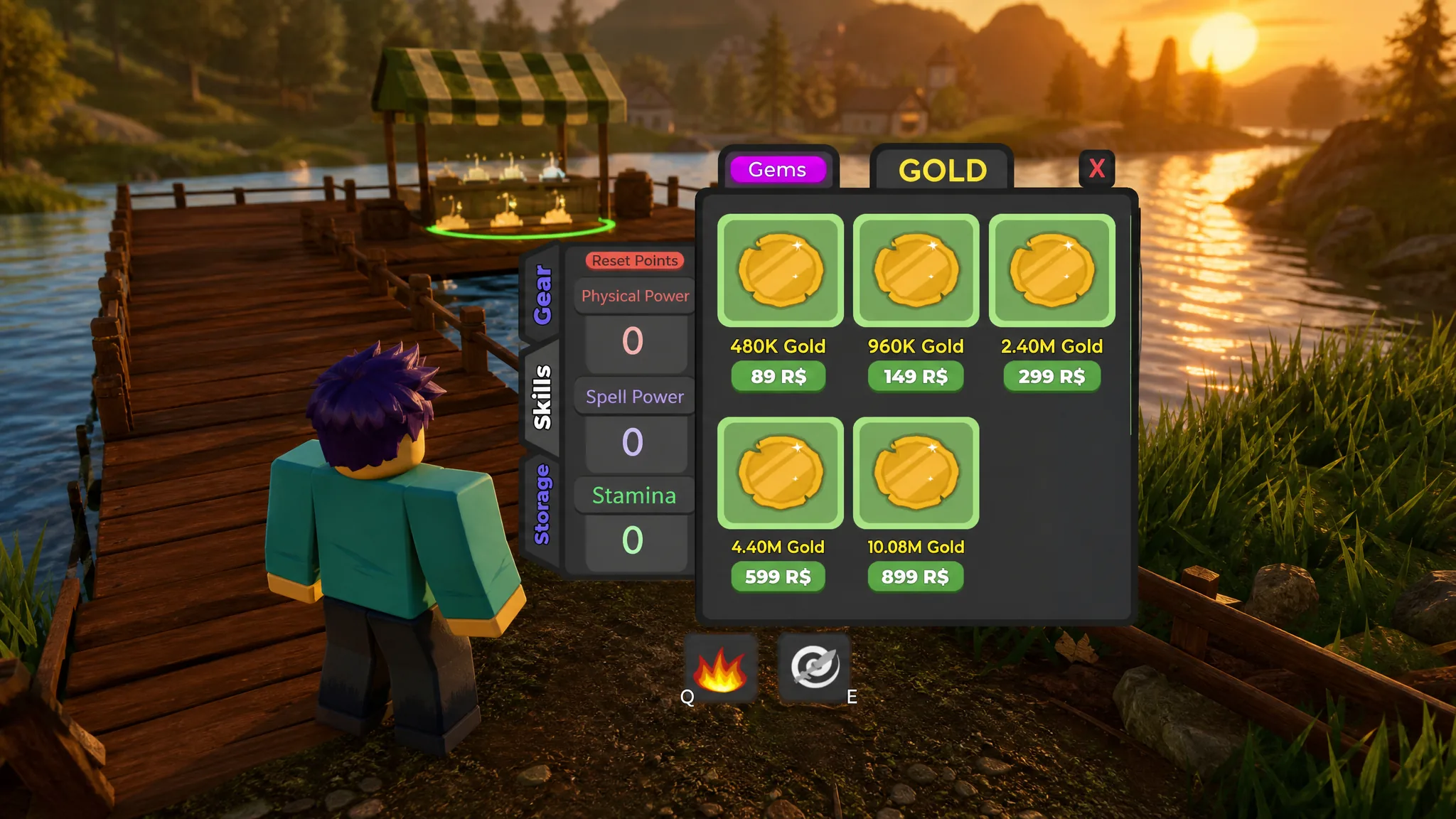
Quick answer: Open the Inventory menu from the buttons on the right side of the screen, select the Skills tab, then press the plus button next to Physical Power, Spell Power, or Stamina. You can only spend when the counter above the stats reads more than Points: 0, and you earn more points every time you level up.
What each skill stat does in Dungeon Quest Reborn
There are only three stats, and each one feeds a different damage or survival source. Spending across all three evenly is the most common mistake, because it produces a character who is slightly worse at everything instead of good at one thing.
| Stat | What it raises | Who should stack it |
|---|---|---|
| Physical Power | Melee weapon damage and warrior ability damage | Warrior-style builds using physical weapons |
| Spell Power | Mage ability damage and healing output | Mage and healer builds using spell weapons |
| Stamina | Overall health and survivability | Tanks, support players, and anyone dying mid-run |
Pick your damage stat first and treat Stamina as a cushion you add later, once your clear speed is already established. A ranged spell build survives by keeping distance; a physical build survives by killing packs faster. Both fall apart if the points are split down the middle.
How to open the Skills tab and spend points
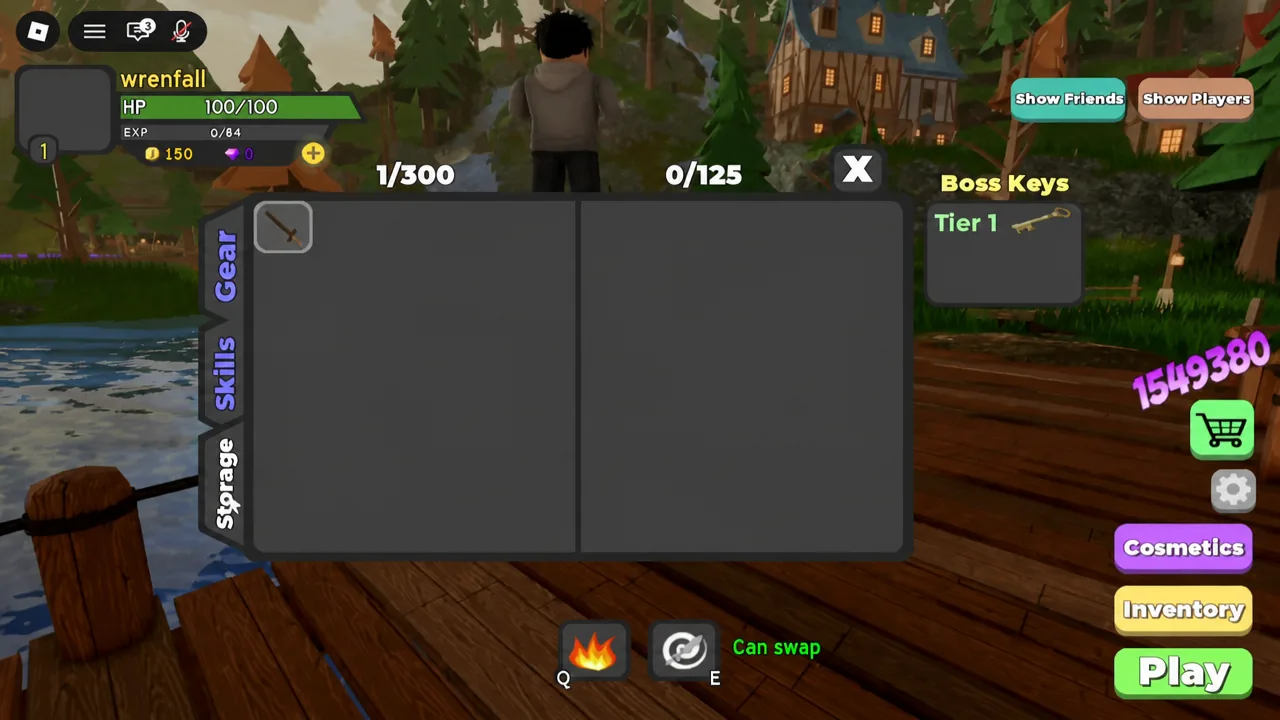
Points counter and a Reset button below.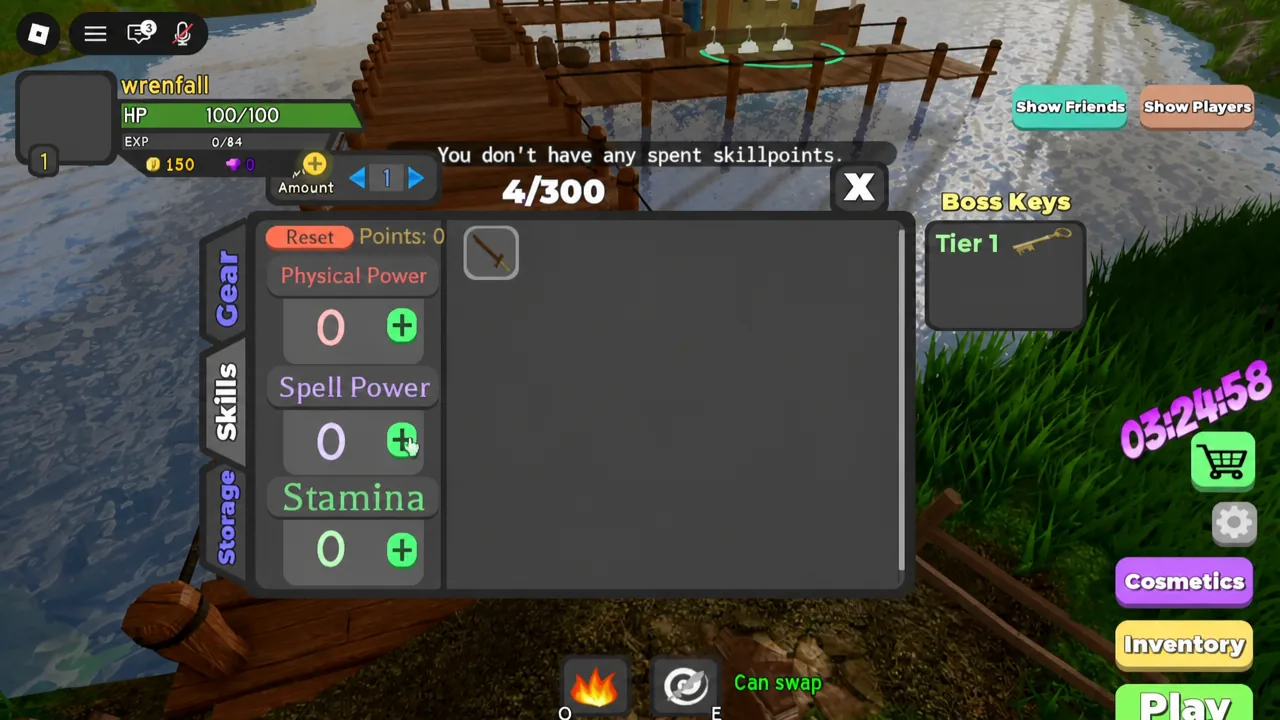
Why the plus button does nothing
If pressing plus produces no change, check the points counter first. A fresh character sitting at Points: 0 has nothing to spend, and no amount of clicking will move a stat. Points arrive only through levels, and levels come from EXP earned by killing enemies and bosses inside dungeons — the bar under your health shows how far you are from the next one.
That is the whole loop. Run a dungeon at a difficulty you can reliably finish, clear packs and the boss, then come back to the lobby and spend whatever you gained. A fast run you complete is worth more over an evening than a hard run that keeps failing.
Resetting skill points to change builds
The Reset button at the bottom of the Skills tab pulls every point back out of your stats and returns them to the unspent pool. Use it when you switch weapon types, since a character with points in Physical Power gains nothing from a spell weapon, and the reverse is equally wasteful.
Reset only has an effect if you have actually spent points. On a stat sheet with everything still sitting at its base value, pressing it does nothing. You will know it worked when the stat lines drop back down and the points counter jumps to your full total.
Tip: reset before a session, not mid-dungeon. Rebuilding your stats while enemies are on screen is a good way to lose a run you were about to finish.
Skill points versus Gold gear upgrades
These are two separate systems that share the same vocabulary, which trips people up constantly. Skill points are free, come from levels, and live in the Skills tab. Gear upgrades cost Gold, are bought at the Blacksmith in the lobby, and are applied to individual weapons and armor pieces.
| System | Cost | Where | Reversible |
|---|---|---|---|
| Skill points | Free, earned per level | Inventory → Skills tab | Yes, via Reset |
| Gear upgrades | Gold per upgrade | Blacksmith in the lobby | No |
Keep the two pointed in the same direction. If your points are in Spell Power, put your Gold into the spell power line on the staff you actually use, not the physical line on a sword sitting in Storage. Gear upgrades cannot be undone, so a mismatch there is a permanent loss in a way a bad skill allocation is not.
Once your points and your weapon agree with each other, the rest is repetition — pick the highest difficulty you can clear without repeated wipes in Dungeon Quest Reborn, run it until you level, and drop the new points into the same stat you have been building. The Reset button is there if you change your mind later, which makes committing to one path far less risky than it sounds.