Ultrakill-style audio IDs let you attach short kill sounds or full tracks to your actions in Roblox experiences that support a radio, boombox, or kill sound gamepass. Entering a valid ID will immediately play the selected clip when triggered in-game.
Ultrakill kill sound ID codes
128020892910000— Ultrakill Knuckleblaster121845903724835— Ultrakill Break Sound115723508098381— Your Crime Is Exsistance100155363331447— Is That The Best You Got80721109001799— So This Is What You See In Bloodshed81202220081219— Parry!17405655409— Shatter86759992415245— Minons Prime – Prepare Thyself90848906338273— Minions Prime – Thy End Is Now122841357244559— Ultrakill Parry72985187238486— Enraged Start18694762392— Explosion140616663978880— Ultrakill Plank140558324601866— Ultrakill Rock140432118301849— Gabriel Ultrakill140297169466772— You Need More Power139810215781954— Bigger Explode115562011557118— Ultrakill Husk sound114238617703937— Another Worthless Object114139913020561— Judgement113113693398713— Useless112679534684593— Not Even Mortal111891814763332— Lost the Fight109995453725189— Woes Been Made107750060072717— Keep Coming105000397189027— Reconstruct What?
Ultrakill music ID codes
140610272073409— A Hell of a Country100130807651909— Altars of Apostasy101232546539078— Blood Stained Pixels81526127246882— Duel (Versus Reprise)139876805619439— Fear the Reaper’s Blade103372228766051— For You101816227750061— Gabriel – Let’s Settle This139040136639746— Gerudo Valley77618144138793— Kasane Teto115063274884543— Keygen Church71789400594075— Losing the Plot140023021564175— Nasty Wild Thing139621372719787— Palladium Dream79606907146615— Pandemonium129846946255976— Pixels140578679733411— Razor Edge139532537391363— Sacred Exhaust140220541771882— Skies of Blue108332641933813— Tennebra Rosse Sangue96809094538324— Tower Falling105914070405455— Ultrakill Beat106249233228849— Ultrakill_ESC132454829701729— War81485954087776— War (alternate)104691766514625— War 8 Bit140087133692776— Whispers of the Deep
How to use Ultrakill sound IDs in Roblox
Join a Roblox experience that supports custom audio, such as one with a boombox, radio, or kill sound system. Access is often tied to a gamepass purchased with Robux.
Open the audio interface from your inventory or settings. This is usually labeled as Radio, Boombox, or Kill Sound.
Copy one of the ID codes exactly as shown and paste it into the input field. Confirm or press play to load the audio.
Trigger the sound in-game. For kill sounds, it will play after eliminating an opponent; for music, it begins immediately through the audio device.
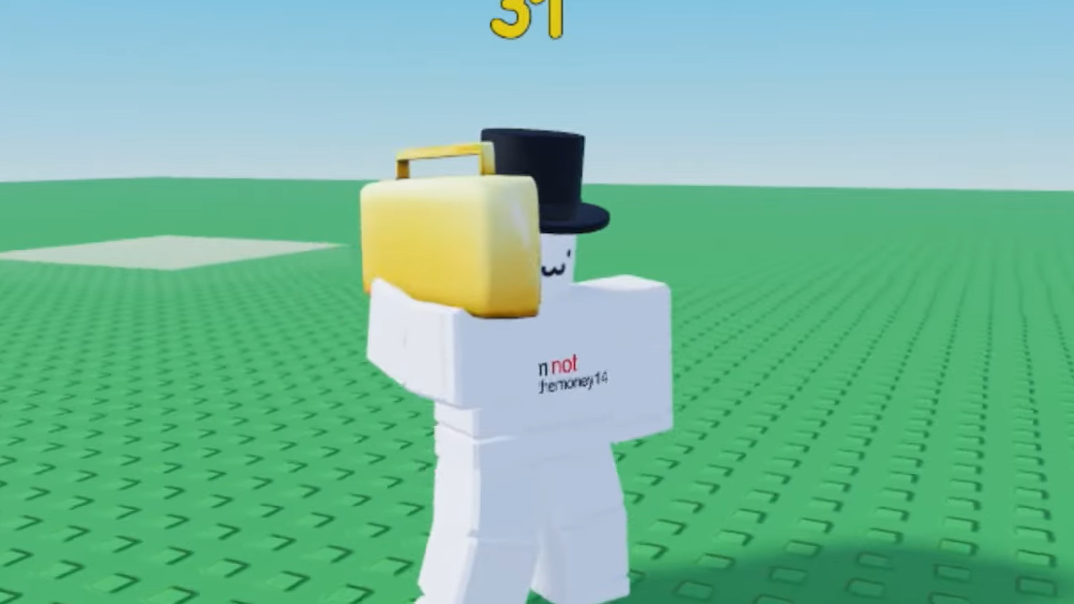
What kill sound IDs do in Ultrakill-style Roblox games
Kill sound IDs are short audio clips that play automatically when a condition is met, most commonly after a successful elimination. They are distinct from music IDs, which play continuously through a radio or boombox. Once a valid ID is entered and saved, the game uses that audio file whenever the trigger condition occurs.
Entering a valid ID correctly results in immediate playback or activation, confirming the sound is linked to your character or device.