Gogos Games Studios, the team behind Awesome Bike Life, currently has Drive A Kukirin in early testing as an electric-scooter game on Roblox. Cash is the sole progression currency: use it to purchase quicker scooters, which then generate cash at a higher rate. Wheelies, police pursuits, helmets, and paint either support that cycle or add to it.
Quick answer: Visit the Scooter Store and take the free Kukirin G2, bring it out through the Garage, then cover lengthy highway runs while completing quests. A quest can award as much as $3,500, but you have to collect the reward yourself.
Claim the free Kukirin G2 and spawn it
You begin on foot, and the garage starts empty. Although the starter scooter costs $0, you must claim it first before it becomes selectable.
E Ride prompt.Resetting your character teleports you back to the spawn building, which is far quicker than riding across the map when you want to check the store.
How passive cash works while you ride
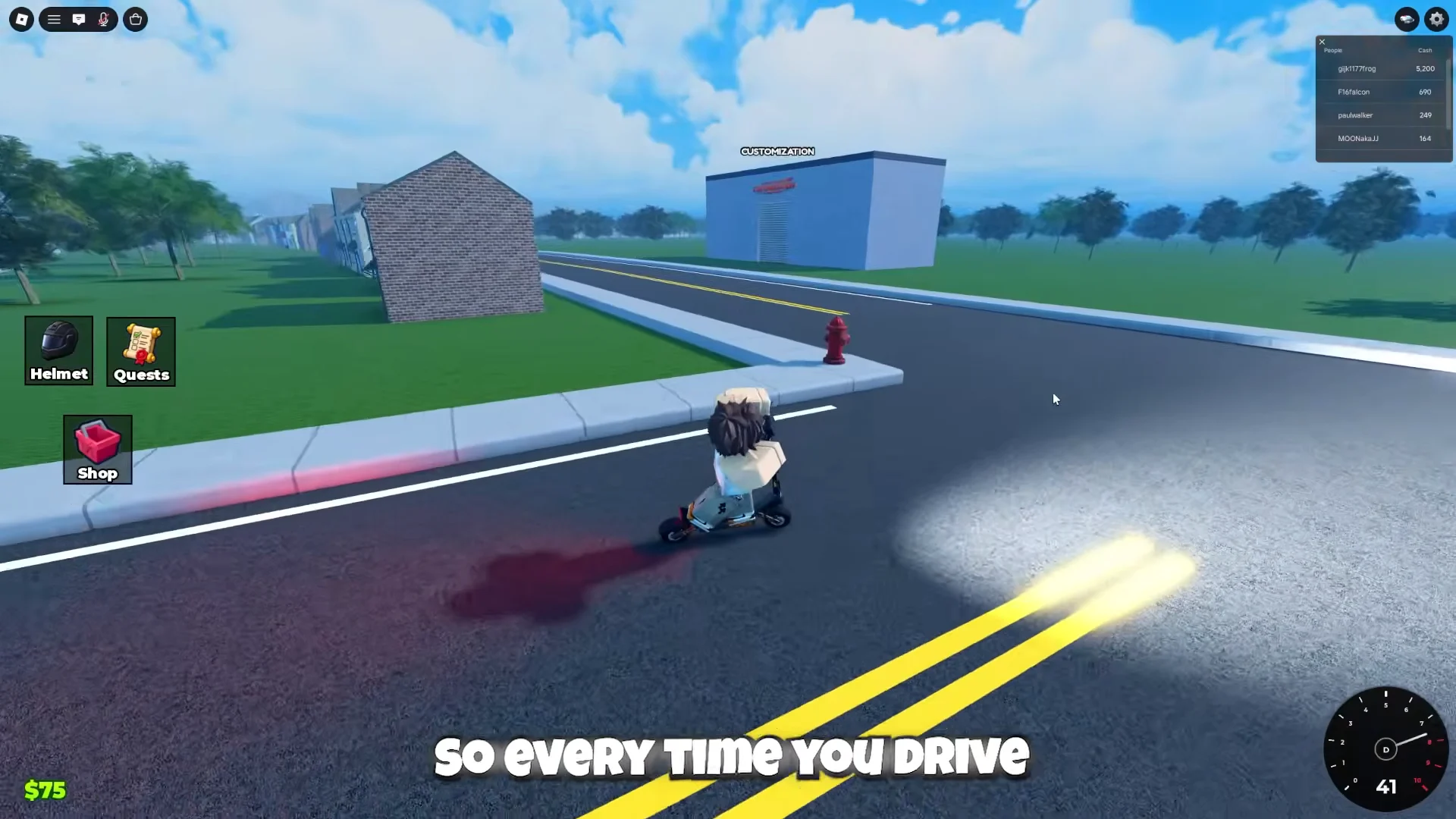
As long as your scooter keeps moving, cash is generated automatically. Each increase is $3, with faster travel producing more per second; the amount therefore depends on your speed, not your destination. Remaining motionless at the spawn point produces no income.
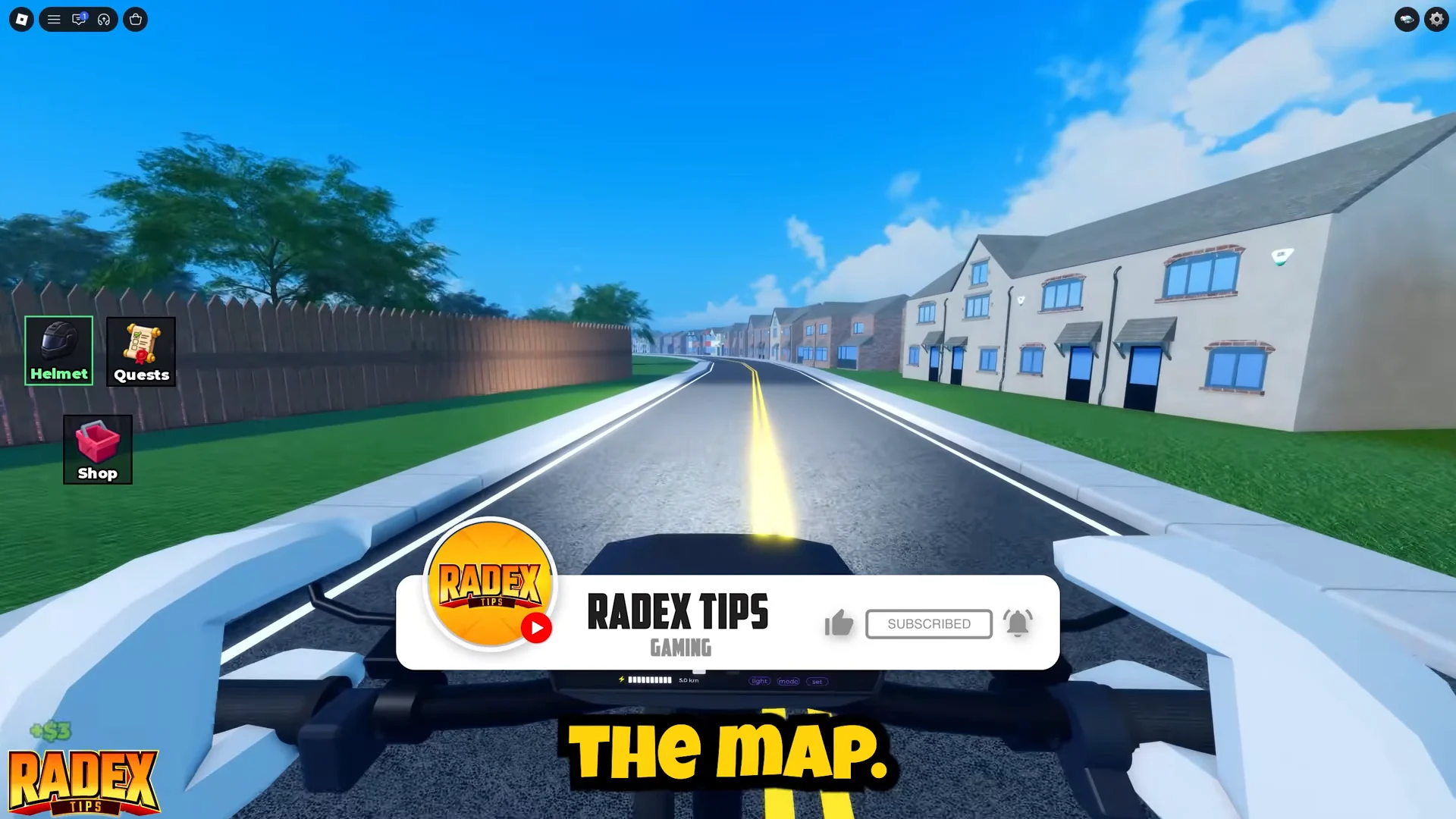
Buying the first scooter upgrade should therefore be your top priority. Once your earning rate improves, each subsequent scooter repays its cost more quickly. The map’s broad highway is ideal for maintaining maximum speed because corners, traffic, and kerbs do not force you to brake.
Quest rewards and how to claim them
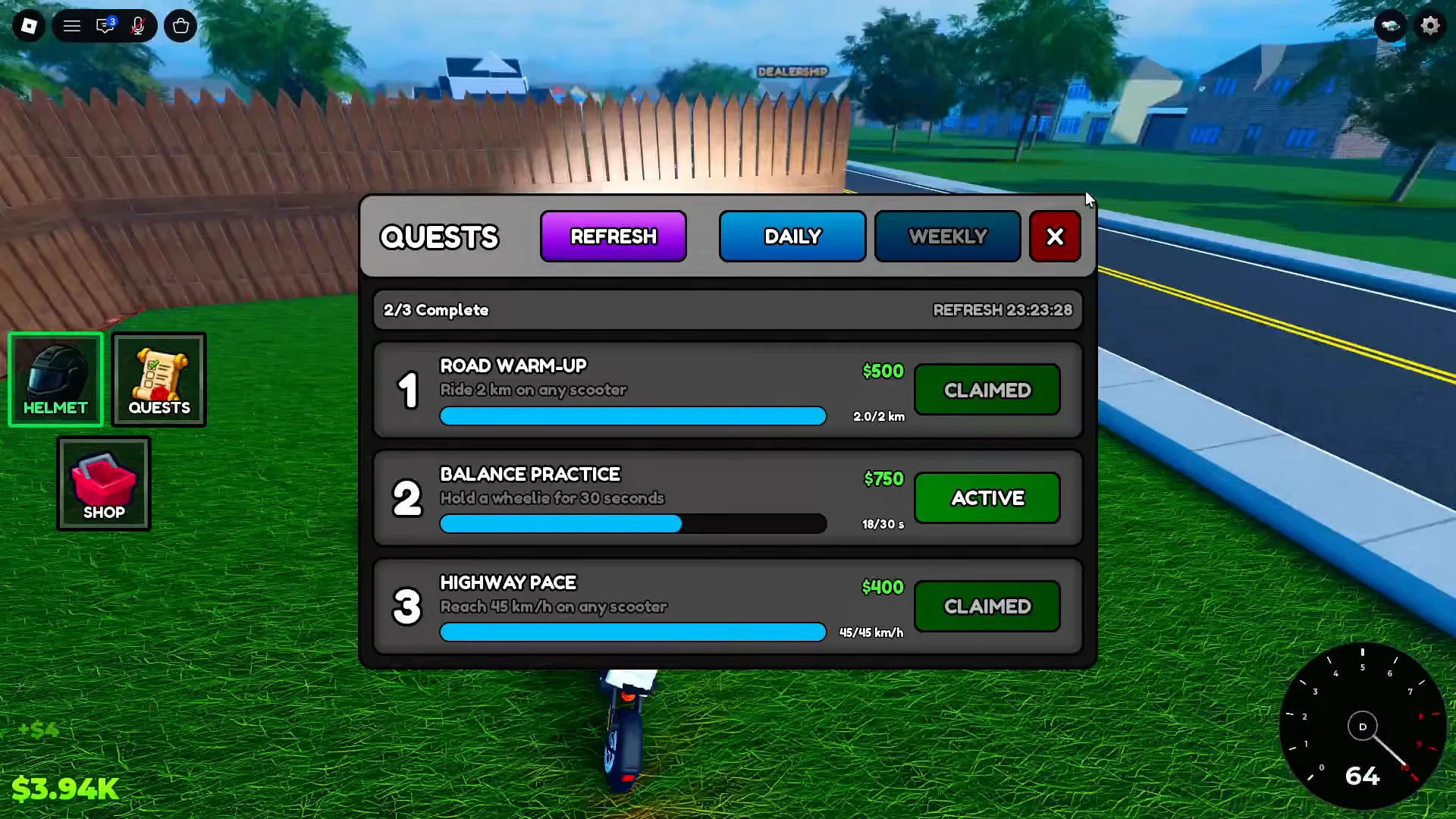
Riding passively brings in much less than quests, making quests the quickest way to afford your first upgrade. The QUESTS button contains three Daily assignments and three Weekly assignments, separated by the Daily and Weekly tabs.
| Quest | Objective | Reward |
|---|---|---|
| ROAD WARM-UP | Ride 2 km on any scooter | $500 |
| HIGHWAY PACE | Reach 45 km/h on any scooter | $400 |
| BALANCE PRACTICE | Hold a wheelie for 30 seconds | $750 |
| STREET LEGEND | Hold wheelies for 3 minutes total | $3,000 |
| LONG HAUL | Ride 25 km across the week | $3,500 |
| CLEAN MACHINE | Land 20 wheelies cleanly | $3,500 |
Objectives stack. One long straight run can push distance, top speed and wheelie time at the same time while passive cash is still ticking, so check the menu the moment you spawn and pick a route that serves whatever is active. Weekly tasks are the demanding ones, asking for kilometres, clean landings and total wheelie time.
Finishing a task does not transfer its reward by itself. Reopen Quests, find the completed row, and select CLAIM. Your cash balance increases immediately, while that row changes to grey CLAIMED text to show that the reward was registered.
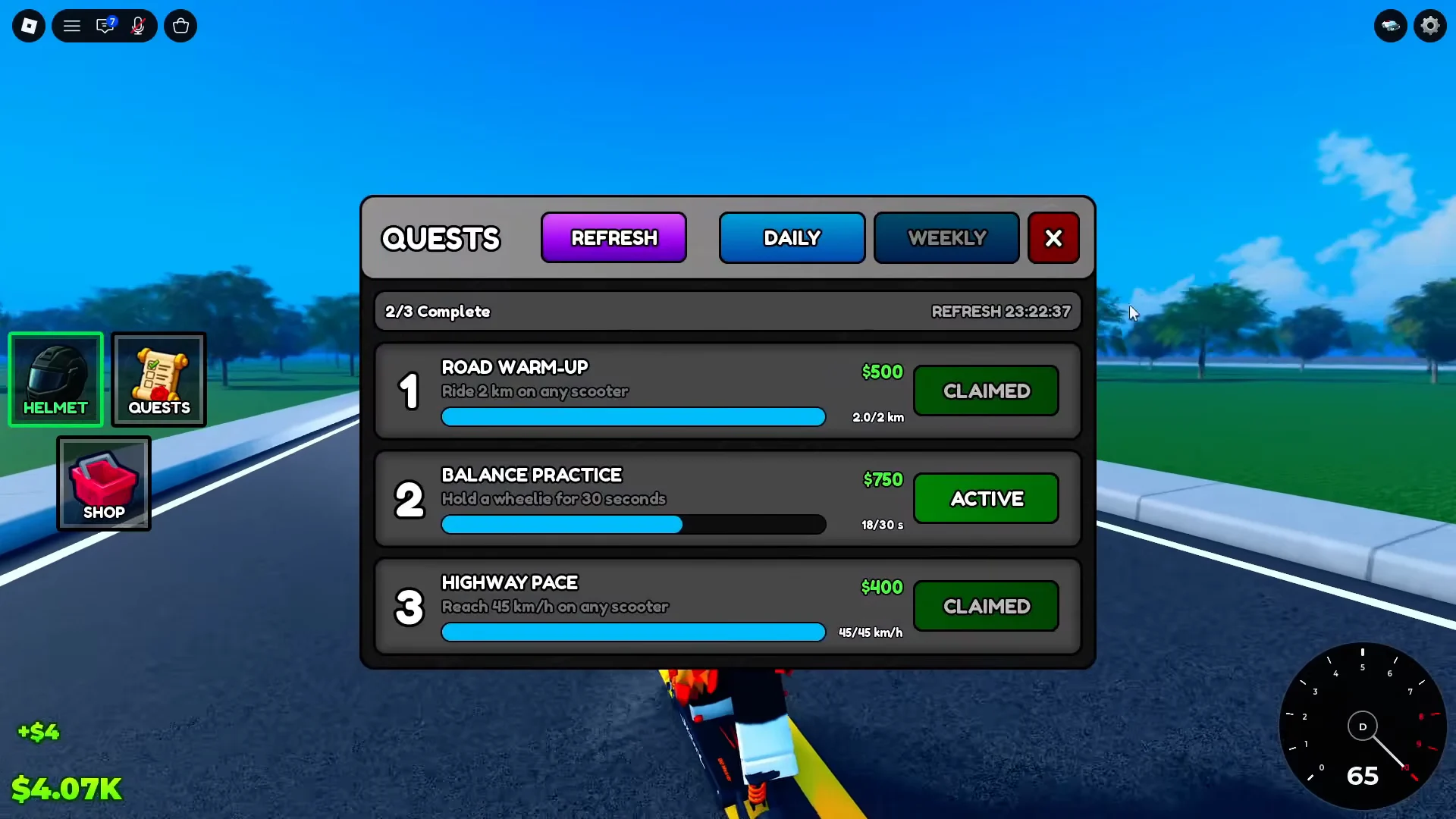
The reward structure makes the priority clear: ordinary riding supplies distance and speed assignments, but the biggest payouts are tied to controlling a wheelie. If you want the higher earnings, wheelie technique is essential.
Drive A Kukirin keyboard controls
| Input | Action |
|---|---|
| W A S D or arrow keys | Throttle, steering, brake |
| Spacebar | Jump / exit vehicle |
| E | Interact with prompts |
| Shift | Perform and hold a wheelie |
| 1 | One-handed ride |
| 2 | No-handed ride |
| C | Cycle first person, cinematic, third person |
| L | Lights on and off |
| I / O | Zoom in and out |
Riding with one hand or no hands is only visual and does not count toward wheelie quests. Use third person while learning, since it clearly shows the scooter’s backward tilt; switch to first person for immersion after balancing becomes automatic. At any point during a ride, the HELMET button on the left can put on or remove the black motorcycle helmet, with no effect on performance.
These are keyboard inputs on an early testing build. If a key does nothing in your session, read the on-screen prompts, and treat touch and controller equivalents as unconfirmed.
How to hold a wheelie
While the scooter is in motion, hold Shift to raise the front wheel instead of pressing it repeatedly. Make minute balance adjustments with W to tilt forward and S to tilt backward. Runs usually fail when the correction goes too far, causing either a hard front-wheel landing or a backward flip off the scooter.
- Practise on a long straight road with no traffic, never in a crowded lane.
- Build up in stages — 5 seconds, then 10, 15 and 30 — instead of chasing the three-minute weekly first.
- Smoke appearing under the rear tyre means you are leaning too far back; nudge forward straight away.
- If the scooter stops accelerating, drop the front wheel closer to the ground to regain momentum, then feather the throttle.
- Avoid holding full throttle the whole time, since it pulls the nose too high to recover.
Total wheelie time carries over between attempts, so short controlled lifts add up toward STREET LEGEND even if you never manage one long hold.
Scooter Store prices and upgrade order
| Scooter | Top speed | Range | Price |
|---|---|---|---|
| Kukirin G2 | 35 km/h | 40-45 km | Free |
| Kukirin G2 Ultra | 45 km/h | 50-55 km | $3,500 |
| Kukirin G2 Master | 60 km/h | 60-70 km | $4,750 |
| Kukirin G3 Pro | 70 km/h | 70-100 km | $5,000 |
| Kukirin G4 | 80 km/h | 70-75 km | $8,000 |
The starter G2 produces 600 W, the G3 Pro reaches 3000 W, and the G4 is rated at 2000 W even though it is the fastest model listed. In the middle of the price range, choosing the Kukirin G3 Pro means paying just $250 beyond the G2 Master for another 10 km/h and substantially greater range, making the Master a poor choice when the Pro is within reach.
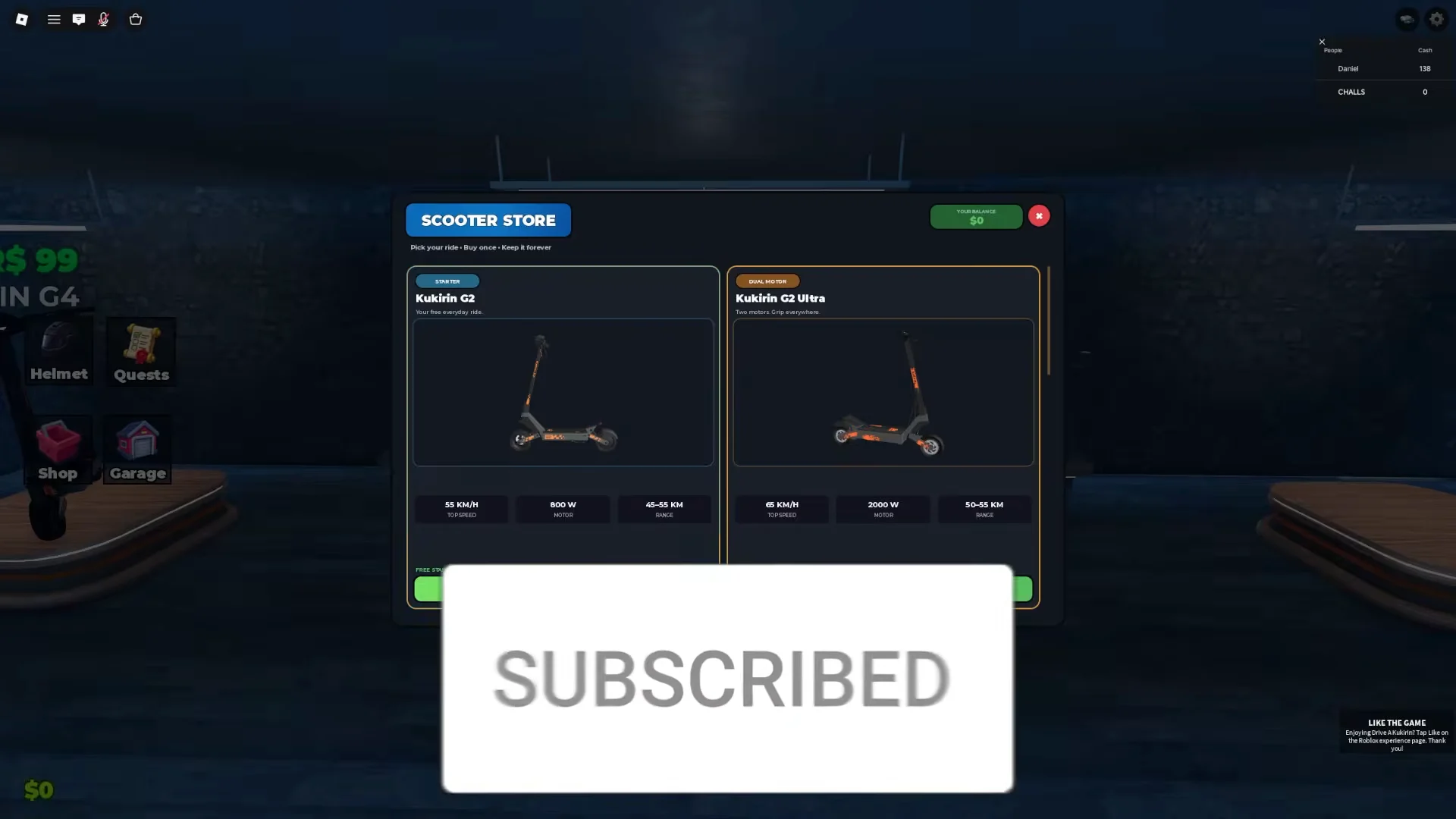
Set a savings target before you ride rather than spending each payout as it lands. The G2 Ultra at $3,500 is roughly one weekly quest, which makes LONG HAUL and CLEAN MACHINE the two objectives worth prioritising in your first week.
Customization garage: colours and performance parts
The Customization building sits out in the open world under a floating red CUSTOMIZATION label, away from the dealership. Ride into it, interact, and pick the scooter you want to alter. Alongside colour and stickers you can fit grips, bars, suspension, brakes and discs, which affect speed, stability and handling, and a weight reduction option that helps acceleration.
All purchases use Cash, and none can be substituted with Robux. Put resources only into a scooter you expect to use for some time, because parts installed on a model you are about to trade out cannot be recovered.
Police chase difficulties and escape distances
Press the car icon at the top of the screen to summon police yourself, or expect patrol cars to find you anyway — they chase and arrest riders, which cuts a cash run short.
| Difficulty | Behaviour | Distance to escape |
|---|---|---|
| No Cops | No pursuit at all | — |
| Easy | Slow patrol cars | 180 m |
| Medium | Faster cars, backup and roadblocks | 300 m |
| Hard | Very fast units plus tracking helicopters | 350 m |
Escaping pays Cash, scaling with how long the chase lasts and how hard the difficulty was. It is still not a reliable earner compared with quests, so treat chases as something to do once riding feels comfortable. The dense city area gives you the most cover; tight circles and swerving past cars work, though an officer who catches you still busts you.
Robux shop items and cash packs
| Shop item | Cost |
|---|---|
| +$5K | 39 Robux |
| +$10K | 69 Robux |
| +$20K | 129 Robux |
| 2x Cash 30 Min | 39 Robux |
| Kukirin G4 | 99 Robux |
| Rainbow Wheel | 49 Robux |
| Rainbow Smoke | 79 Robux |
Rainbow paint, grips, handlebars, and underglow appear together in the 39-to-49 Robux section, while the Rainbow Wheelie Bar has no effect until the wheelie bar upgrade is installed. These items are not needed for progression. The G4 is priced at $8,000 in cash or 99 Robux in the shop, and the +$10K pack by itself is enough to pay its cash cost.
The 2x Cash boost applies only to money earned through active play. If you purchase it and leave the scooter parked, all 30 minutes expire without producing anything.
Codes in the Settings menu
Open SETTINGS and you will find a CODES section with an ENTER CODE field and a REDEEM button, sitting alongside music, gifting, weather, police and bug report options. Entering UPDATE has paid out bonus cash, and a successful redemption shows up immediately as a jump in your balance.
No code is guaranteed on the current build, and nothing else circulating has been verified. If a code is rejected, the field is working as intended — that code has expired or never existed.
Mistakes that cost you cash and time
- Buying a house too early. The BUY HOUSE plots in the suburbs run $100,000 and do nothing for your income. A faster scooter raises your earn rate; a house does not.
- Spending on cosmetics first. Rainbow accessories change nothing about speed, range or handling.
- Finishing quests and never claiming them. Unclaimed rewards sit in the menu instead of your balance.
- Practising wheelies in traffic. Other riders and police cars end runs that were already close to a 30-second target.
- Trusting chat commands. Lines such as
/set speed 100are trolling and have no effect on your scooter.
Experience ID 71704434889758 still identifies the game as an early testing build, so updates may alter menu layouts, prices, or quest rewards. Whenever a new build arrives, enter a fresh server and reopen the Scooter Store and Quests panels to verify the figures instead of relying on last week’s numbers.