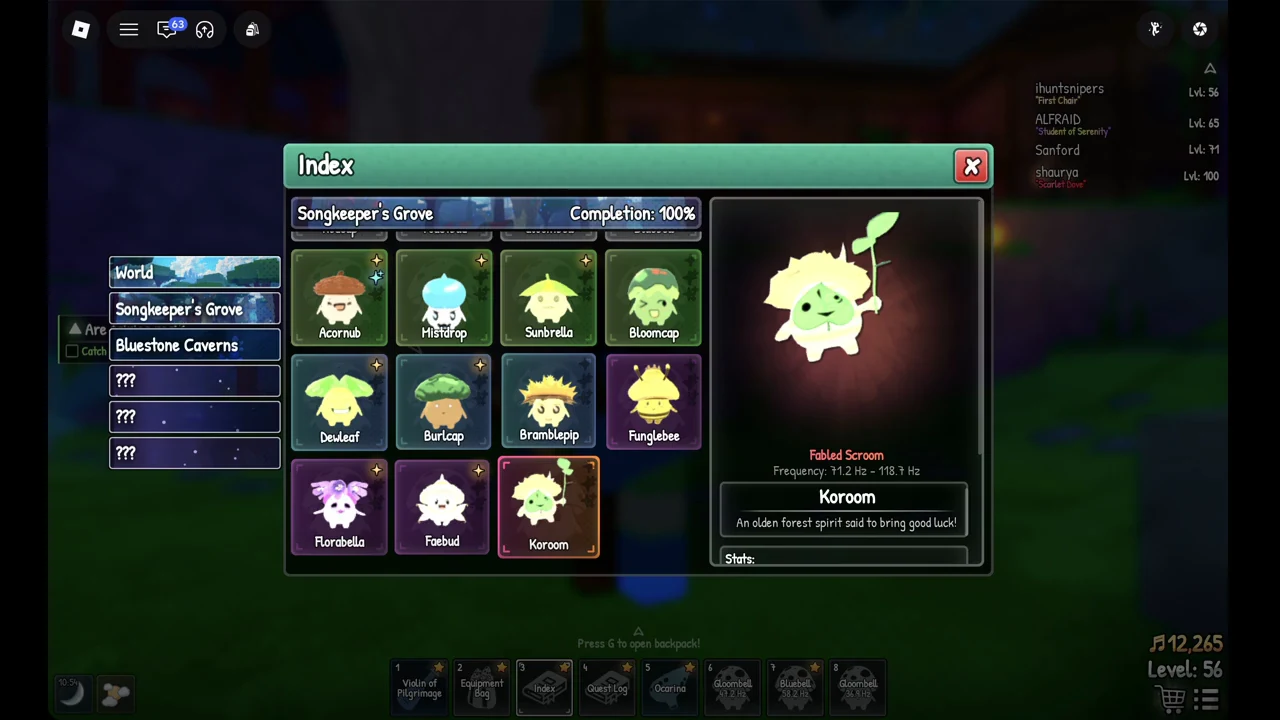
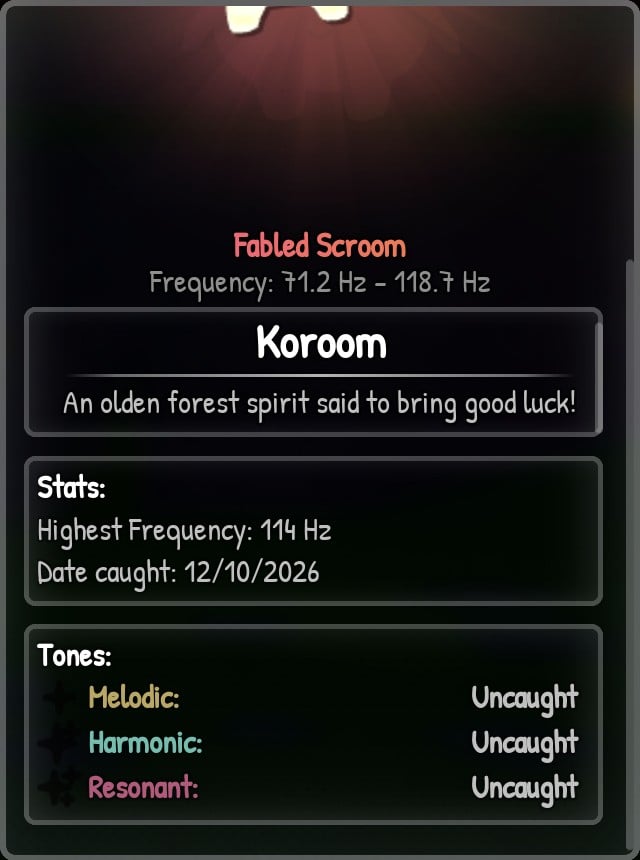
Koroom is the forest spirit at the bottom of the Songkeeper’s Grove list in SCROOMS. It is the grove’s Fabled Scroom, and its Index card gives it a frequency range of 71.2 Hz to 118.7 Hz. Here is what that card tells you, where to hunt, and how to protect a catch once you have one.
Koroom Index card: Rarity, frequency and description
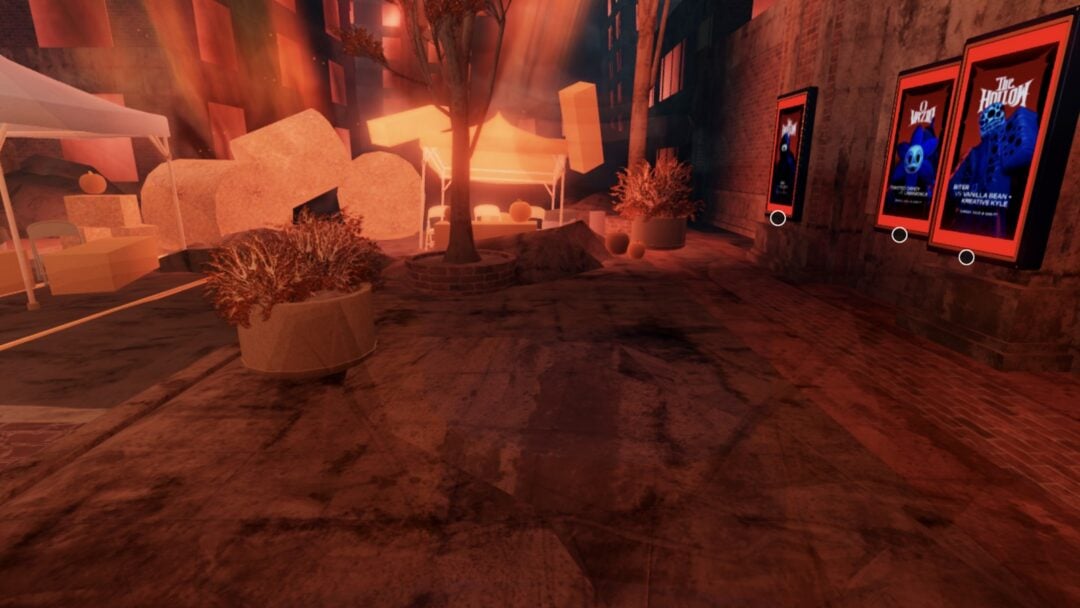
Koroom belongs to Songkeeper’s Grove, so that is where you play for it. In the Index, open the “Songkeeper’s Grove” tab and scroll to the end of the grove’s list. The core facts on its card are short.
| Field | What the card shows |
|---|---|
| Rarity | “Fabled Scroom” |
| Frequency | “Frequency: 71.2 Hz – 118.7 Hz” |
| Description | “An olden forest spirit said to bring good luck!” |
| Location | Songkeeper’s Grove (last card) |
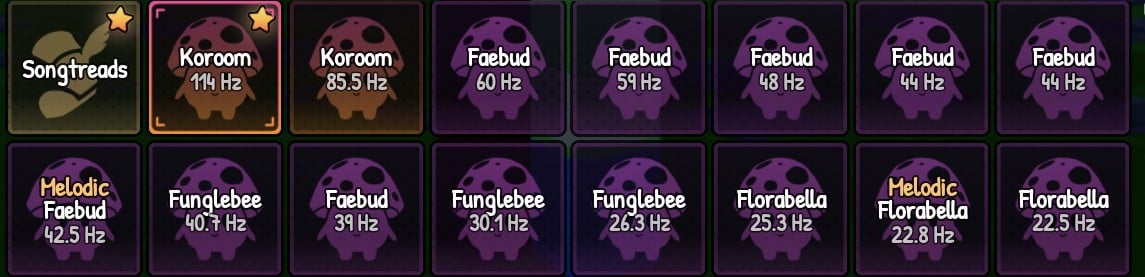
The frequency range is the span Koroom is listed at on its card. The two Koroom in the backpack shown below are 114 Hz and 85.5 Hz, both inside that range, and the card keeps track of your best one. Fabled is the rarity above Wondrous, and Koroom shows up rarely: one long Faebud hunt in the grove turned up a single Koroom in about 100 songs. The game does not show an exact spawn chance.
Koroom stats and tones after a catch
Once you have caught a Koroom, the lower half of the card fills in with your own record. The stats section shows a Highest Frequency line with the top value you have caught (114 Hz on the card pictured), and a Date caught line.
Below the stats, the card lists three tones for Koroom: Melodic, Harmonic and Resonant. Each tone has its own status. Any tone you have not caught reads “Uncaught”, so the card doubles as a checklist for the rest of your Koroom collection.
How to favorite Koroom in the backpack
A Fabled catch is worth marking. Favoriting happens in the backpack, and it takes a few seconds. Jump into SCROOMS on Roblox with a Koroom already caught, then follow these steps.

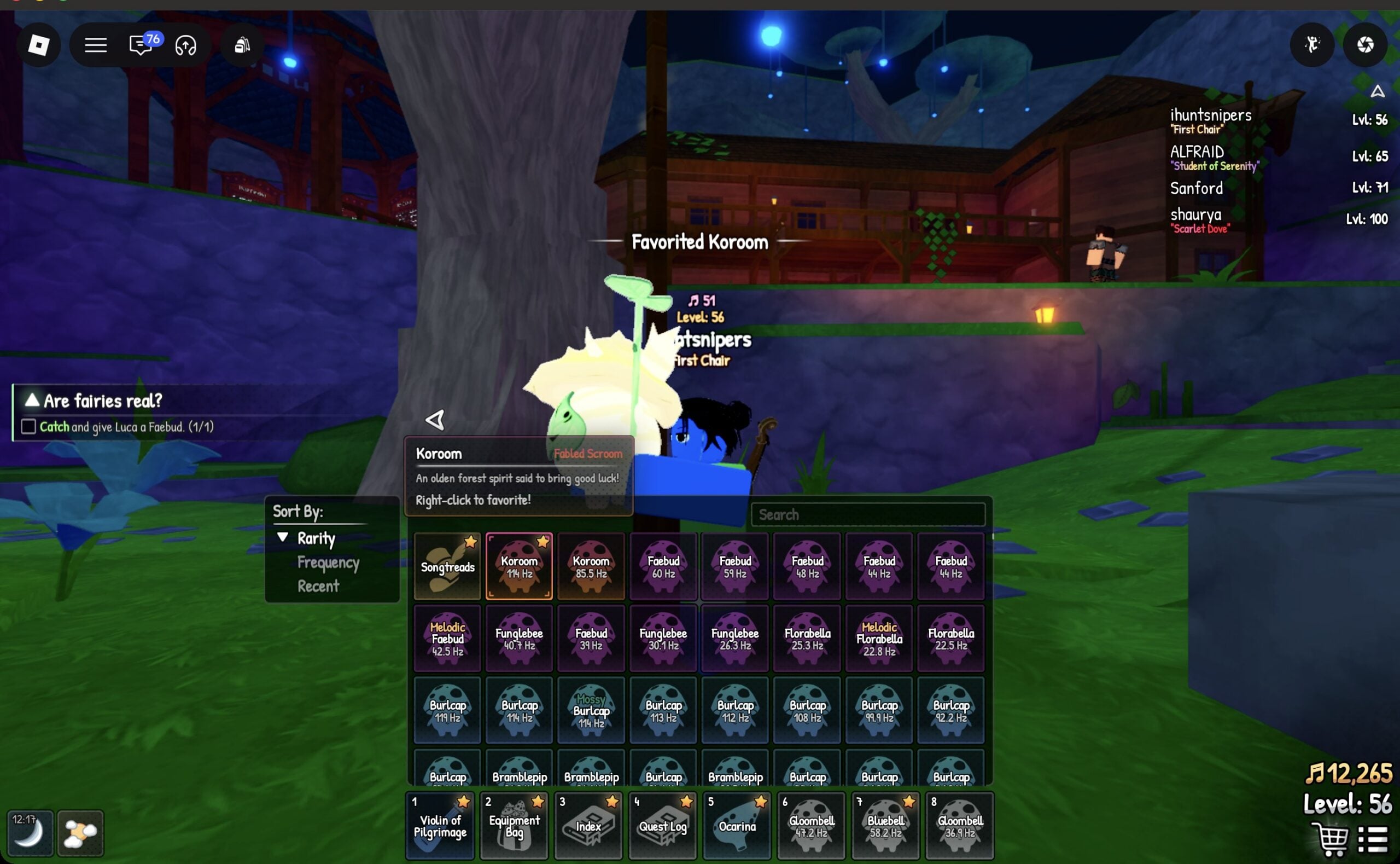
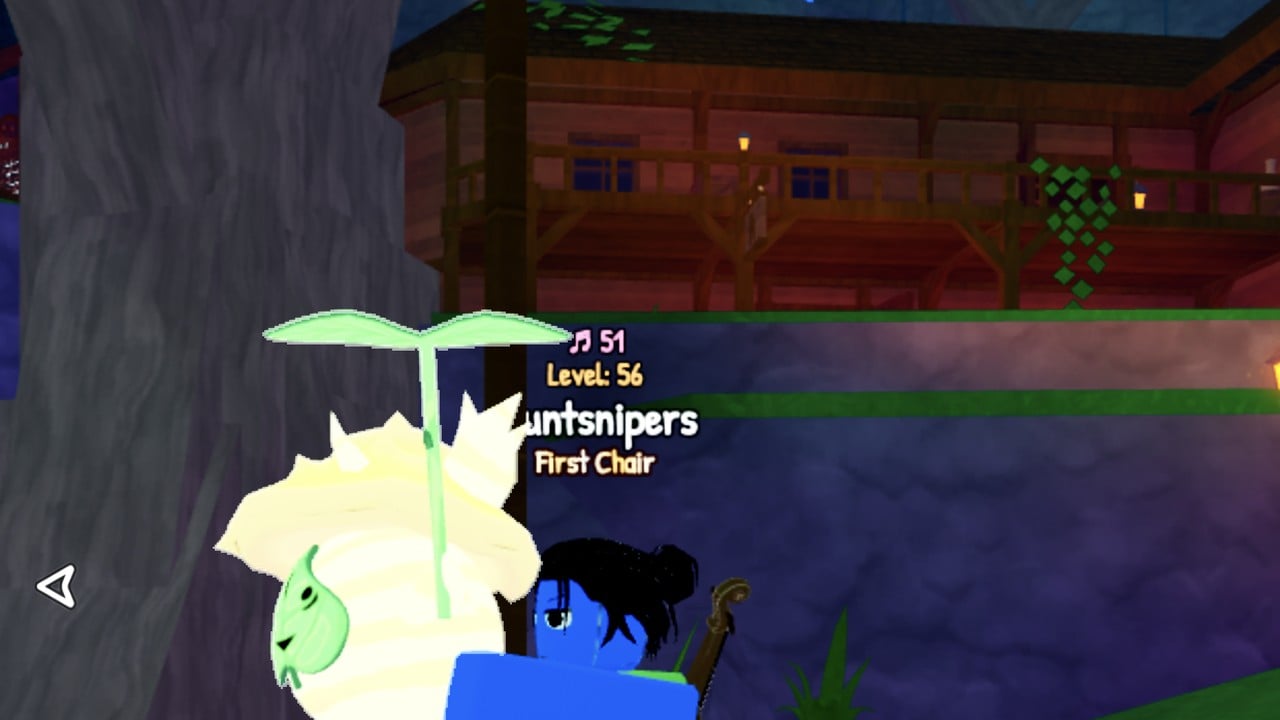
You know it worked when the banner “Favorited Koroom” appears and a gold star shows up on that Koroom’s tile, the same marker other favorited items like Songtreads carry. When you hold Koroom, it sits large in your character’s arms.