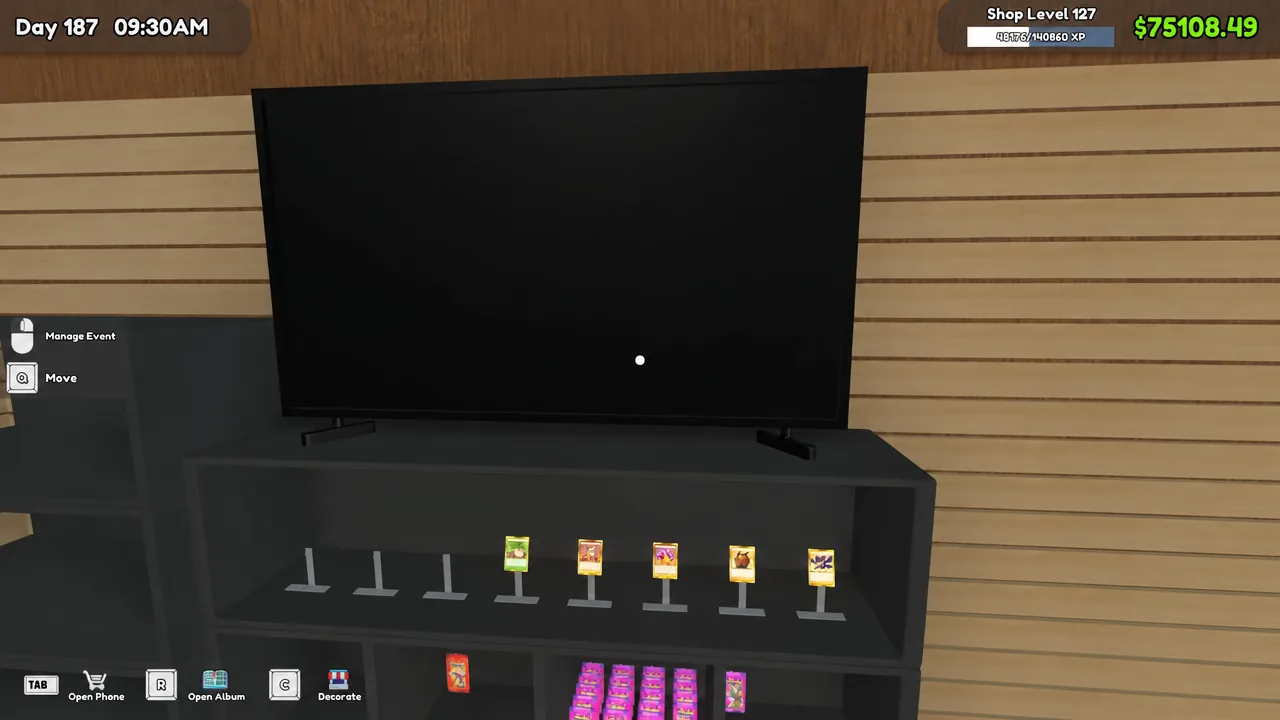
Tournaments turn your card shop into an event venue for a day. They run on a fixed system: one dedicated shelf holds the prizes, a browser-style menu sets the bracket size and entry fee, and your play tables need numbers before anyone can sit down. The whole thing resolves the following in-game day, with the results board updating round by round on the TV above the shelf.
Quick answer: Buy the Tournament Prize Shelf for $5,000 from the MY DIY RACKS app, stock it with cards or packs, assign prizes and a player count on the TV screen, number your play tables, then open the shop the next day.
What you need before hosting a tournament
Three things have to be in place, and skipping any one of them stops the event from running properly.
- The Tournament Prize Shelf, bought in-game for $5,000.00.
- Prize stock on that shelf — loose cards, card packs, or boxed products.
- Enough play tables for the bracket size you pick, each with a table number assigned.
The shelf follows normal shelving rules, so you cannot mix different items in the same slot, and each slot has a capacity limit. The game will tell you plainly with “Cannot mix different items on shelf” or “Shelf has no more space” when you try.
Buying and stocking the Tournament Prize Shelf
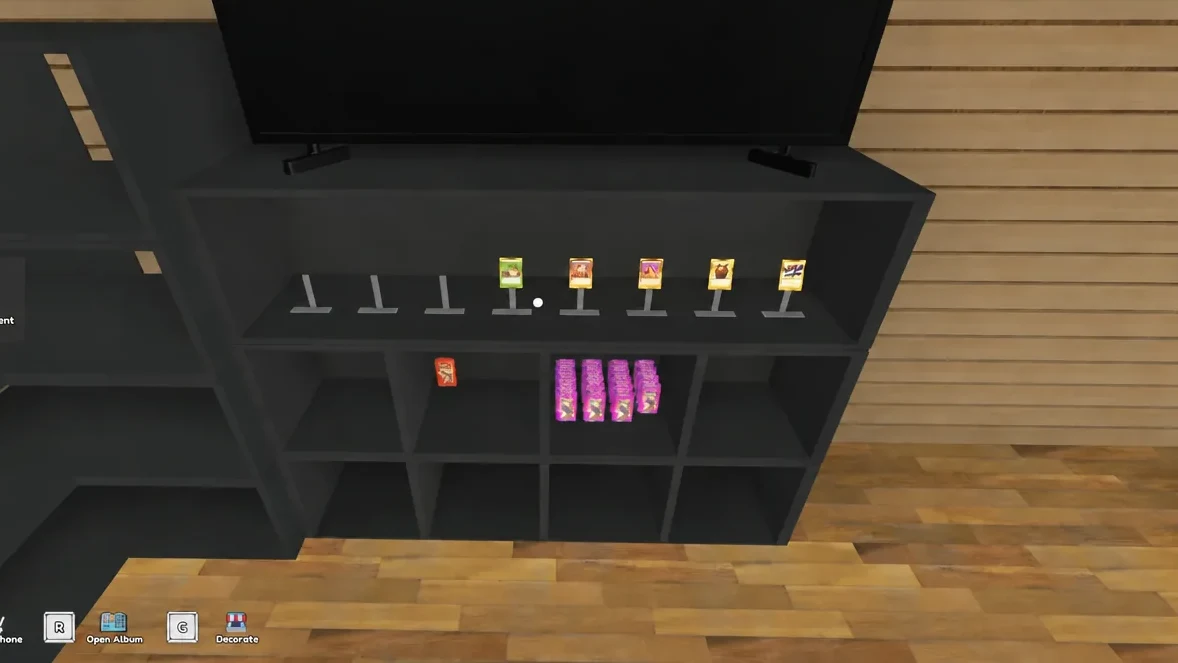
Expensive singles are a reasonable use of the shelf. Because entry fees are collected from every registered player, high-value cards handed out as prizes can pay for themselves through registrations rather than sitting unsold in a card table.
Configuring the tournament: prizes, player count, and entry fee
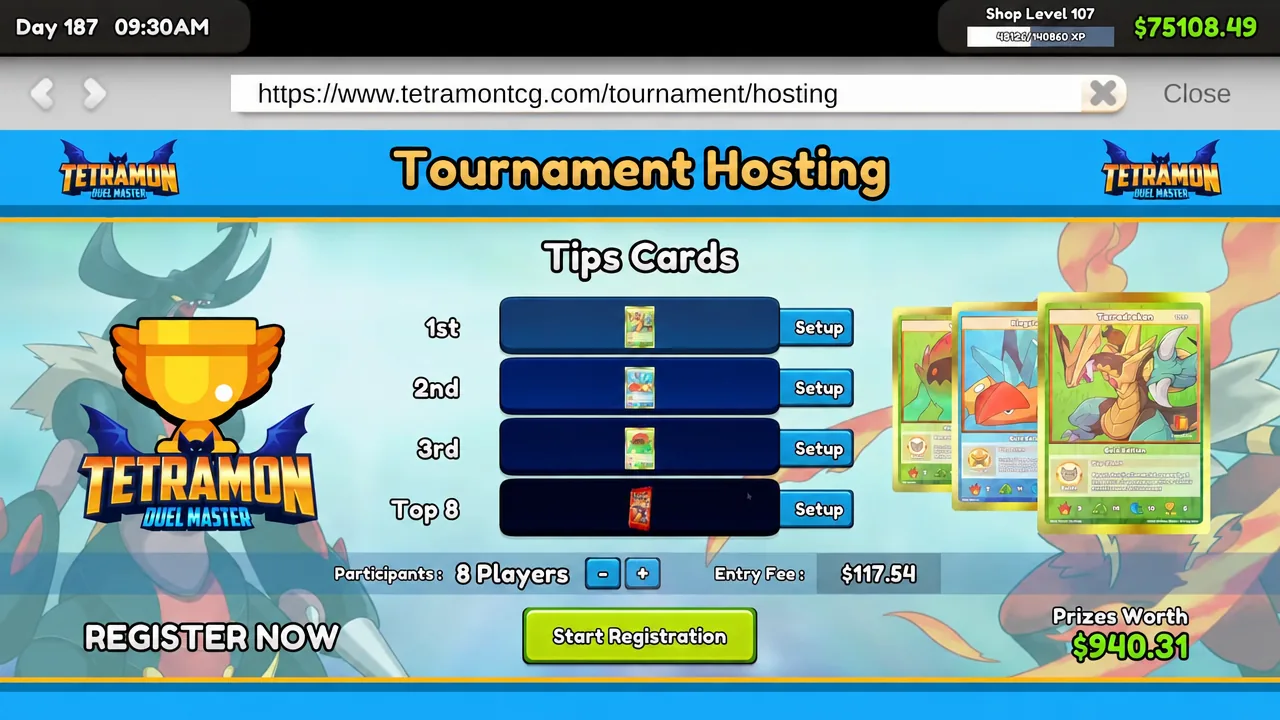
Click the TV screen mounted above the shelf. It loads the Tournament Hosting page, which is where every setting for the event lives.
| Setting | Range or options | Notes |
|---|---|---|
| Prize tiers | 1st, 2nd, 3rd, Top 8 | Pulled from shelf stock |
| Participants | 8 to 32 players | Smaller brackets fill faster |
| Entry Fee | Auto-calculated, editable | Charged per registered player |
| Prizes Worth | Read-only total | Combined value of assigned prizes |
Assign a reward to each placement slot first. The menu then calculates a suggested entry fee based on what you have put up, and shows the total Prizes Worth figure alongside it. You can override the fee, and the choice is a straight trade between profit per head and how quickly the bracket fills.
Players tend to sign up faster for smaller brackets. A 12-player event fills more readily than a 32-player one at the same prize value, and it leaves more tables free for regular paying customers. Pricing the fee at or slightly under the suggested number keeps registration reliable; pushing far above it risks the event sitting half-empty for several days.
When the numbers look right, hit Start Registration. The shelf’s screen switches to REGISTER NOW and customers begin signing up. There is also a Cancel Tournament option if you need to back out.
Numbering your play tables for tournament players
Registered players will only sit at seats that carry a table number, so do this before the event day arrives. Left-click a play table seat to bring up the Table Number dialog, which prompts you to set the table number for the tournament players.
You can dial in each number yourself with the numeric selector, or press Auto to have the game number your tables in sequence. Clear wipes an assignment, and Done confirms it. Auto is the faster route once you have more than a handful of tables.
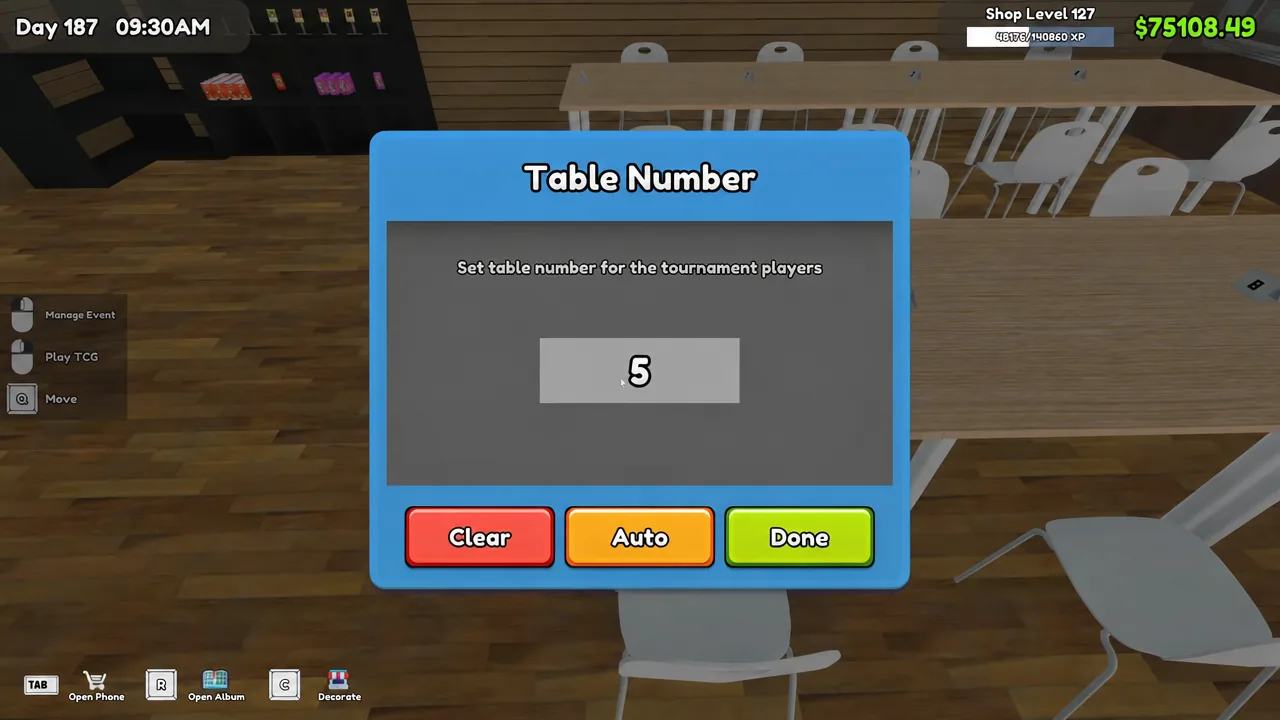
Make sure you have numbered at least as many seats as the participant count you set. A 24-player bracket needs seating for 24.
Tournament day: rounds, brackets, and prize handoff
The event runs the day after you open registration. On that morning the TV screen above the shelf flips to Round 1, and entrants queue outside waiting for you to unlock the doors. Open the store as normal and they will file in, pay their entry fees, and find their numbered seats.
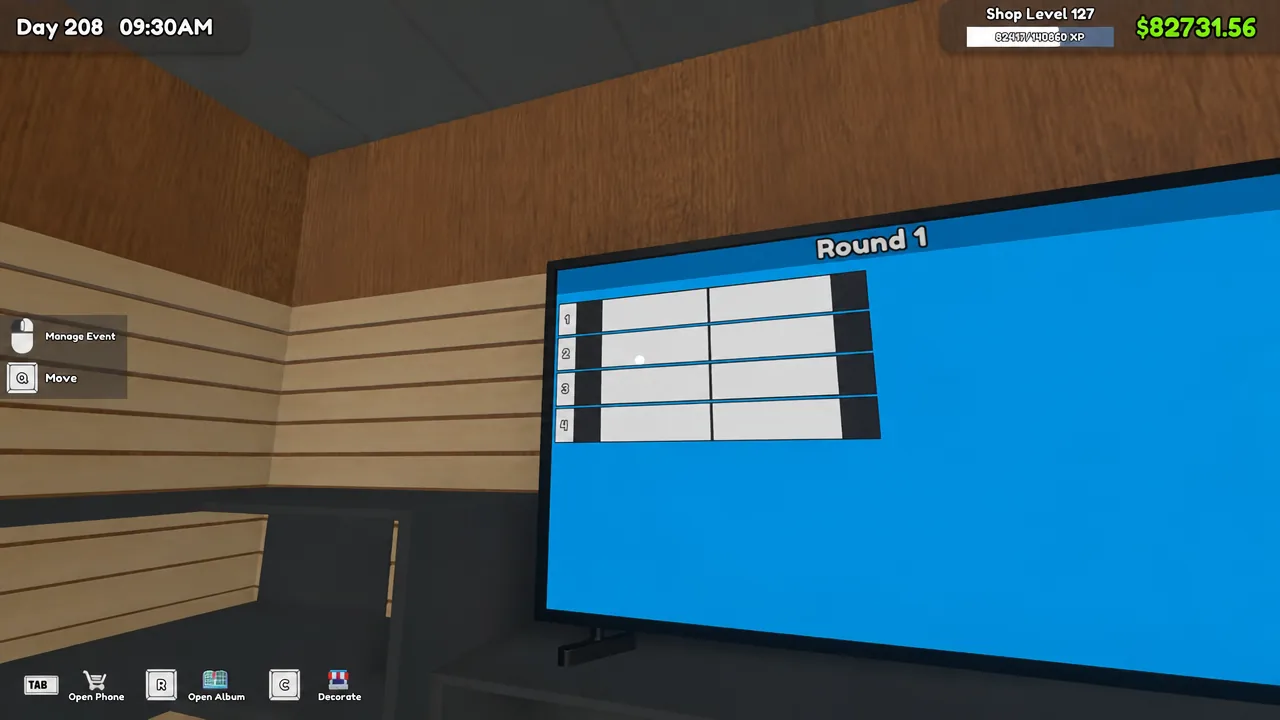
From there it plays itself. Matches resolve at the tables and the board tracks wins and losses as the bracket advances through Round 1, Round 2 and Round 3. You are free to keep serving regular customers while it runs.
Once the final round closes out, the winner walks over to the Tournament Prize Shelf, collects their reward and poses for a photo. That walk-up and photo is your confirmation the event completed and the prize actually changed hands.
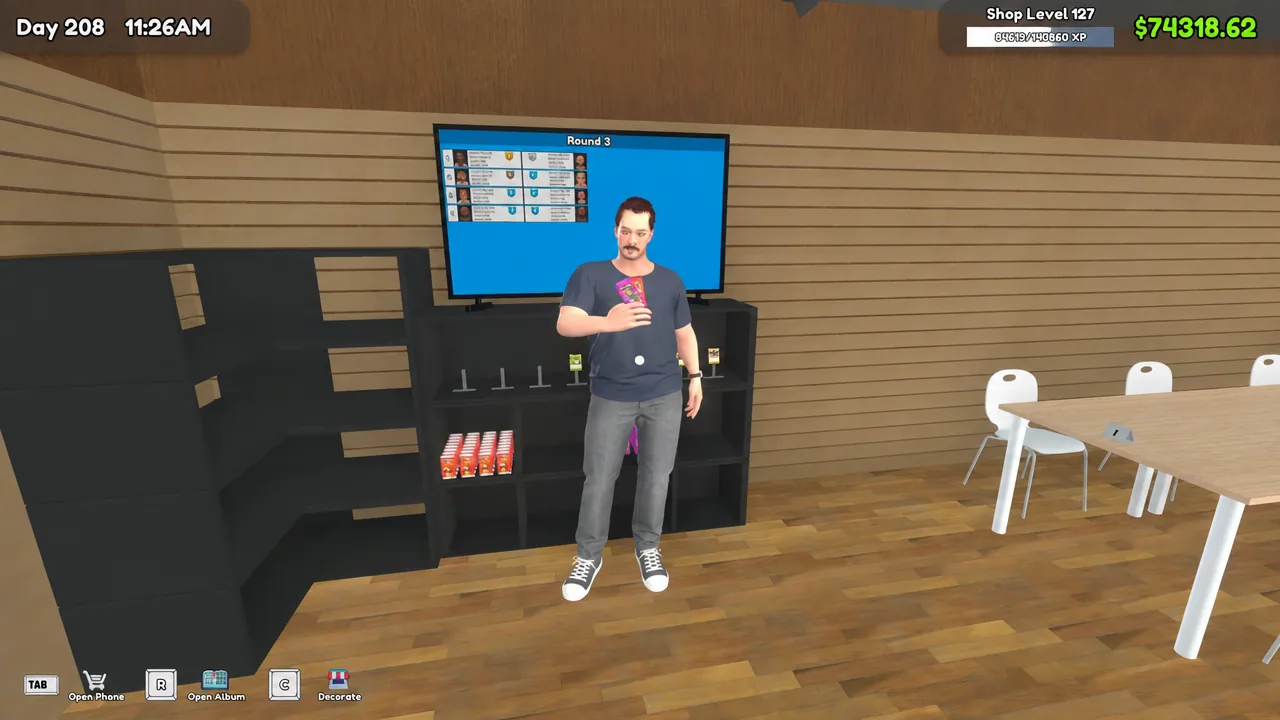
Prize shelf placement and the pathfinding issue
There is one placement trap worth knowing. If the Tournament Prize Shelf sits in a cramped corner or tucked away in the storage room, winners cannot route to it and will announce as much with “I can’t find the Tournament Prize Shelf!”
Keep the shelf on the main shop floor with walkable space in front of it. A blocked shelf means the prize never gets collected, even though the bracket finished.
The rest of your normal shop management still applies during an event. Crowds bring the usual “Ugh, the stench!” complaints, so keep your scent machines stocked on tournament days when the floor is at capacity.
Run a couple of events back to back and the rhythm becomes obvious. Stock the shelf, set the bracket, number the tables, open the doors the next morning, and let the board do the rest while you work the counter.