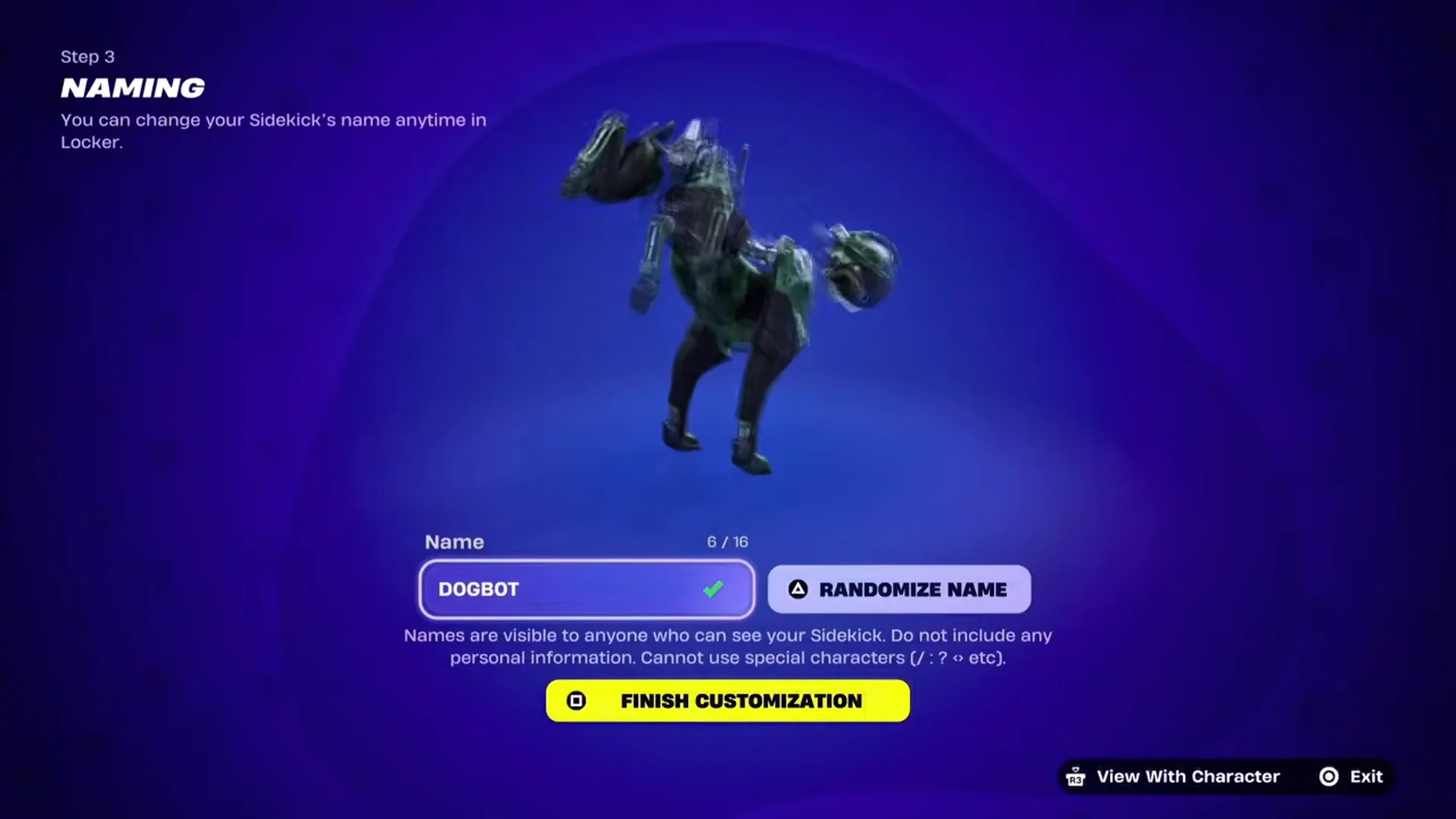
In Fortnite, DOGBOT is a robotic dog that follows at your side. The Item Shop offers it as D0GB0T at Uncommon rarity, and it is part of the G00D B0T set. Its description reads “404 – Woof not found,” while its head hovers separately from its body. Its standout feature is an appearance builder that launches as soon as you purchase it; three settings selected there remain permanent.
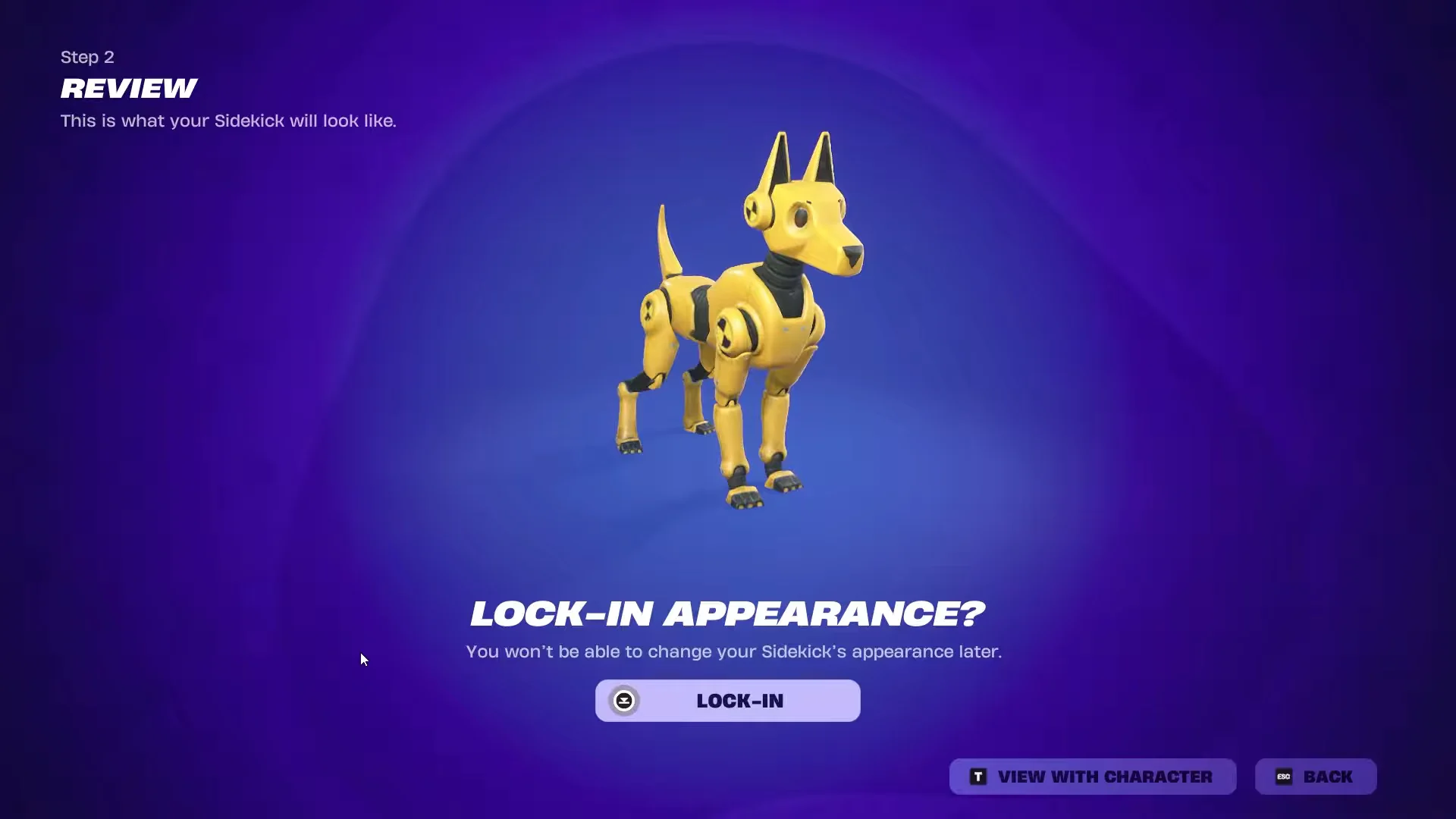
Quick answer: The price is 1,200 V-Bucks. As soon as you approve the purchase, the Base, Straps, and Eye Color become fixed; another purchase of the Sidekick is required to create a new combination.
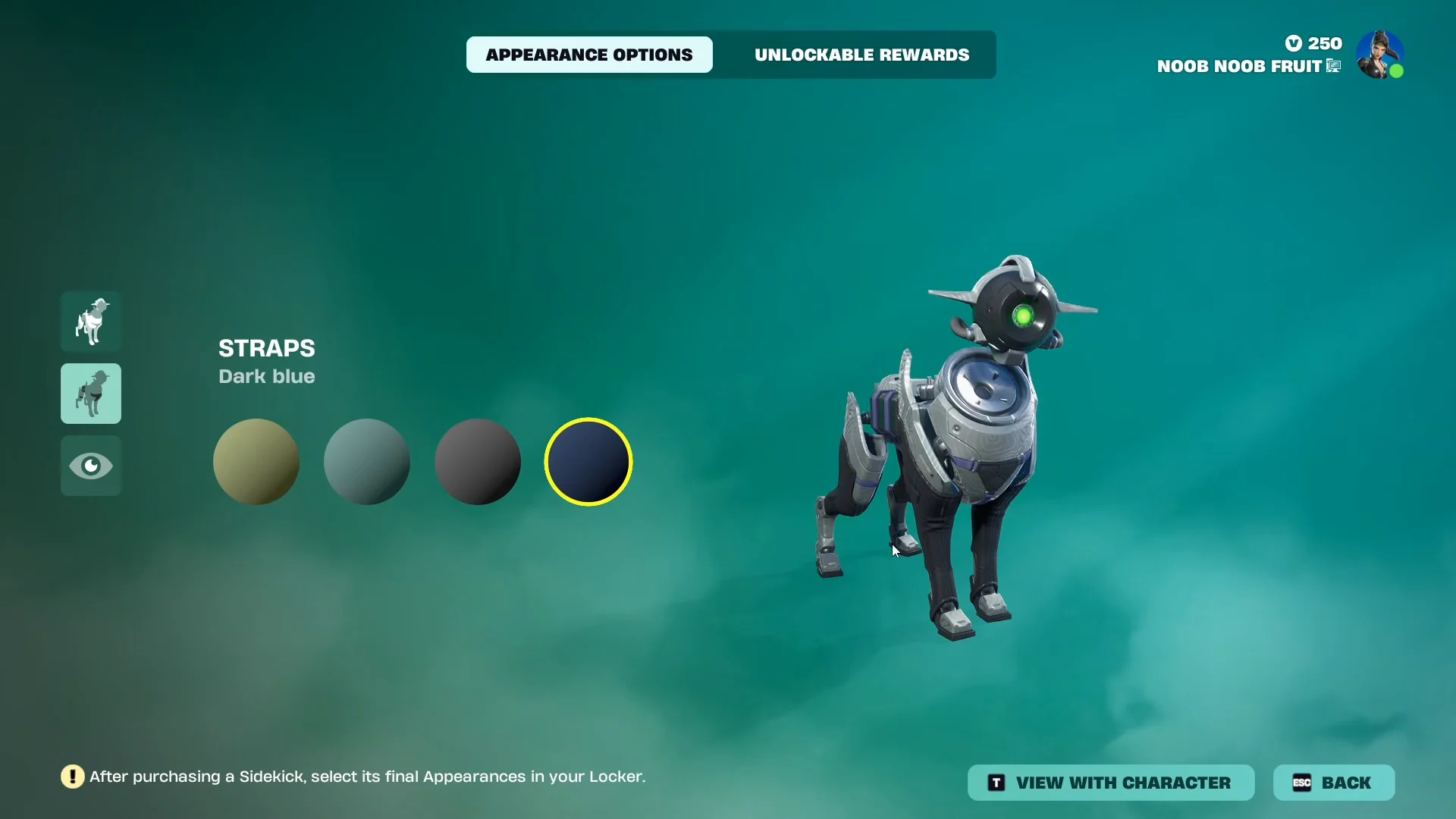
DOGBOT appearance options: base, straps, and eye color
The builder has three categories with four choices each, and the columns are independent. Any base can be paired with any strap color and any eye color, which gives you 64 possible combinations and exactly one shot at picking the one you want.
| Base | Straps | Eye Color |
|---|---|---|
| Crowne’s Best Friend | Olive | Green |
| Infiltrator | Teal | Red |
| Serpentine Operative | Grey | Orange |
| Undercover | Dark blue | Ligh green |
The fourth eye color really is written as “Ligh green” in the menu. That is a typo in the game’s own text, not a separate style, and it works like every other option.
The base names line up with Grace Crowne’s own edit styles from the Chapter 7: Season 4 Battle Pass, where Infiltrator, Undercover, and Serpentine Operative all appear as outfit variants. Her W.A.S.P. glider shares the same robotic head design as the Sidekick.
Choose the outfit you intend to use with DOGBOT before entering the builder. A dark base and colored eyes can look completely different beside a bright skin versus a tactical one.
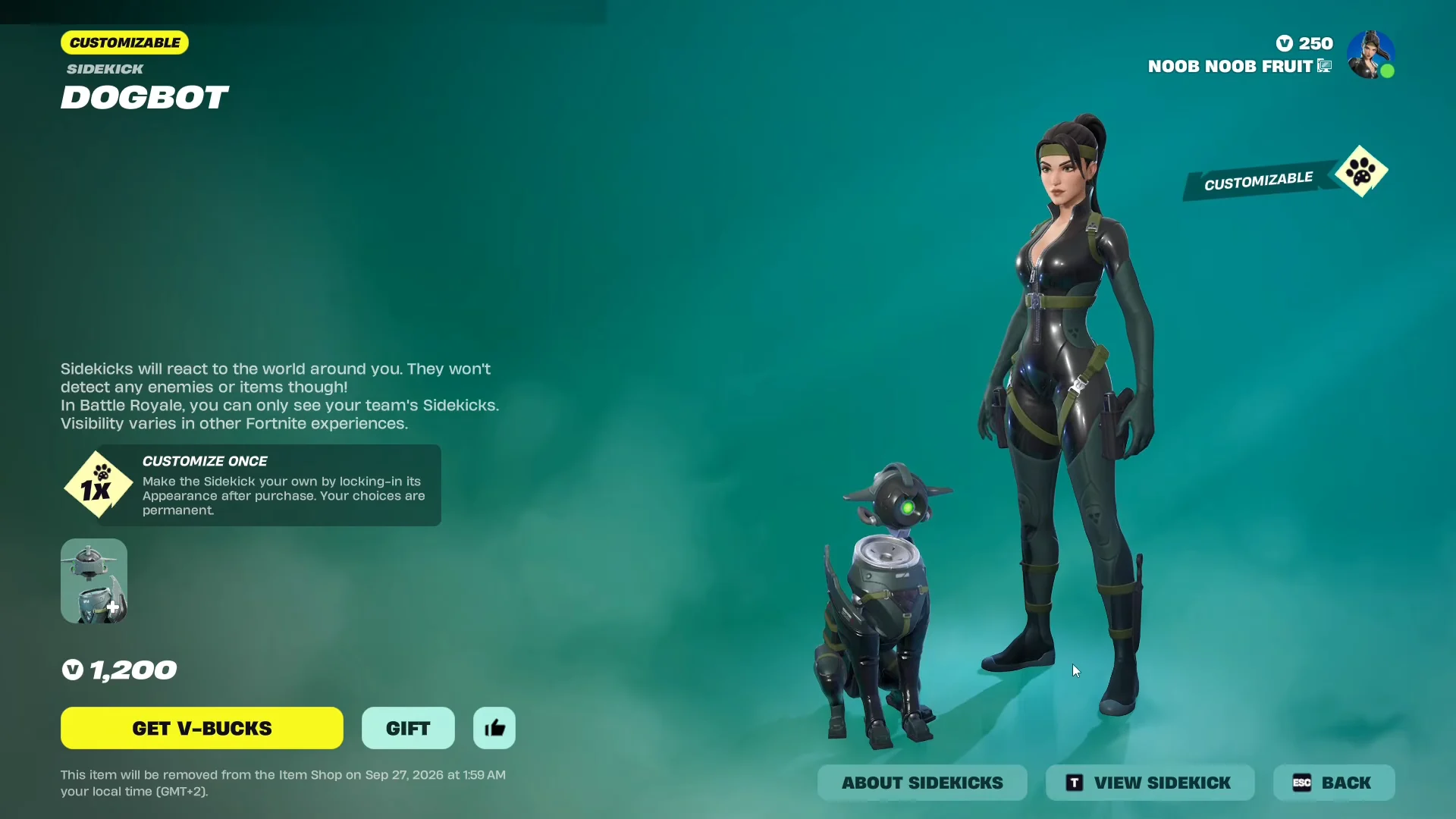
DOGBOT price and Item Shop listing
The Item Shop places DOGBOT on its Front Page for 1,200 V-Bucks. That is cheaper than rotating Sidekicks such as Aisha, priced at 1,500 V-Bucks. It launched on September 20, 2026, during Chapter 7, Season 4. Its item card includes a “CUSTOMIZE ONCE” panel explaining that the Sidekick’s appearance is selected after purchase and cannot be revised afterward.
Before you commit, the preview supports “VIEW WITH CHARACTER,” which drops the model next to whatever skin you currently have equipped. That is the cheapest way to sanity-check a color combination against your loadout.
How to buy DOGBOT and lock in its appearance
DOGBOT quest rewards: four unlockable tiers
Buying the Sidekick does not hand you everything attached to it. The Quests menu lists four reward tiers tied to DOGBOT, earned through Sidekick Points rather than granted at checkout.
| Tier | Reward | Type |
|---|---|---|
| 1 | Dogbot Scanner Heart | Emoticon |
| 2 | Serpentine Scan Heart | Reaction |
| 3 | Visor ( On ) | Edit style |
| 4 | Dogbot’s Sit ‘N Scan | Emote |
The tier 4 emote can be previewed in the shop before you buy, performed either alongside Grace Crowne or on its own. The item card tags it as “Unlockable Styles, Built-in.”
DOGBOT Locker settings you can change later
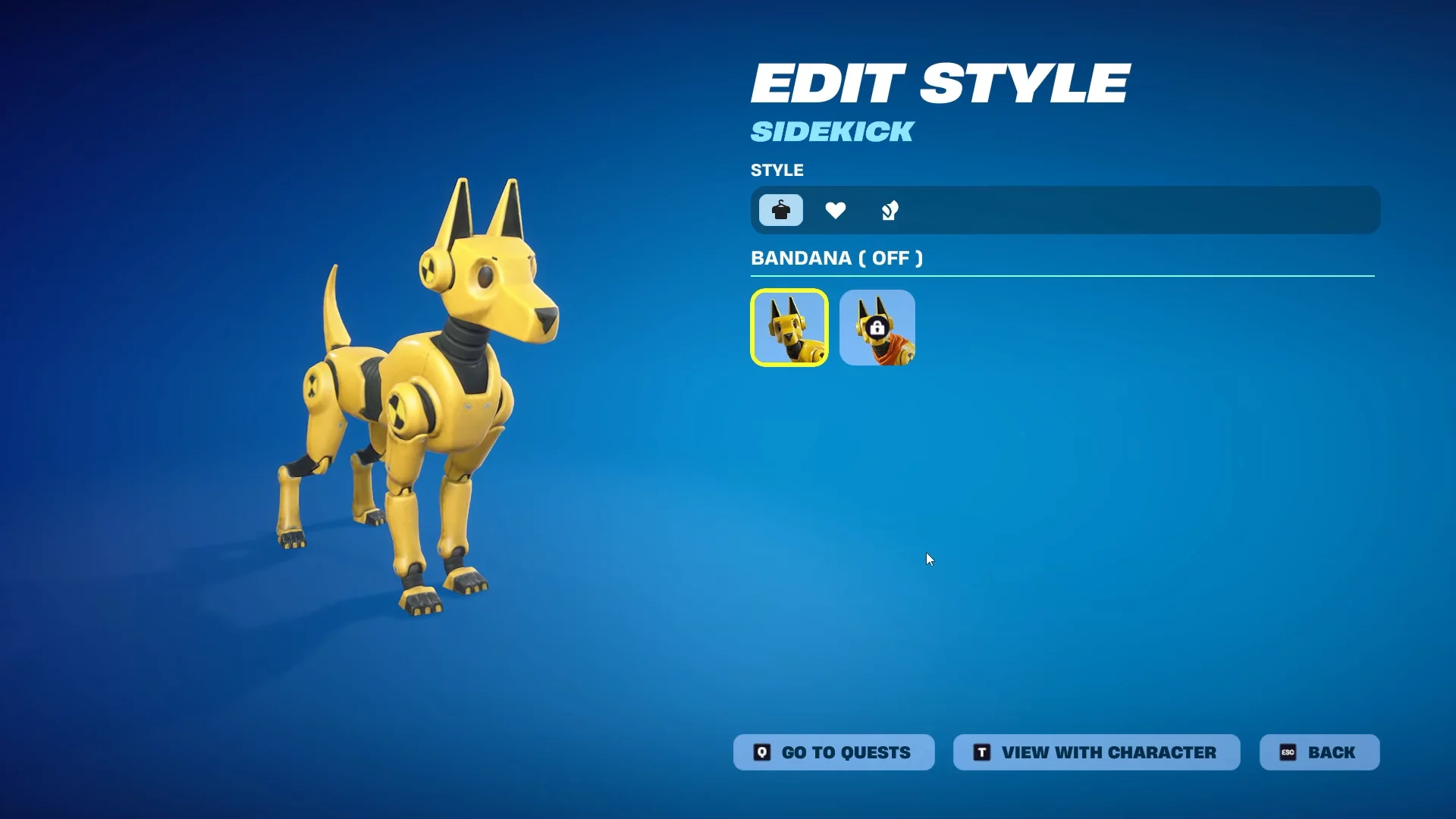
Everything outside the base, straps, and eye color stays adjustable. The Locker entry for the Sidekick holds its edit styles, its reaction, and its built-in emote on separate tabs.
- Edit styles: The available visor styles are VISOR ( OFF ) and VISOR ( ON ); choosing the second one puts a cover across the eye lens.
- Reaction: DOGBOT ships with a unique default reaction.
- Built-in emote: Dogbot’s Sit ‘N Scan.
- Name: editable from the Locker whenever you want.
How DOGBOT behaves in a match
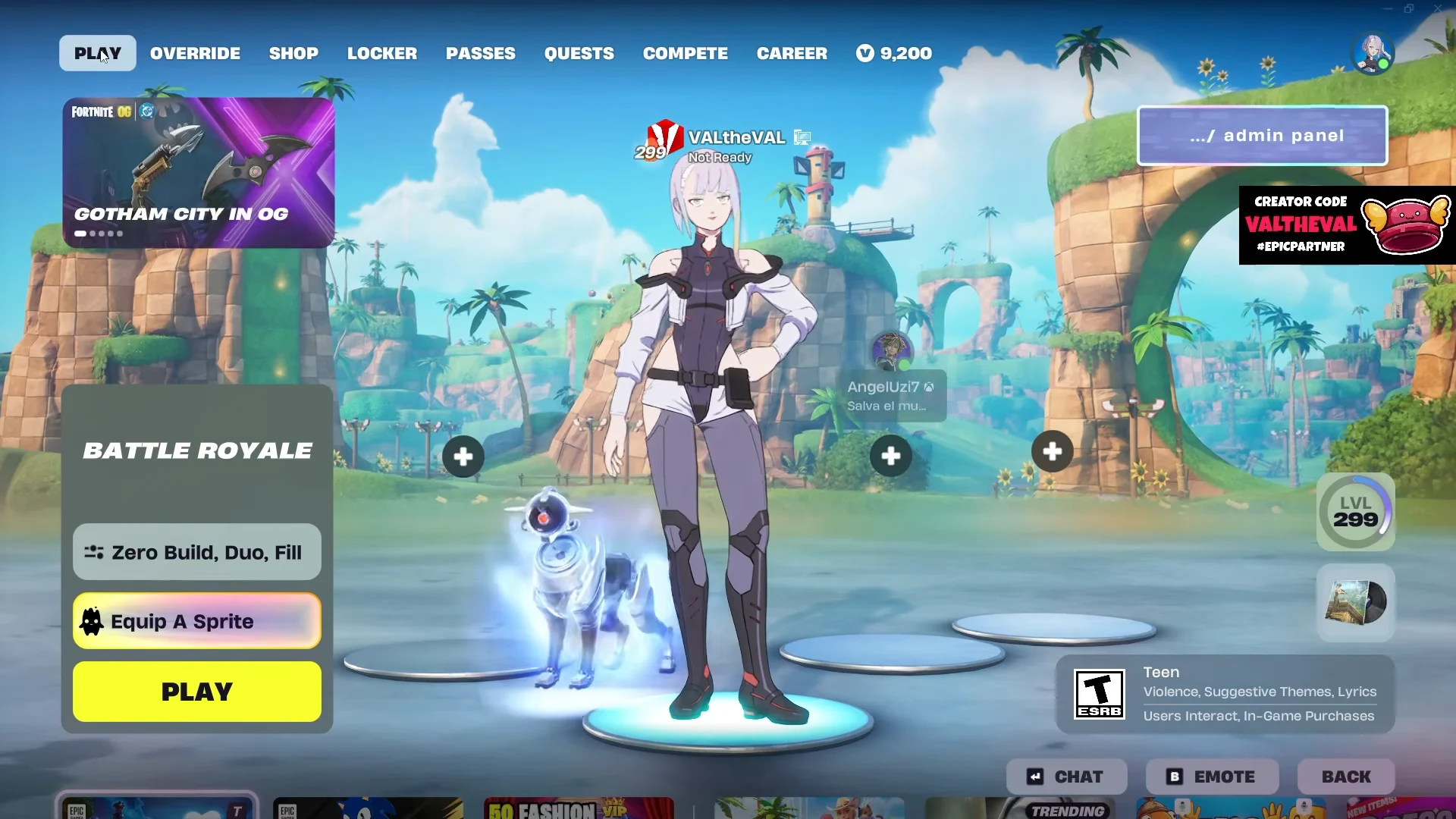
After you equip it, DOGBOT accompanies you from the lobby into the match and performs animations without input. These actions are purely ambient and cosmetic, so they provide no information about the map.
- Petting: Approach it until E PET DOGBOT appears, then use the prompt to trigger a robotic sound effect.
- Movement: While following your pace, it uses distinct animations for walking, running, and sliding.
- Idle: Leave it motionless for a while and DOGBOT eventually sits down.
- Chests: A chest opening can produce one of several random reactions, including a spin in place or digging.
- Taking fire: Hitting it with gunfire changes its face to an angry look and makes it growl.
- Emotes: During your emote, DOGBOT nods its head and turns its eye light off.
Sidekicks respond to nearby surroundings, but they do not react to enemies or items. In Battle Royale, only Sidekicks belonging to your own team appear to you. DOGBOT does not reveal where you are. Their presentation may vary in other Fortnite experiences.
The cost is straightforward; the lasting decision happens in the builder. Before confirming, choose a base, strap color, and eye color that you expect to enjoy a month from now. Afterward, the remaining options are either changeable in the Locker or unlocked through the four quest tiers.