Unwanted whispers, spam invites, and hostile chat are handled in World of Warcraft by one system: the ignore list. It is built into the client, it takes effect immediately, and it stays in place until you remove the name yourself.
Quick answer: Type /ignore Charactername in the chat box, adding a hyphen and the realm name for players from other realms. The block applies instantly and stays until you undo it.
What the ignore list blocks in World of Warcraft
Ignoring someone is not just a chat filter. Once a character is on the list, the game cuts several contact routes at once:
- They cannot send you whispers.
- They cannot send you in-game mail.
- They cannot challenge you to a duel.
- They cannot invite you to a group.
- Their messages stop appearing for you in public chat channels.
- The Dungeon Finder will not place the two of you in the same group.
The block is one-directional in terms of what you see. You stop receiving their communication, but nothing tells you whether they are still trying to reach you.
How to ignore a player from chat
How to ignore a player by typing the command
The chat command is the fastest route, and the only one that works when the message has already scrolled away or you cleared the window. Type it into the chat box and press Enter.
/ignore charactername
/ignore Thrall-EarthenRing
For anyone on a different realm, the realm name goes after a hyphen with no spaces in it. Get that part wrong and the game will not find the character.
How to ignore a player from the Social pane
If the player is not in Recent Allies but you remember the name, open the Social pane, go to the Friends tab, switch to the Ignore tab, and use the Ignore Player button. Type the name into the popup, including the realm if they are not on yours.
How to confirm the block worked
In the Social pane, use the top-right Menu arrow and choose the Ignore List. Your blocked character should appear there. If it does not, a mistyped realm suffix is usually responsible when the player is cross-realm; enter the name again with the hyphen and without spaces.
In normal play, the sign it is working is silence. Their lines vanish from public channels, whispers stop arriving, and group invites from them no longer pop up.
Blanket options: Disable Chat, Block Trades, and Block Guild Invites
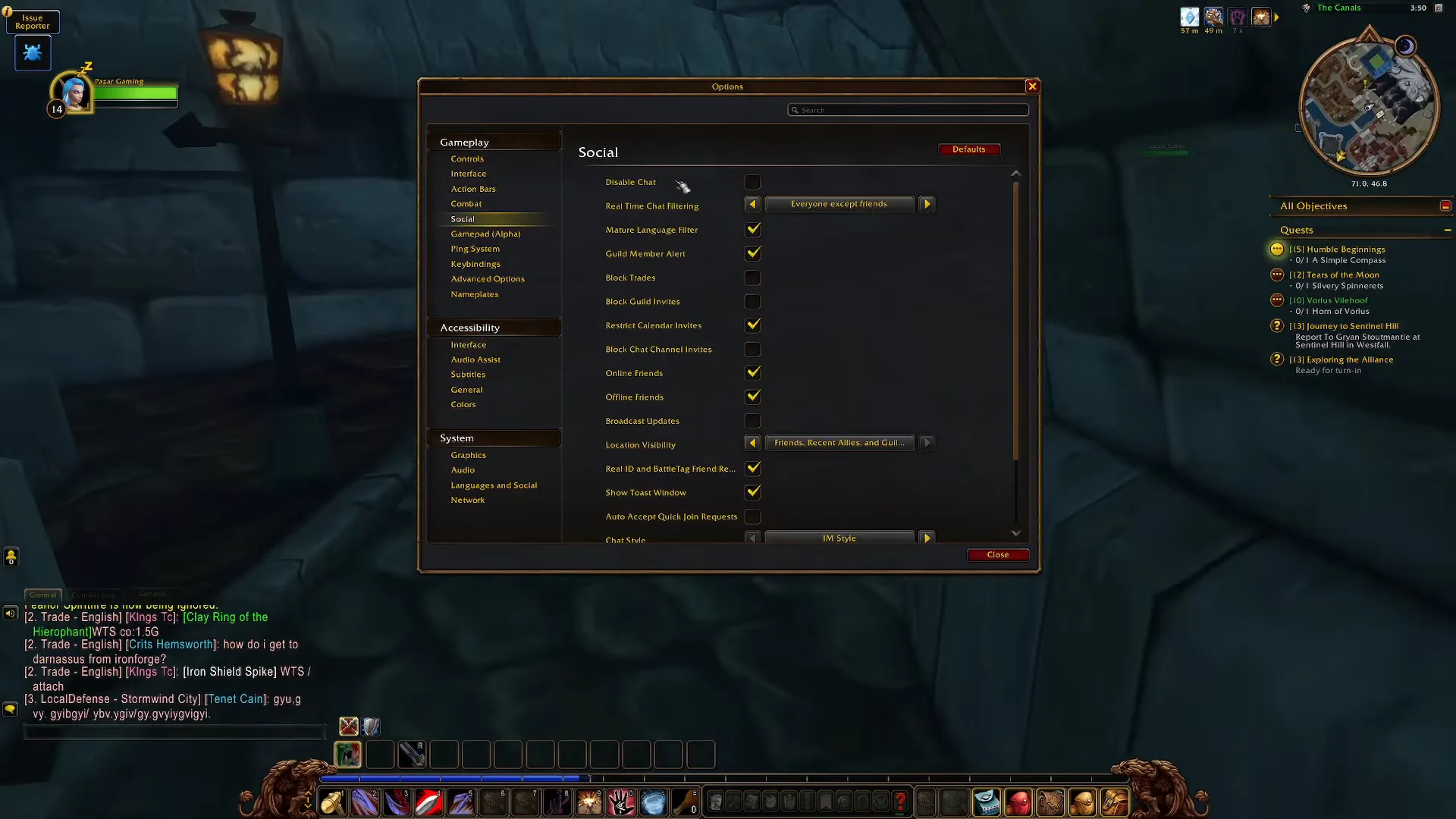
If the problem is not one person but a constant stream of strangers, the Social section of the Options menu has broader switches. Disable Chat, Block Trades, and Block Guild Invites shut down those interactions across the board rather than name by name, which is the blunt-instrument answer to recruitment spam and unsolicited trade windows.
Limits of the ignore list
The ignore list holds a finite number of entries, so a player who blocks every gold seller and boost spammer they meet will eventually hit the cap and need to prune old names. Players also report that a blocked character does not always cover every alt on the same account, which is why someone can reappear on a fresh name hours later.
Third-party addons such as GlobalIgnoreList exist to keep a local database of ignored names across your own characters and to hold far more entries than the built-in list. They are community-made, so they need updating between patches and are not part of the game itself.
When to report instead of ignore
Ignoring handles nuisance. Harassment is a policy matter. If the behavior breaks the Code of Conduct, or if the player keeps coming back on alternate characters or through friends to get around your block, submit a report for investigation and use the ongoing harassment category.
Do not reply to them while you wait. Trading messages back and forth gives the other player room to argue it was mutual banter. Any penalty is handled privately between Blizzard and the offender, and you will not be told what action was taken.
How to unignore a player
Blocks are not permanent unless you leave them alone. To lift one, type /unignore charactername-realm in the chat box.
You can also do it through the interface. Open the Social menu, click the Menu arrow at the top right, select the Ignore List, highlight the correct BattleTag, and click Remove from list. Communication reopens immediately, so only do this for names you genuinely want to hear from again.