Changing your Blood Demon Art in Slayers 2 is a two-part job. First you clear the art you already have using the Reset Evil Art purchase in the Shop, and then you roll for a replacement. Nothing about the process touches your level, your clan, or your inventory, but it does wipe the skill tree you built around the old art.
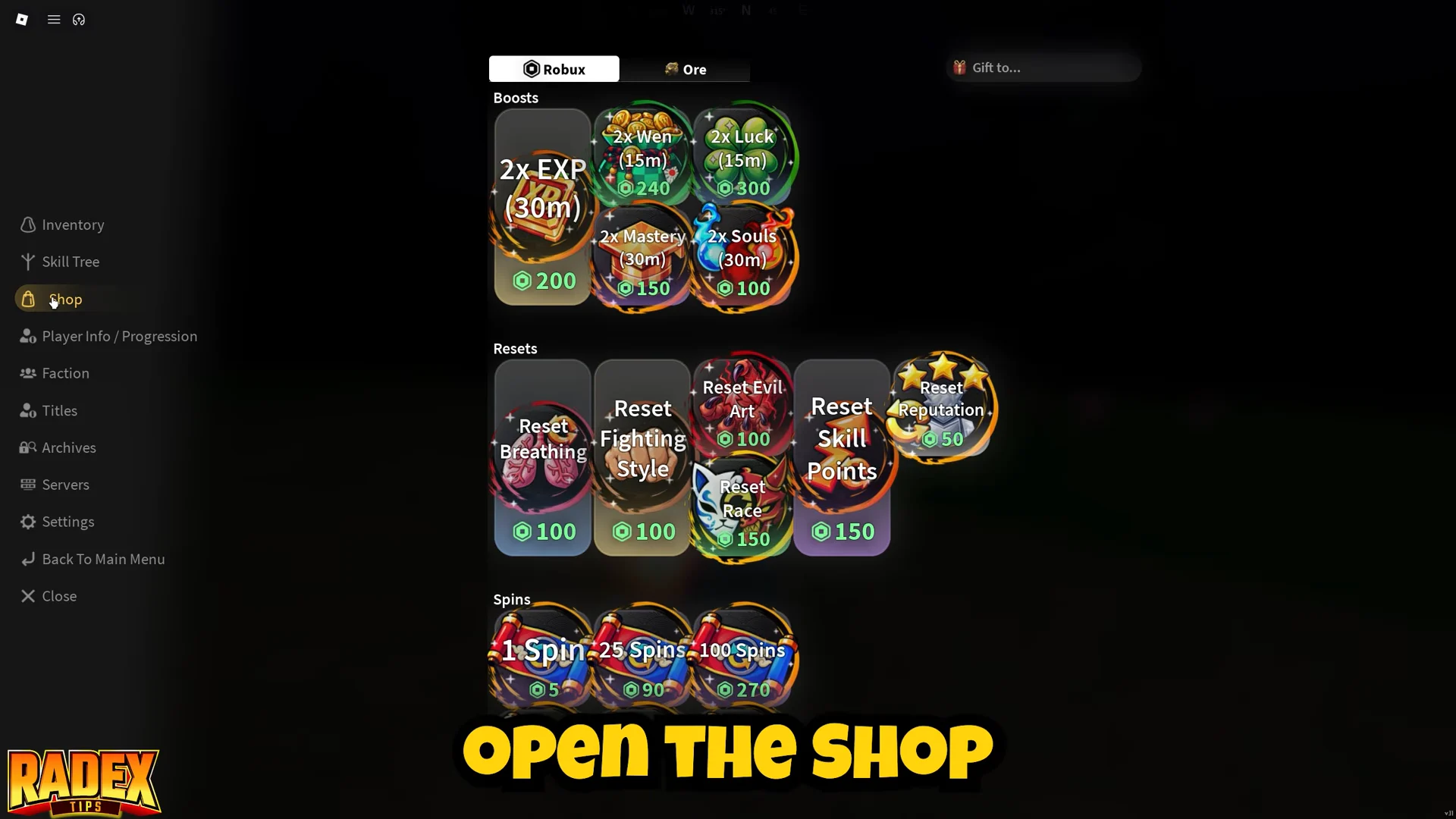
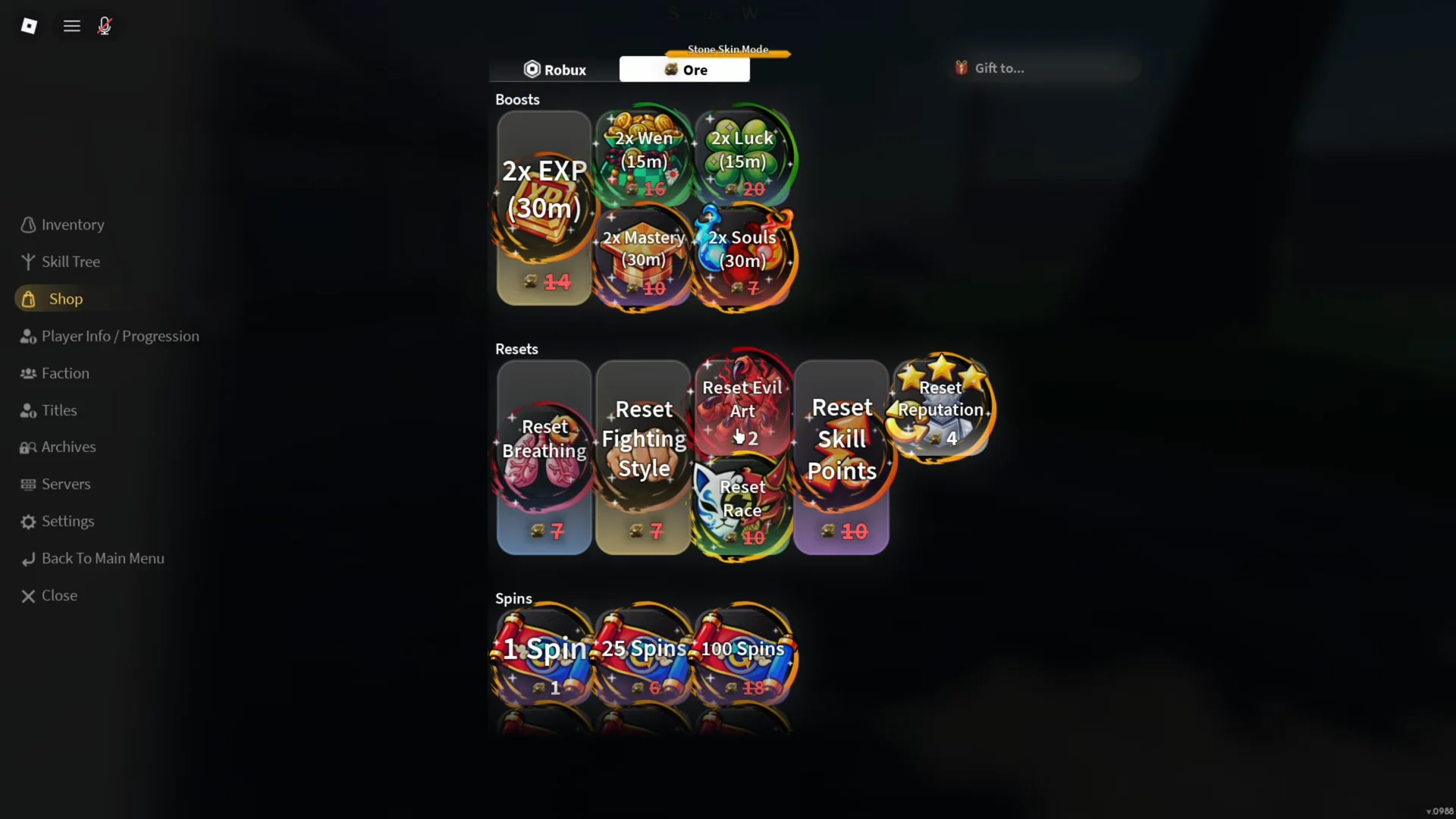
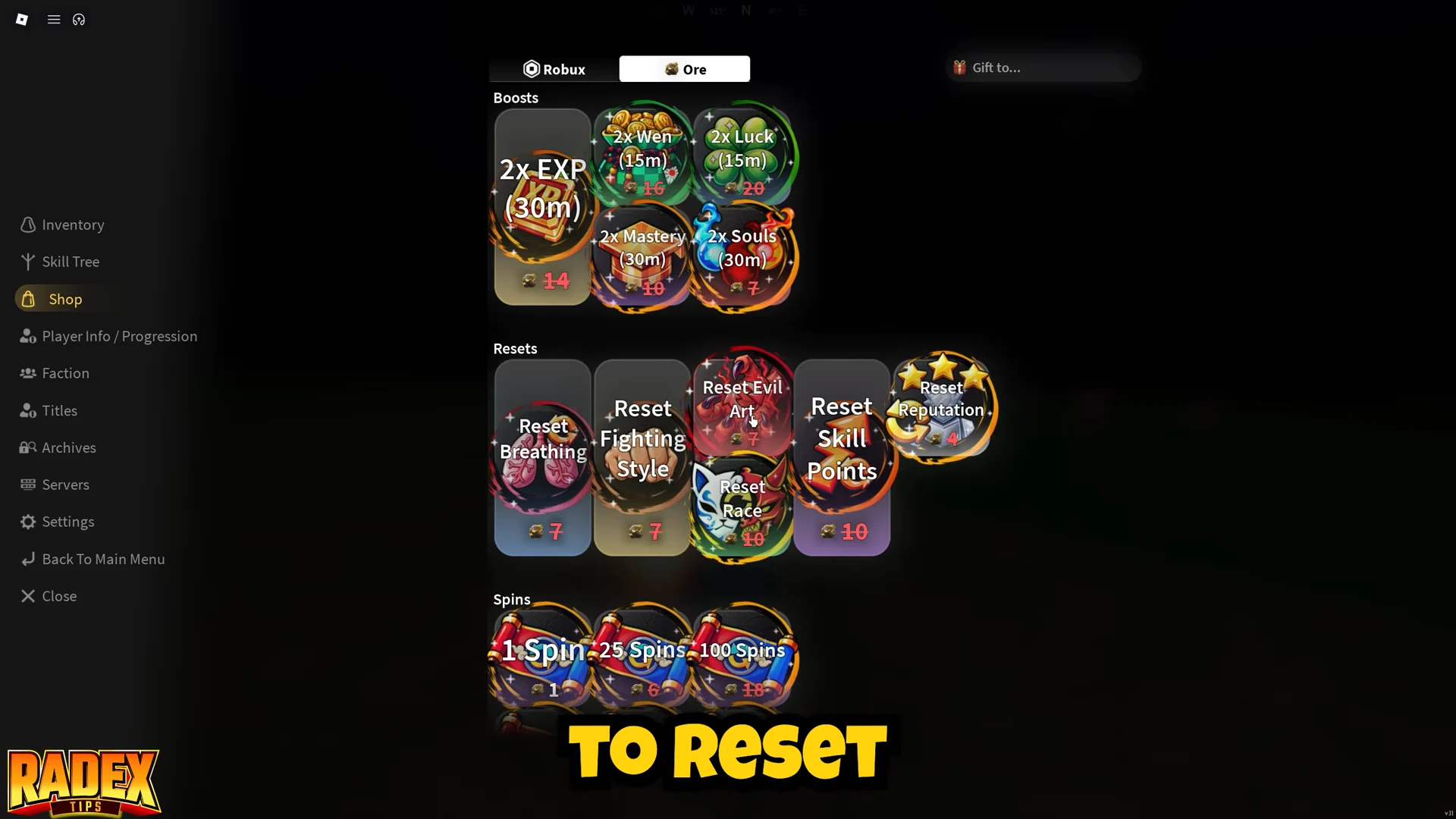
Quick answer: Open the menu, go to Shop, find Reset Evil Art under Resets, and buy it for either 2 Ores or 25 Robux. Confirm the dialog, then roll for a new Blood Demon Art.
What Reset Evil Art costs and what it removes
Reset Evil Art sits in the Resets section of the Shop alongside Reset Breathing, Reset Fighting Style, and Reset Skill Points. It strips your current Demon Art and the progress you spent on its skill tree. It does not turn you back into a human, so you stay a demon and keep access to the demon roster.
| Payment tab | Cost | Effect |
|---|---|---|
| Robux | 25 Robux | Removes current Demon Art |
| Ore | 2 Ores | Removes current Demon Art |
Both tabs buy the same reset, so Ore is the free-to-play route. The Shop shows your remaining balance in the confirmation prompt, which reads along the lines of “You have 5 Ore left, are you sure you want to buy this?” before the purchase goes through.
The reset also clears the skill tree nodes tied to your old art, and those nodes need mastery to unlock again on the new one.
Buy the Reset Evil Art in the Shop
Roll a new Blood Demon Art after the reset
Clearing the old art leaves you demon but empty-handed, so the next step is rolling again. Blood Demon Art rolls are spent from spins, and each roll costs three spins. A fresh demon starts with five, which is why most players only get one free roll before they need more.
More spins come from Blood Demon Art orbs, which drop from bosses scattered around the map. You do not have to spend Robux for them. Farming bosses is the practical way to bank rolls, and the same runs hand out weapons, outfits, and ultimate moves along the way.
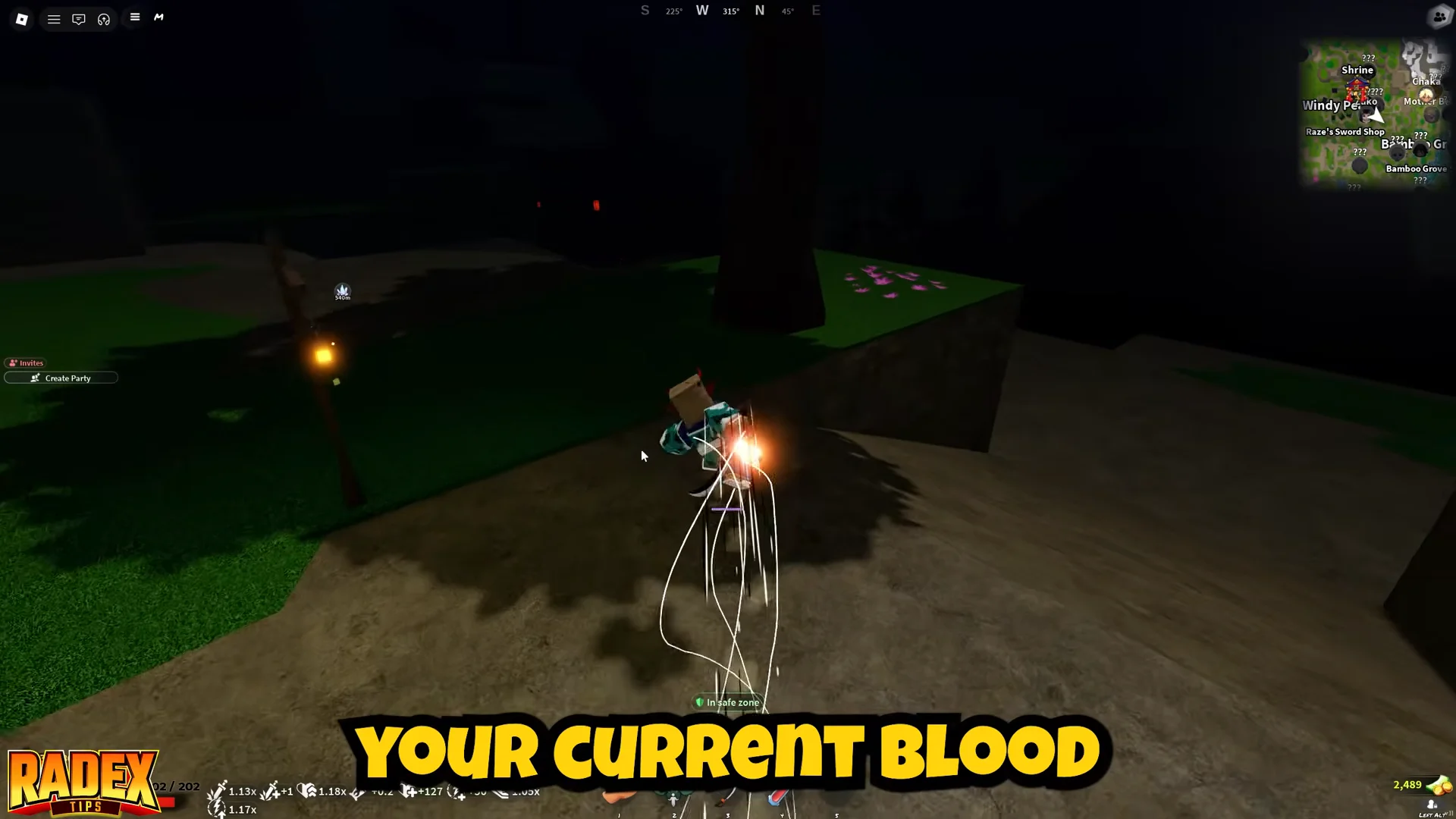
Learning a Blood Demon Art from scratch also involves a quest chain and a boss fight, so a reset is not always a one-click swap.
Blood Demon Arts you can land on
Each Blood Demon Art is the demon counterpart to a Breathing Technique and carries five abilities bound to Z, X, C, V, and B. The pool is small, so it is worth knowing what you are rolling toward before you spend spins.
| Blood Demon Art | Signature move (B) | Style |
|---|---|---|
| Shockwave | Annihilation Type | Close-range pressure |
| Ice Manipulation | Bodhisattva | Freezing and area denial |
| Dream Manipulation | Flesh Monster | Slows and summons |
| Tamari | Spiraling Shot | Thrown projectiles |
| Arrow | Not yet detailed | Not yet detailed |
| Explosive Blood | Not yet detailed | Not yet detailed |
| Obi Manipulation | Not yet detailed | Not yet detailed |
Shockwave leans on teleport follow-ups and a counter window on X, while Ice Manipulation builds zones of falling icicles and freezes. Dream Manipulation plants flesh growths and tentacles that keep damaging a spot after you move on, and Tamari revolves around throwing and detonating balls at range.
Confirm the swap worked and rebuild the skill tree
Open the Skill Tree after the reset. If the change went through, the tree shows the new art’s branching nodes with its abilities locked and unallocated, and the Unlock button becomes available on the first node. Seeing your old art’s moves still equipped means the purchase did not register.
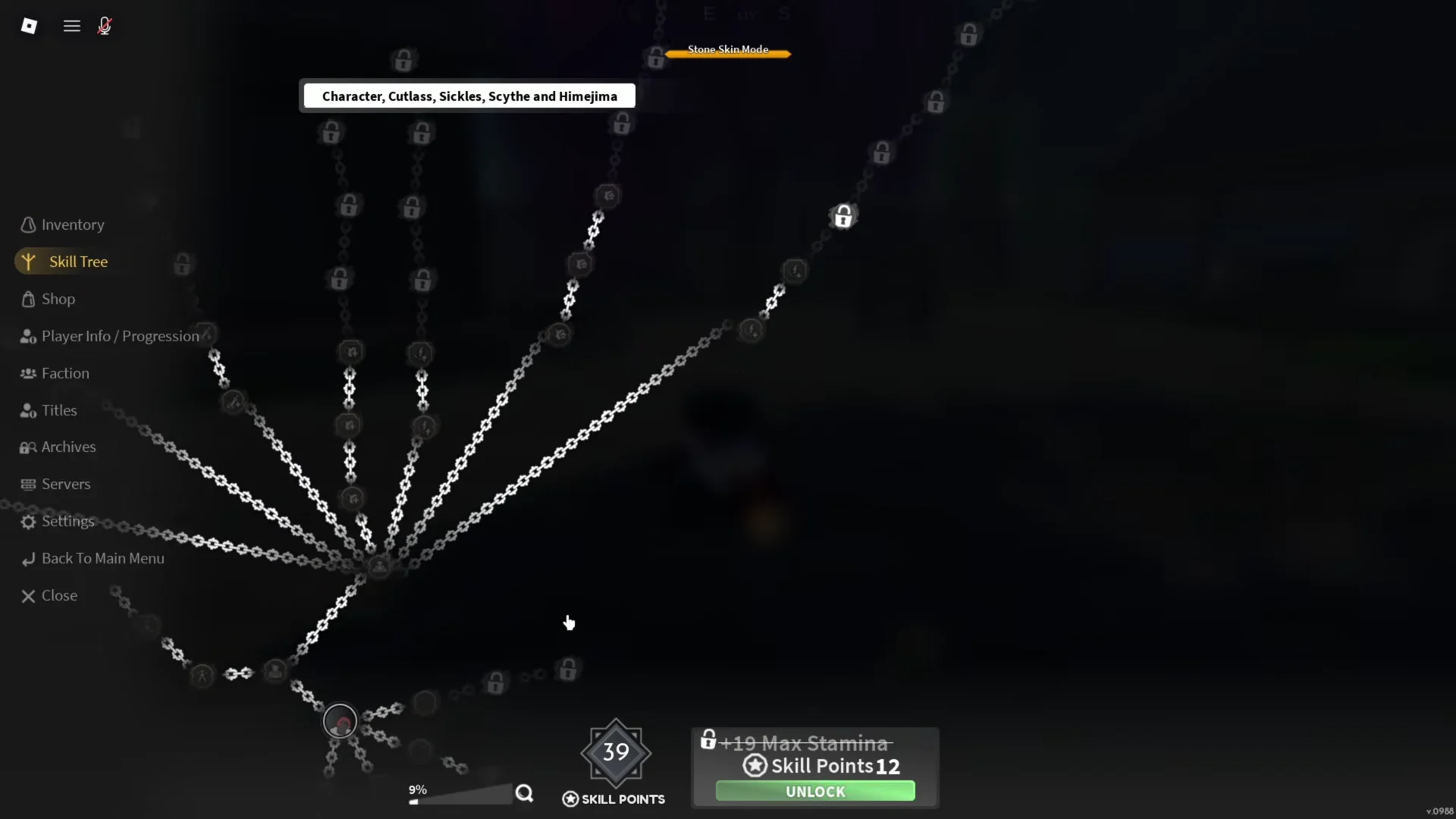
From there, unlock the first skill in the tree and then grind mastery to open the rest. The remaining abilities gate behind mastery rather than money, so the only real cost after the reset is time spent using the new art in combat.
Because the reset is cheap in Ore but expensive in tree progress, it is best used once you are sure the art you have does not suit how you fight, rather than after a single bad match.