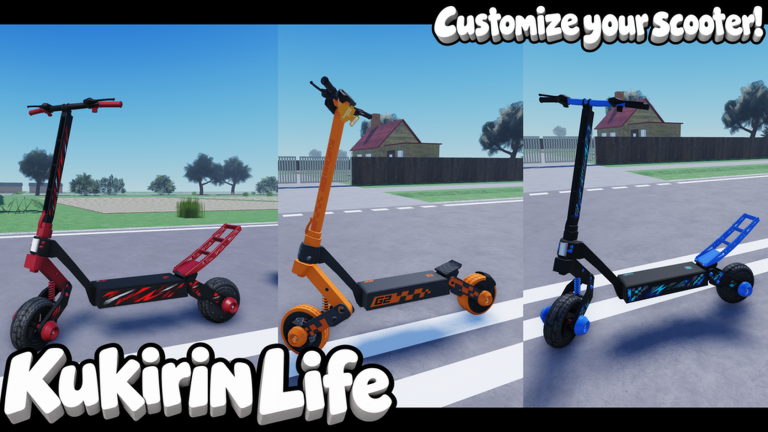
Kukirin Life is a Roblox scooter game where cash and levels come from riding style rather than shopping. The single most profitable thing you can do is hold a continuous wheelie, which builds a cash multiplier and feeds rapid experience at the same time. Everything else in the game, from tuning to police settings, exists to help you keep that wheelie going longer.
Quick answer: Set Police difficulty to Easy, hold W to accelerate, then press and hold Ctrl to keep a wheelie up. The longer you balance it, the higher your Cash Multiplier climbs, up to 2.00x.
Scooter controls in Kukirin Life
All riding inputs sit on the bottom control bar while you are on a scooter. You only need two of them for the money method, but the trick buttons also count toward achievements.
| Key | Action |
|---|---|
W | Drive |
S | Brake |
Space | Slow-mo |
Ctrl | Wheelie |
E | One Hand |
Q | No Hands |
F | Get Off |
How to get money fast with wheelies
Cash and experience both scale with how long you keep a single wheelie balanced. A short pop earns a tiny bonus, but a run held for a minute or more pushes the multiplier toward its cap and triggers level-ups one after another. Each level adds a flat +$100 on top of the cash you are already banking.
W to build speed before you lift the front wheel, since a faster scooter is easier to balance.Ctrl to pop the wheelie, then keep it held. Make only small left and right corrections to stay straight. The Wheelie timer and Cash Multiplier climb as you hold it, and the multiplier tops out at 2.00x Cash.If a Rideout event starts, join it. Those zones pay 2x cash on the map while they are active, which stacks on top of your wheelie earnings.
You know it is working when the on-screen Cash Multiplier keeps rising and “Level up! You’re now level X (+ $100)” banners appear in sequence. Dropping the front wheel back down ends the current run and resets the multiplier, so the goal is to beat your own Best time.
Police difficulty settings
Police behavior is a toggle, not a fixed part of the world, and you control it from Settings under Police difficulty. The three modes change how aggressively cruisers come after you.
- Easy — police do not pursue you, ideal for farming money.
- Medium — cruisers chase and can eventually arrest you.
- Hard — aggressive cars swarm, ram your scooter, and arrest you quickly.
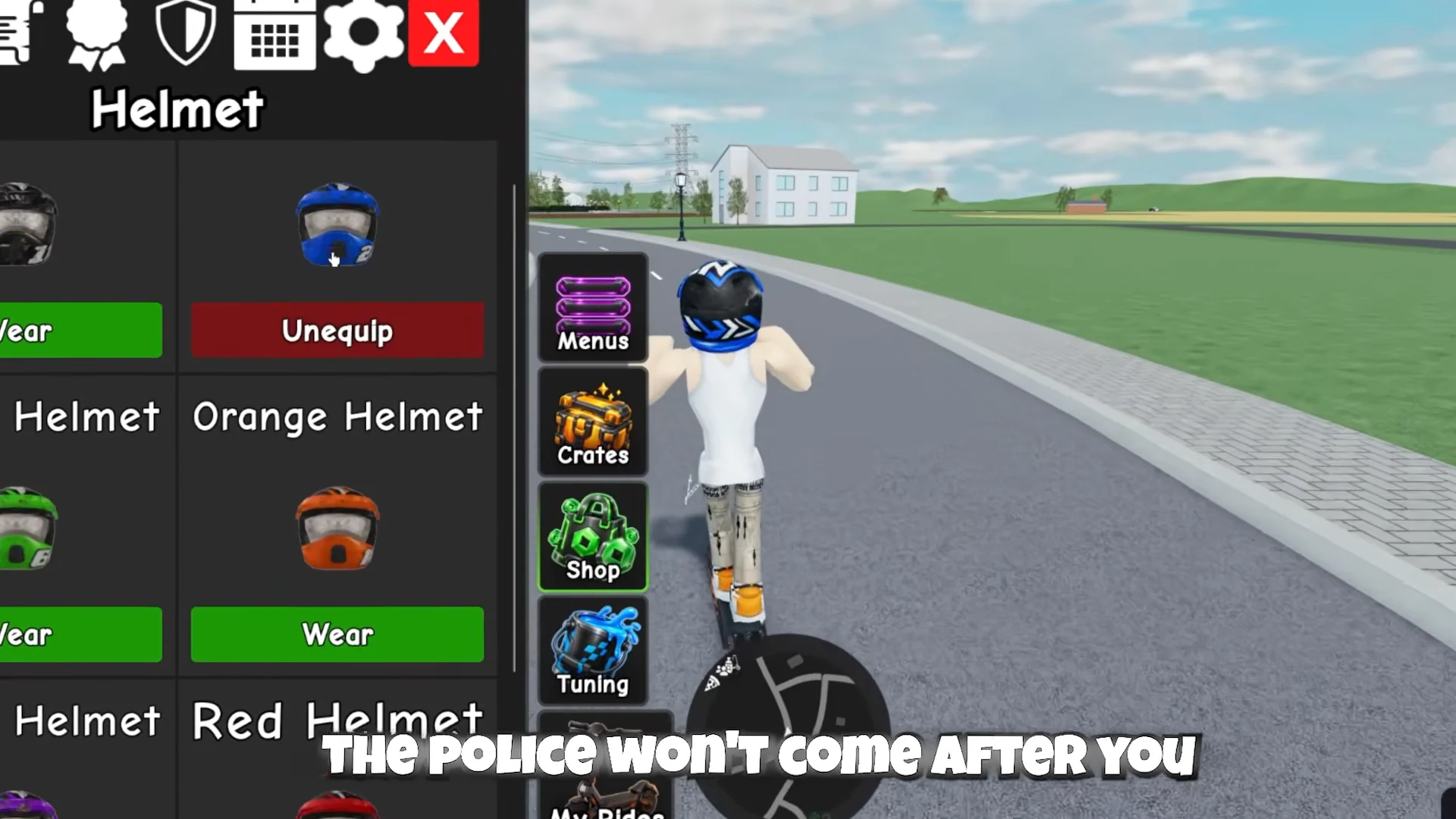
Equipping a helmet reduces unwanted police attention, so wear one if you want to chase speed on Medium without getting pulled over constantly. You can equip or remove helmets from the helmet menu using the Wear and Unequip buttons.
Scooter tuning and upgrades
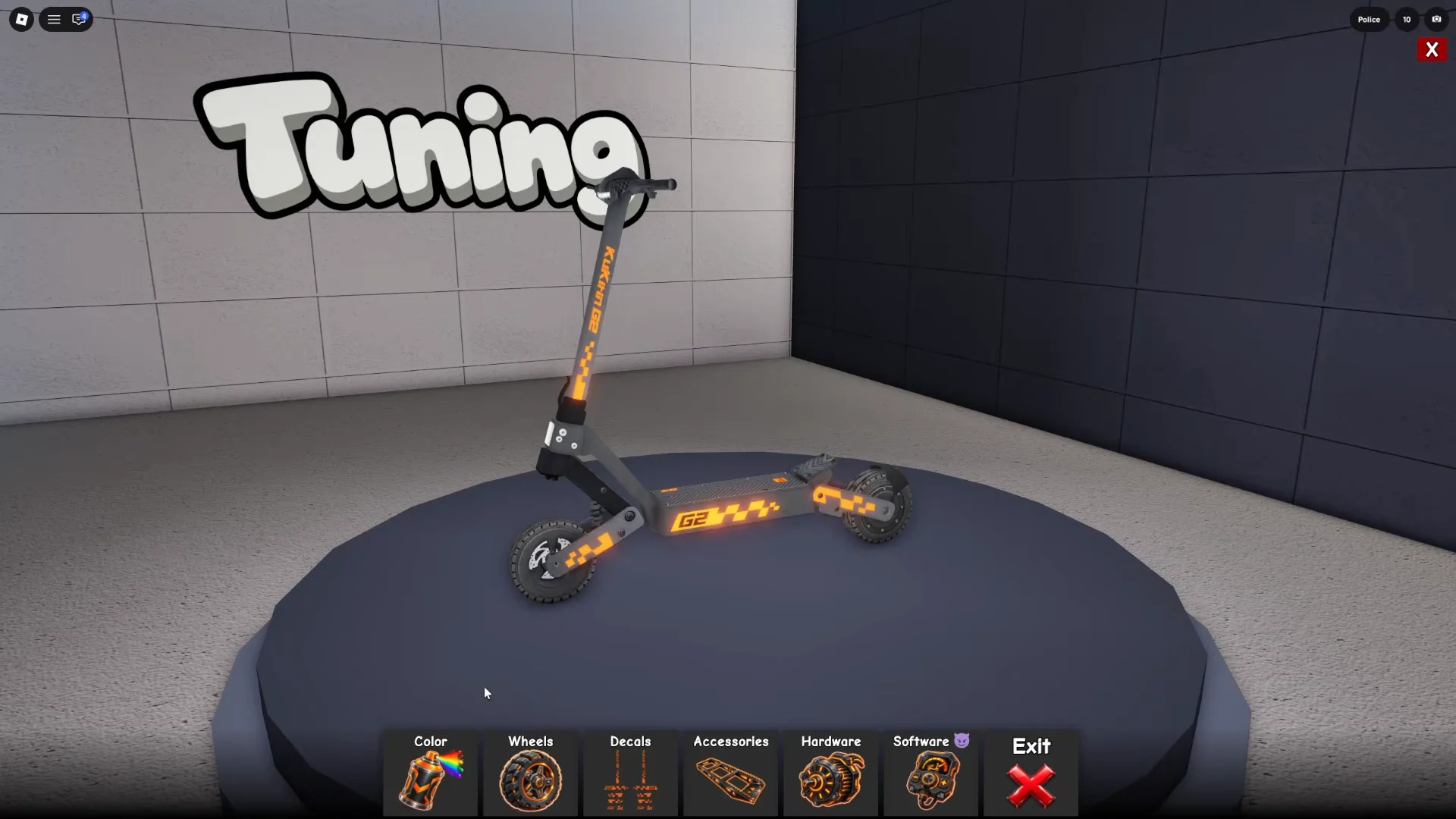
Open the Tuning workshop from the left-side buttons to change how a scooter looks and performs. The toolbar splits into visual options and performance options.
Visual customization
Color, Wheels, Decals, and Accessories only change appearance. Use them to recolor the frame and parts, swap wheel types, add decals, and fit accessories. None of these affect your top speed.
Hardware and Software speed
Performance lives under Hardware and Software. Hardware upgrades raise top speed through parts, while Software offers an instant “Speed Hack” that lifts your cap one tier at a time. Each tier costs R$39 and the Speed Hack can push a scooter all the way up to 155 km/h from its stock 55 km/h.
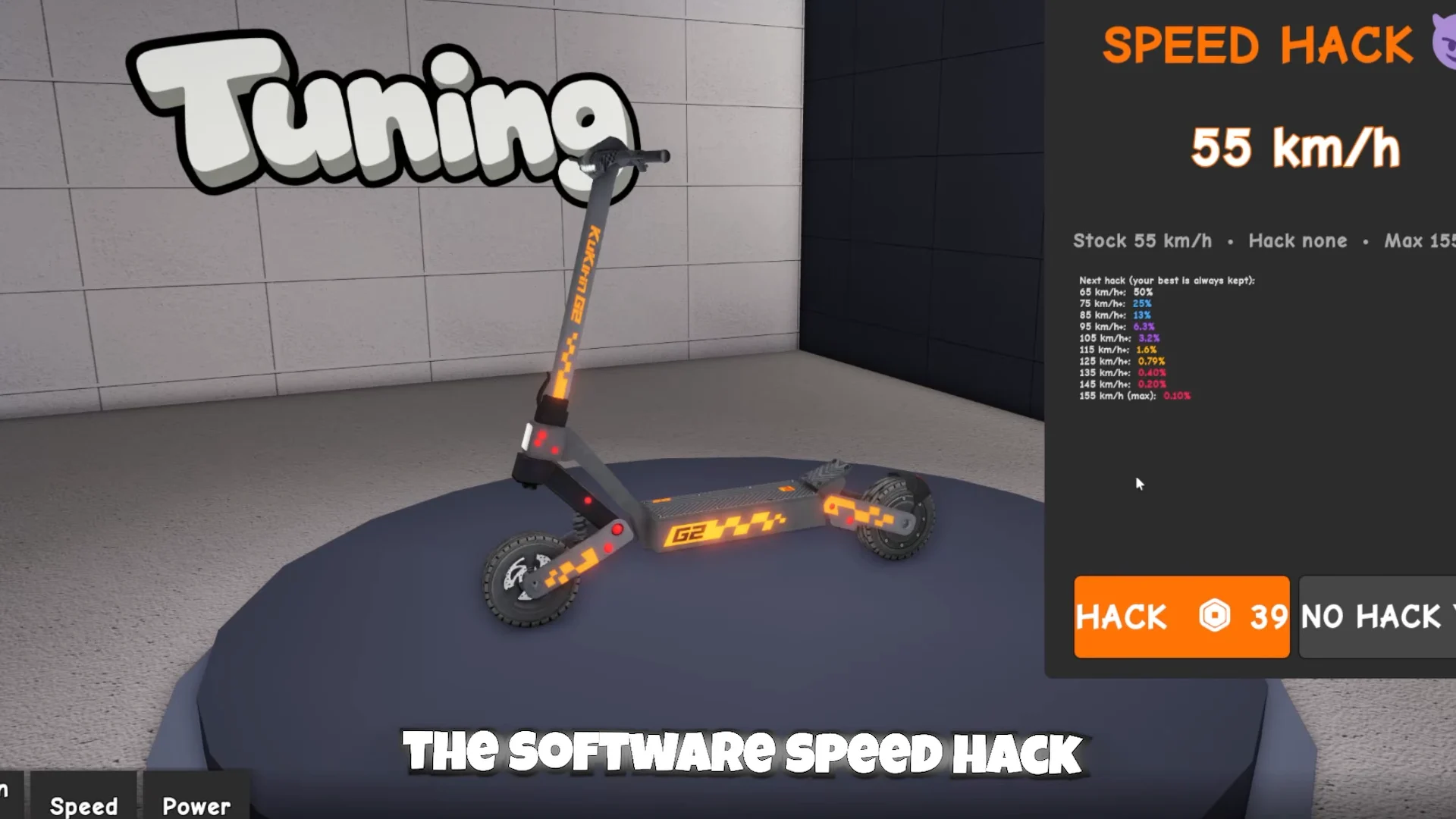
Each scooter also starts with its own base stats. The entry models compare like this:
| Scooter | Motor | Top speed |
|---|---|---|
| G2 | Single 800W | 55 km/h |
| G2 Ultra | Dual 2x800W | 60 km/h |
| G3 | Single 1000W | 60 km/h |
Higher models in the dealership include the G4, G4 Ultra, and G5. You can also open crates for rides, with a Basic Crate costing $1,000 cash and a Hardware Crate costing 99 Robux.
How to redeem codes
Codes are entered through the Settings menu rather than a separate shop. Open Menus, go to Settings, then select Codes to reach the entry field.
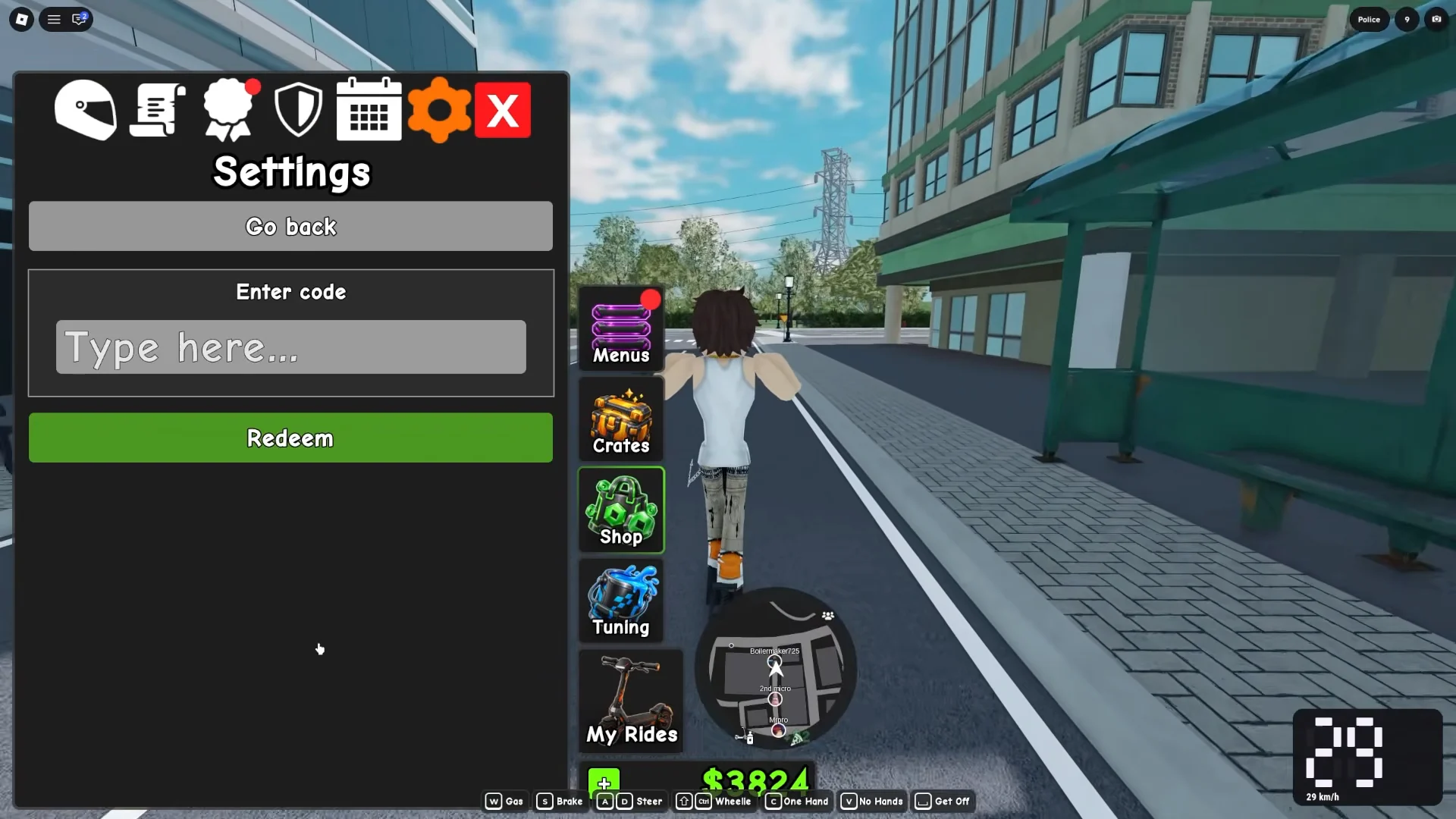
Type the code into the “Type here…” box and press Redeem. A valid code applies its reward right away; if nothing lands, the code has likely expired or was typed incorrectly.
Daily rewards and achievements
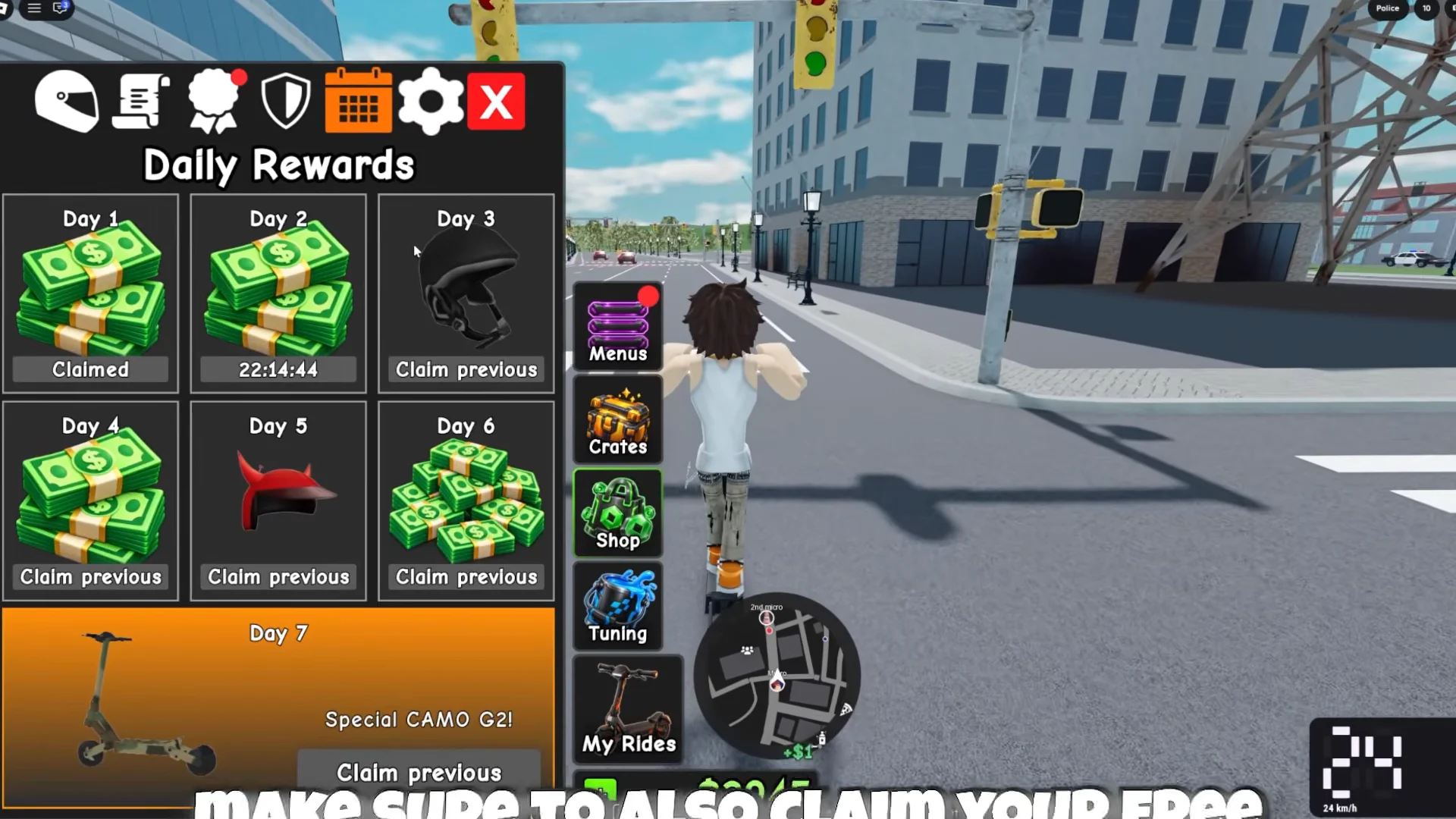
Logging in on consecutive days fills a 7-day reward track. The payouts mix cash with a helmet on Day 3 and a horn accessory on Day 5, finishing with a Special CAMO G2 scooter on Day 7. A countdown on the next day shows when your claim resets, so returning every day keeps the streak alive.
The Achievements and Quests menu pays extra cash for tasks you complete just by playing. These include reaching a playtime threshold, building up total wheelie time, hitting a 60 km/h top speed, escaping the police, and holding a one-handed wheelie. Press Claim on each finished task to collect it. Since the wheelie farm naturally racks up wheelie time and speed, many of these complete on their own while you earn money.
Joining and creating gangs
The Gangs menu holds three options: a Leaderboard, Join Gang, and Create Gang. You can browse existing gangs and join one, or start your own.
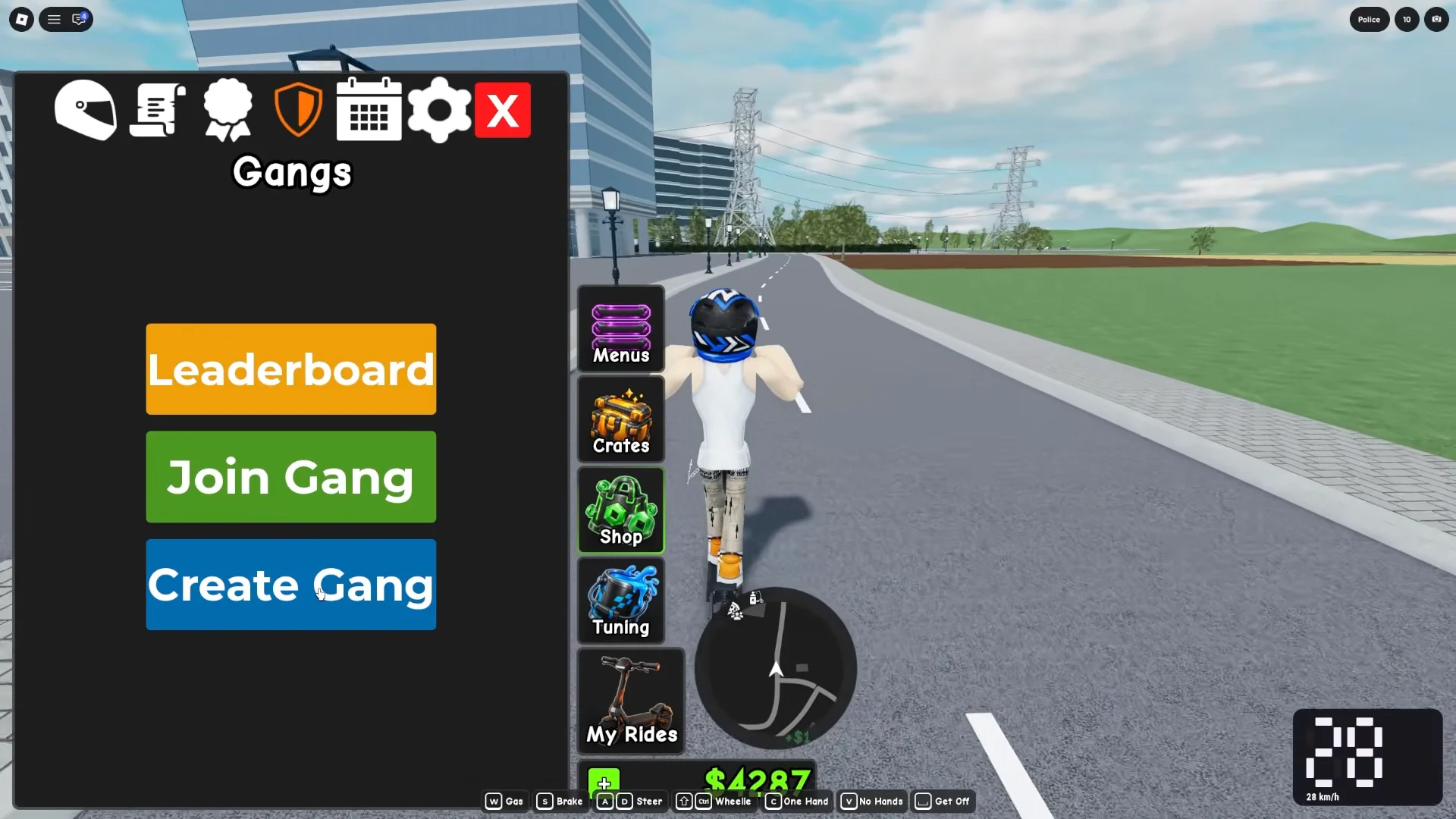
Creating a gang costs R$99 and asks for a gang name, a tag of up to 5 letters, and a description. Once you confirm with the Create button, your gang appears on the leaderboard alongside the rest.
With the controls down and the police set to Easy, the fastest path to progress stays the same throughout the game. Hold a wheelie as long as you can, let the multiplier and level-ups pile up, and funnel that cash into higher-tier scooters so your next run is faster and easier to balance.