Commissions in Once Human are weekly tasks that come from a shared board instead of a quest giver’s story chain. You can open that board in person at a settlement or remotely from anywhere on the map. A commission only counts once you have accepted it, so finding the board is the first step.
Quick answer: On PC, press L, open the Commissions tab, and click Jump to Commissions. You can also talk to the clipboard-icon NPC in any major camp, such as Larry Duvall.
Commissions unlock requirement: Reach Deadsville
The Commission board is not available from the start. It unlocks once the main story brings you to Deadsville, the Neutral Stronghold that acts as the quest hub for Dayton Wetlands. Larry Duvall, the first Commissions NPC most players meet, stands in that settlement.
If the board still will not open when you arrive in Deadsville, keep pushing the main quest line forward. Commissions can sit behind a few more story missions before they become available.
Three ways to open the Commission board in Once Human
All three routes open the same board, with the same tasks, refreshes, and progress. Which one to use depends on where you are standing.
Shortcut from the Tasks menu (PC)
This route works anywhere, including inside your own base, and skips the trip to a camp entirely.
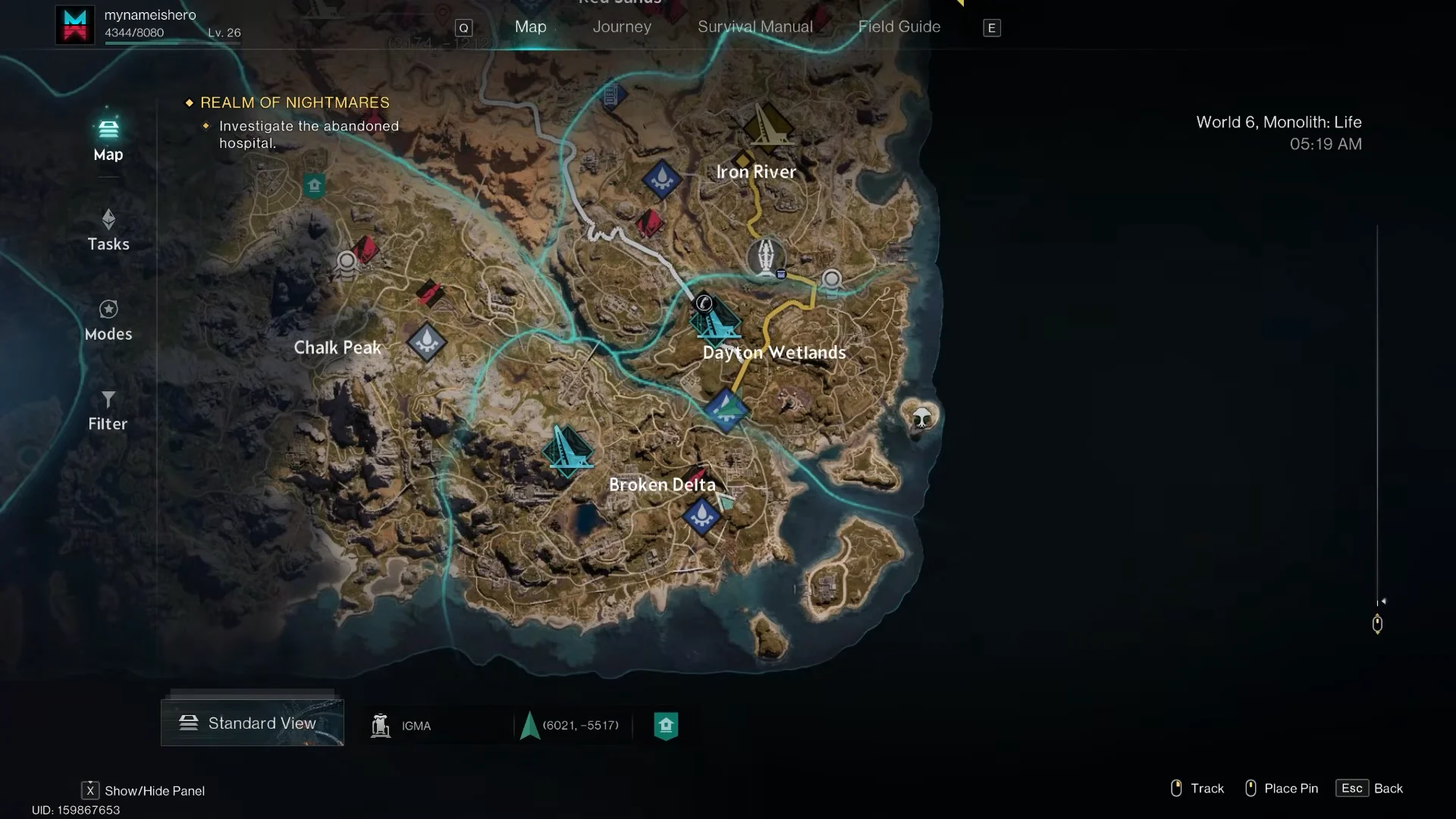
L to open the Tasks menu. The tabs along the top read Journey, Scenario Challenge, Commissions, Map, Survival Manual, and Field Guide.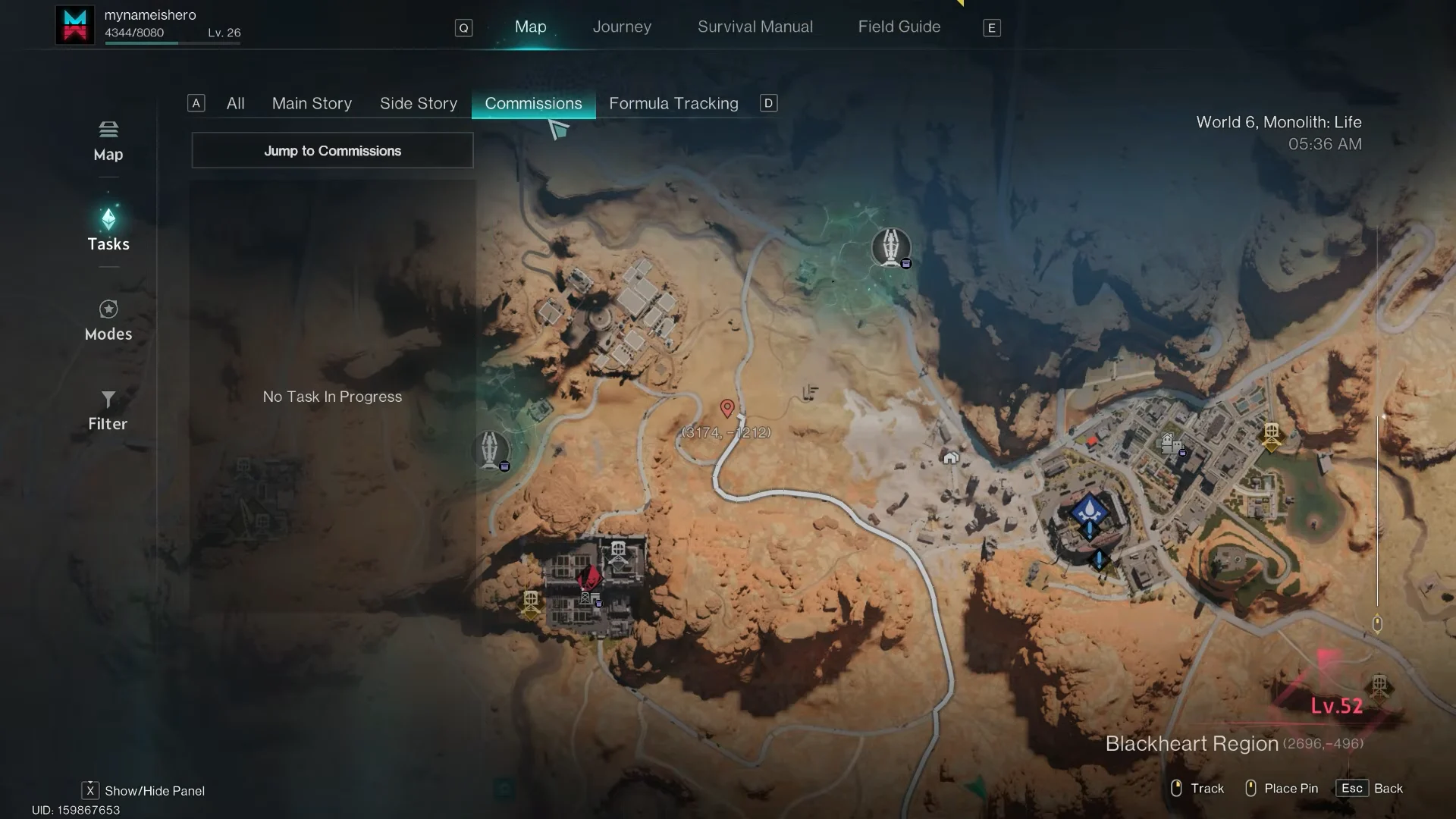
Talk to the Commissions NPC at a camp
Every major camp or Neutral Stronghold has a Commissions NPC. The person differs from town to town, but the clipboard icon floating over their head stays the same.
F on the View Commissions prompt. The weekly Commission board opens with your task cards and reward track.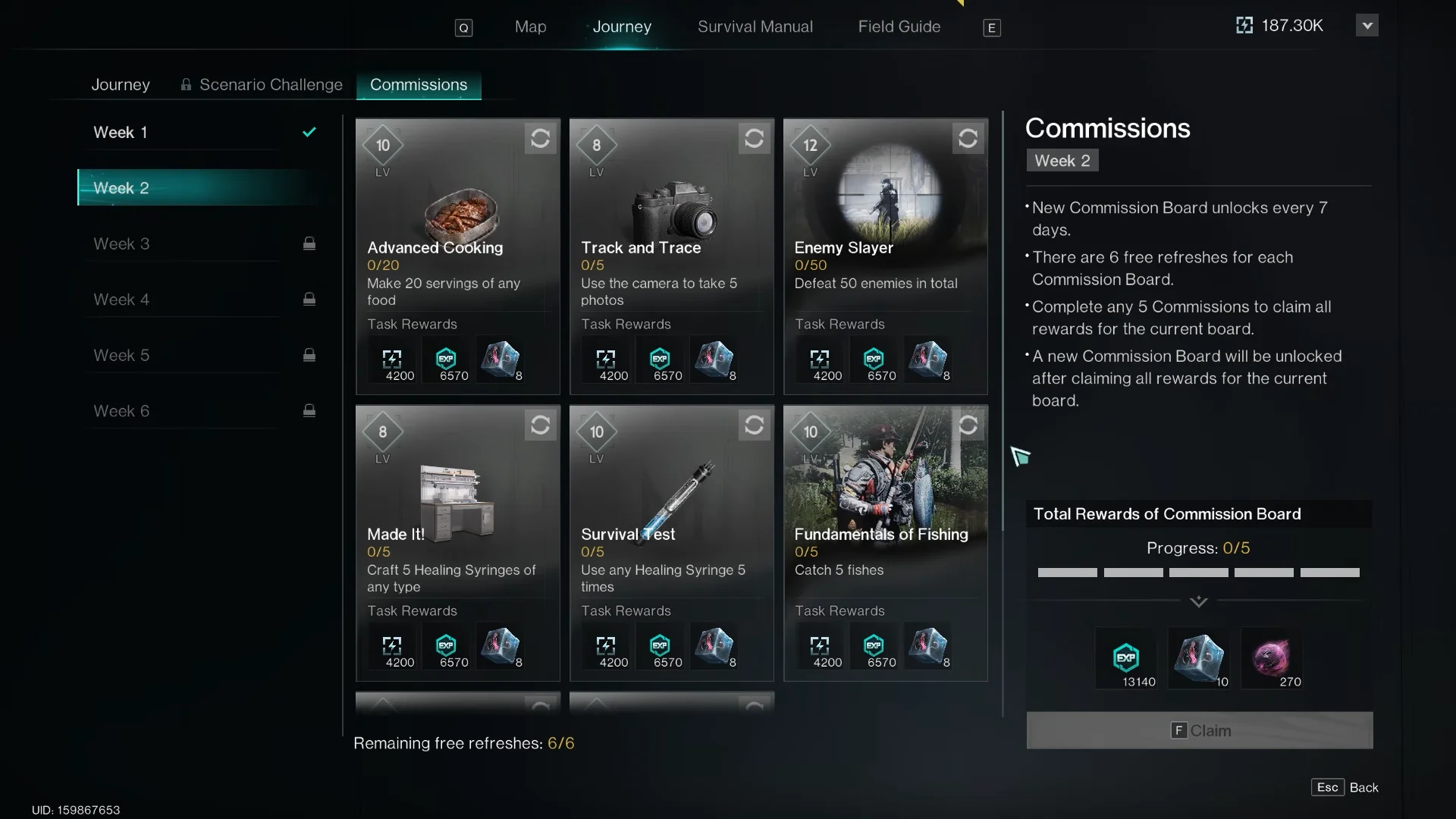
Summon V from the action wheel
Your companion V carries a View Commissions option of its own, which makes this another way to reach the board from the field.
Accepting and rerolling commissions
Opening the board does not start anything. Hover over a card and press F (Accept) or left-click it to take the task. Work done before you accept is not counted, so accept first and then play.
If a task does not fit how you play, press R (Refresh) to swap it for another one from the pool. Each board comes with 6 free refreshes, and the bottom of the screen shows how many you have left, starting at “Remaining free refreshes: 6/6”. Tasks are drawn at random, so your board will not match a friend’s.
The tasks themselves are everyday activities. A typical board looks like this:
| Commission | Requirement |
|---|---|
| Advanced Cooking | Make 20 servings of any food |
| Track and Trace | Take 5 photos with the camera |
| Enemy Slayer | Defeat 50 enemies |
| Made It! | Craft 5 Healing Syringes of any type |
| Survival First | Use any Healing Syringe 5 times |
| Fundamentals of Fishing | Catch 5 fish |
Each completed task pays EXP and Energy Links, and the amounts scale with your level. On a board with a level-appropriate character, every card listed 4,200 EXP and 6,570 Energy Links.
Commission board rules and weekly limits
The board runs on a weekly cycle, with week tabs (Week 1, Week 2, and so on) across the top. These rules govern it:
- A further Commission board becomes available after each 7-day interval.
- Each board has 6 free refreshes.
- Completing any 5 commissions lets you claim the board’s total rewards.
- The next board unlocks after you claim all rewards on the current one.
- Commission pools change with each season.
The “Total Rewards of Commission Board” tracker counts from 0/5. Hitting five unlocks a milestone bundle that includes extra EXP, 5 Mitsuko’s Mark, and 300 Stellar Planula. Once all five tasks are done, the Journey screen switches to a countdown that shows how long remains until new commissions unlock.
How to confirm a commission is active
An accepted commission shows the label In Progress on the board. It also appears under Commissions in the Tasks menu (L). Select it there and press F to Track Task, which pins it to your HUD so the counter, for example 0/20 for Advanced Cooking, updates as you play.
Rewards for each task arrive automatically the moment its counter fills. The five-task bundle is the exception. Claim it yourself with the Claim button on the board, either at a camp NPC, through V, or through Jump to Commissions.