Print four Flash grenades at the FOB 3D printer, then get eight kills on blinded soldiers in DMZ.
Print four Flash grenades at the FOB 3D printer, then get eight kills on blinded soldiers in DMZ.
by AllThingsHow Staff
Image: Infinity Ward
The Flash Grenade order in Call of Duty: Modern Warfare 4’s DMZ has two stages: one at your base and another in the field. It is order 01, filed under CH. HUMAN INTEL 2/2 on DMZ ORDERS PG 3, the same page that lists Death From Above under CH. UNDERGROUND 2/2. Complete “Print 4 Flash Grenades” first; only then does “Kill 8 Flashed Enemies” become active.
Quick answer: At the FOB, access the 3D PRINTER, select FLASH under TACTICALS and print four. Deploy, blind soldiers, then kill eight of them. The 14th Political Prison has enough targets.
Flash Grenade order objectives and cost
The order has two objectives, and the game shows them one at a time. The tracker counts your progress on each one.
Objective
Counter
Where you do it
Print 4 Flash Grenades
0/4
FOB 3D printer
Kill 8 Flashed Enemies
x/8
During a deployment
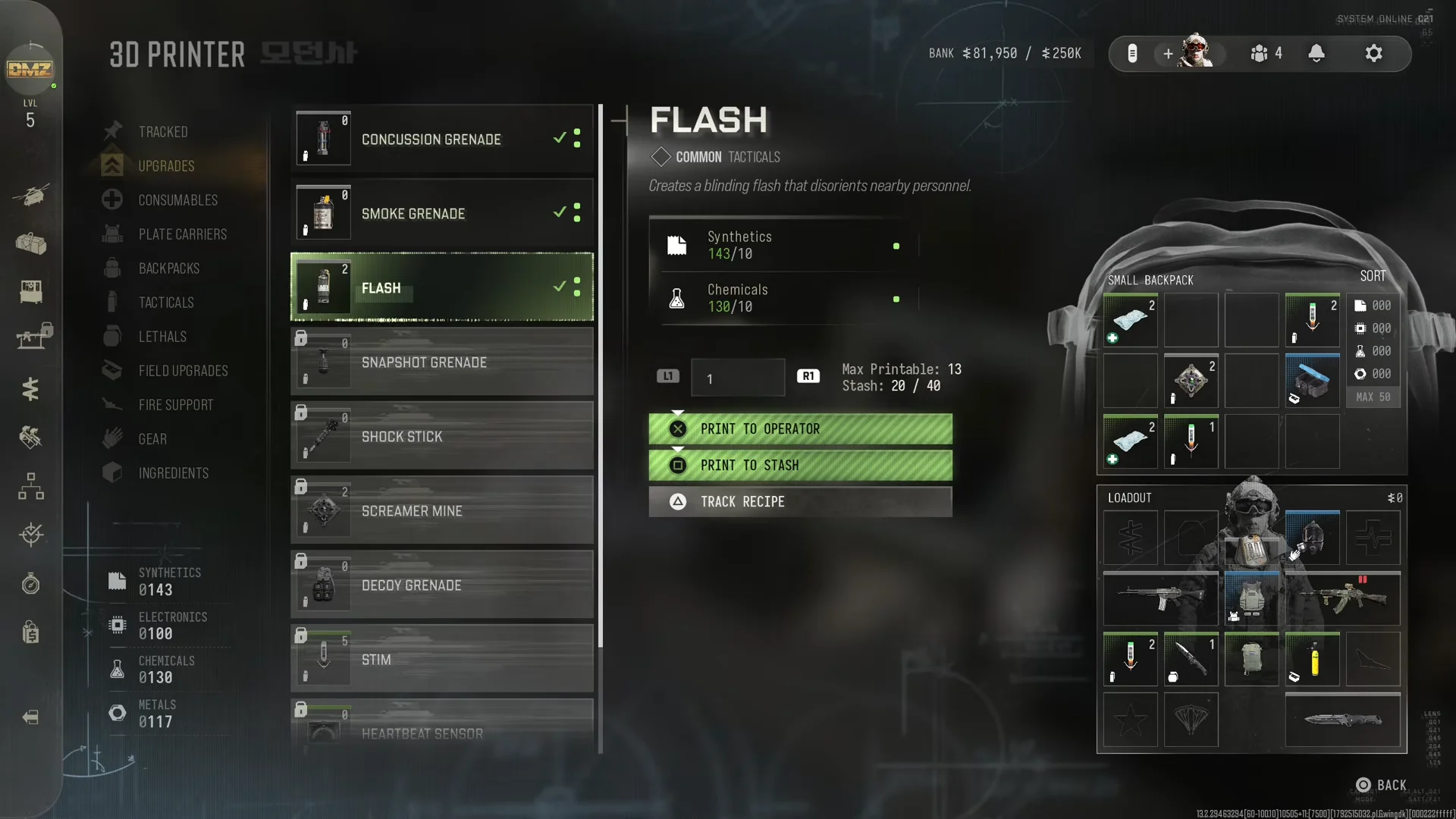
A single Flash requires 10 Synthetics and 10 Chemicals, making the total for four 40 of each material. Check your amounts in the printer screen’s bottom-left, beside SYNTHETICS, ELECTRONICS, CHEMICALS and METALS. If you lack either material, gather more Synthetics or Chemicals during a deployment before printing.
Select TACTICALS from the left-hand column. The menu lists FLASH, STIM, CONCUSSION GRENADE, HEARTBEAT SENSOR, SMOKE GRENADE, DECOY GRENADE, SNAPSHOT GRENADE and SHOCK STICK, as well as SCREAMER MINE.
Select FLASH. Its card is marked COMMON and reads “Creates a blinding flash that disorients nearby personnel.” The card also shows the recipe cost and a Max Printable figure, which tells you how many grenades your materials can cover.
Use PRINT TO OPERATOR to equip the grenade immediately, or choose PRINT TO STASH to save it. TRACK RECIPE is also available, and the screen displays how many of that item are in your Stash.
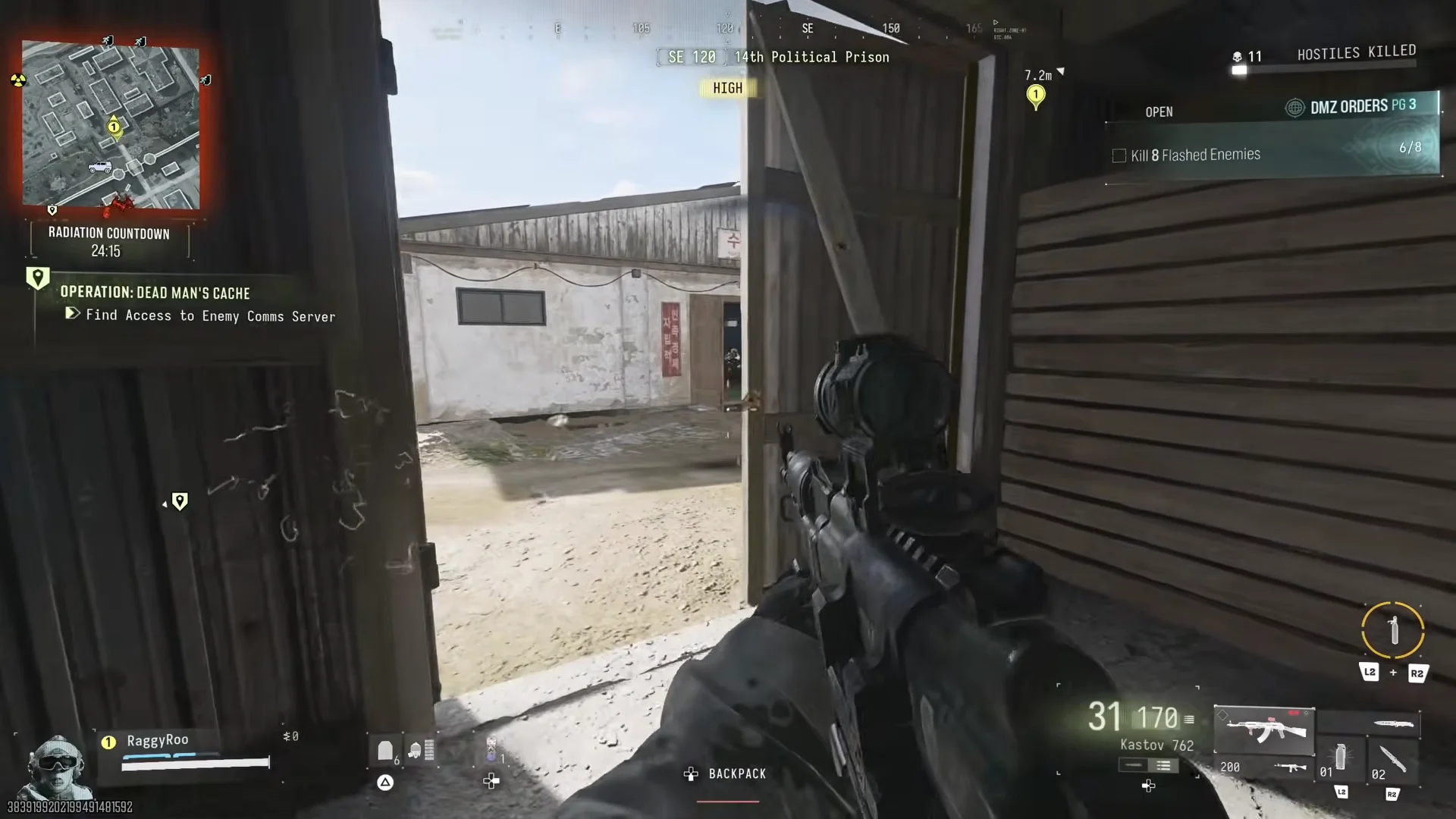
Head to the 14th Political Prison, in the map’s north-western region. Its threat level is HIGH. Soldiers occupy the yards among the wooden huts and the interiors of the warehouses, giving you enough for all eight kills in one visit.
Throw a Flash into a group of soldiers, then kill them before they recover. Watch the counter on the right side of the screen to confirm each kill counted.
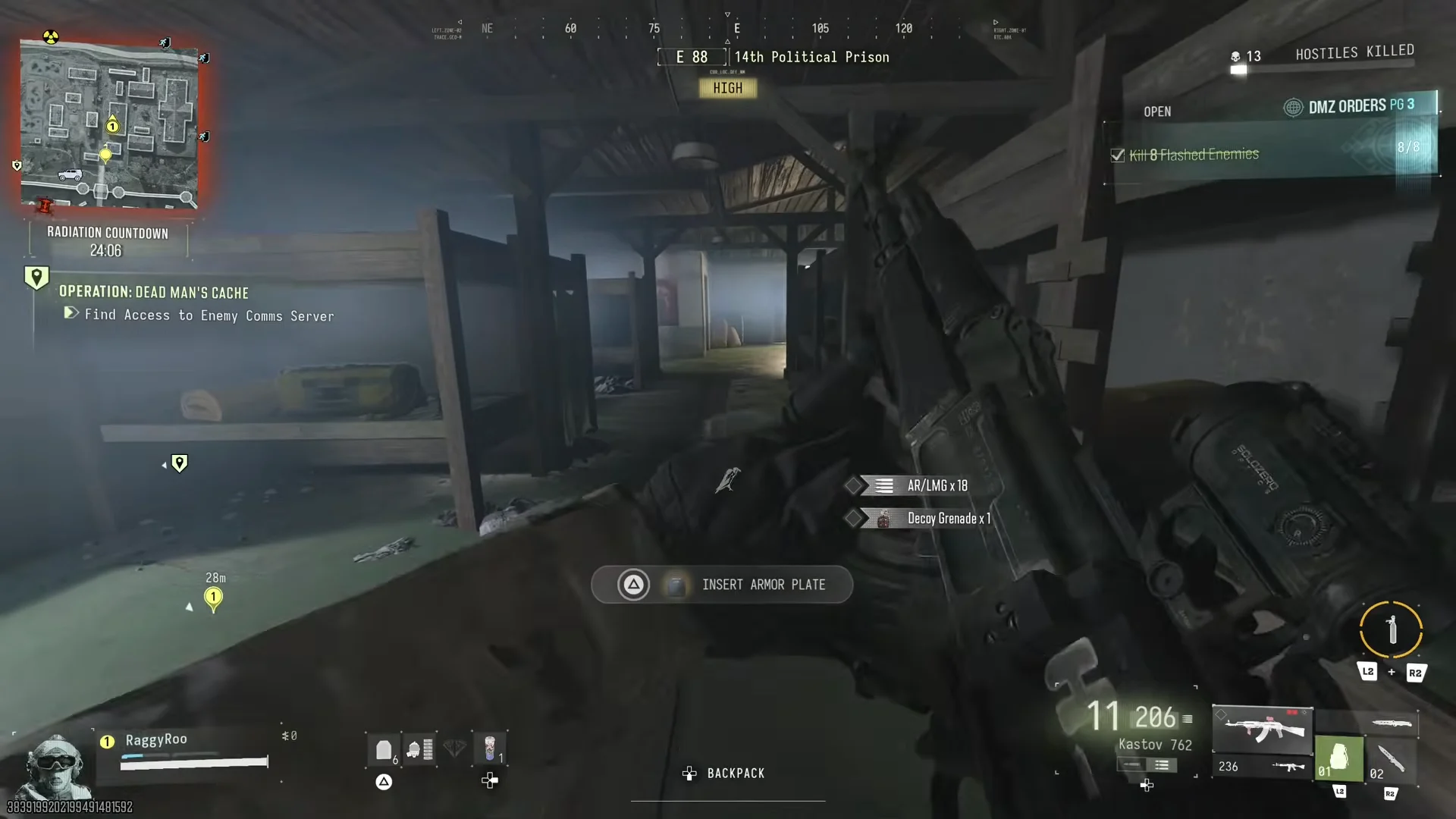
In warehouse fights, send a Flash through the doorway to blind the occupants, then eliminate them. Soldiers in one warehouse may be enough to raise the counter from 5/8 to 8/8.
When the counter reaches 8/8, the objective is marked complete. The next objective on the page then appears: “Collect a Dynamic Op Phone” (see how Dynamic Ops work).