Final Fantasy Resonance offers three modes: Casual, Normal, and Expert. Casual reduces the challenge of combat, Normal is the standard middle-ground option, and Expert makes fights tougher while granting more MRP. You can change modes whenever you want.
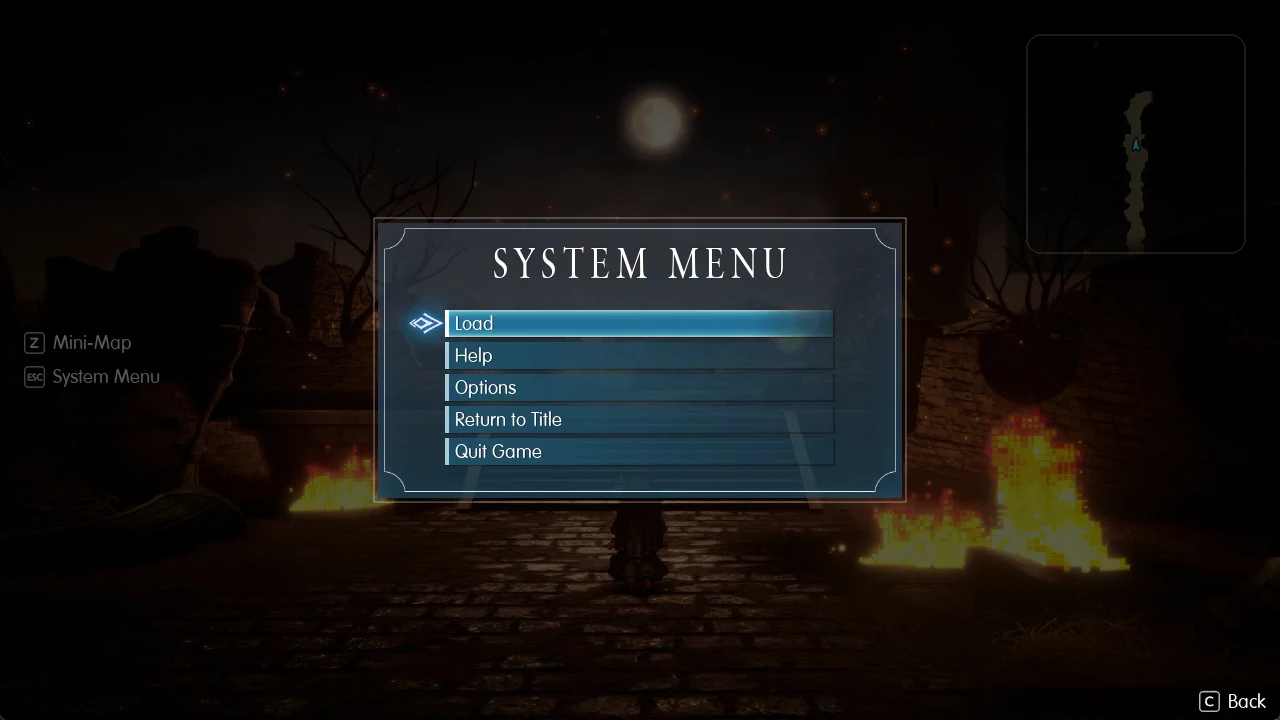
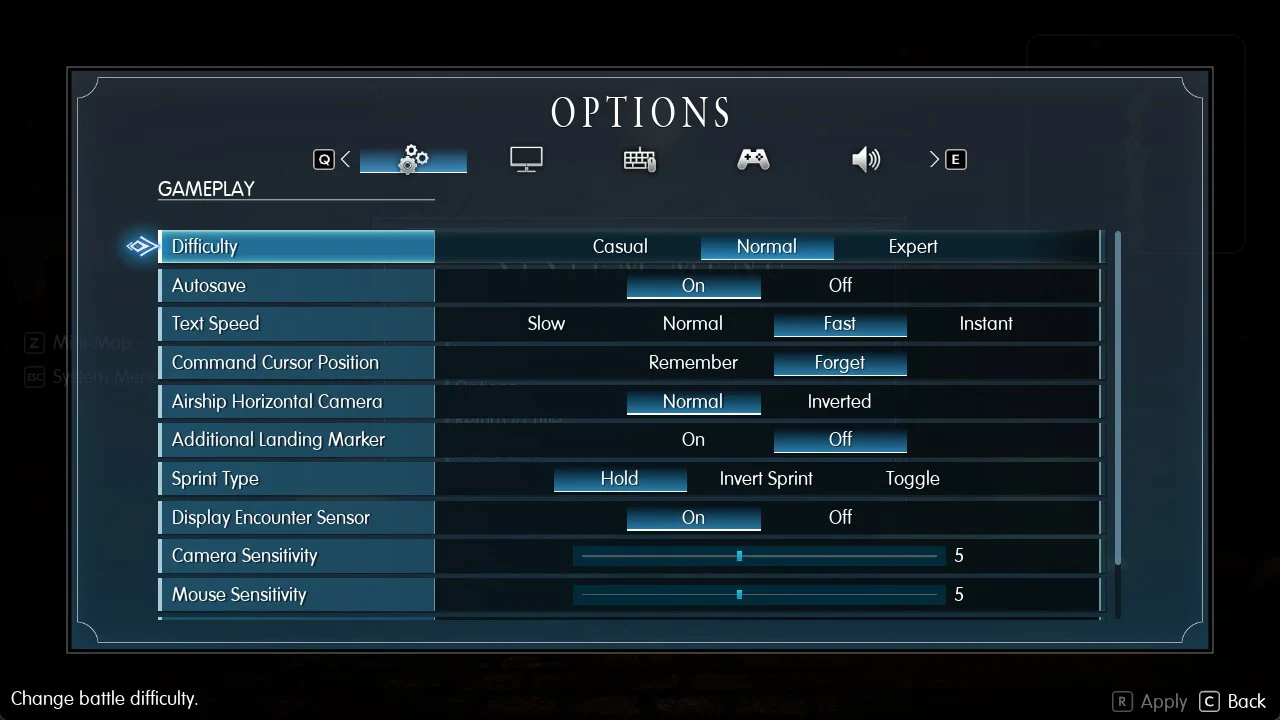
Quick answer: To change difficulty, press Esc (keyboard) or Menu (controller), choose Options, set Difficulty on the Gameplay tab, and press R to Apply.
| Difficulty | In-game description | What changes |
|---|---|---|
| Casual | “For those who want a story-centric experience. Battles are easier.” | Easier battles |
| Normal | “For those who want a balanced experience. Normal difficulty battles.” | Standard battles |
| Expert | “For those who like a challenge. Battles are harder and award more MRP.” | Harder battles, more MRP |
Final Fantasy Resonance difficulty settings explained
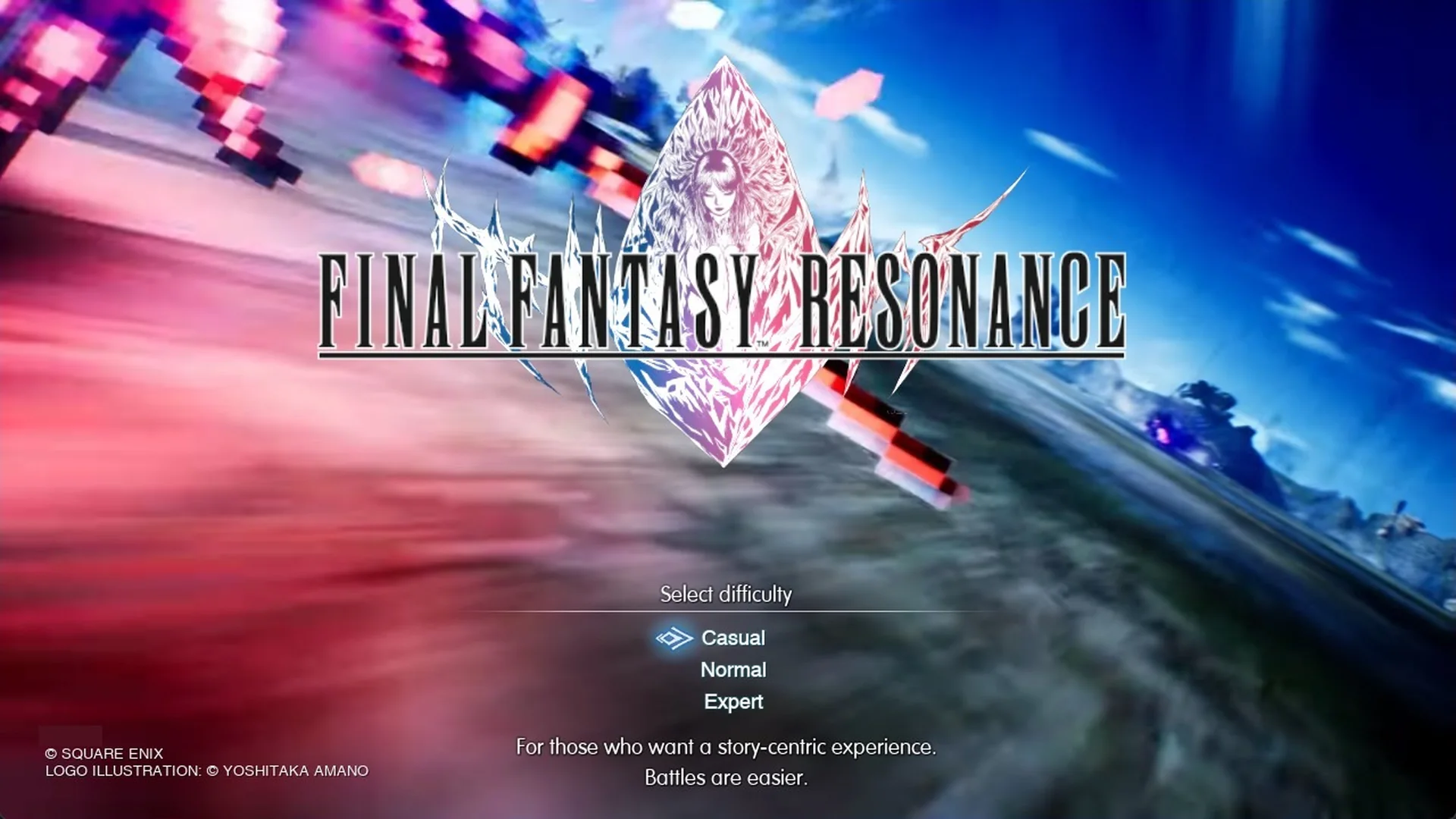
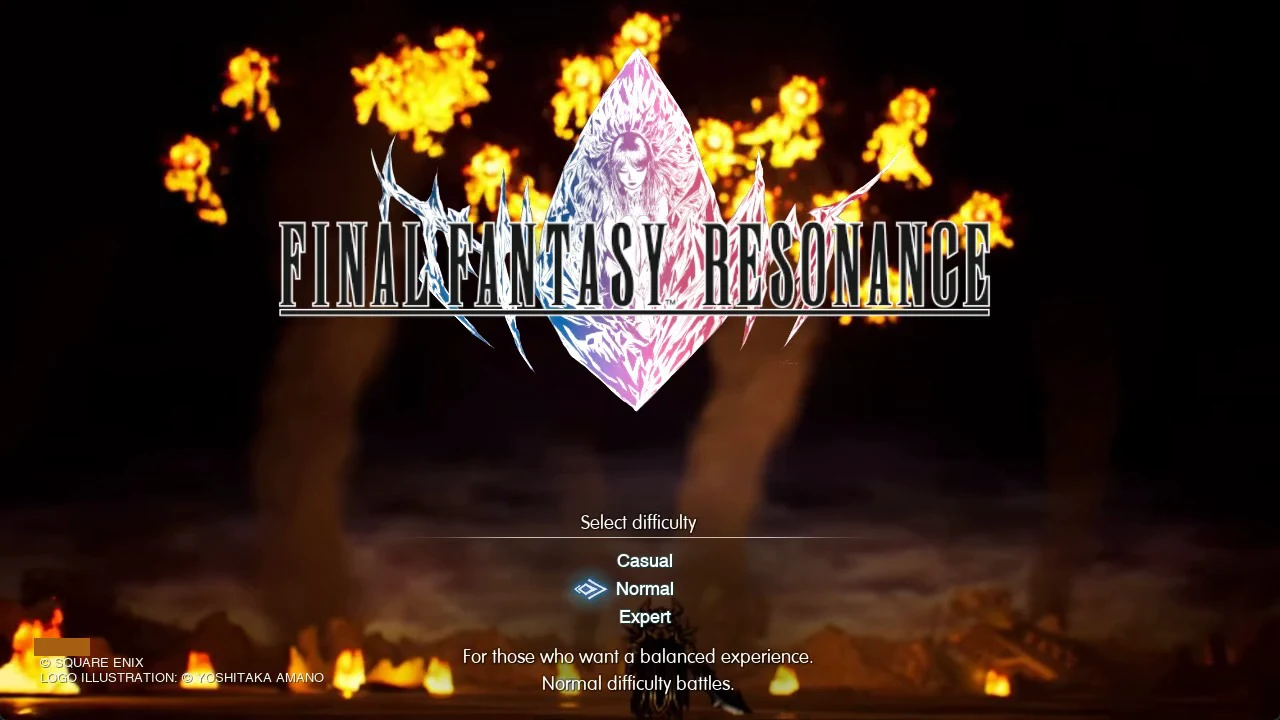
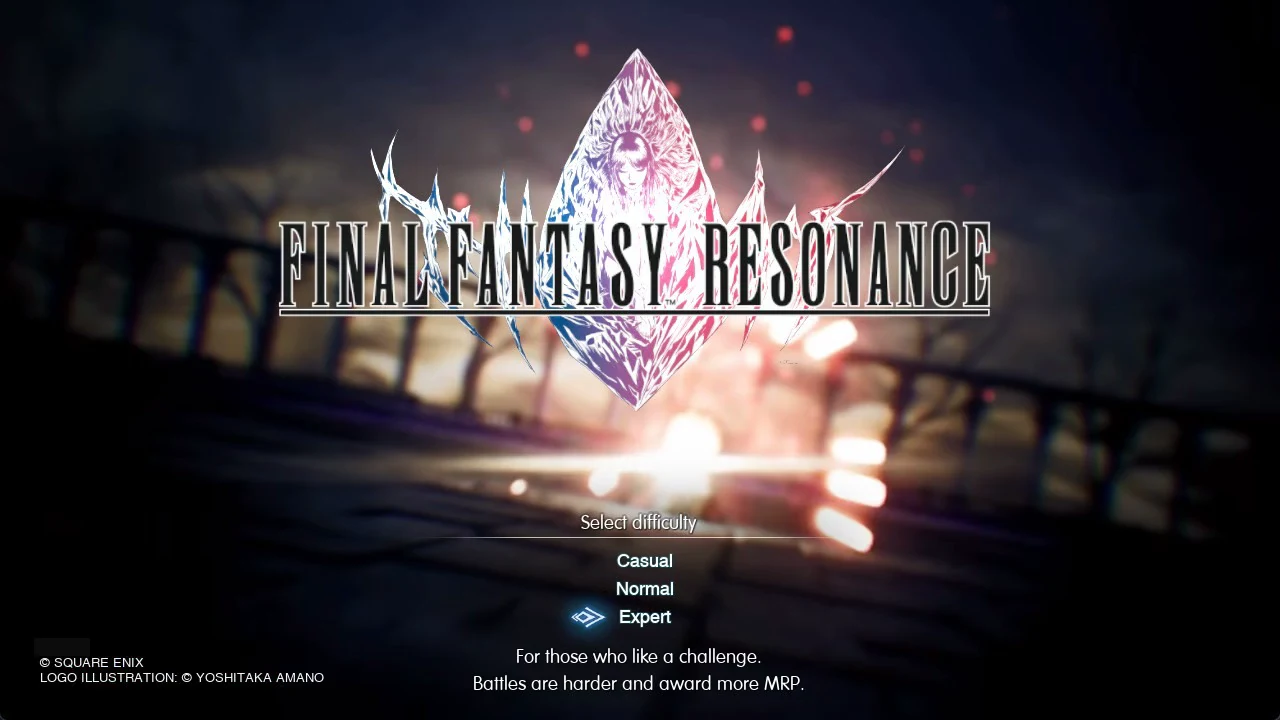
Your first selection comes when you choose New Game on the title screen. The game then displays a “Select difficulty” screen, where all three choices appear in a list. Moving the highlight shows a brief, two-line explanation below the list for the selected setting.
Casual
The game describes Casual as “For those who want a story-centric experience. Battles are easier.” The setting lowers the challenge of fights so you can focus on the plot.
Normal
Normal reads “For those who want a balanced experience. Normal difficulty battles.” This is the standard setting, and battles play out at their intended level.
Expert
Expert’s description is “For those who like a challenge. Battles are harder and award more MRP.” Fights get tougher, and you earn more MRP in return.
Which difficulty should you pick?
Choose Normal for your first run. Casual fits a story-focused run, while Expert suits anyone seeking tougher encounters and bonus MRP. You can adjust the setting whenever you like, starting with any option and switching if fights feel too easy or too difficult.
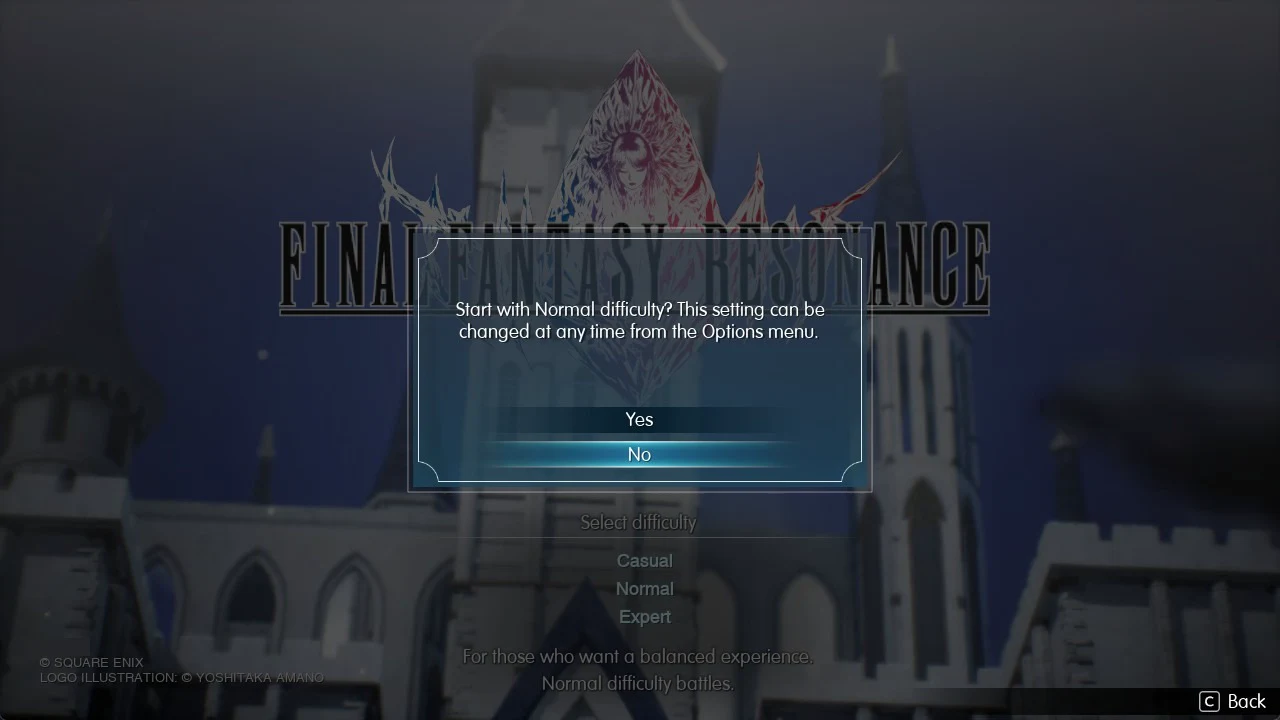
The game reminds you of this before you start. After you pick a setting, a prompt appears with Yes and No options. For Normal it reads “Start with Normal difficulty? This setting can be changed at any time from the Options menu.” Choose Yes to begin the game.
How to change difficulty in Final Fantasy Resonance
You change difficulty from inside a game, not from the title screen. The Options screen on the title menu has no Difficulty row. It only appears in Options once you are playing.