Prefabs are pre-built sections you drop into a creation instead of placing every piece by hand. In Forza Horizon 6, they show up across the Creator Hub, covering Estate and garage customization as well as track building inside EventLab. Once you know where the import option lives, adding someone else’s prefab takes only a few seconds.
Quick answer: Open the Estate builder, press the Search option, then browse or filter the list to find a player’s Estate layout, item, or prefab and place it directly into your build.
What prefabs are in Forza Horizon 6
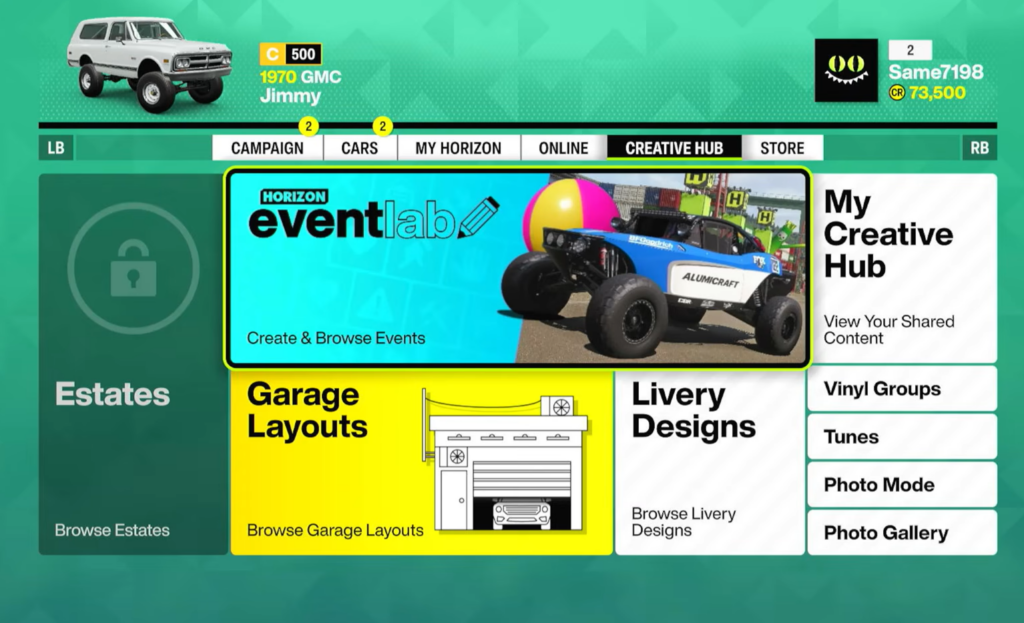
A prefab is a saved arrangement of objects that you can place as a single unit. Instead of building a corner, a banked turn, or a garage corner one item at a time, you load a prefab and it appears fully assembled. The Creator Hub received a large upgrade that added Garage and Estate customization, and prefabs are a core part of that toolset.
Prefabs come in two broad flavors. Some are decorative or layout pieces for your Estate and garage, while others are modular track parts used to assemble custom routes. Many track prefabs are designed to snap together so you can chain them into a full course.
Import a prefab in the Estate builder
Build custom tracks with prefabs in EventLab
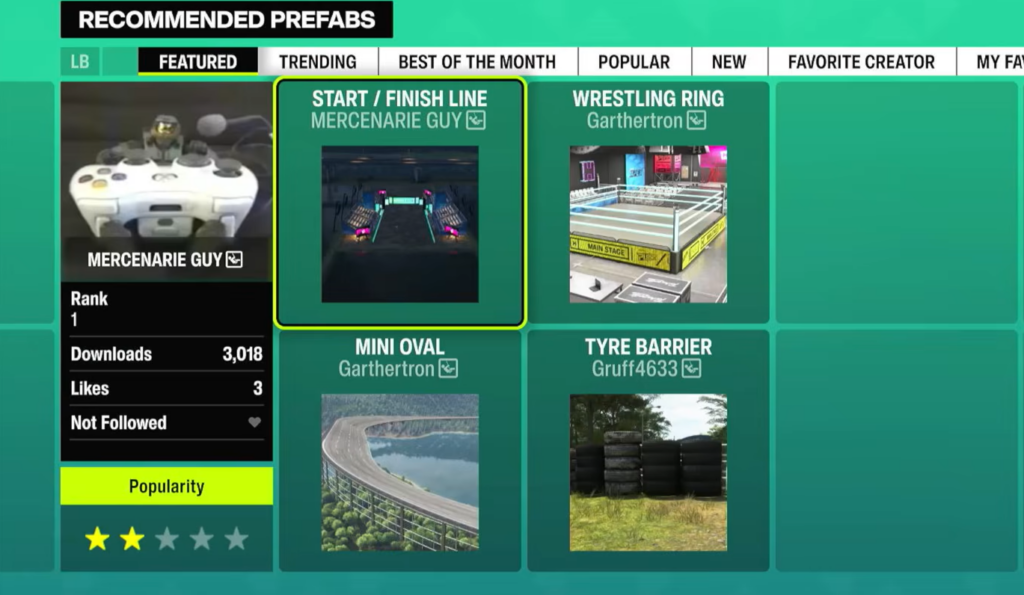
EventLab uses prefabs as modular track pieces. Creators package sets of parts that you place and connect to form a route, which is far faster than building a course from scratch. A touge-style pack, for example, can include straights, banked sections, hairpins, corners, car parks, and blank pieces you can shape into your own design.
| Prefab piece | Use |
|---|---|
| Straights | Connect corners and extend the route |
| Banks | Carry speed through fast curves |
| Hairpins | Tight technical turns |
| Corners | Standard directional changes |
| Car parks | Start areas, pit zones, or open sections |
| Blank pieces | Customize and fill gaps in your layout |
Note: Some prefabs are built as halves rather than a single full object. A lift piece, for instance, can be only one half of the structure, so you place two and adjust the spacing to match the length of the car you want to fit.
Create and share your own prefabs
You are not limited to other people’s work. You can build your own prefab, save it, and share it to the Creator Hub for other players to find and import. This is how packs of modular track pieces and garage layouts spread through the community, and it means the Search list keeps growing as more creators upload.
When you place a prefab from the hub, you can still move, rotate, and adjust it afterward. Treat an imported prefab as a starting point and reposition it until it fits your space or track flow.
How to confirm a prefab placed correctly
You know a prefab loaded when it appears in your build as one assembled piece that you can select and move together. For track prefabs, check that the connecting points line up with the next section so cars can drive through cleanly. For half-piece prefabs, place both halves and confirm the gap matches your car before you lock it in.
If a prefab does not appear in the Search list, adjust your filters, including any cost limit you set, since a tight budget cap can hide builds that exceed it. From there, keep mixing imported prefabs with your own placements until the Estate, garage, or track matches what you want.