Path of Exile 2 lets you team up with friends no matter which platform they own. Crossplay has been part of the game since it entered early access on December 6, 2024, and it covers PC, PlayStation 5, and Xbox Series X/S. Your character can also follow you between those platforms through cross-progression, with one important exception around purchases.
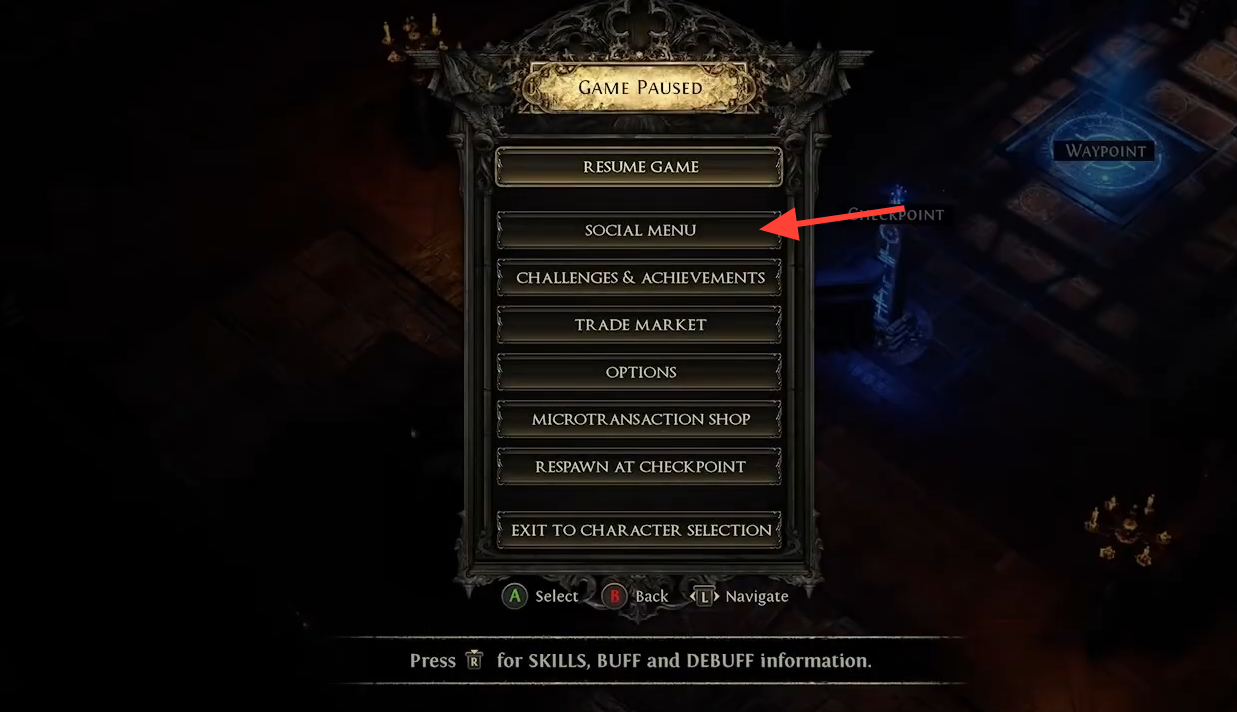
Quick answer: Crossplay is on across PC, PS5, and Xbox Series X/S. To play together, open the social menu, search for your friend’s account name, and send a party invite. Your character and items carry over between platforms when you log in with the same account, but cosmetics and stash tabs do not.
Which platforms support crossplay
Full crossplay works between every supported platform. Players on PC, PlayStation 5, and Xbox Series X/S can share the same party, run public zones together, and map side by side. Older consoles are not part of this. PlayStation 4 is not supported, so crossplay only applies to current-generation hardware.
| Platform pairing | Crossplay |
|---|---|
| PC and PlayStation 5 | Supported |
| PC and Xbox Series X/S | Supported |
| PlayStation 5 and Xbox Series X/S | Supported |
| PlayStation 4 | Not supported |
How to party up with friends across platforms
There is no platform-based friends sync, so you add people by their Path of Exile account name rather than their console gamertag or PSN ID. Co-op supports up to six players in a party.
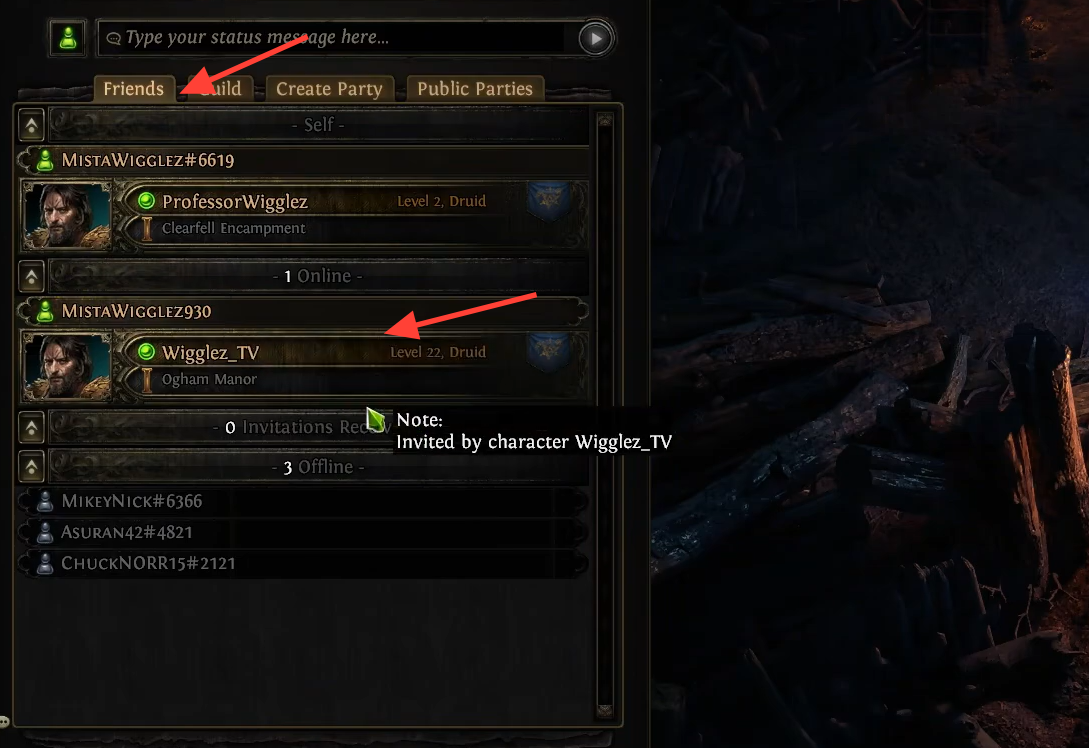
You can also build out a longer-term group. The game lets you create guilds and add players you meet in hub areas or reach through the in-game chat.
Console matchmaking: why you may not see PC players
If you are on PlayStation 5 or Xbox Series X/S, the game places you in instances with other console players by default. You will only mix with PC players when you specifically join a party that already includes someone on PC. So if you want to play with a PC friend, send or accept a party invite first instead of relying on automatic matchmaking.
How to turn crossplay on or off on PS5 and Xbox
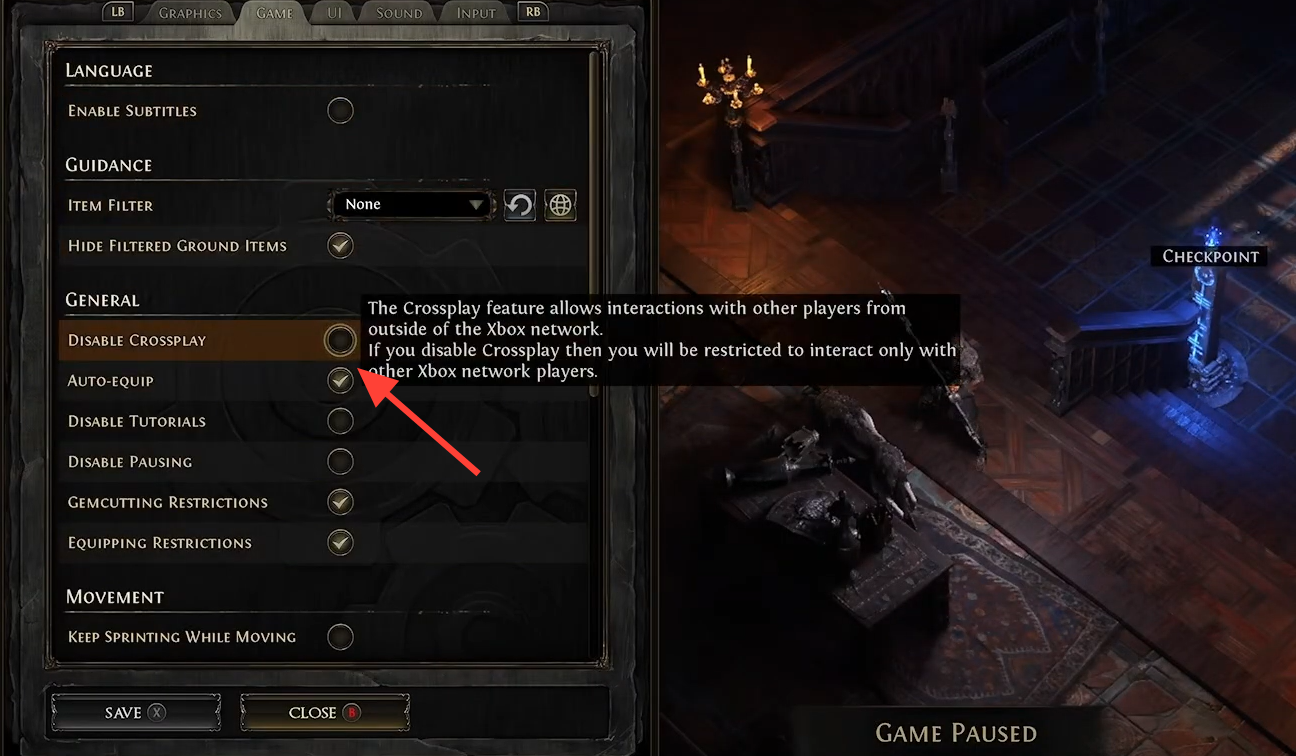
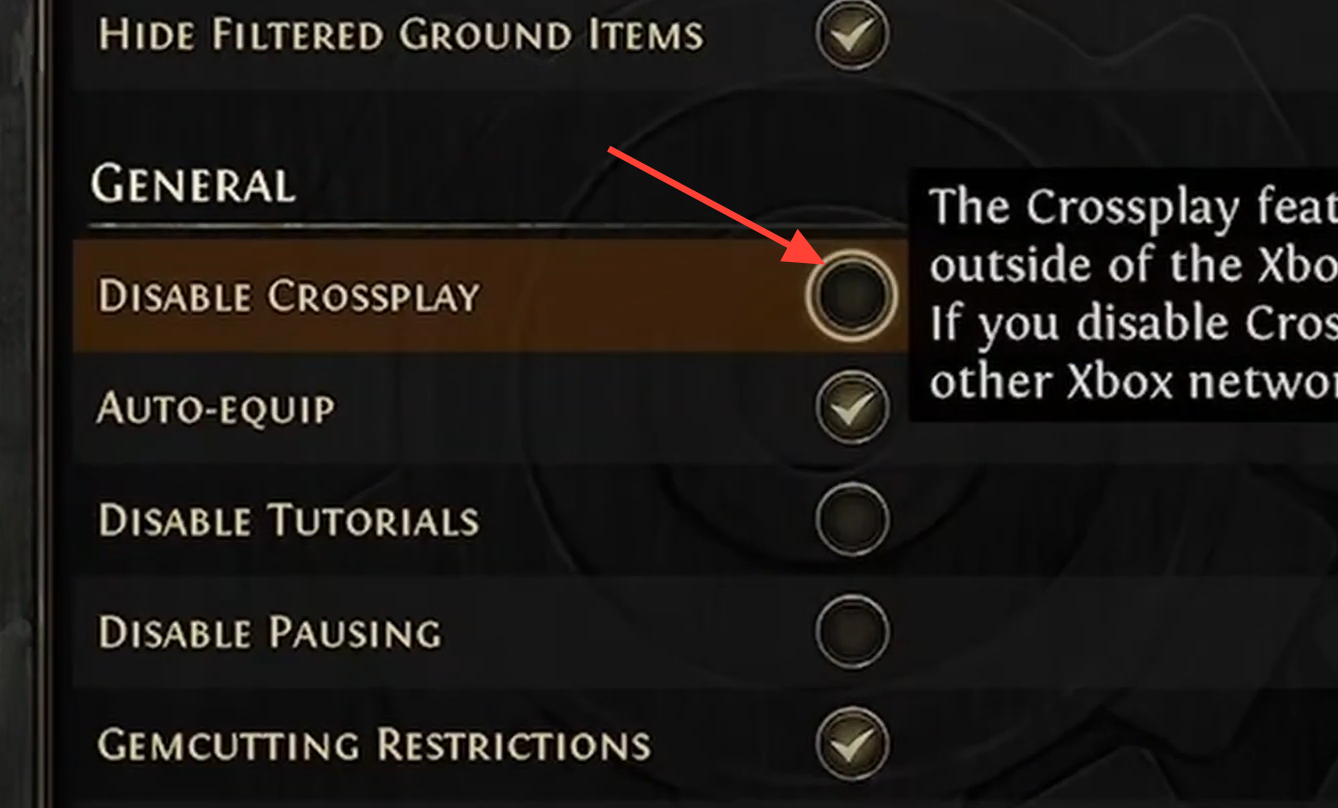
PC players cannot disable crossplay. It is always on, with no toggle. Only PlayStation 5 and Xbox Series X/S players can choose to limit matchmaking to their own platform, and they can switch it back at any time.
Cross-progression: what carries over and what stays locked
Cross-progression is tied to your account. Log in with the same account on a different platform, and your character progress and items come with you, so you can start on PC and continue on a PlayStation or Xbox console. The catch is purchases. Microtransactions, cosmetics, and stash tabs do not transfer the same way.
PlayStation microtransactions are locked to PlayStation and cannot be used on PC or Xbox. PC and Xbox, on the other hand, share microtransactions with each other. The shared stash and bought cosmetics stay account-specific and platform-locked along those same lines.
| Item type | Carries across platforms? |
|---|---|
| Character progress | Yes, with the same account |
| In-game items | Yes, with the same account |
| Microtransactions and cosmetics | No (PC and Xbox share; PlayStation is separate) |
| Stash tabs | No, platform-locked |
You need a separate copy for each platform
Early access keys are tied to a specific platform. If you plan to play on more than one platform, you have to buy the game separately for each one. Cross-progression moves your character between those copies, but it does not remove the need to own the game on every platform you want to play on.
For most groups, the setup is simple. Make sure everyone is on PC, PS5, or Xbox Series X/S, search by account name in the social menu, and form a party so console players join the same instances as their PC friends. Keep in mind that your loot and levels travel with your account, while anything you paid for stays on the platform where you bought it.