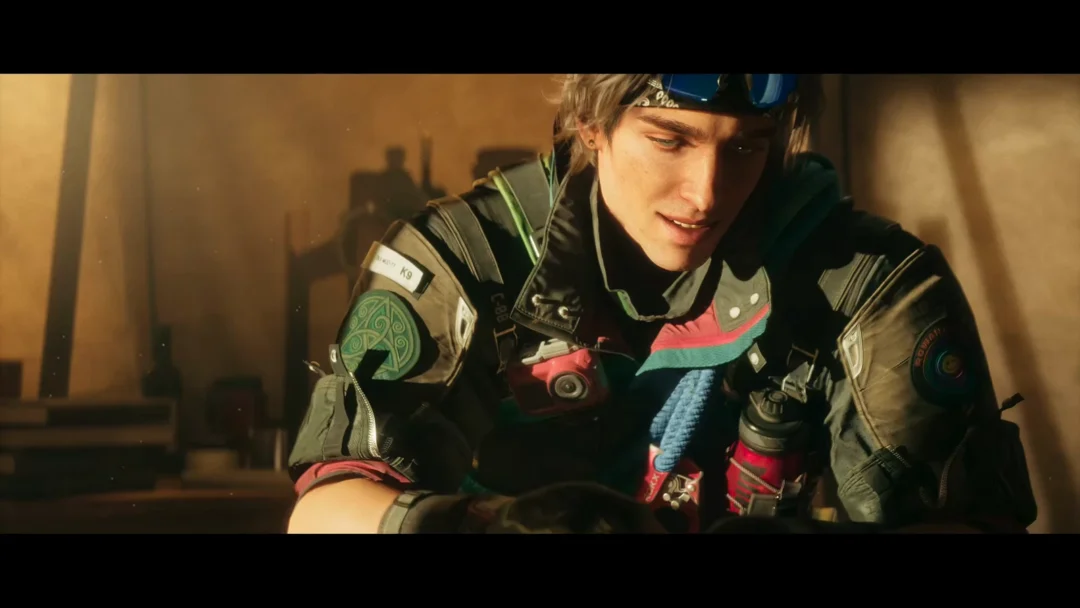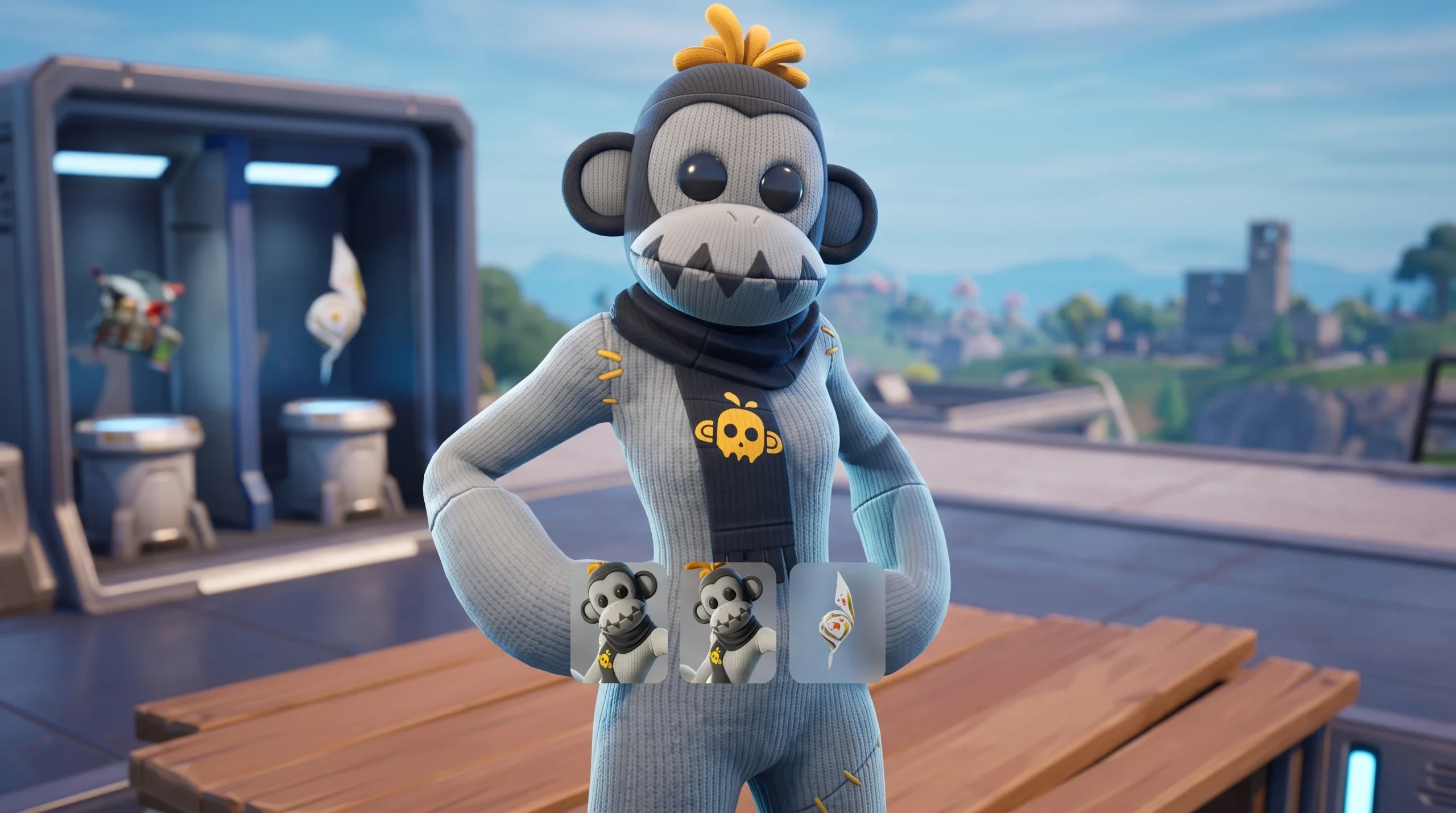
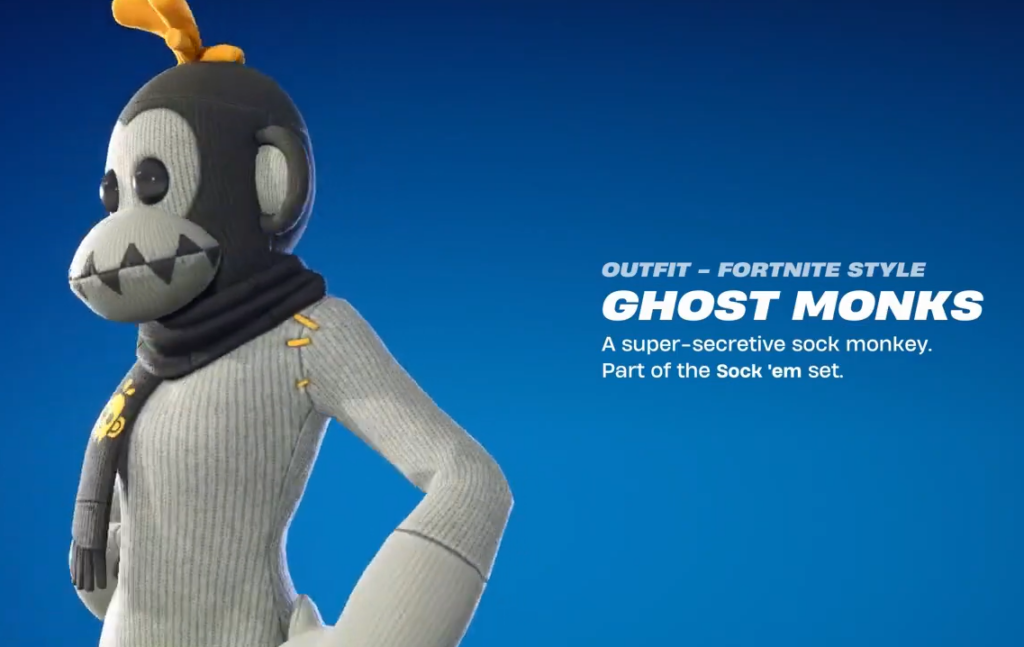
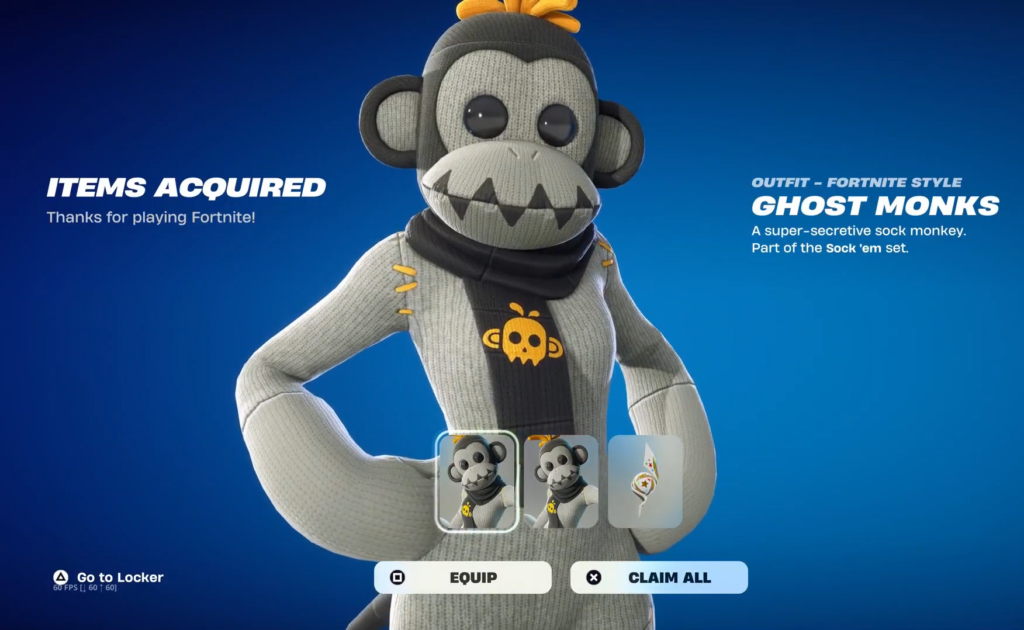
GHOST Monks is a free outfit in Fortnite, but it isn’t sitting in the Item Shop waiting to be bought. It’s a bonus tied to the new Fortnite gift cards, and the only way to get it is to redeem one of those cards on your Epic Games account. The skin belongs to the Sock ’em set and comes in both a Fortnite style and a LEGO style.
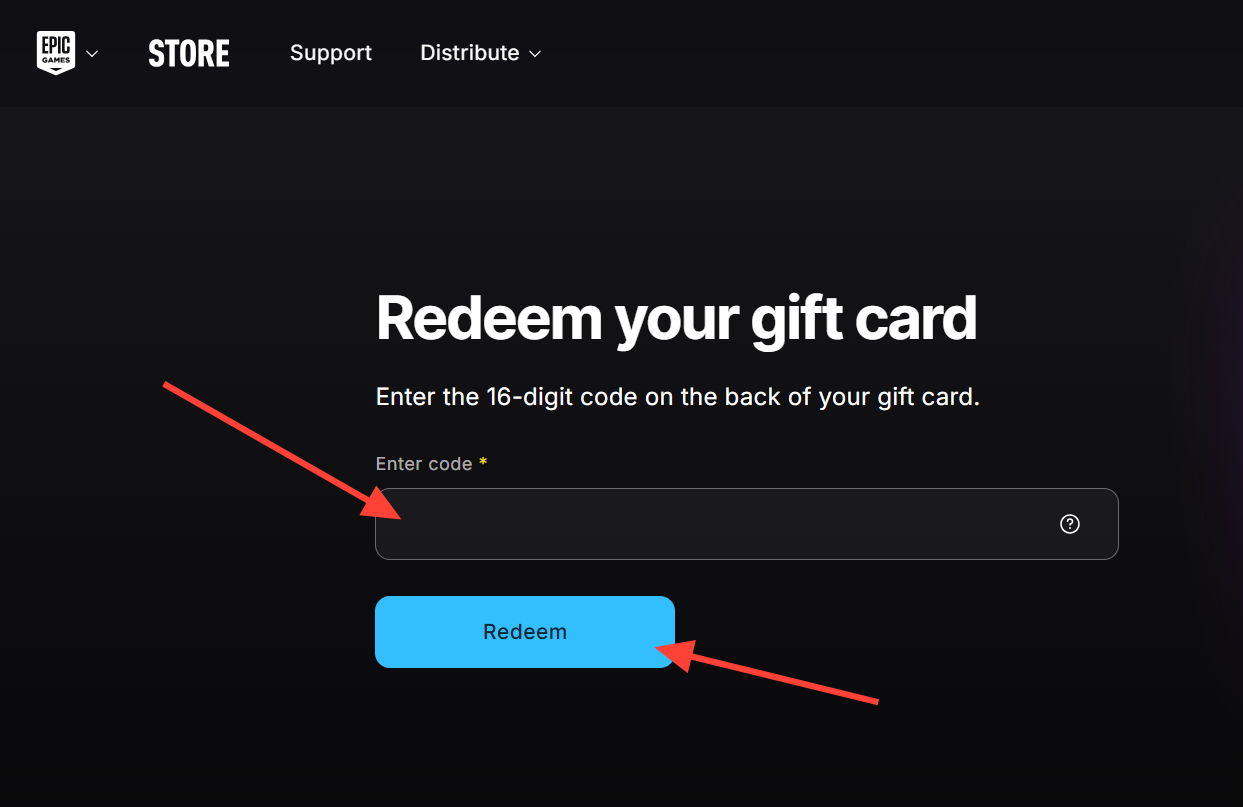
Quick answer: Redeem a new Fortnite gift card at redeem.epicgames.com for the first time on your account before December 31st, 2026. GHOST Monks unlocks automatically the next time you launch Fortnite.
What actually unlocks GHOST Monks
The trigger is a single action. When you redeem a new Fortnite gift card on your Epic Games account for the very first time, GHOST Monks is added to your locker. It doesn’t matter whether you bought the card yourself or received it from someone else. The reward lands on the first redemption tied to your account.
One detail matters more than any other here. The offer only works with the new Fortnite gift card, which replaces the older V-Bucks cards. Redeeming an older V-Bucks card will not grant the skin. These new cards can also be spent on the Epic Games Store for other games, add-ons, and the Fortnite Crew subscription, not just V-Bucks.
Deadline and where the cards are sold
The free offer runs until December 31st, 2026. Redeem before that date to claim GHOST Monks at no extra cost. After the deadline, the skin is expected to show up for purchase in the Fortnite Shop, likely sometime in 2027, so this is the only period where you can get it as a free bonus.
The new Fortnite gift cards began rolling out in June 2025. They are available from retailers in the following regions.
| Region |
|---|
| United States |
| United Kingdom |
| Ireland |
| France |
| Germany |
| Austria |
| Belgium |
| The Netherlands |
| Italy |
| Spain |
| Portugal |
How to redeem a Fortnite gift card step by step
How to confirm it worked
You’ll know the redemption succeeded when Fortnite shows the “ITEMS ACQUIRED” screen naming GHOST MONKS, described as “A super-secretive sock monkey. Part of the Sock ’em set.” The reward includes two icons, one for the Fortnite style and one for the LEGO style, and the screen reports “2 ITEMS COLLECTED” once claimed. After that, the outfit sits in your Locker under both styles.
If the skin doesn’t appear, the usual reasons are straightforward. You may have redeemed an older V-Bucks card instead of the new Fortnite card; this may not be the first card redeemed on your account, or the redemption fell outside the offer window that ends December 31st, 2026.
Because the deadline is fixed and the skin only leaves the free window once, the safest move is to redeem your card and load into Fortnite to confirm the outfit is in your Locker well before the end of 2026.