

Extracting audio from video files often requires separate apps or uploading content to online converters, which could slow down your workflow and risk privacy. With the latest PowerToys update for Windows 11, you can now pull the audio track from any video file and save it as an MP3 in seconds, all without leaving your desktop or relying on additional software.
Extracting Audio from Video Files Using PowerToys Advanced Paste
winget install --id Microsoft.PowerToys
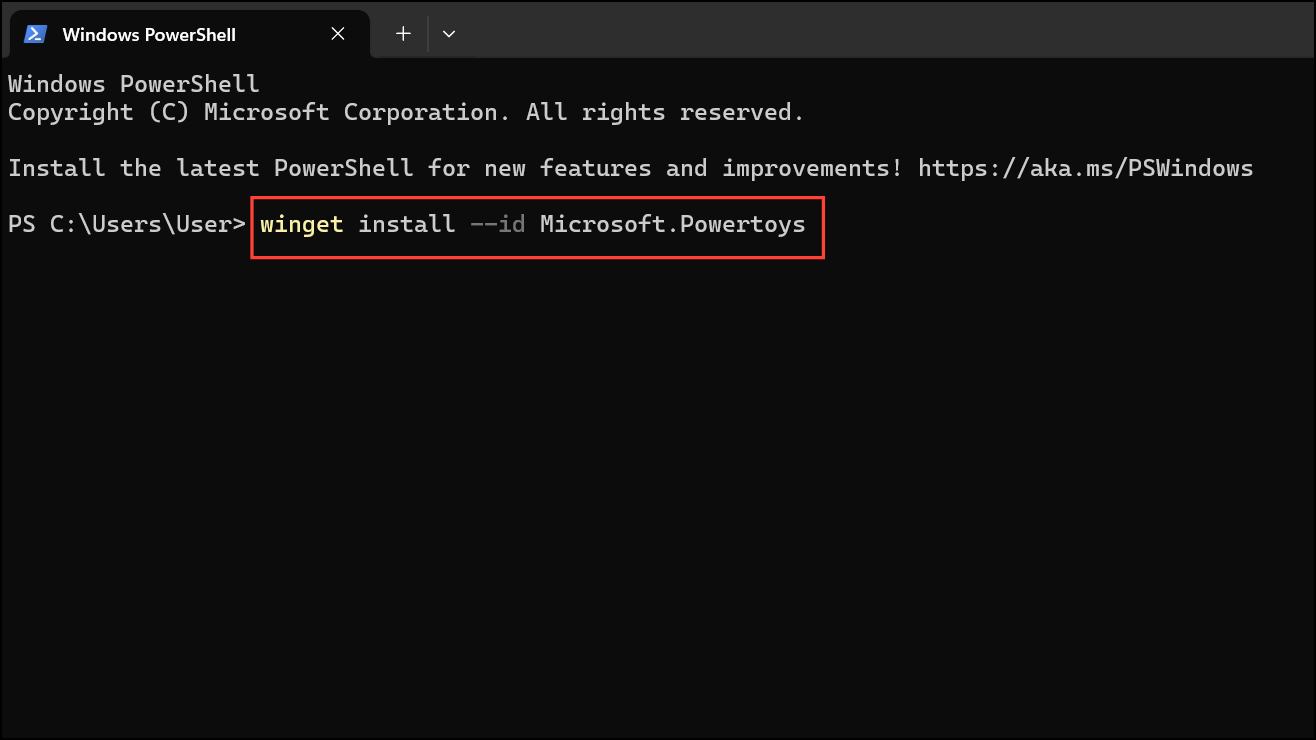
This command downloads and installs the latest version directly from the Microsoft Store repository.
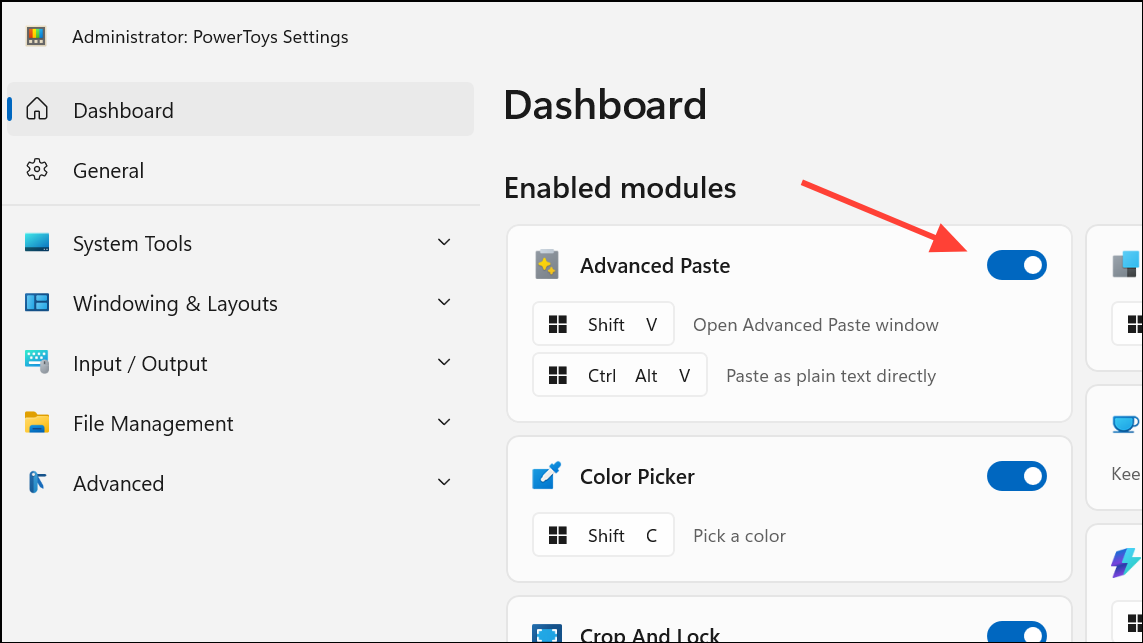
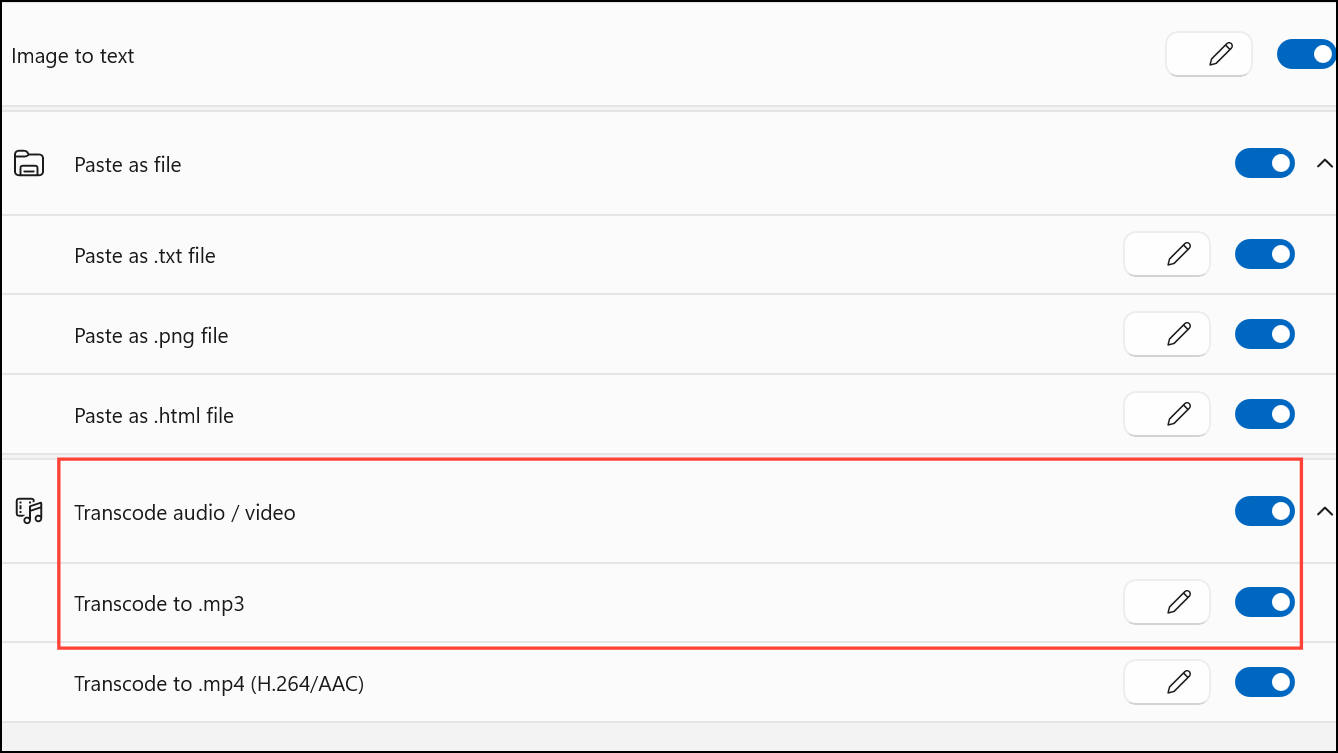
Ctrl + C to copy it to your clipboard.Windows Key + Shift + V to launch the Advanced Paste window. This window will display available conversion options for the file you copied.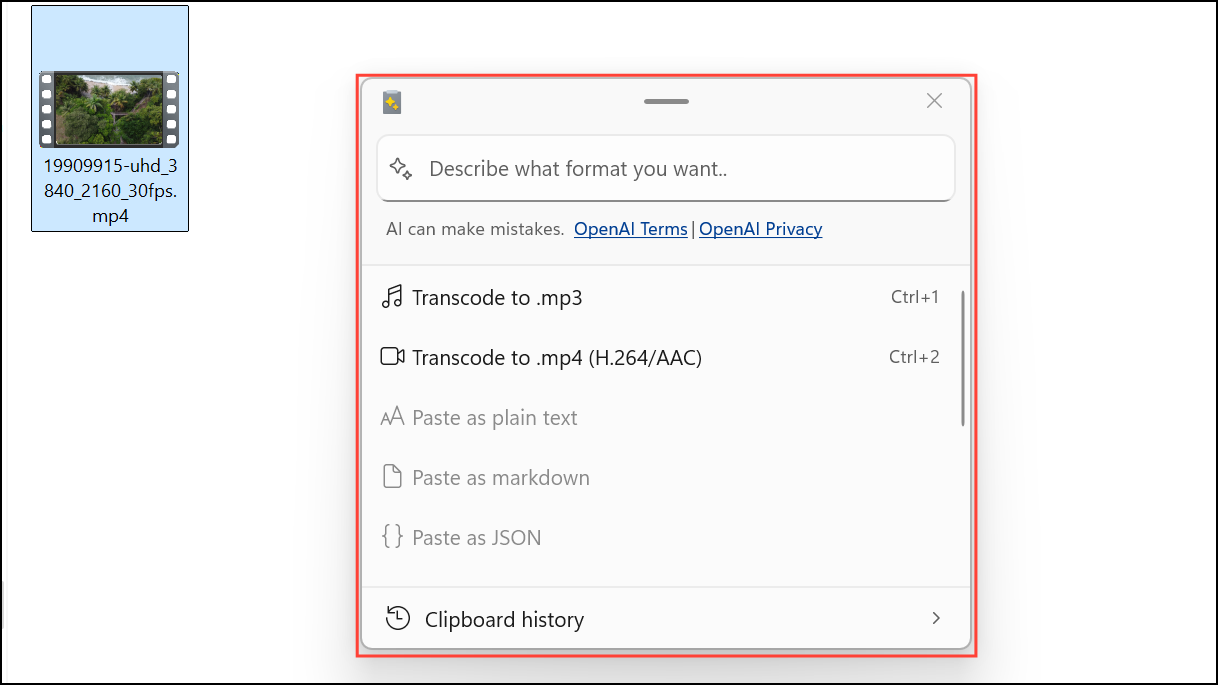
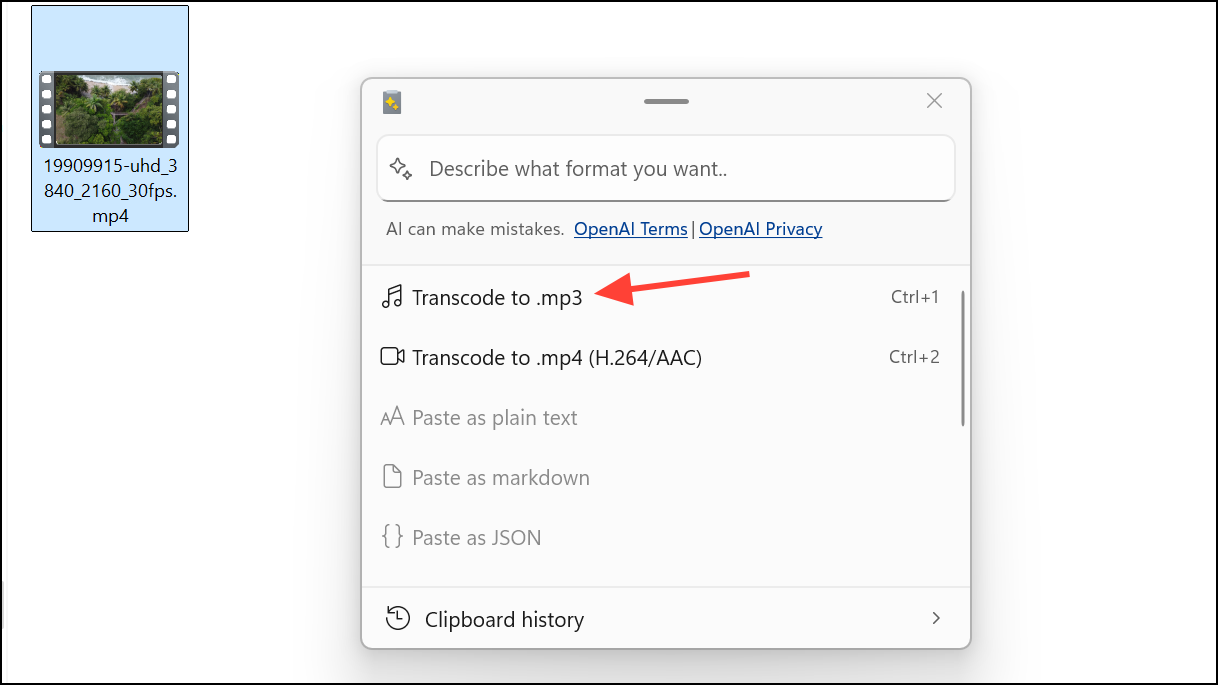
The extracted audio file is ready for use in podcasts, presentations, or editing software. This process works entirely offline, keeping your files private and eliminating upload wait times.
Key Details and Troubleshooting
PowerToys Advanced Paste supports a wide range of video and audio file types, including MP4, MKV, MOV, WMV, and more. However, some formats like WEBM or AVI may not be supported. Conversion speed depends on file size, but even large files process quickly compared to online tools.
There are a few limitations to keep in mind:
- Batch conversion is not supported—extract audio from one file at a time.
- Audio output settings such as bitrate or quality are fixed and cannot be customized within PowerToys. For advanced control, consider using tools like FFmpeg or Audacity.
- Files larger than 500MB may occasionally trigger errors without clear details; try splitting large files or using alternative conversion software if this occurs.
All conversions are handled locally, so no internet connection is required after installation. This guarantees privacy and faster processing compared to web-based services.
With PowerToys Advanced Paste, extracting audio from video files on Windows 11 is now a matter of a few keyboard shortcuts—no extra apps, uploads, or complex steps needed. This upgrade streamlines content workflows and gives you more control over your media files.



