

Screen capture utilities allow users to quickly save, edit, and share images from their desktop or active windows. When Snipping Tool is unavailable or lacks certain features, switching to an alternative can streamline your workflow and restore lost functionality. The following instructions outline effective ways to use reliable alternatives that provide the same core features as the Snipping Tool.
Using Greenshot for Screenshot Capture and Annotation
Greenshot is a lightweight, open-source screenshot tool for Windows that closely matches Snipping Tool’s capabilities. It allows users to capture regions, windows, or the full screen, and offers built-in annotation tools for editing screenshots immediately after capture.
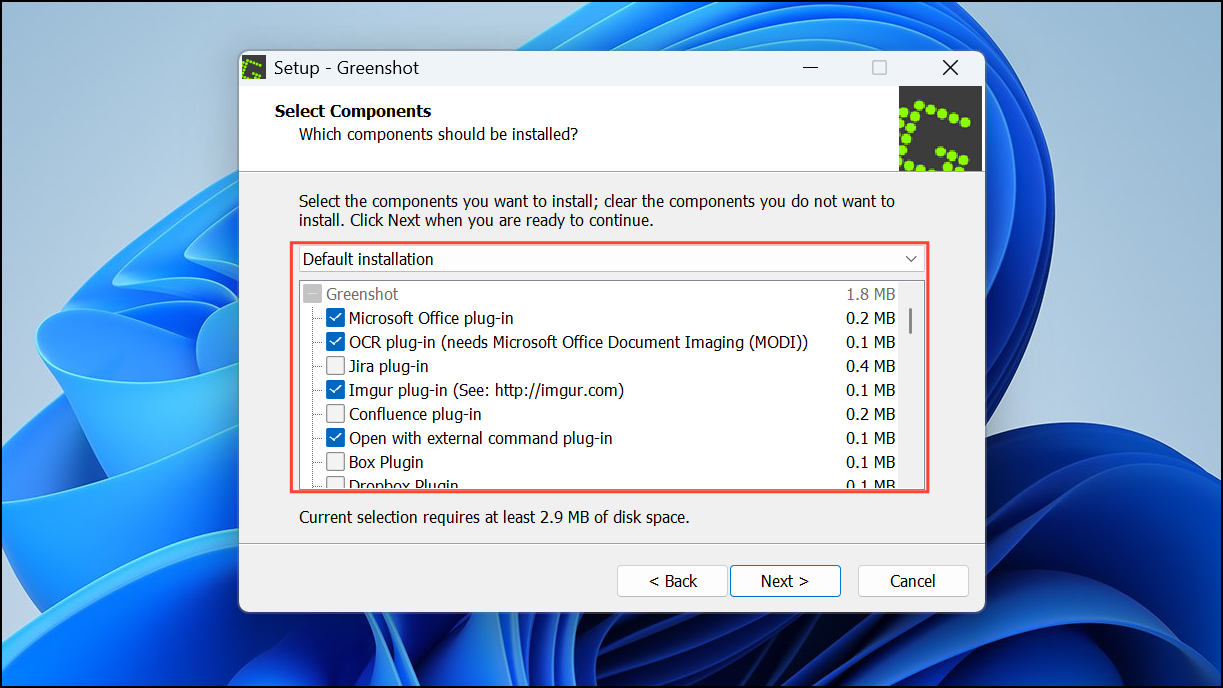
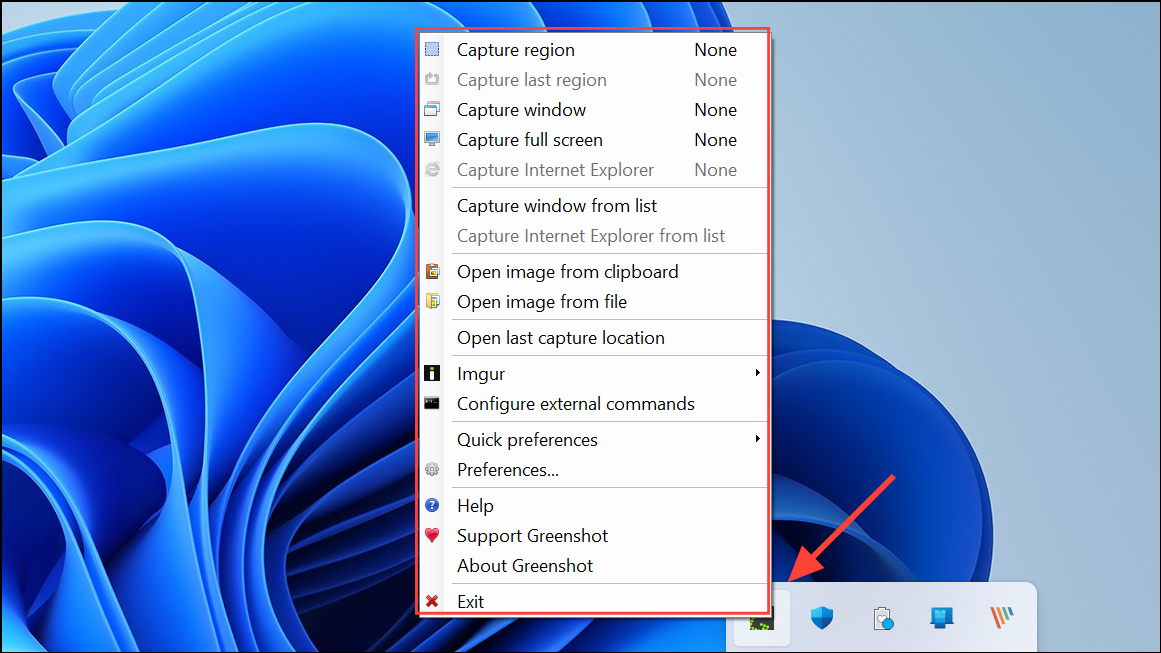
Ctrl + Print Screen for region capture, or select other capture modes from the tray icon menu. Greenshot allows you to capture the full screen, a specific window, or a user-defined area.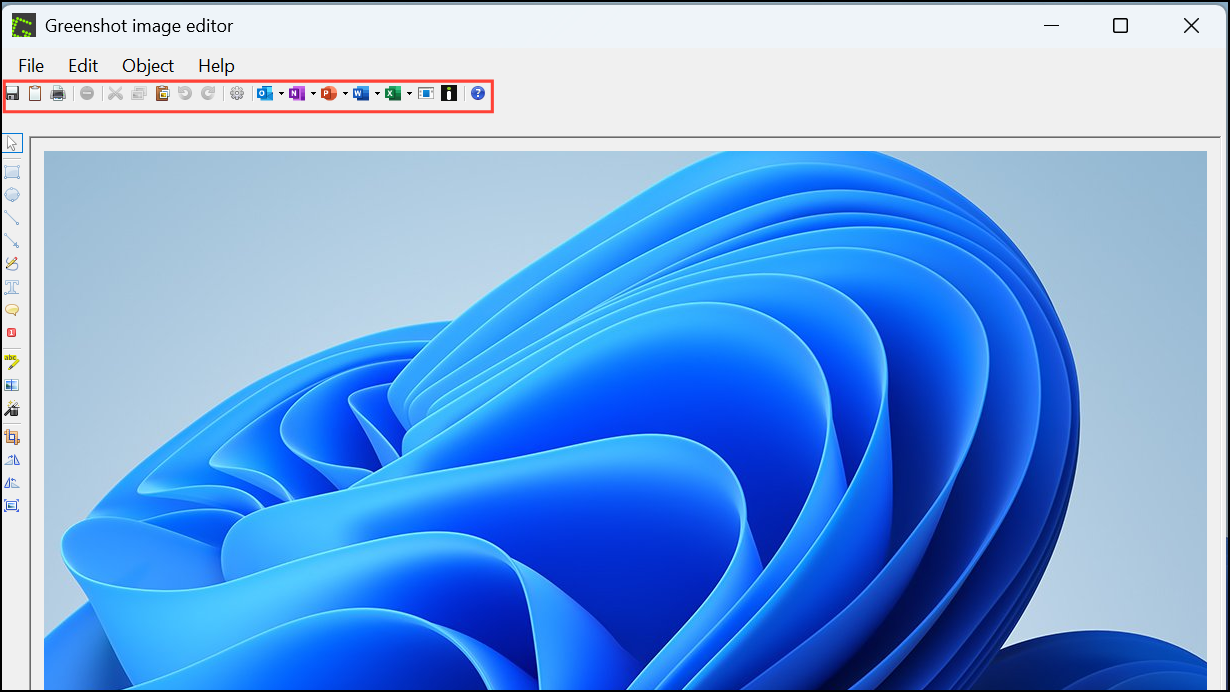
Greenshot also supports customizable hotkeys and direct upload to online services, which can speed up repetitive tasks for frequent screenshot users.
Using ShareX for Advanced Screenshot Needs
ShareX is a free, open-source tool that provides all Snipping Tool functions, plus advanced options like scrolling capture, GIF recording, and workflow automation. Its interface may seem complex at first, but it offers extensive customization for power users.
Capture button in the left sidebar and select Region. Alternatively, use the default hotkey Shift + Print Screen.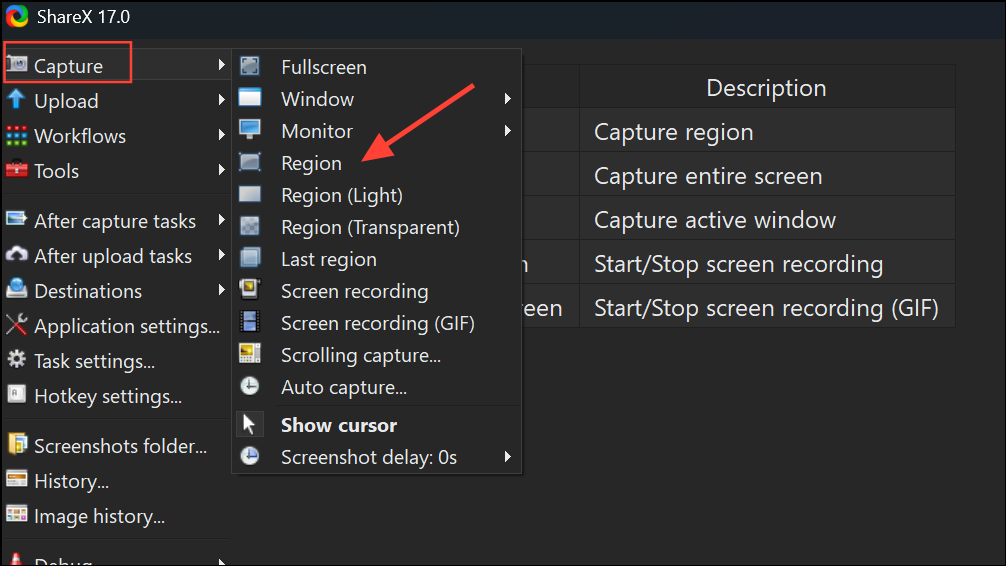
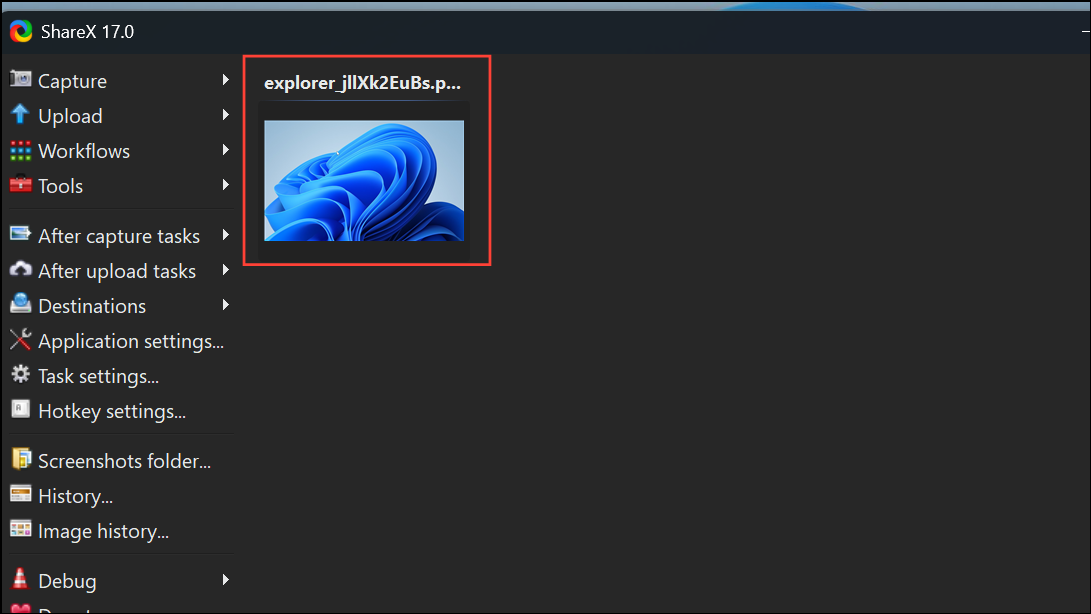
Edit image.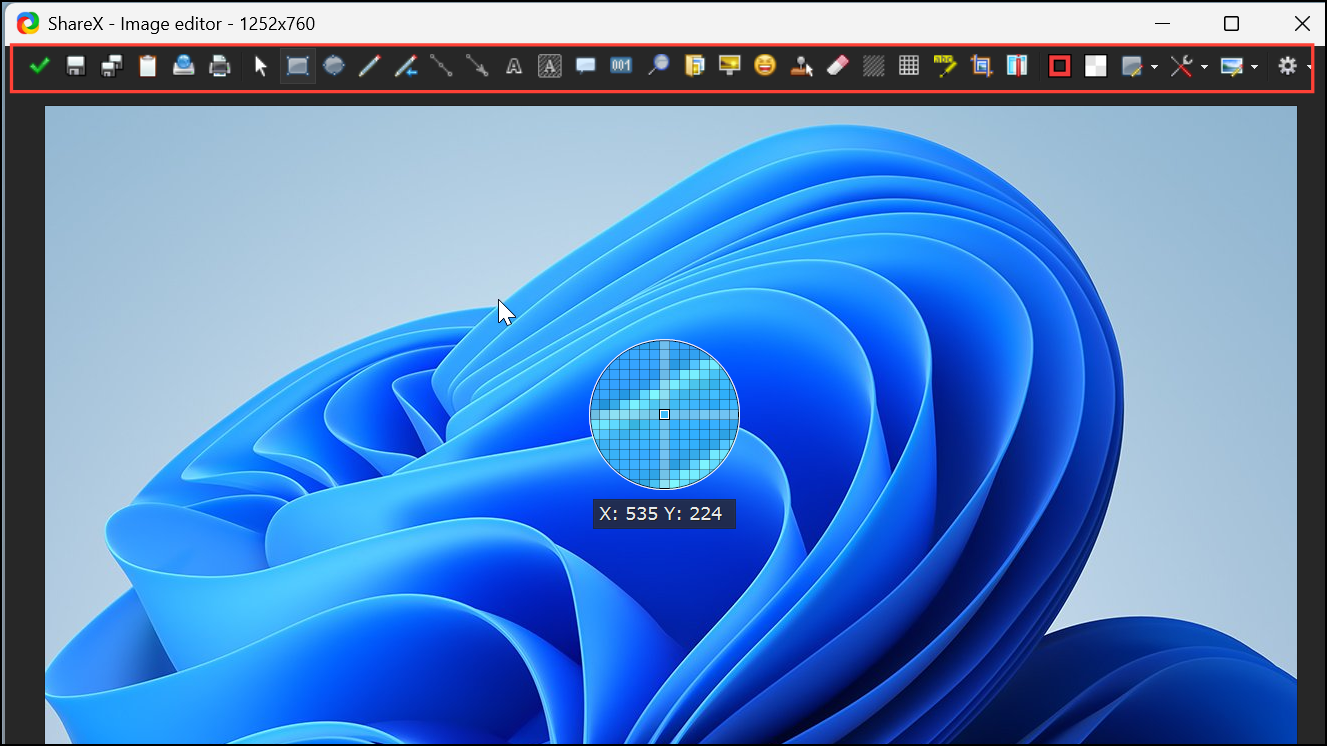
ShareX’s automation features allow you to set up workflows, such as automatically copying images to the clipboard or performing OCR on captured text.
Using Windows Snip & Sketch as a Built-In Alternative
Snip & Sketch is Microsoft’s newer screenshot tool, integrated into Windows 10 and 11. It provides similar functionality to Snipping Tool, including region selection and annotation, with a modern interface.
Windows key + Shift + S. The screen dims, and a small menu appears at the top of the display.Snip & Sketch is pre-installed on most modern Windows systems, making it an immediate replacement for Snipping Tool without additional downloads.
Switching to alternatives like Greenshot, ShareX, or Snip & Sketch restores the screenshot and annotation features you rely on from Snipping Tool, while offering additional options for customization and sharing.





