
ReadyBoost allows Windows to use a USB flash drive as extra memory cache, which can help speed up older systems with limited RAM. On Windows 11 22H2, some users notice the ReadyBoost tab is missing from USB drive properties, making it impossible to enable this feature directly. This issue can result from hardware limitations, drive formatting, or system configuration changes in the latest Windows updates. Addressing these factors restores the ReadyBoost option and lets you use your USB drive for improved system responsiveness.
Check USB Drive Compatibility and Format
File Explorer and locate the drive under This PC.Properties. If the ReadyBoost tab is missing, your drive may not meet the requirements. ReadyBoost needs a USB 2.0 or 3.0 drive with at least 256 MB free space, and the drive must have a fast enough read/write speed for caching.NTFS or exFAT. Open File Explorer, right-click the drive, and choose Format. Select NTFS or exFAT as the file system, check Quick Format, and click Start. Formatting erases all data, so back up any important files first.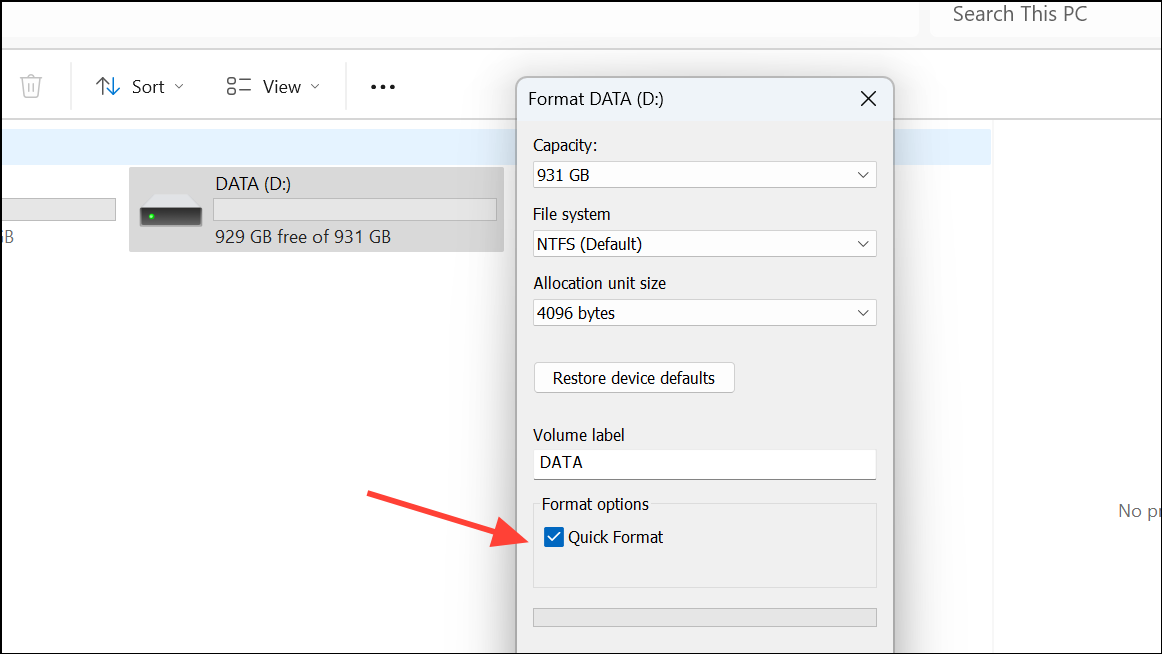
Check for System or Policy Restrictions
Windows + R, type gpedit.msc, and press Enter.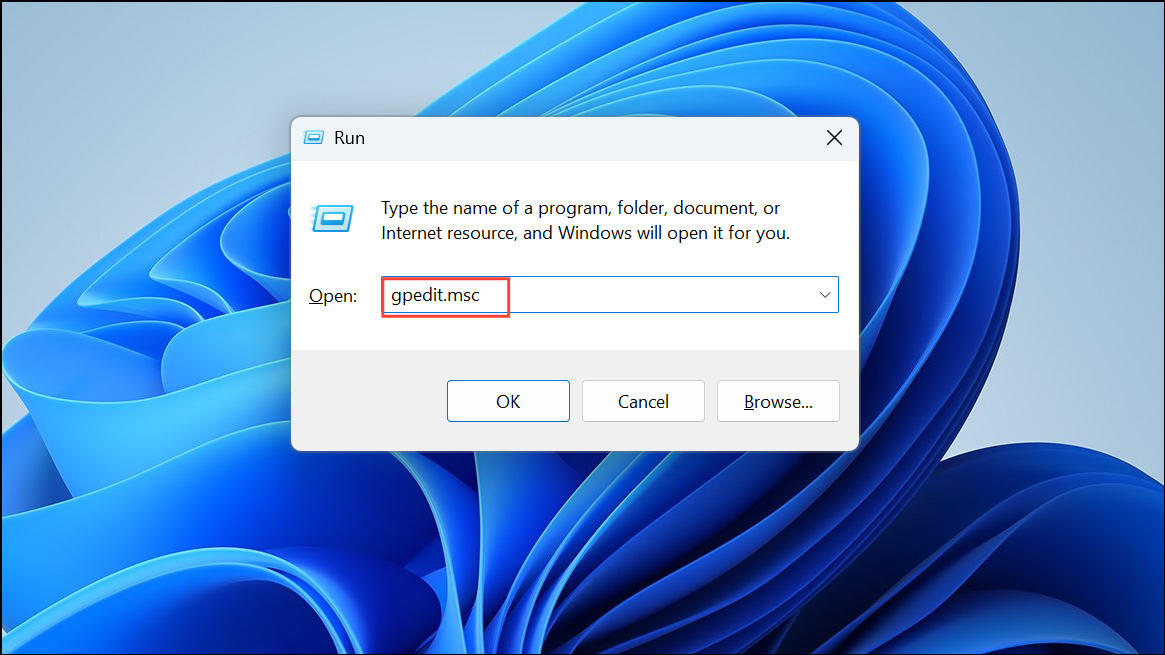
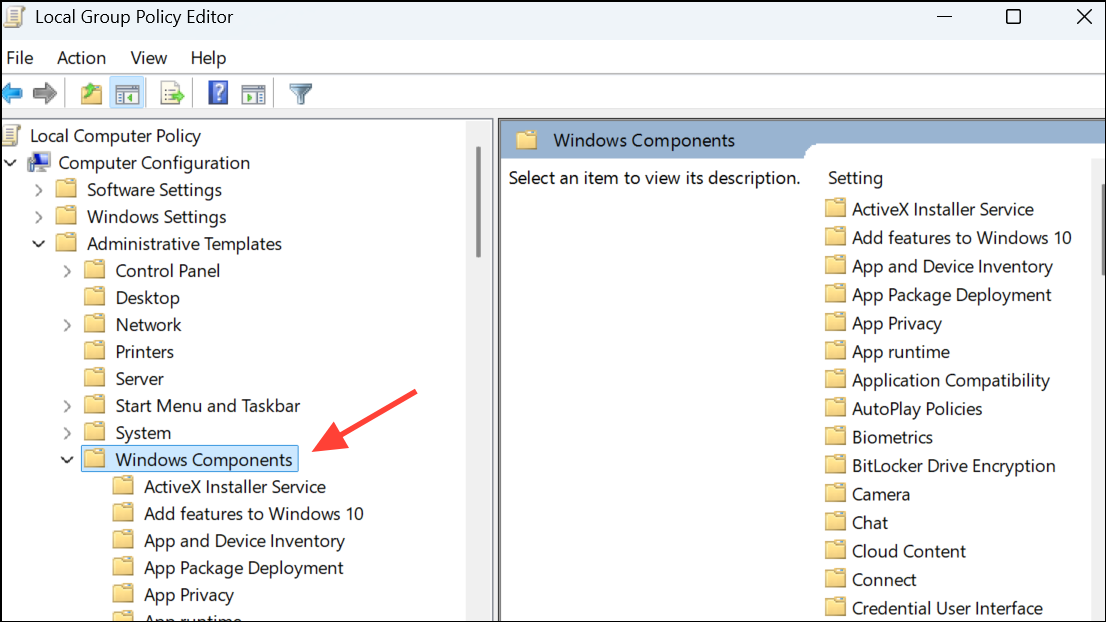
Do not allow ReadyBoost on removable drives and set it to Not Configured or Disabled. Click OK. If you are on a home edition of Windows, gpedit.msc may not be available, but most home systems do not restrict ReadyBoost by policy.Update Windows and Drivers
Settings and go to Windows Update. Click Check for updates and install any available updates. A system restart may be required.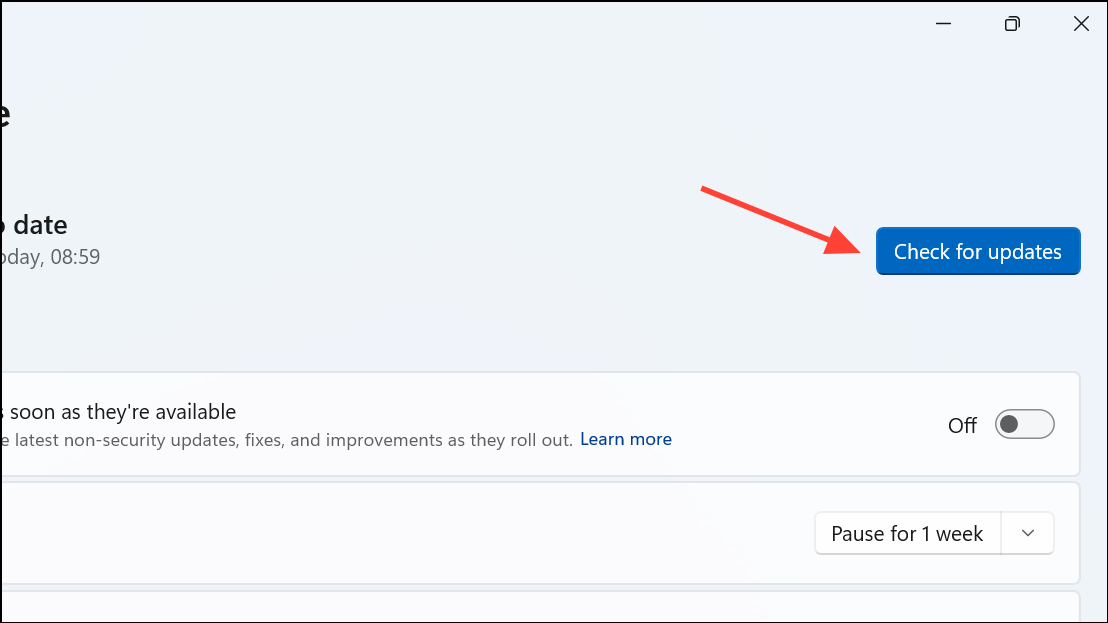
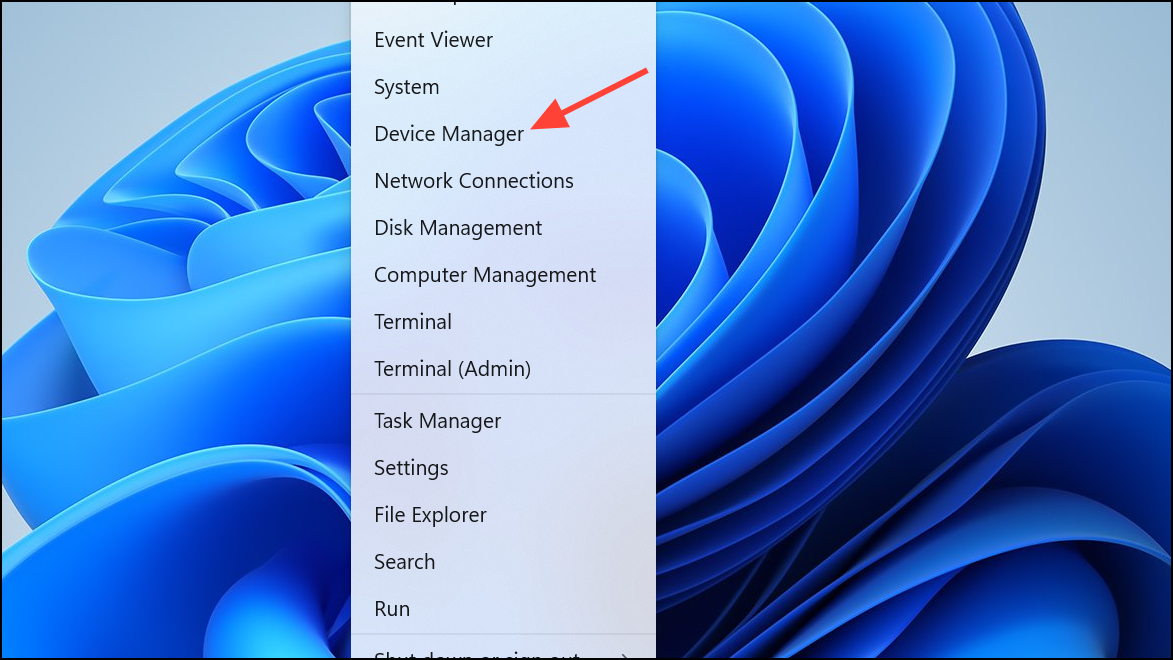
Universal Serial Bus controllers, right-click your USB drive, and choose Update driver. Select Search automatically for drivers.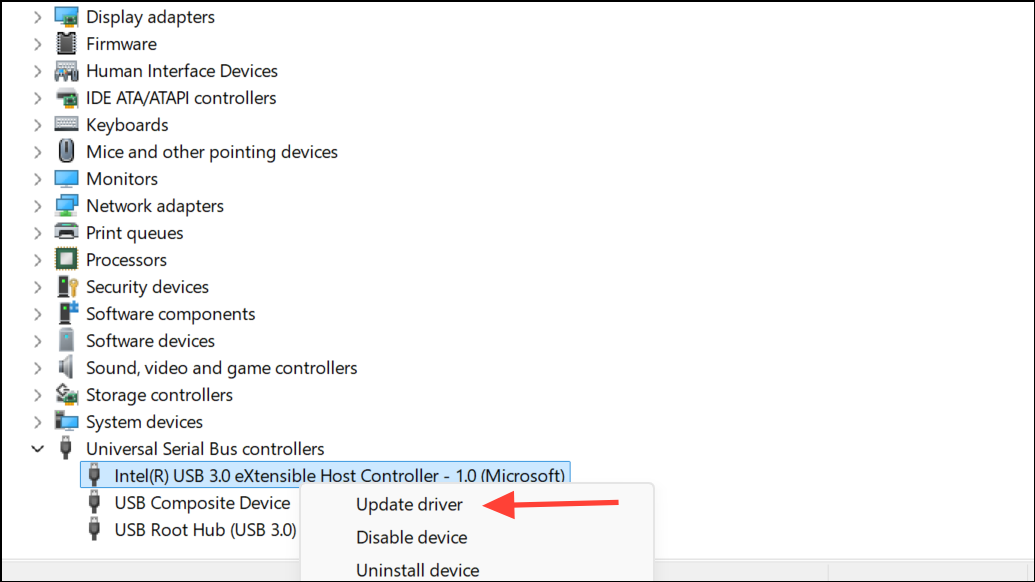
Try a Different USB Port or Drive
By following these steps, you can restore the ReadyBoost option and use your USB drive to improve system performance on Windows 11 22H2. If ReadyBoost is not available after all troubleshooting, your system may already be optimized, or the feature may be deprecated on your hardware configuration.



