How to Output Audio to Multiple Devices in Windows 11
Follow these steps to configure Windows 11 to play sound through multiple audio devices simultaneously.
Follow these steps to configure Windows 11 to play sound through multiple audio devices simultaneously.
by Pallav Pathak
Windows 11 defaults to playing audio through a single output device at a time, whether it’s your speakers, headphones, or an external monitor. While this works fine for most users, there are situations—like streaming media across multiple rooms or monitoring audio through both speakers and headphones—where playing audio simultaneously through multiple outputs becomes necessary.
Fortunately, Windows 11 provides a built-in feature called “Stereo Mix” that allows you to route audio to two different output devices simultaneously. This guide explains how you can use it without any hassle.
Method 1: Using Stereo Mix to Output Audio to Multiple Devices
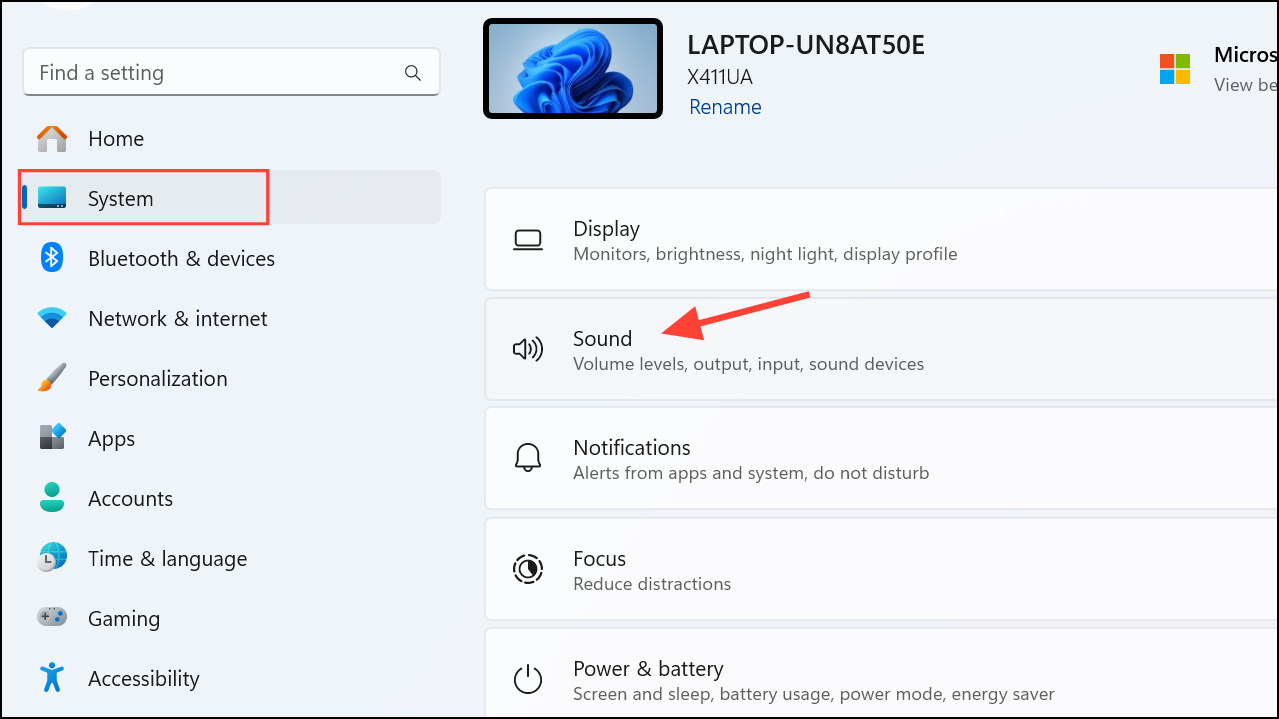
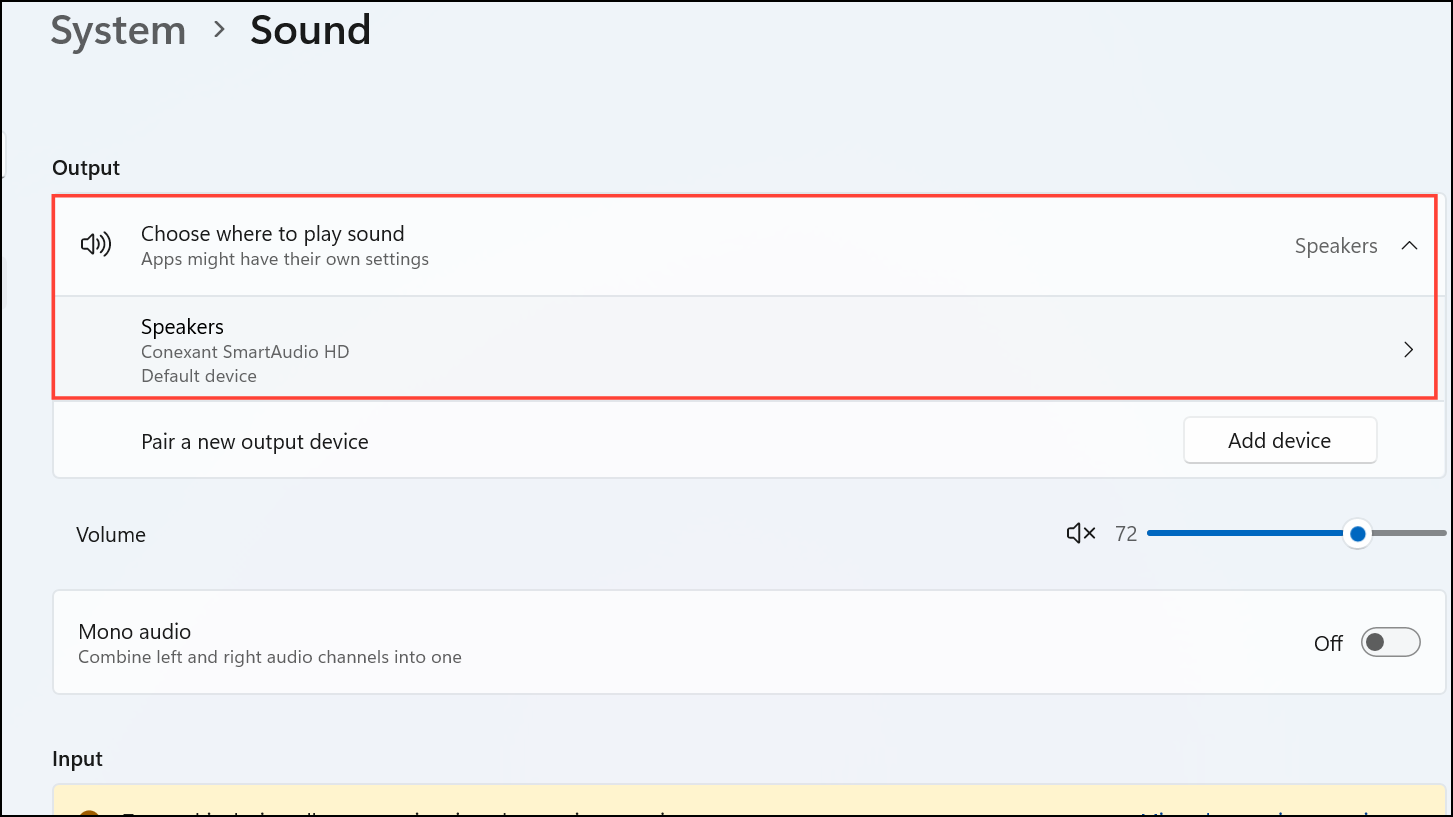
Under the “Choose where to play sound” section, select your primary audio output device. This will be your main source, such as your speakers or headphones.
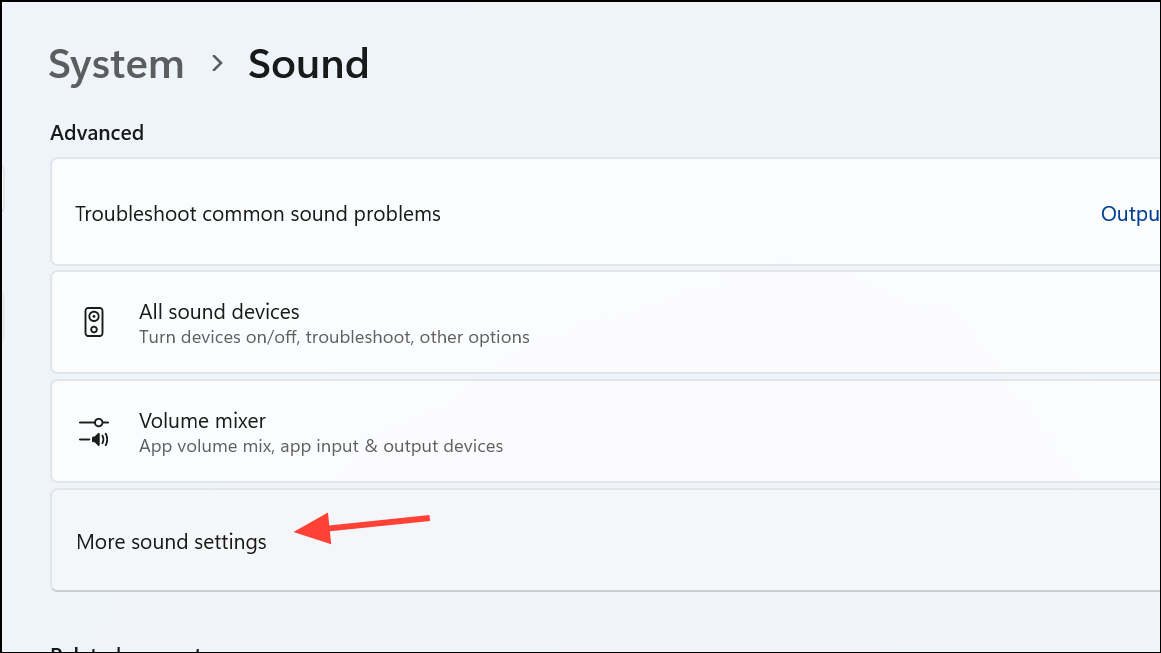
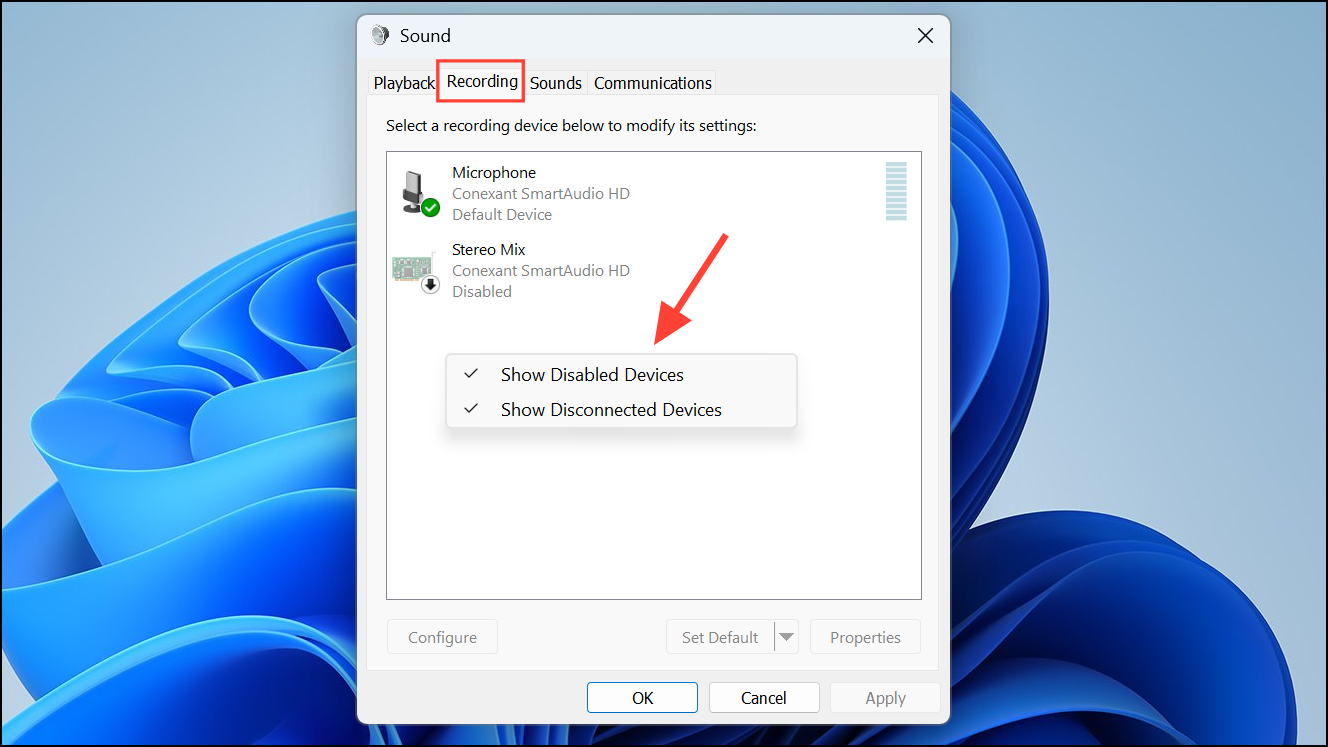
In the sound control panel that appears, switch to the “Recording” tab. Right-click anywhere in the empty space within this tab and make sure “Show Disabled Devices” is checked. This step reveals hidden audio options.
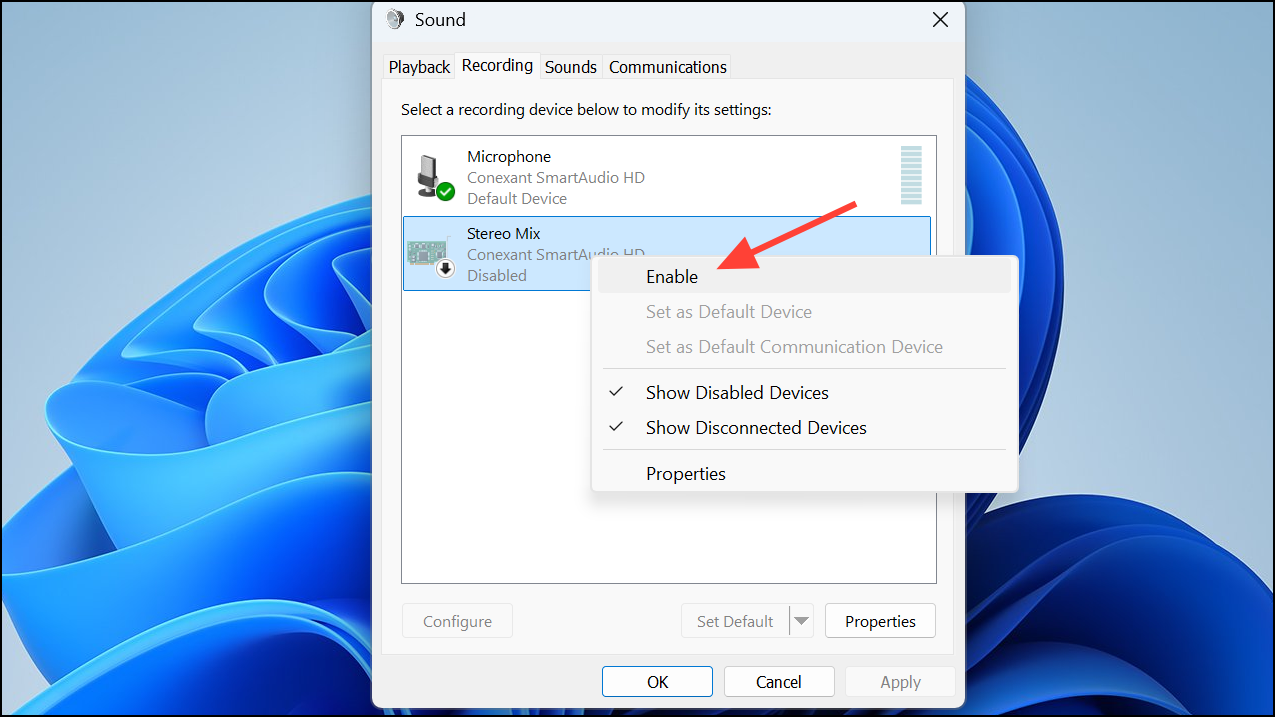
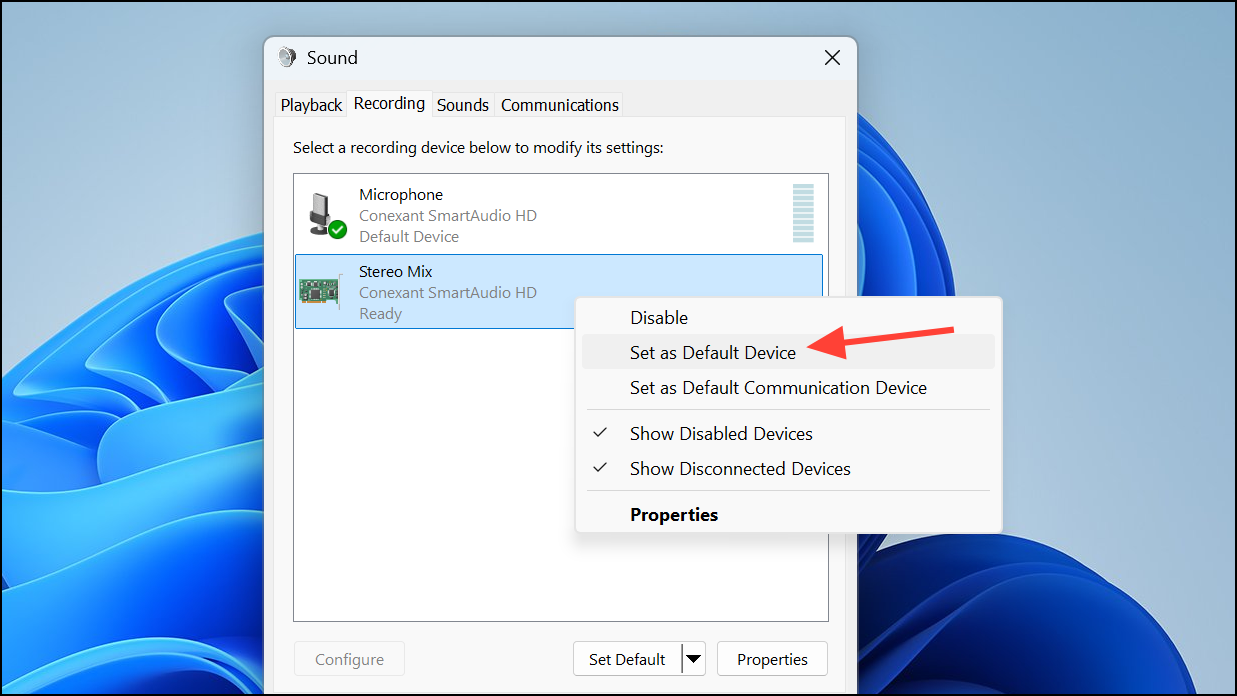
Look for the “Stereo Mix” option in the list. If you don’t see it, your device may not support it, or your audio drivers might need updating. If Stereo Mix appears, right-click on it and select “Enable.”
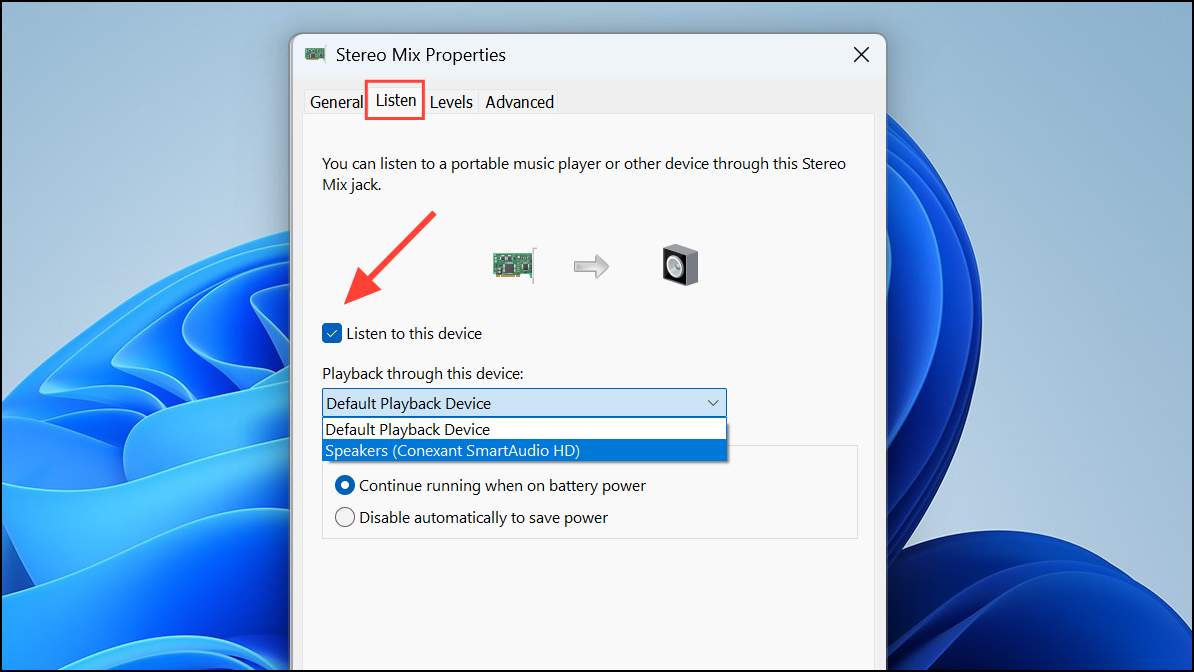
Double-click on Stereo Mix to open its properties window. Navigate to the “Listen” tab, check the box labeled “Listen to this device,” and from the drop-down menu below, select the second audio output device you want to use simultaneously with your primary device.
Click “Apply” and then “OK” to save your settings. To ensure that the changes take effect properly, restart your computer. After restarting, test by playing audio to confirm that sound comes from both selected devices.
If you encounter issues such as audio delays or synchronization problems, ensure your audio drivers are up-to-date and consider using devices connected via USB or 3.5mm audio jacks, as HDMI connections might not yield optimal results for this method.
Method 2: Using Third-Party Software (Voicemeeter)
If your computer doesn’t support Stereo Mix or you need more robust audio routing features, Voicemeeter is an excellent alternative. It’s a free, third-party audio mixer that allows you to route audio to multiple outputs easily.
Download and install Voicemeeter from the official website. After installation, restart your computer to ensure the software integrates fully with your system.
Open Voicemeeter and configure your audio outputs. In the “Hardware Out” section at the top-right, select your first audio device (e.g., speakers) for “A1” and your second audio device (e.g., headphones) for “A2.”
Set Voicemeeter as your default playback device by right-clicking the volume icon in the taskbar, selecting “Sound settings,” and then choosing Voicemeeter as the default output.
Play audio from your computer. You should now hear audio simultaneously from both selected devices. Voicemeeter also offers advanced settings for adjusting volume levels, mixing, and audio latency adjustments to better suit your needs.
Troubleshooting Common Issues
Here are quick solutions for common problems users face when setting up audio through multiple devices:
Stereo Mix not visible: Update your audio drivers from your device manufacturer’s website. If still unavailable, your hardware may not support Stereo Mix.
Audio delay or echo: Try using wired connections (USB or 3.5mm) instead of Bluetooth or HDMI. Adjust buffer settings in Voicemeeter if using third-party software.
Limited compatibility: Some devices, especially HDMI-connected monitors or TVs, may not support simultaneous multi-device audio output. Opt for USB or analog connections for best results.
With these methods, configuring Windows 11 to play audio through multiple devices becomes straightforward. Whether you’re streaming media, gaming, or conducting presentations, you can now easily route your audio to multiple outputs at the same time.