

The Windows Update error 0x80248014 occurs when your Windows 11 system cannot successfully communicate with Microsoft’s update servers. This issue prevents your PC from downloading and installing the latest updates, leaving your system vulnerable and potentially unstable. Fortunately, several effective solutions can resolve this error and get your updates back on track.
Method 1: Restart Windows Update and Related Services
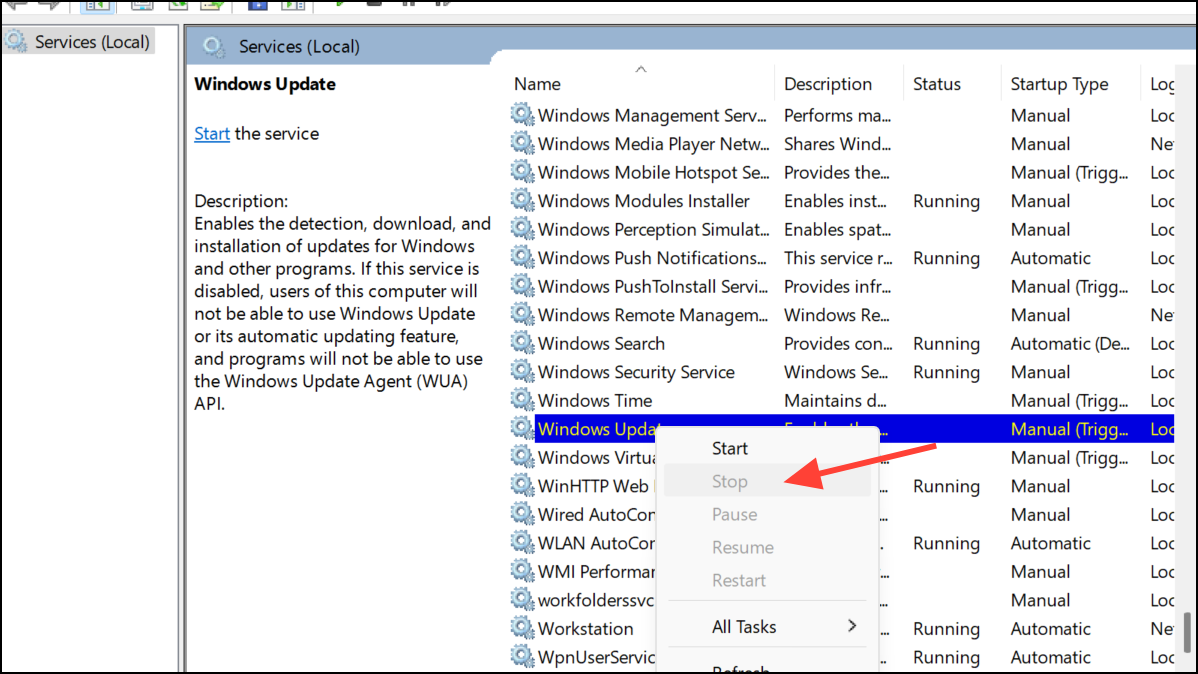
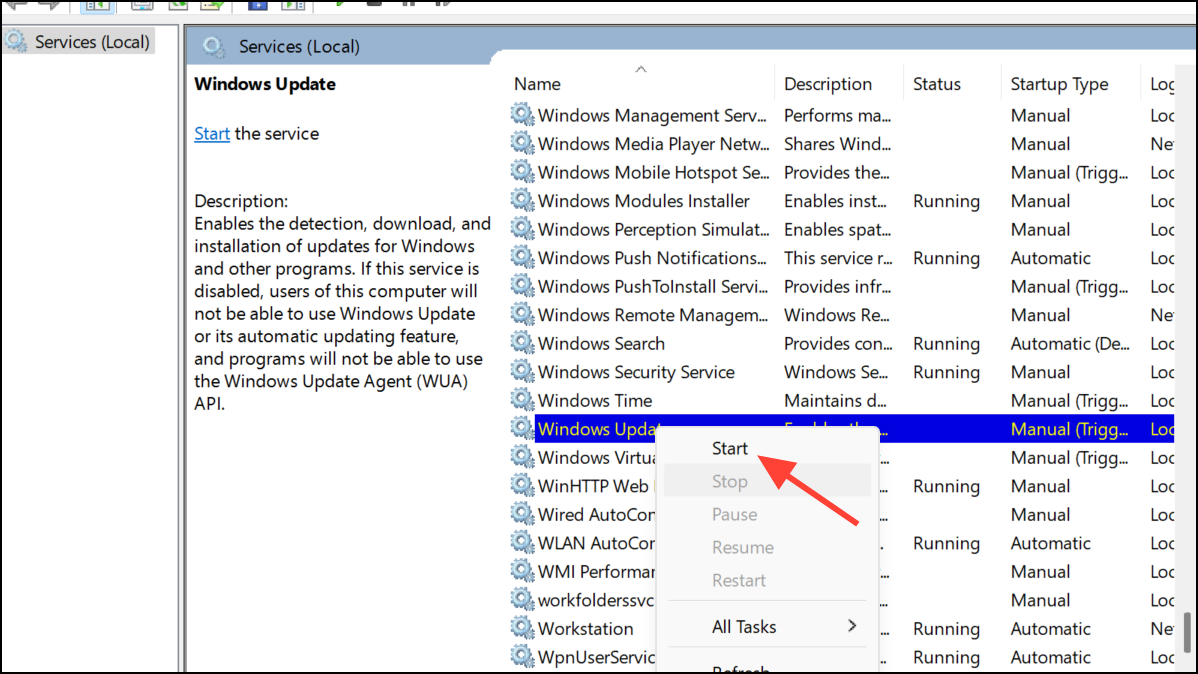
One of the most effective ways to resolve the 0x80248014 error is to restart Windows Update and its associated services. Doing so clears temporary glitches or service interruptions that might be blocking updates.
Windows + R to open the Run dialog box. Type services.msc and press Enter to launch the Services app.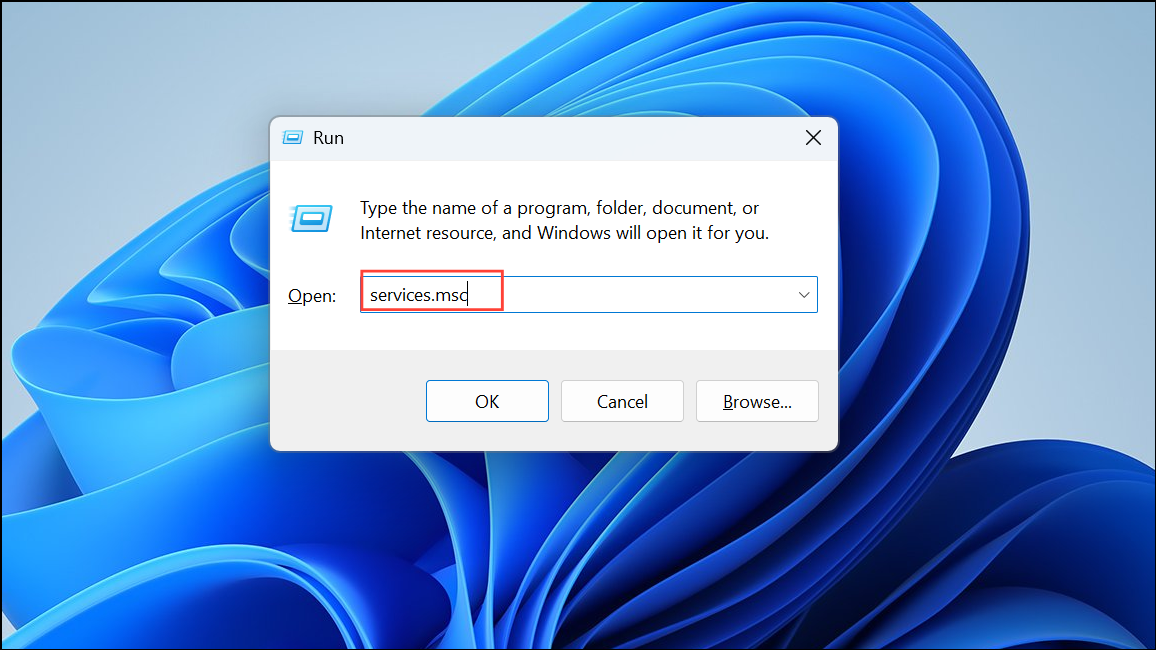
Method 2: Clear Windows Update Cache
Cached files from previous updates can sometimes become corrupted, causing the 0x80248014 error. Clearing these files can resolve the issue.
C:\Windows\SoftwareDistribution\Download. Select all files and folders inside this directory and delete them.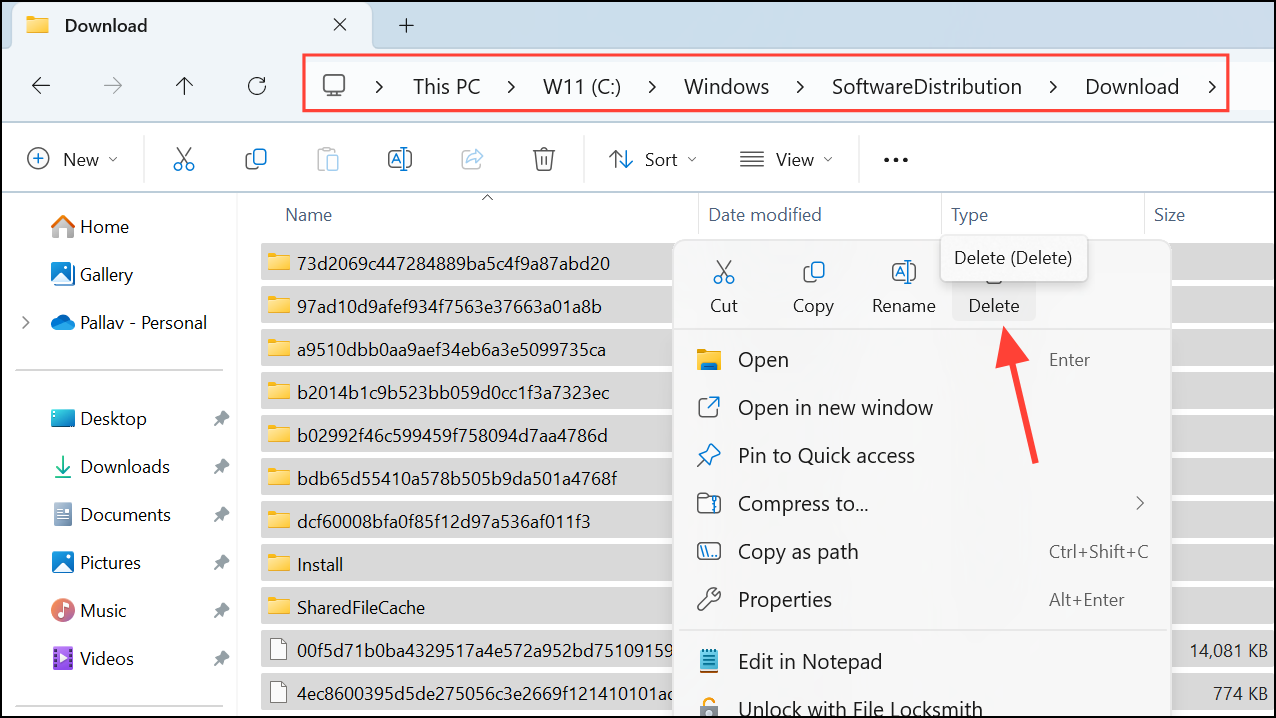
Method 3: Run the Windows Update Troubleshooter
Windows 11 includes a built-in troubleshooter specifically designed to detect and automatically resolve common update-related issues.
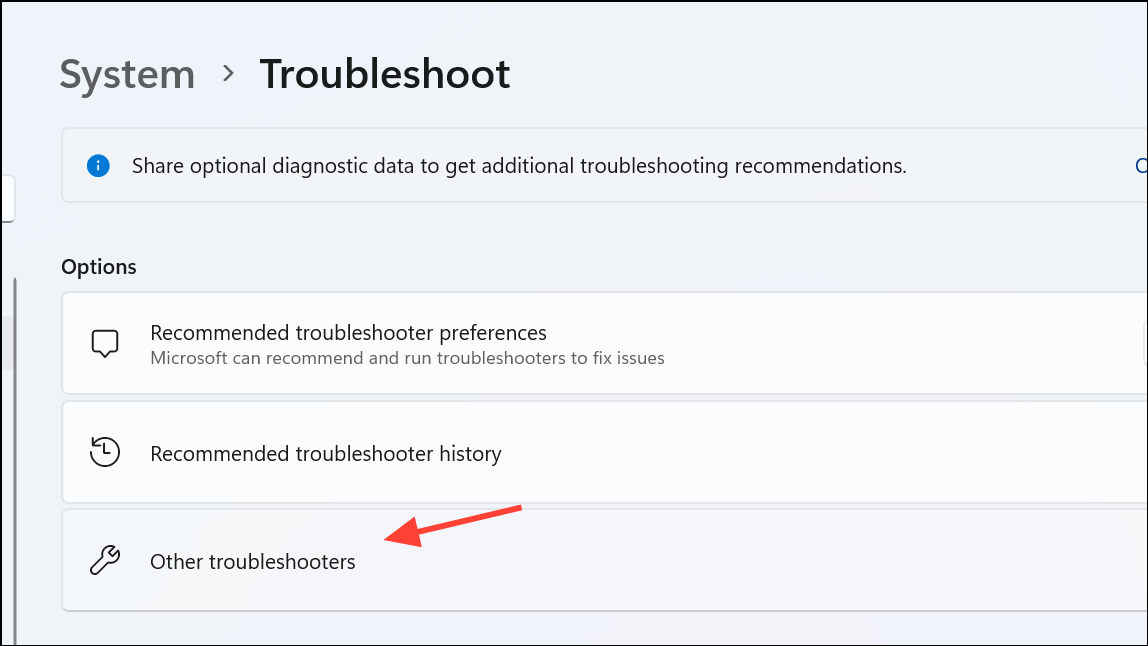
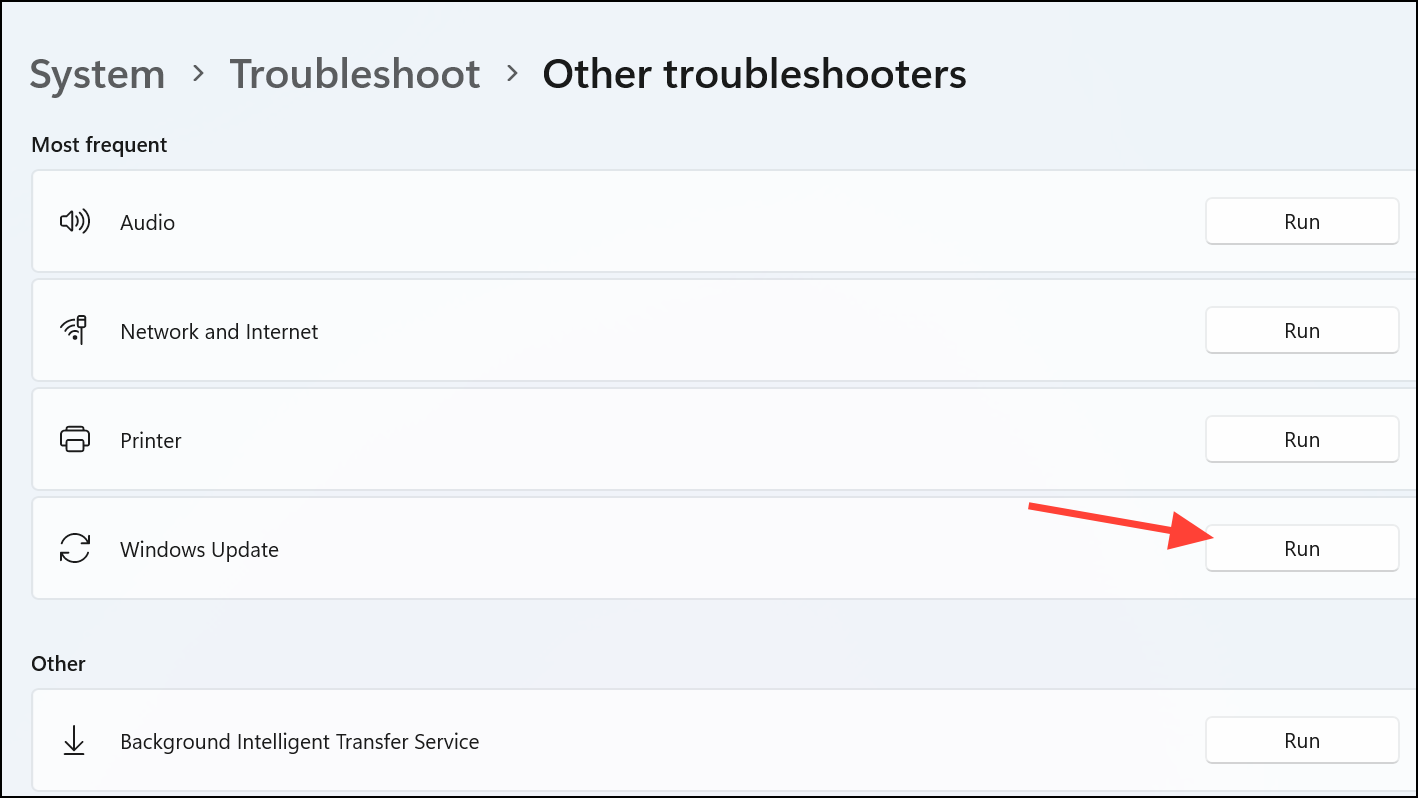
Method 4: Repair Windows System Files Using SFC and DISM
Corrupted or missing system files can also cause Windows Update errors. Using built-in tools like System File Checker (SFC) and Deployment Image Servicing and Management (DISM) can repair these issues.
Windows + S, typing cmd, and selecting “Run as administrator.”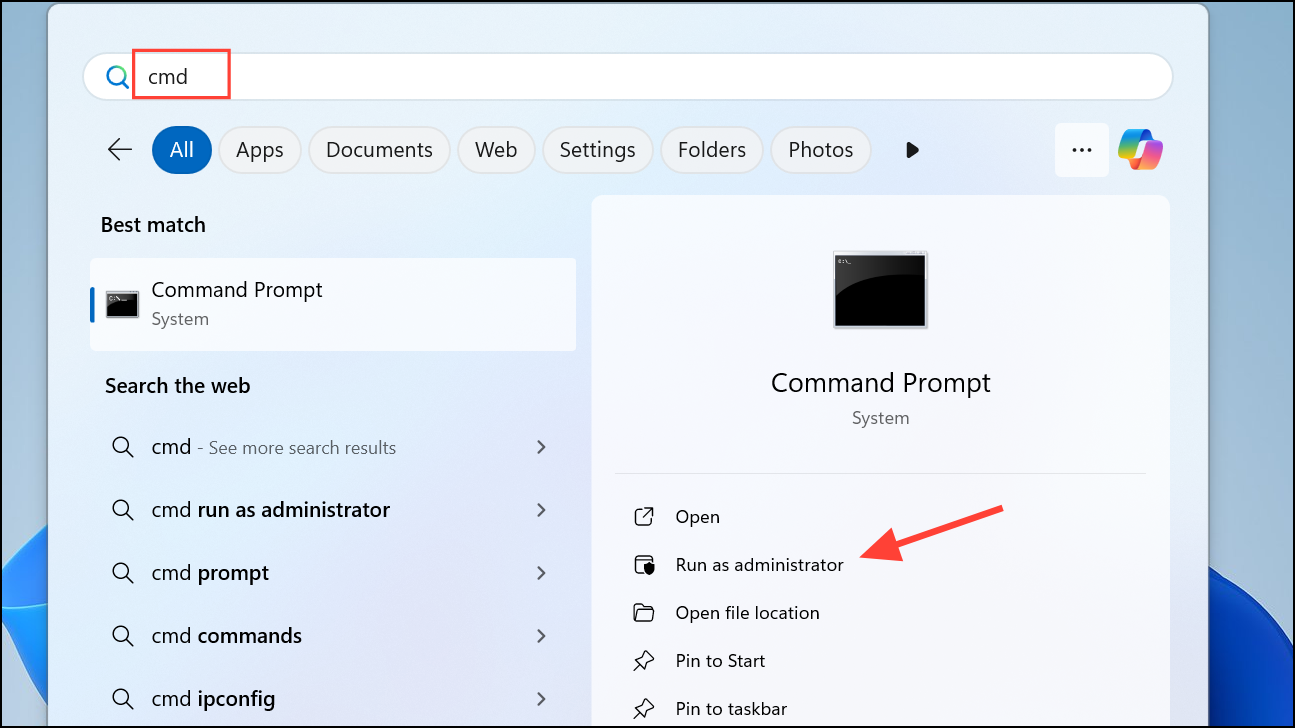
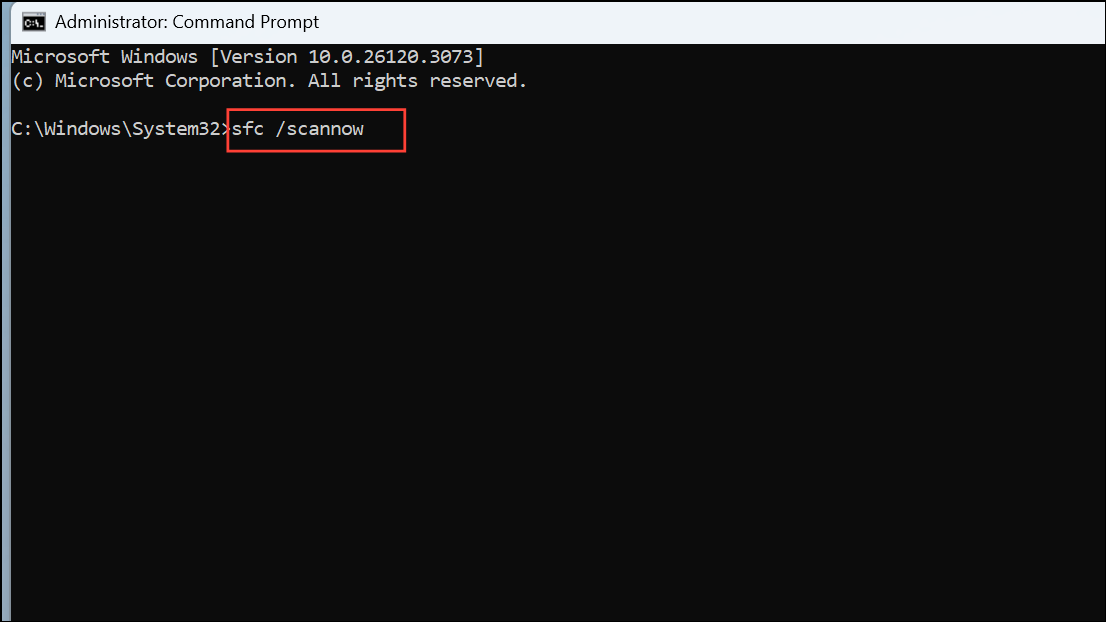
DISM /Online /Cleanup-Image /ScanHealth
DISM /Online /Cleanup-Image /CheckHealth
DISM /Online /Cleanup-Image /RestoreHealth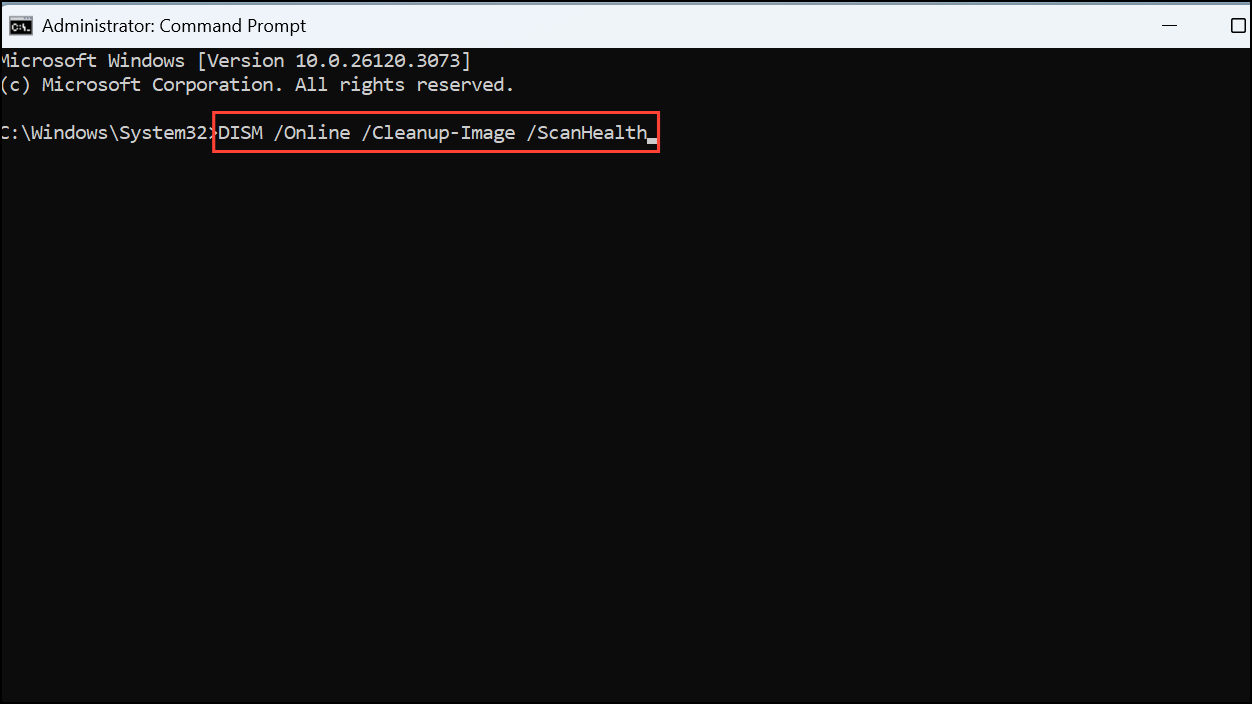
Method 5: Manually Install Windows Updates
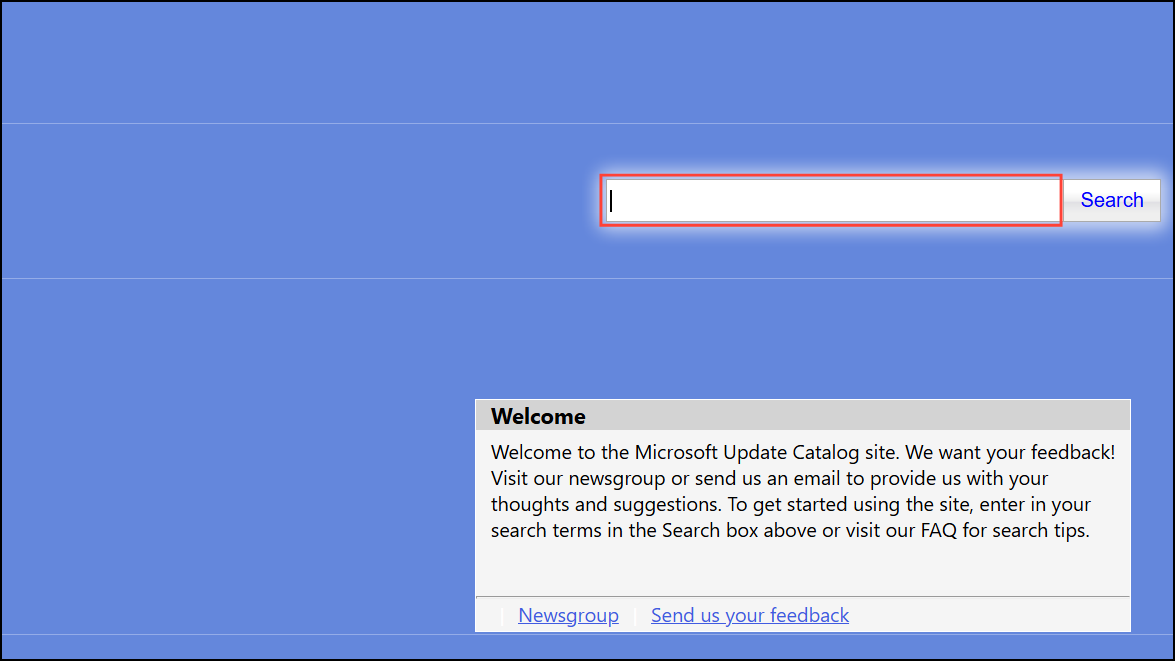
If automatic updates continue to fail, manually downloading and installing the update from Microsoft’s Update Catalog can bypass the issue.
By following these detailed methods, you should successfully resolve the 0x80248014 error and keep your Windows 11 device updated and secure. If you continue facing issues, consider contacting Microsoft Support for additional assistance.



