

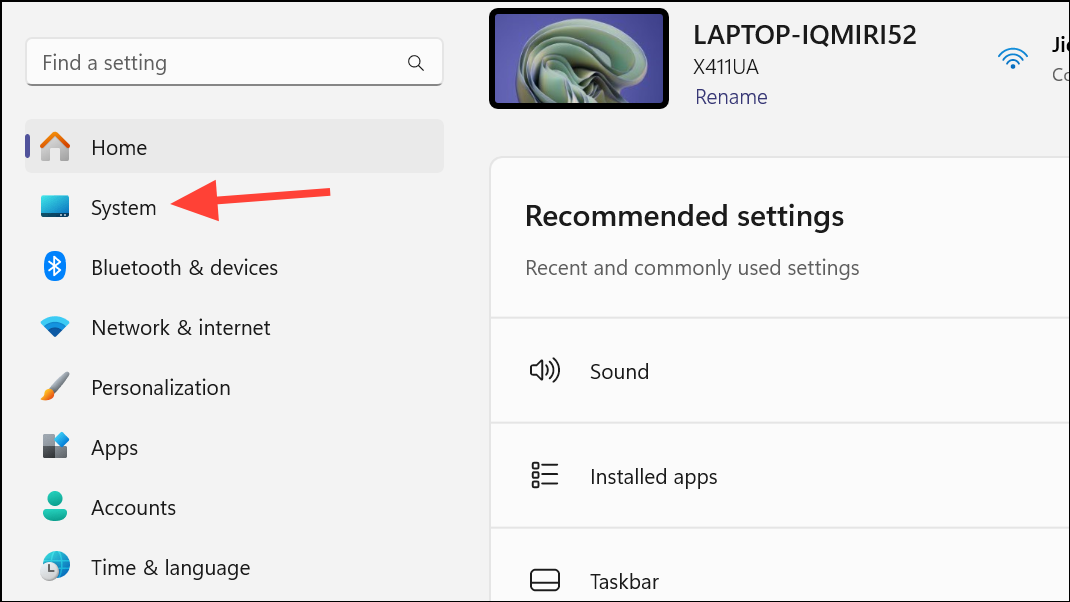
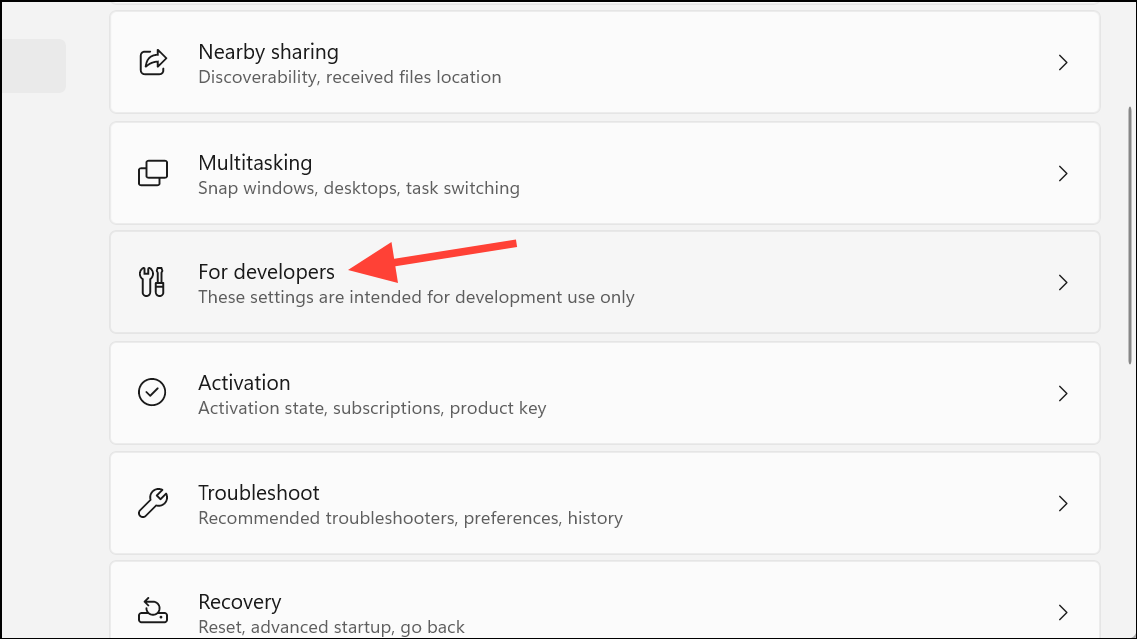
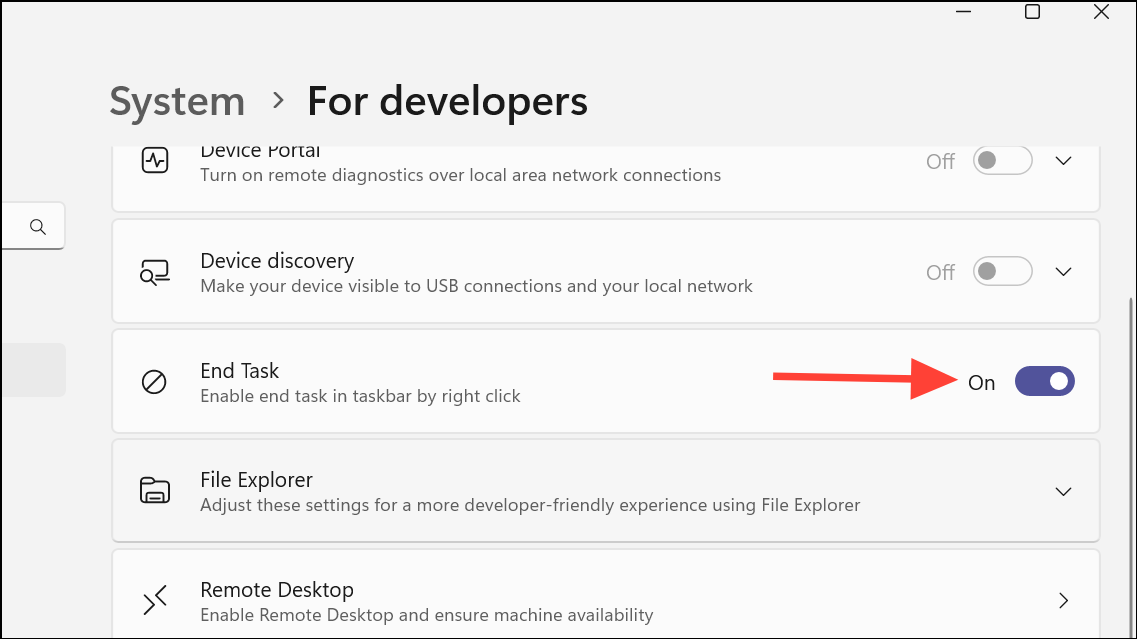
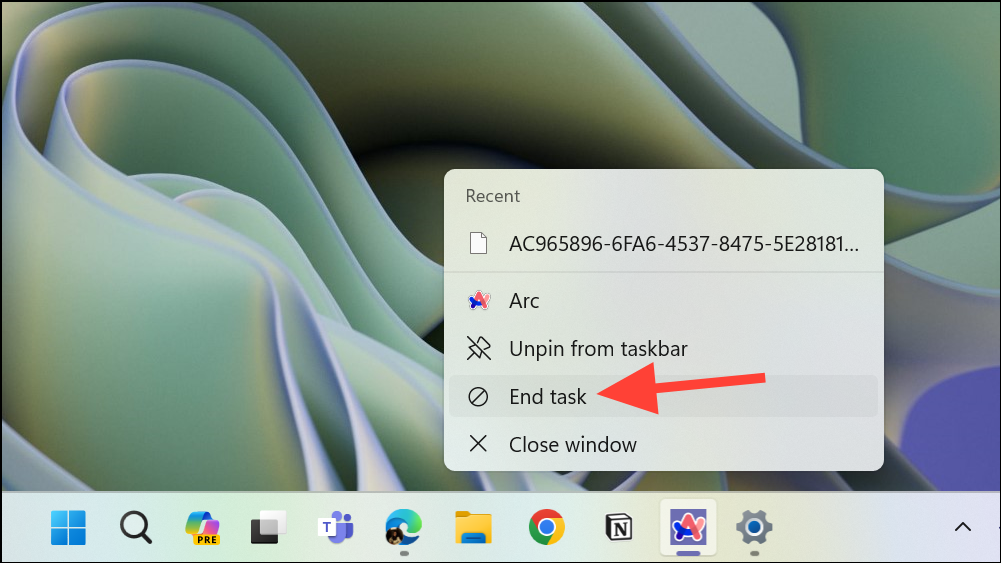
Force-quitting unresponsive applications in Windows 11 has become more convenient. Instead of accessing the Task Manager, you can now add an ‘End Task’ option directly to your taskbar, allowing you to terminate stalled apps swiftly. This guide will demonstrate how to enable this feature using the Developer Settings or, alternatively, through the Registry Editor.
Enable ‘End Task’ option from developer settings
Use the Registry Editor
If you’re unable to enable the ‘End Task’ option via the Developer Settings, you can modify the Windows Registry to achieve the same result. Please proceed with caution when editing the registry, and consider backing it up beforehand.
HKCU\Software\Microsoft\Windows\CurrentVersion\Explorer\Advanced\TaskbarDeveloperSettings.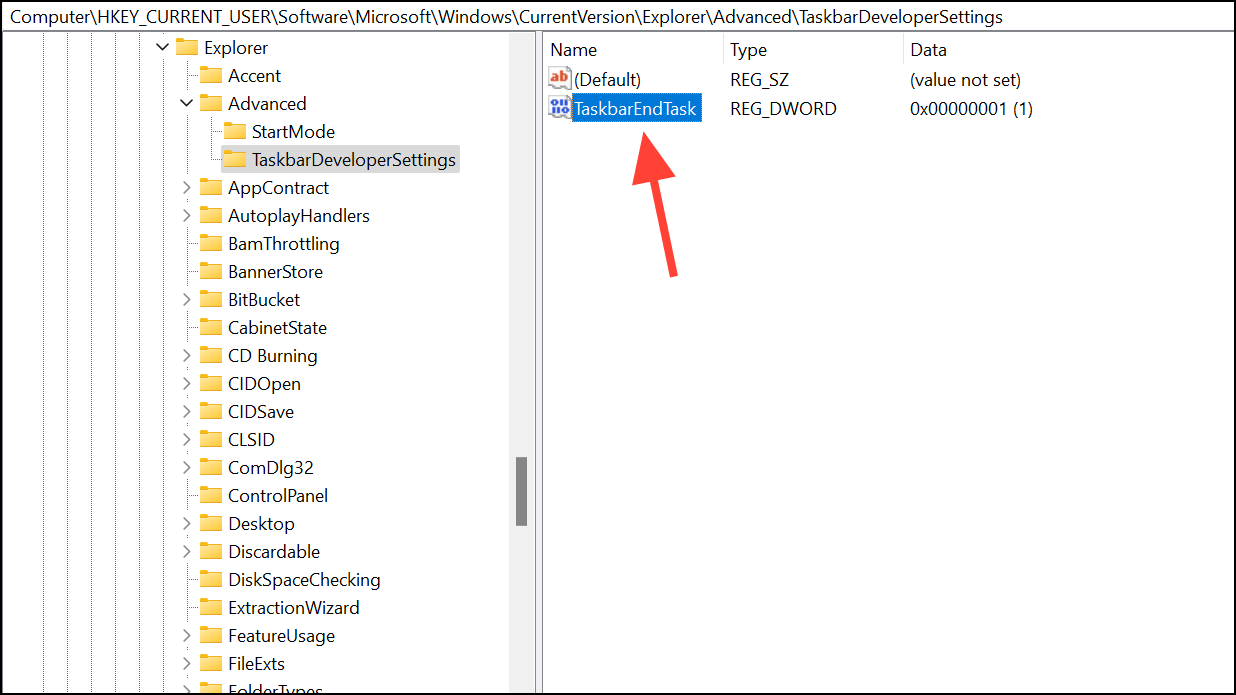
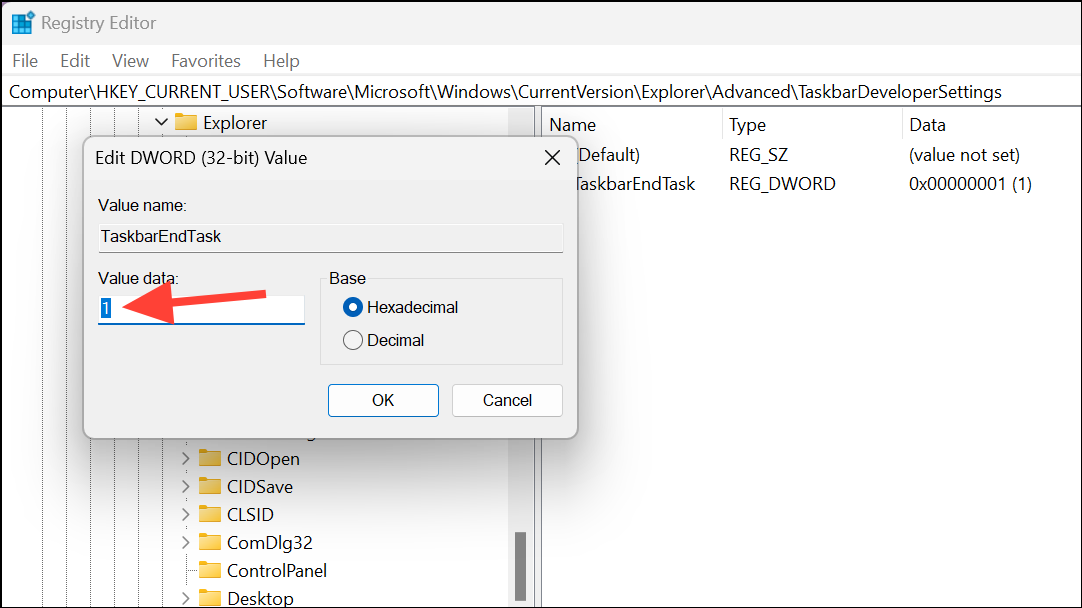
If necessary, restart your computer to apply the changes.
By adding the ‘End Task’ option to your Windows 11 taskbar, you can streamline the process of closing unresponsive applications. Whether you choose to enable it through the Developer Settings or the Registry Editor, this feature offers a quick alternative to using the Task Manager.



