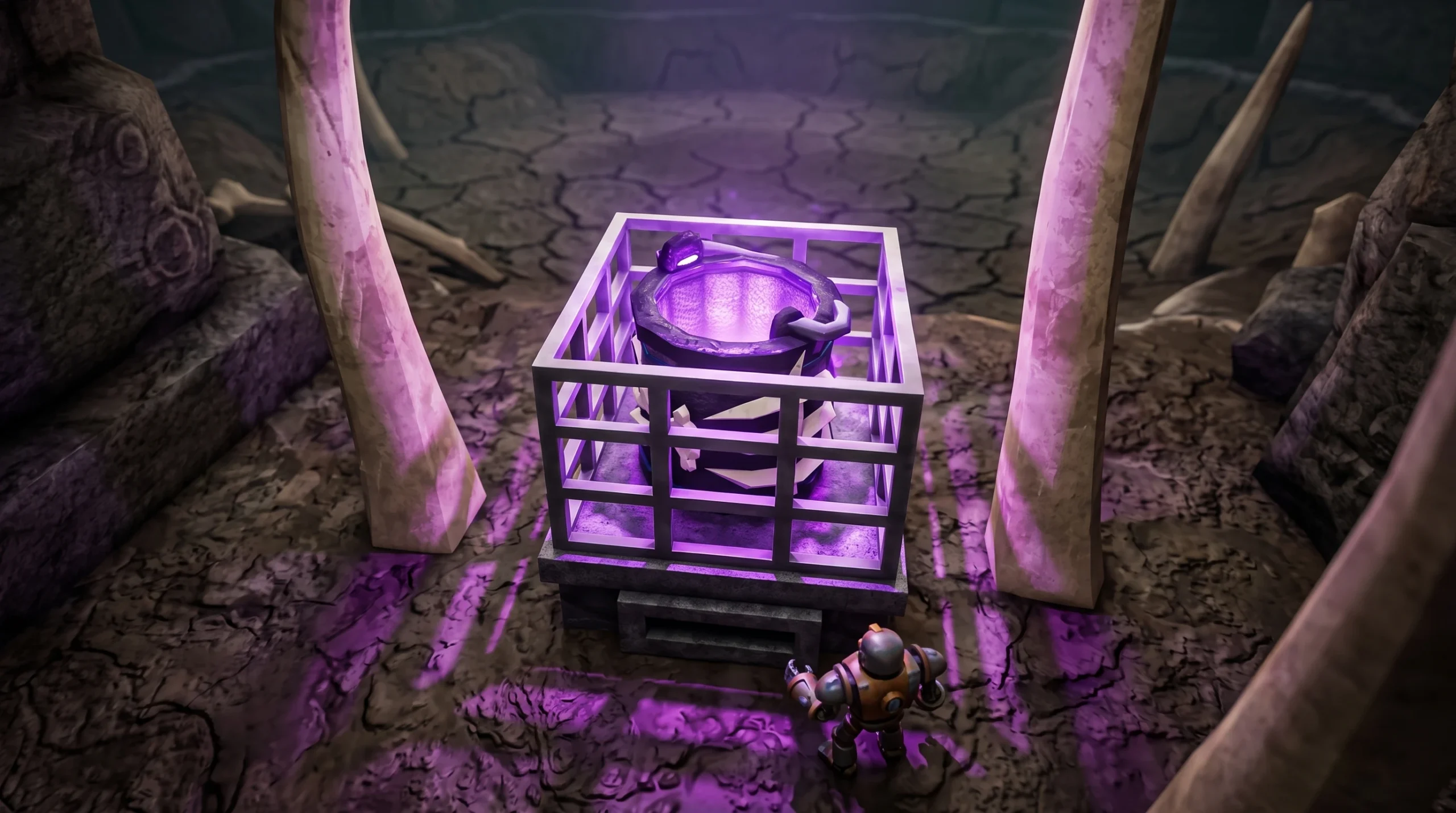
The Bone Bucket is a cosmetic bucket in Drain the Lake that you unlock by finding a hidden anomaly deep in the lake. It sits inside a metal cage past the Molten checkpoint, and reaching it also awards the Anomaly Discovered badge along the way.
Quick answer: Drain down to the Molten (Fire Below) checkpoint, turn left into the glowing white ring near the lava entrance, claim the anomaly ingot on the pedestal, then swim to the next area and interact with the caged bone bucket to receive the Bone Bucket.
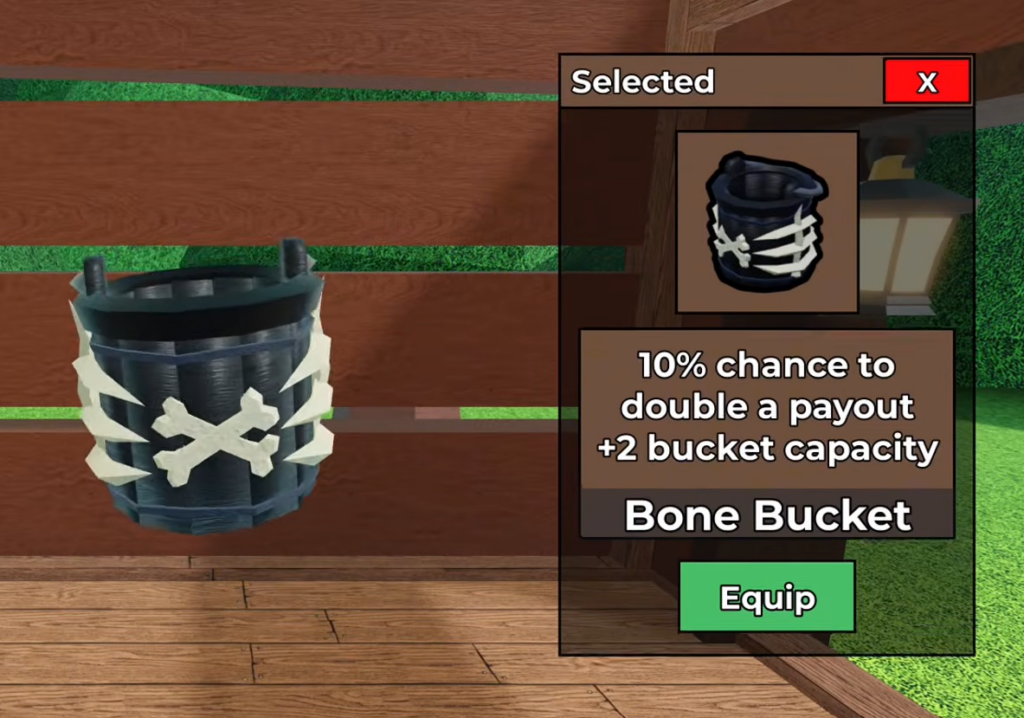
What you need before you start
The Bone Bucket sits well below the surface, so you have to drain the lake far enough to pass through the middle checkpoints. Depth is the only real requirement here. A larger-capacity bucket and faster collection speed make the trip quicker, but they are not mandatory.
The checkpoints run in a fixed order, and the anomaly appears around the Molten stage. Here is where that sits on the depth ladder.
| Order | Checkpoint | Badge on arrival |
|---|---|---|
| 1 | Shipwreck | Sunken Secrets |
| 2 | Cavern | Deep Dive |
| 3 | Mineshaft | The Mines |
| 4 | Molten | Fire Below |
| 5 | Lost City | Ancient Ruins |
| 6 | Abyss | Into the Abyss |
How to reach and claim the Bone Bucket

E prompt labeled “Anomaly Claim.” The system will confirm with the message “The strange ingot hums in your hand,” which also unlocks the Anomaly Discovered badge for 125 Diamonds.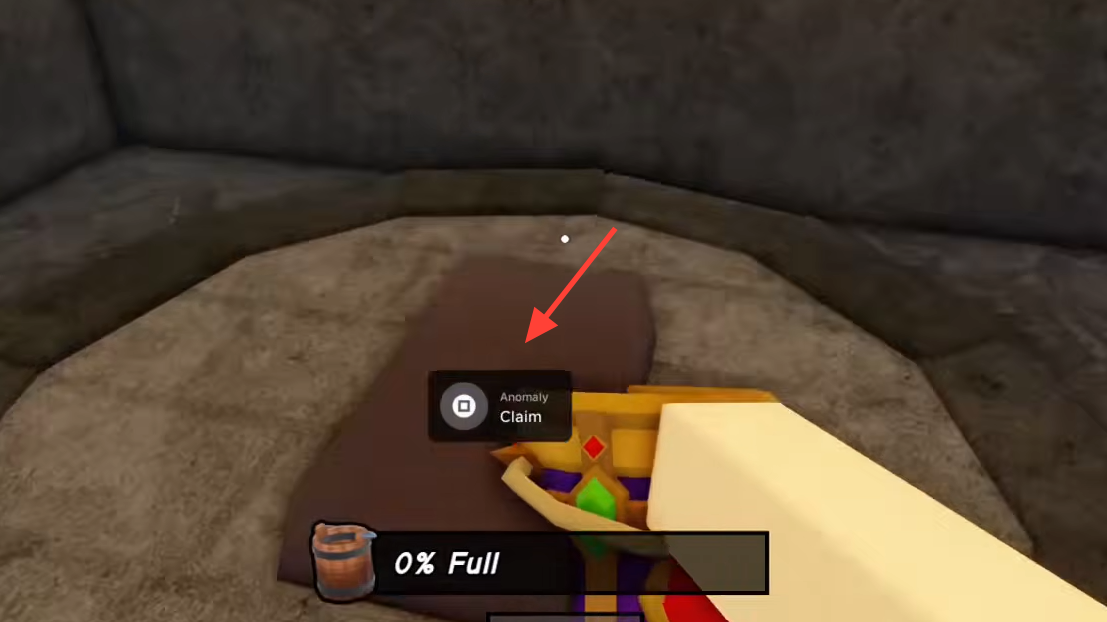
E “Anomaly Claim” prompt to collect it.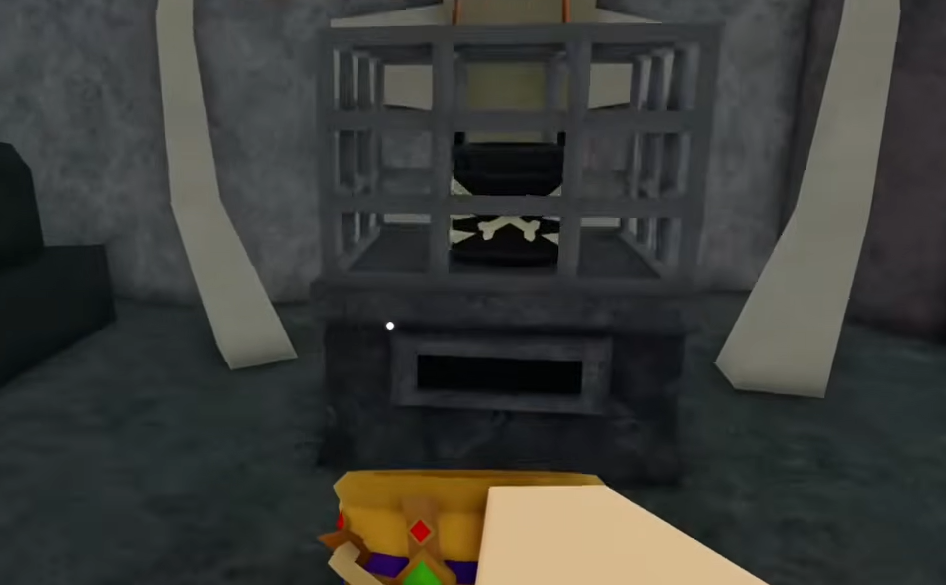
How to confirm you got it
You will see two system messages when the claim registers. The first reads “You received the Bone Bucket! Equip it in Lobby,” and the second reads “The pedestal hums – the anomaly within answers.” Once these appear, the bucket is tied to your account.
To use it, head back to the lobby and equip the Bone Bucket from your bucket selection. If the messages did not pop up, you likely interacted with the wrong object or missed the first anomaly pedestal, so return to the hidden room off the lava entrance and claim the ingot before going for the cage.
The badge and the bucket are separate rewards from the same anomaly path, so claiming the pedestal ingot handles Anomaly Discovered while the caged bucket handles the cosmetic. Grab both while you are down there to avoid a second trip.