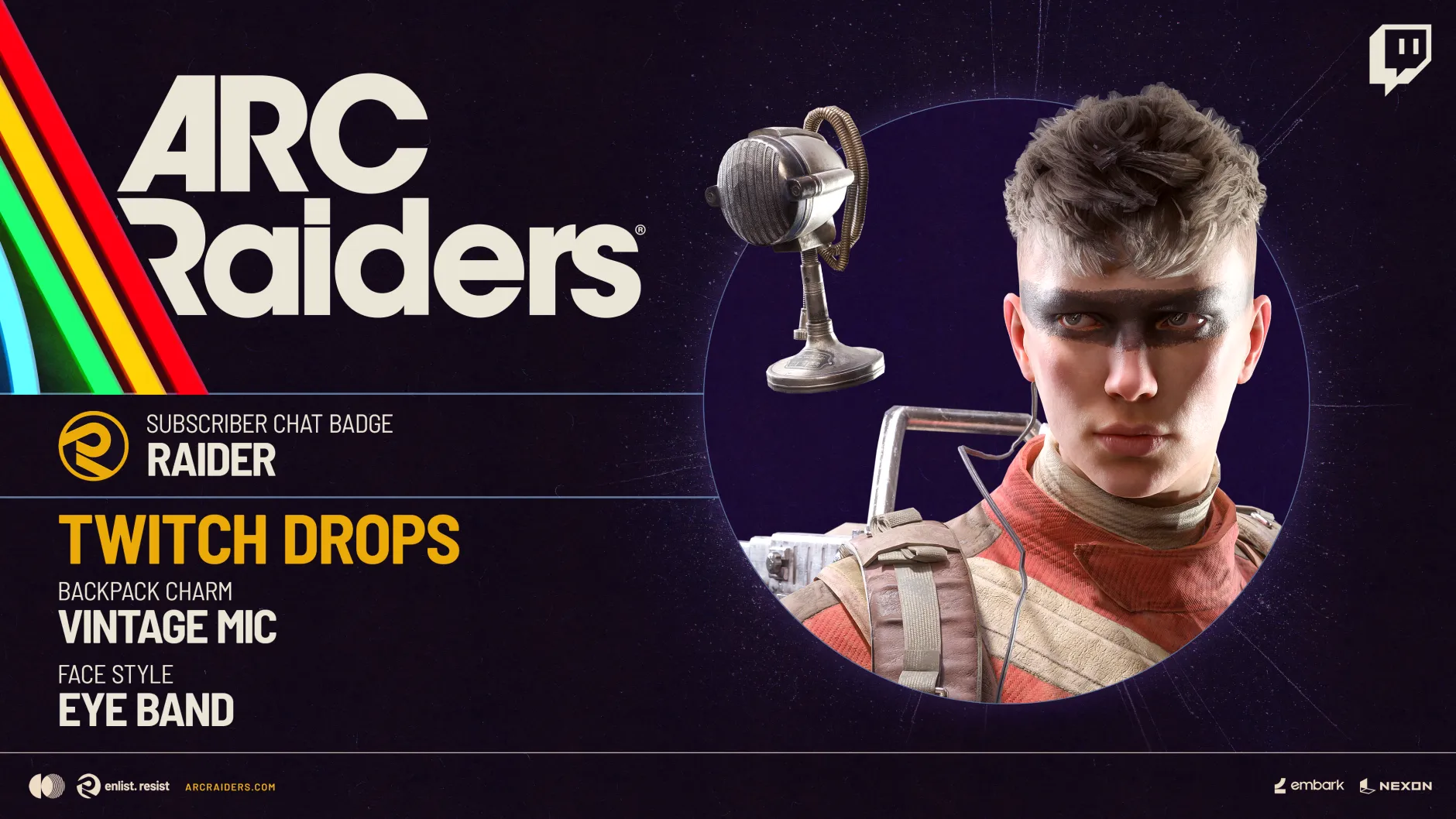
The Cold Snap event in ARC Raiders runs alongside a Twitch Drops campaign that grants in-game cosmetic rewards for watching ARC Raiders streams on Twitch. When Drops are active for the event, viewers can earn specific items by watching participating live channels that have the feature enabled.
These Drops are tied to ARC Raiders gameplay streams rather than variety content, so the channel must actually be playing ARC Raiders and have Drops enabled for progress to count.
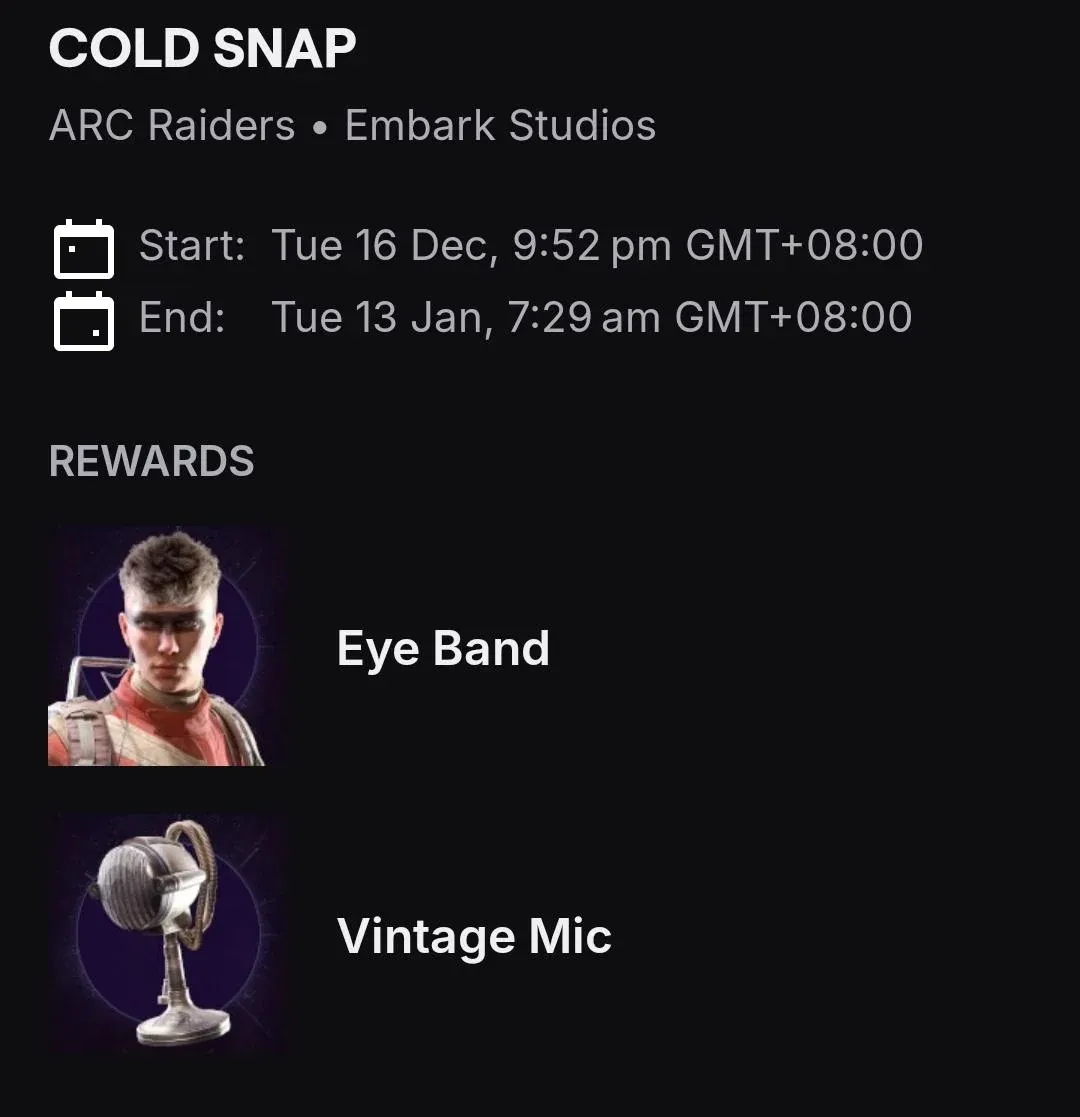
Cold Snap Twitch Drops rewards (Eye Band and Vintage Mic)
The Cold Snap campaign focuses on two cosmetic rewards delivered through Twitch Drops. Both items are unlocked through the same campaign but appear in different cosmetic slots in-game.
| Reward | Category | Notes |
|---|---|---|
| Eye Band | Cosmetic item | An in-game cosmetic earned through the ARC Raiders Twitch Drops campaign that runs with the Cold Snap event. |
| Vintage Mic | Backpack charm | A small microphone-themed charm that hangs from the backpack, obtained through the same Twitch Drops campaign. |
Both rewards are cosmetic and are delivered as part of the specific Twitch Drops campaign associated with Cold Snap.
How to watch eligible ARC Raiders Twitch channels
Progress toward the Eye Band and Vintage Mic only counts while watching ARC Raiders channels that participate in the Drops campaign. Twitch clearly marks these channels, which makes it straightforward to find a stream that qualifies.
How to track progress for Cold Snap Twitch Drops
Twitch tracks progress and rewards for each Drops campaign in a dedicated inventory area. The Cold Snap campaign that grants the Eye Band and Vintage Mic appears there with its own entry.
If Cold Snap Twitch Drops are not progressing
Sometimes progress toward the Cold Snap rewards may not appear immediately. A few simple checks resolve most situations where Drops do not seem to move.
- Confirm that the channel is streaming under the ARC Raiders category and that it clearly shows the Drops Enabled feature for the broadcast.
- Make sure you are logged into the correct Twitch account before you start watching, especially if you use more than one account on the same device.
- Let the stream run for a few minutes, then open the Drops inventory for the ARC Raiders campaign to verify that progress is being recorded.
- If progress still does not appear, review the information on the official ARC Raiders Twitch Drops page from the game’s site, and check Twitch’s own Drops area for any notices about the campaign.
When Drops are active for Cold Snap, watching ARC Raiders streams on participating Drops Enabled channels is enough to work toward the Eye Band and Vintage Mic cosmetics. Keep an eye on the Twitch Drops inventory for the campaign so you know when each reward has been granted to your account during the event.