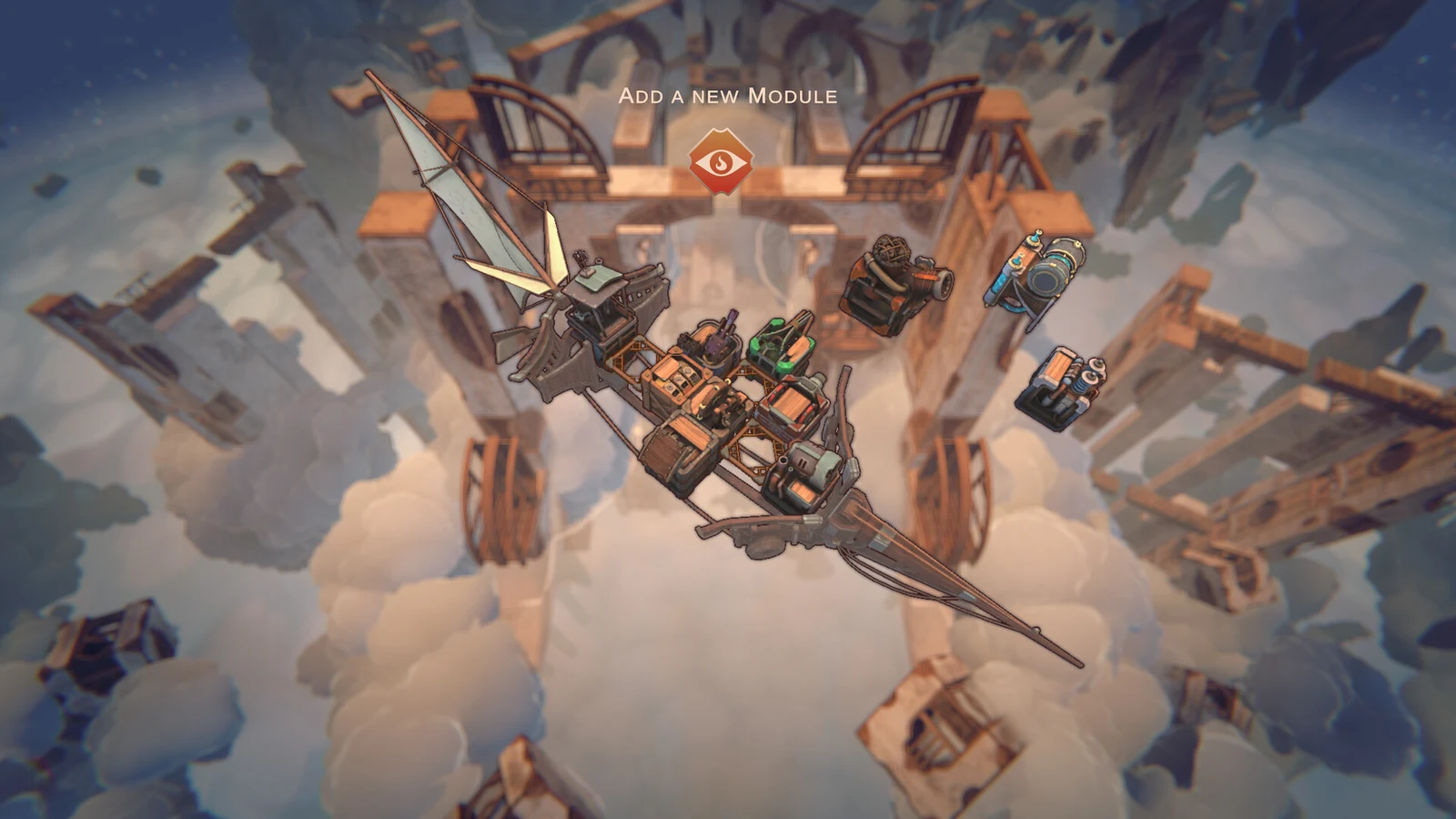
Cloudsphere is a roguelite deckbuilder built around one idea taken very literally: the ship you assemble is the deck you play. Laki Studios, the team behind Oaken, builds each run around a modular sky-vessel that grows block by block, and every block you bolt on rewrites the cards you can draw in combat. The result is a turn-based card battler where positioning, temperature, and crew placement matter as much as what’s in your hand.
Quick answer: Every module installed on the ship adds its Captain’s Order card to your deck. Place modules for adjacency bonuses and keep heat below 15 degrees, or the hull starts taking damage.
Cloudsphere modules: Every block adds a card
Modules are placed on a tactical grid that forms the ship’s body. Install a Cannon and you gain firepower plus a new attack order in the deck. Install a defensive block and you gain both armor and the card that activates it. Where a module sits matters, because adjacent weapons and utility pieces feed each other buffs, and the placement screen lets you pull modules off and re-slot them between fights to tighten those synergies.
Improving a module or pushing its overclock raises its output, but that benefit comes with a cost: extra power creates extra heat, and overheating is the quickest way to destroy an otherwise well-built ship.
| Module type | Examples | Role in combat |
|---|---|---|
| Weapons | Cannon, Tar Slingshot, Burner | Adds attack orders |
| Defense | Plating, Molten Armor, Reinforced Decking, Frontal Armor | Armor, wards, ramming |
| Utility | Reactive Cooling, Storm Gizmo, Lesser Forge, Overwired Module | Heat control, battlefield effects |
| Cargo | Gold Chest, Hot Potatoes, Box of Harpoons | Passive effects and run value |
| Crew | Damaged Crewmate, Lazy Crewmate | Extra hands to operate modules |
Cargo is not dead weight. Hot Potatoes, for example, carries a passive that generates heat, so a cargo pickup can quietly change how aggressively you can overclock for the rest of the run.
Heat management and the overheating threshold
Firing weapons and pushing overclocks raises the ship’s temperature. Once heat climbs past 15 degrees, the hull itself starts taking damage each turn, so a run that leans entirely on offense will burn itself down without any help from the enemy.
Cooling is handled two ways. Crew can be assigned to vent accumulated heat, and cooling modules such as Reactive Cooling can be rotated into the turn cycle between attack orders. In longer fights the rhythm becomes predictable: fire, cool, fire again, and only spike the temperature when you can finish the enemy before the hull pays for it.
Weather is a factor too. Storms can chip away at health over multiple turns, and that damage stacks on top of whatever heat you are already carrying.
Crew, wards, and ramming in turn-based combat
Combat runs on a player phase where crew members function as your action points. They walk the deck to man cannons, repair damaged armor sections, or vent heat, and those movements combine with the Captain’s Orders you draw. A hand full of attacks is worthless if nobody is standing at the gun.
Defense is more than stacking armor. Enemies telegraph their attacks, which gives you the option to ward a specific damaged section or physically steer the ship clear of the incoming hit. Offense can be structural as well: Frontal Armor doubles as a ram, letting you drive the hull into an enemy and break off its modules one at a time.
Larger foes are built from segments rather than a single health bar. The Skyfish boss, for instance, has separate torso and skull components that can be destroyed individually, and stripping its armor changes what it can do in its second phase. Critical Aim stacks on top of that, turning a single cannon shot into a run-deciding hit.
Beacon map routing and Sol Dinars
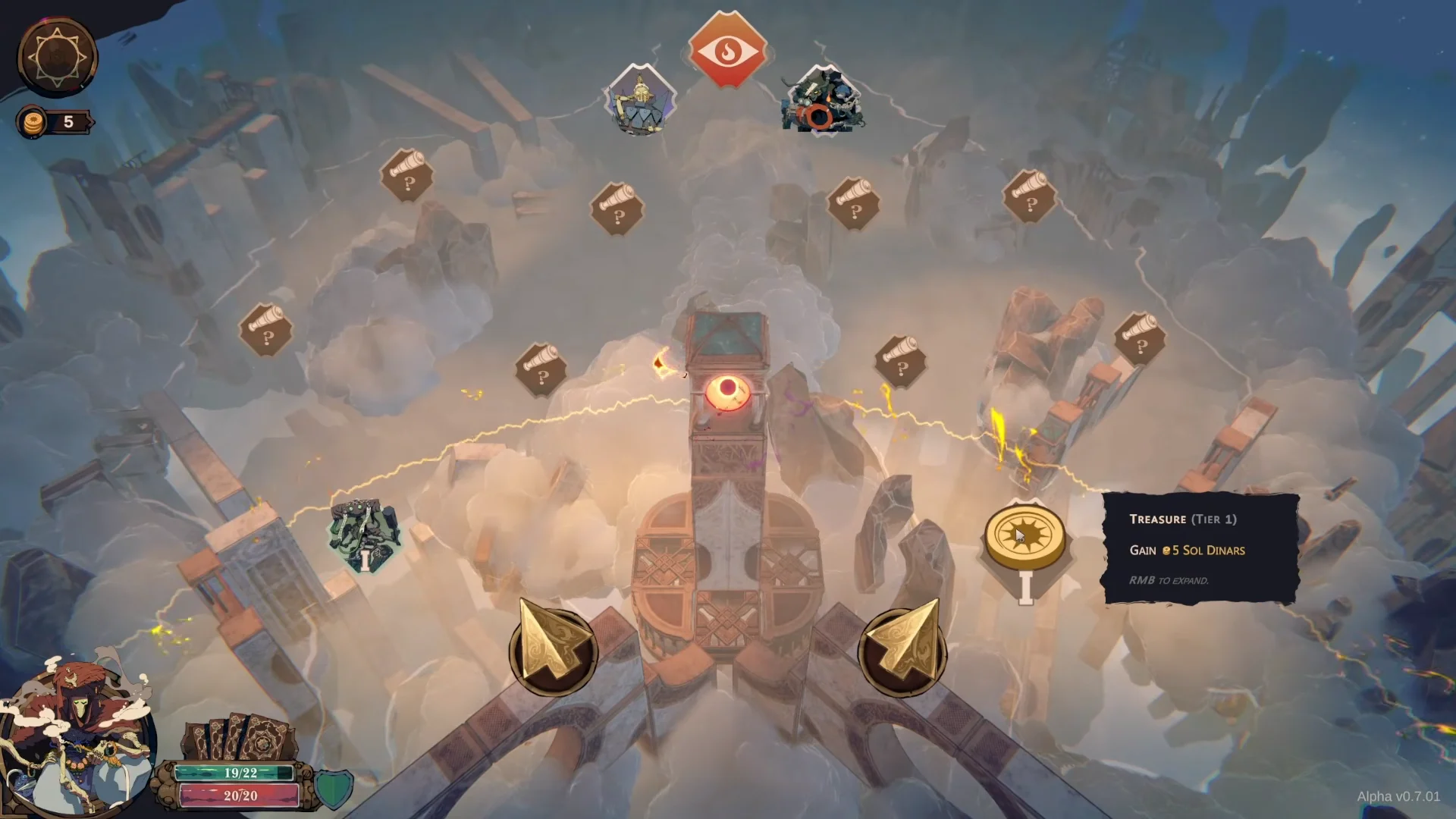
Travel between fights happens on a branching beacon map such as Shifting Tides, where nodes offer shops, module rewards, cargo, treasure, and hostile ships. You pick a path, fly the vessel to it, and resolve whatever is waiting there.
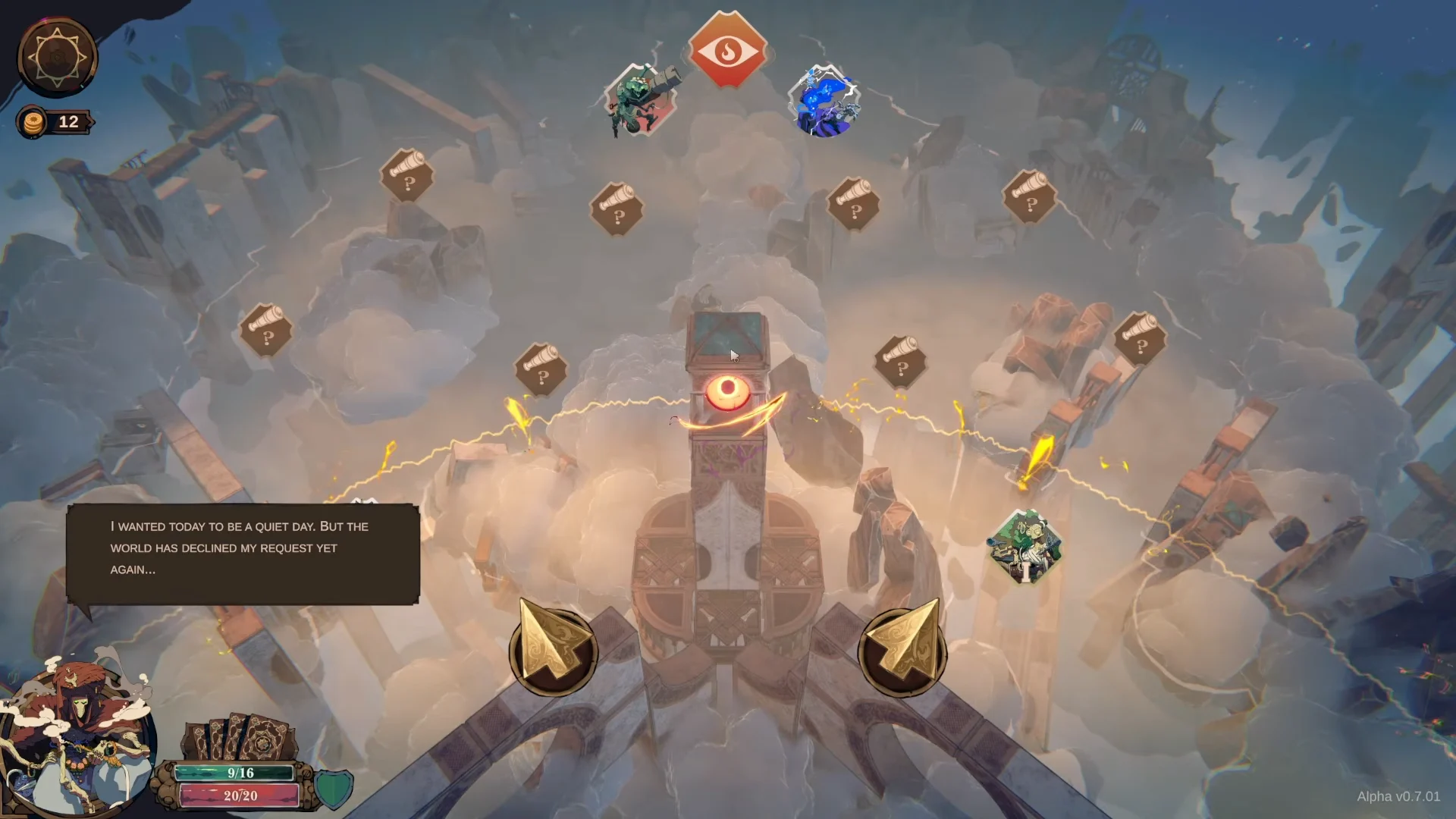
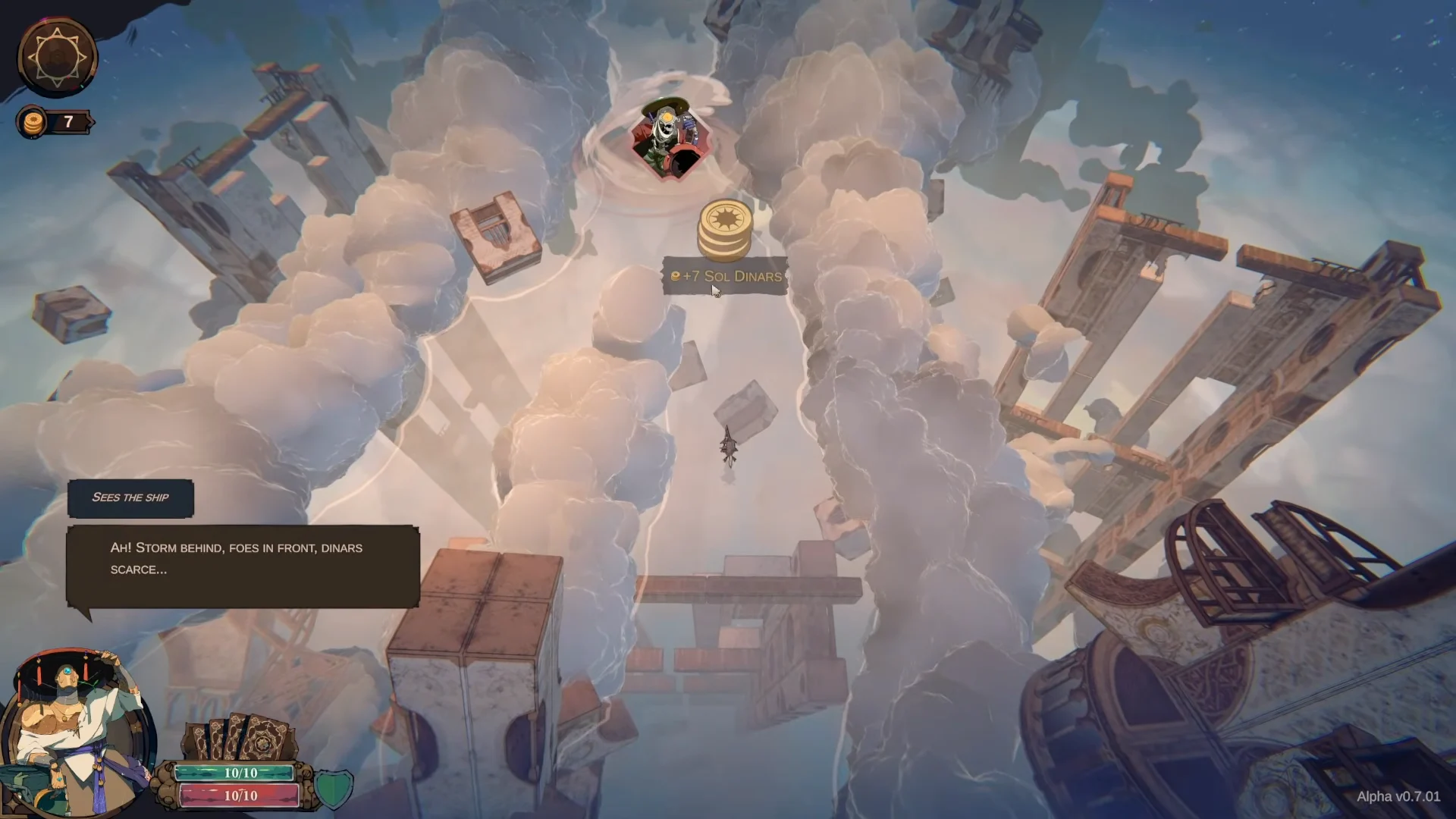
Sol Dinars are the run currency, earned from combat rewards and picked up from treasure nodes along the cloud channels. They pay for shop stock, repairs, and gambling rolls, and resources can also be spent to reveal more of the map or reshape the paths ahead. That turns routing into a build decision rather than a straight line.
Shops and module swaps between fights
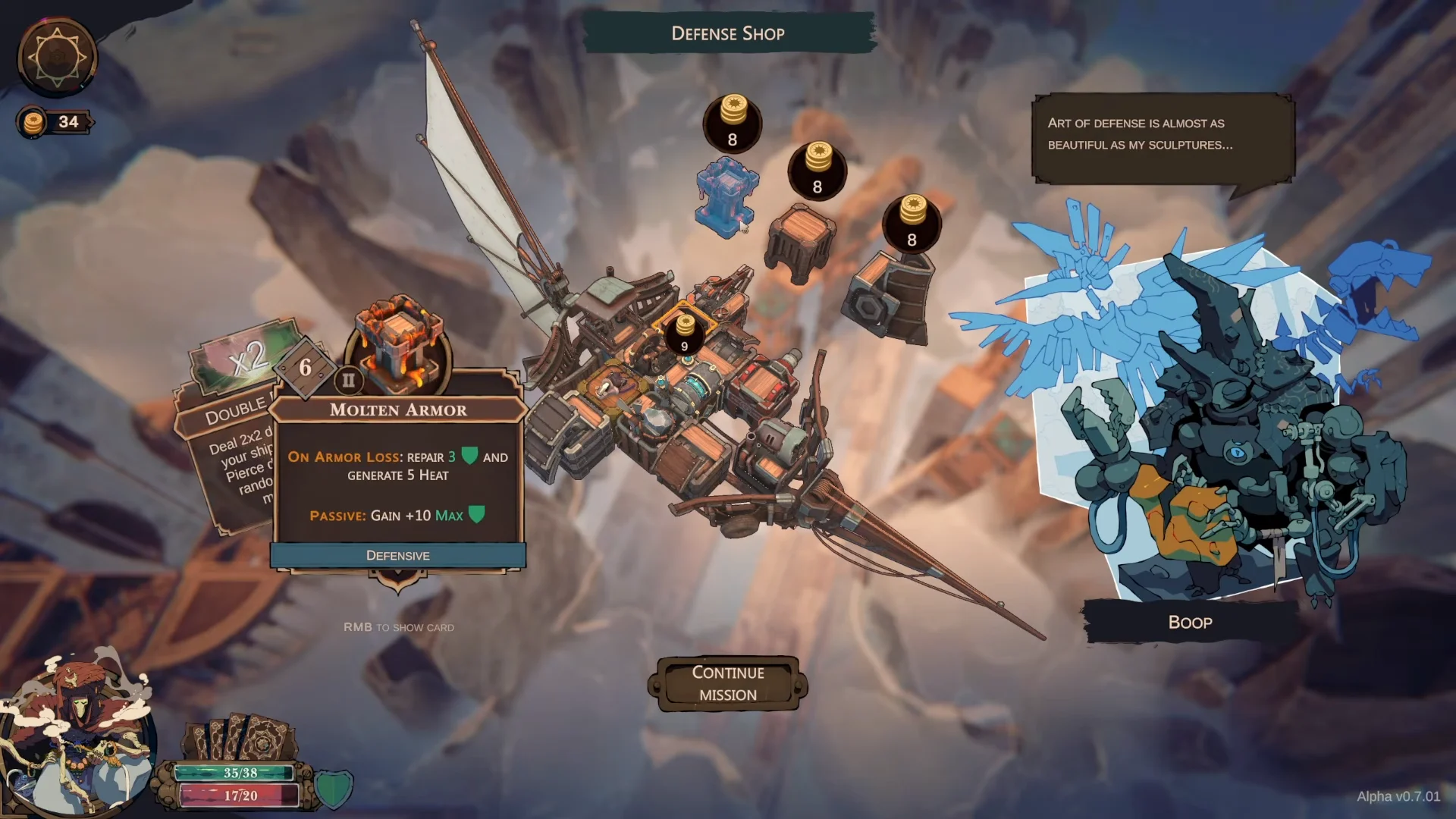
Every vendor specializes in a different category, though they all draw from the same limited supply of Sol Dinars. Astrid the Astronomer operates the utility shop, offering items including Storm Gizmo, Reactive Cooling, and a Damaged Crewmate. Circuit Doc takes care of armor repairs. Vashti the Vagabond sells cargo, including the Box of Harpoons. At Rattlejaw the Gambler’s shop, you can spend money on rolls for randomized defensive and utility modules of high tier instead of choosing a guaranteed purchase.
Defense vendors sell heavier plating, including Molten Armor and Reinforced Decking. Buying those usually means rebuilding part of the grid, since a new armor block only earns its cost if it sits where the enemy is actually hitting you.
Ezraq Cores and higher-tier encounters
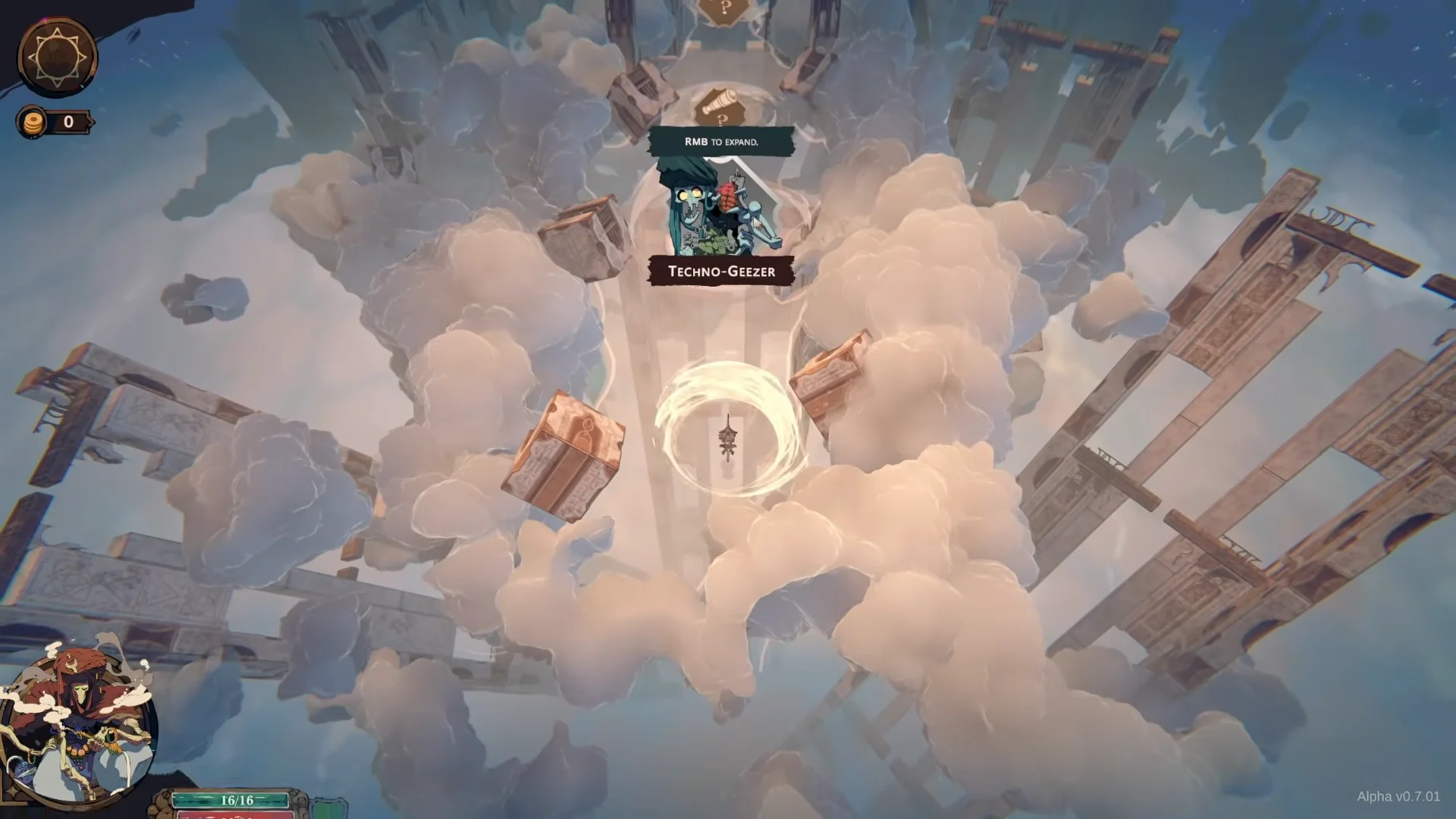
Nodes escalate as you push deeper into an expedition, from an early Techno-Geezer skirmish to a Storm Shade running storm coils and lightning rods, then a Veteran Corsair bristling with mortars, trebuchets, and bows. Each step up assumes your grid has grown accordingly.
The Ezraq Core is the quest item that ties the run’s story to its meta progression. One can be claimed from an early battle reward, and the Skyfish boss drops another that can be installed directly onto the ship before the final beacon. Clearing the expedition opens a victory summary that awards scrolls and unlocks new facilities back at base.
Flying Fortress progression: Furnace and Observatory
Between expeditions the crew returns to a Flying Fortress, where a failed run still converts into permanent progress. Commander Ciro drives the story beats, and clearing content unlocks captains and hulls, including Ciro Golden Hands and the Falcon Sa-Kar with its own module layout to customize.
Long-term improvements come from two facilities. At the Furnace, Zhara Stormeye accepts cores, allowing you to push farther into increasingly dangerous thresholds. The Observatory features a sky grid constellation talent tree; knowledge points there unlock permanent benefits such as Probes and module ascensions that remain available in later runs.
How to request Cloudsphere playtest access
Cloudsphere is a single-player PC title listed as Coming soon, with no confirmed release date. Playtest registration is handled through the Steam store page. Request access, and you’ll be notified when the developer opens more slots — that notification is the only confirmation the request went through.
The playtest build carries an alpha version number on the title screen alongside Start Game and Quit, so expect systems to shift between builds. Minimum requirements are a 64-bit processor and operating system, Windows 10, 16GB of RAM, and 4GB of storage.

What makes the format hold together is that none of these systems sit apart from each other. A cannon you buy is a card you draw, a card you play is heat you have to vent, and the crew member venting it is a crew member not firing. Build the ship carelessly and the deck tells you about it three fights later.