Personal instances in EverQuest Legends let you copy a zone or dungeon just for yourself, or for a small group you invite in first. Since loot is personal, nobody else can take the drops you want, and nobody can camp the spawn ahead of you. The catch is that each instance costs a Charge Token, and those refill slowly as you play.
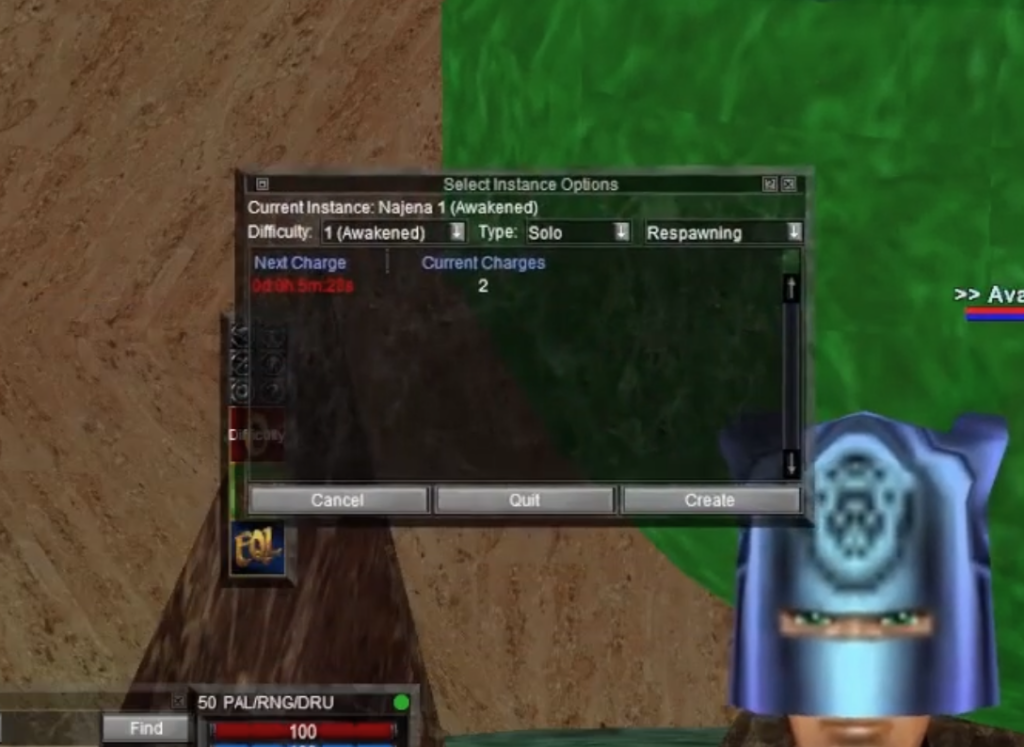
Quick answer: Click the red Difficulty button, choose a Difficulty, set Type to Solo or Multiplayer, pick your Respawning option, then click Create and confirm with Yes. This spends one Charge Token and loads you into your own copy of the zone.
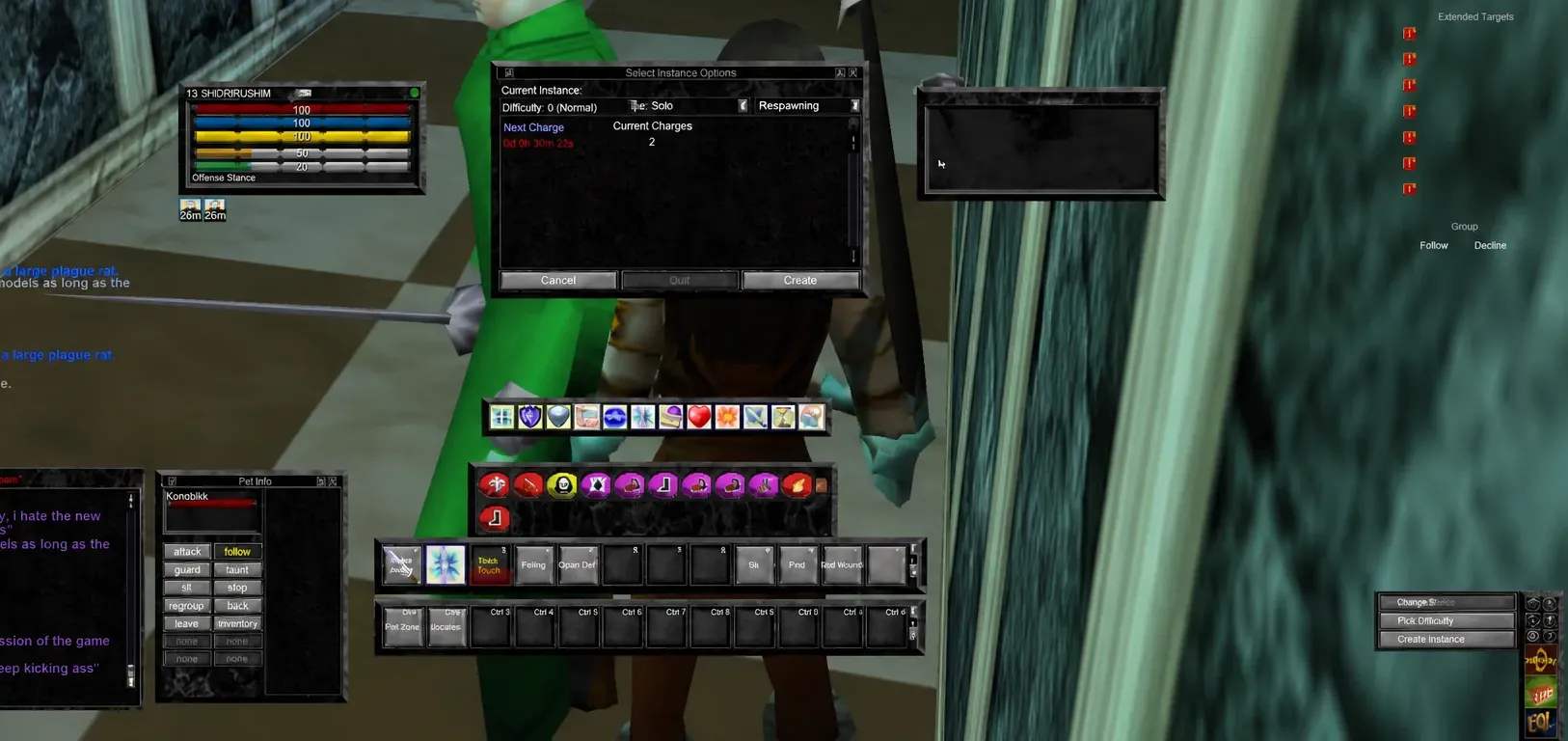
Create a private instance in EverQuest Legends
You can build a personal instance in most open-world zones and all dungeons. World bosses are the exception, and raid content uses a separate setup covered below. If you plan to play with others, invite them to your group before you create the instance, otherwise you will be the only one allowed inside.
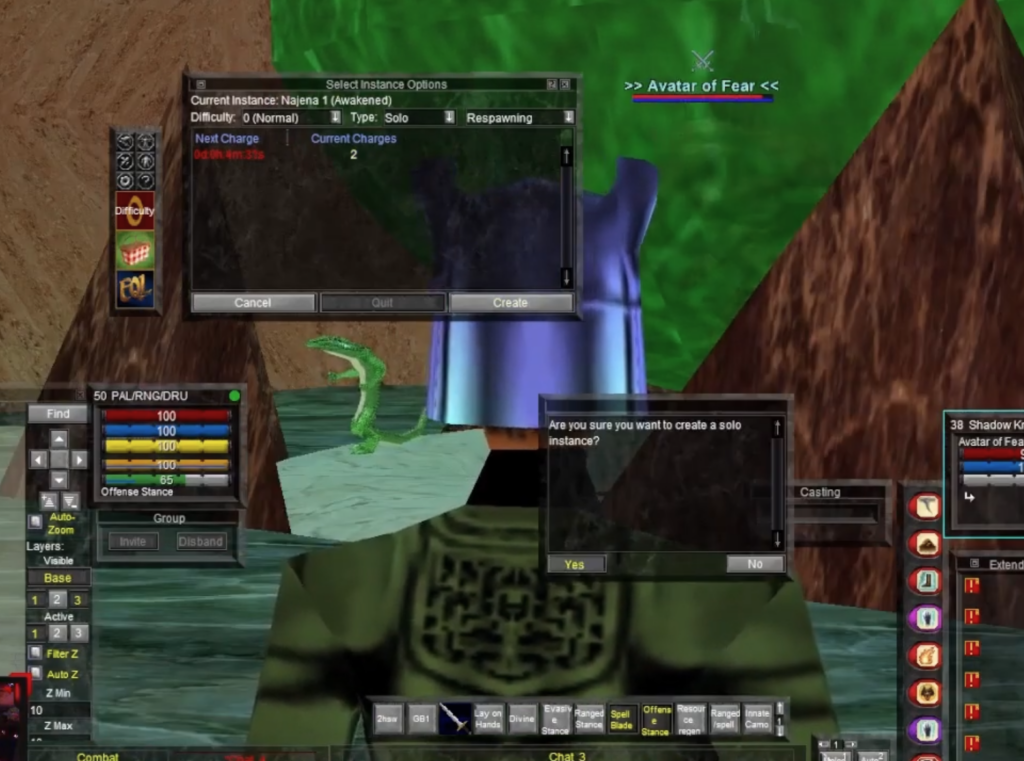
You will know it worked when the red Difficulty button switches to show your active difficulty number, and the menu now lists options like Manage Instance, Leave Instance, and Leave & Quit Instance. Press Alt-Z at any time inside the instance to pull up its information.
How Charge Tokens work
Every private instance costs one Charge Token, shown as “Current Charges” in the Select Instance Options window. You gain one token for each hour you spend playing, and there is a live “Next Charge” timer counting down to your next one.
If your Current Charges drops to 0, the Create button greys out and you cannot spin up a new zone. When that happens, you need to play in the normal open world for a while until a token refills. This limit is what stops you from endlessly rerolling the same instance back to back.
| Action | Charge cost |
|---|---|
| Create a new instance | 1 token |
| Leave an instance (keeps it active) | 0 tokens |
| Re-enter an instance you left | 0 tokens |
| Quit an instance (destroys it) | 0 tokens |
Note: Leaving an instance is not the same as quitting it. Choose Leave Instance to step out to the public zone while your copy stays intact. Any bosses you already killed remain dead when you re-enter, so you can leave and come back without spending another token. Quit Instance clears the copy entirely.
Set up a private raid instance
Raid content follows a different path. Instead of the red Difficulty button, look for the Voidling NPC near the raid zone. Walk up to it and press H to Hail, then click the blue “danger” text that appears in your chat box. That opens the configuration screen where you set the raid’s difficulty and type.
Raids also carry a lockout. Each one has a 6.5-day lockout that resets every Tuesday, so you cannot farm the same raid on repeat the way you can with a normal zone. Special solo-only instances are available for raid content, giving you a way to attempt that material without a full group.
Between the difficulty scaling and personal loot, private instances turn the old problem of fighting for a camp into a non-issue. Line up your group first, keep an eye on your Charge Tokens, and you can farm the drops you want on your own terms.