Combat in Grand Theft Auto VI is built around prompts that appear in the moment. Instead of watching a fight play out on its own, you tap buttons to break free of a grapple, counter a weapon, subdue a target quietly, or lean out of a car window with a rifle. The extended gameplay reveal, captured on PS5, showed each of these systems running in Vice City. Everything here comes from pre-release footage, so final behavior can still change.
Quick answer: Ground fights use a pulsing Circle tap to break a grapple and a Triangle window to counter or disarm, Circle also triggers physical takedowns, cover shooting supports blind-fire with visible wall penetration, and drive-bys now let the shooter lean their full upper body out of the window.
Ground struggles: Circle to break free, Triangle to counter
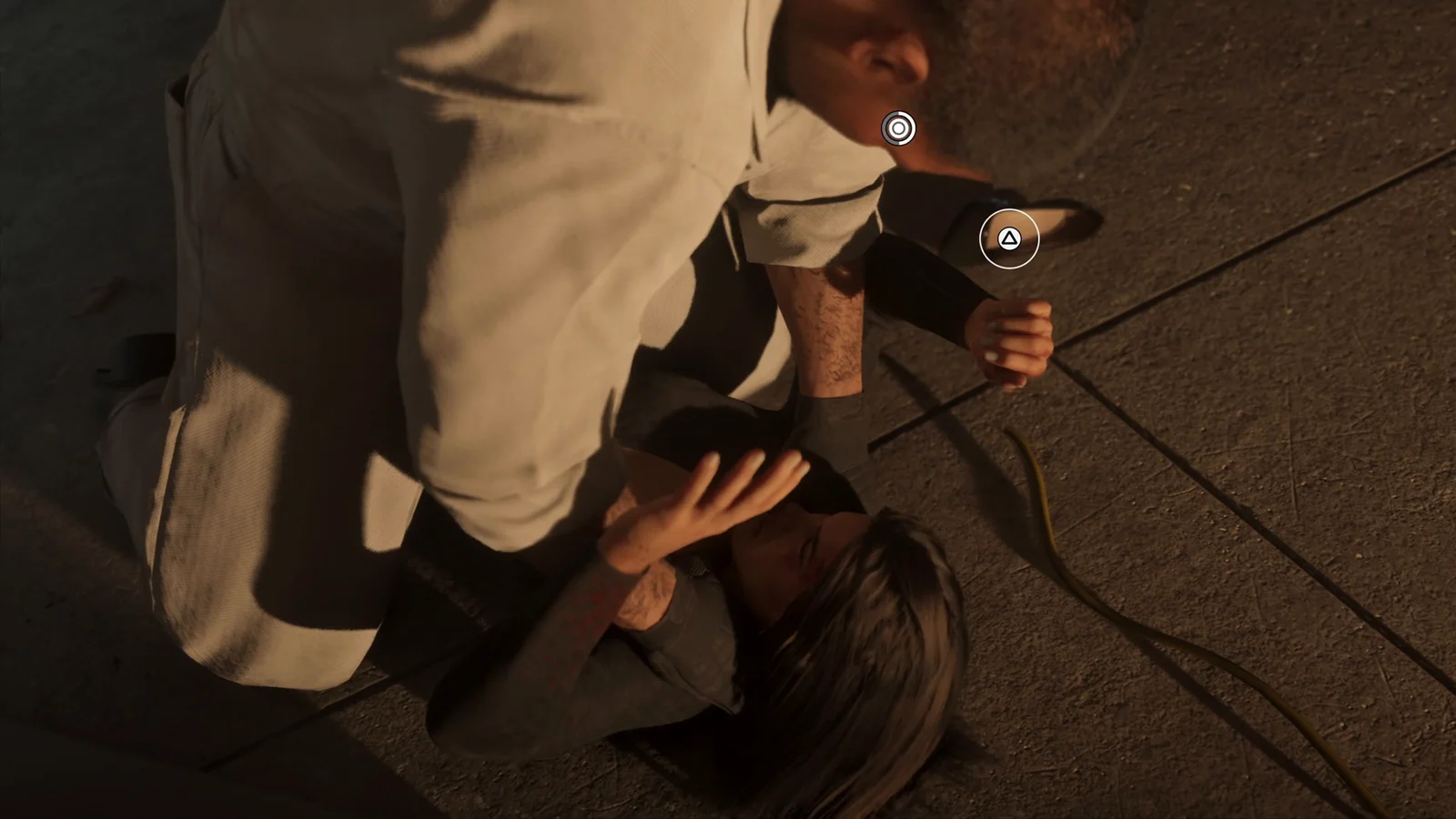
The clearest example of the new melee layer comes when Lucia is pinned on the ground. A pulsing Circle indicator appears on screen, and tapping it drives the struggle to break the grapple. Separately, a Triangle prompt opens for a short window, letting you counter the attacker or disarm them outright.
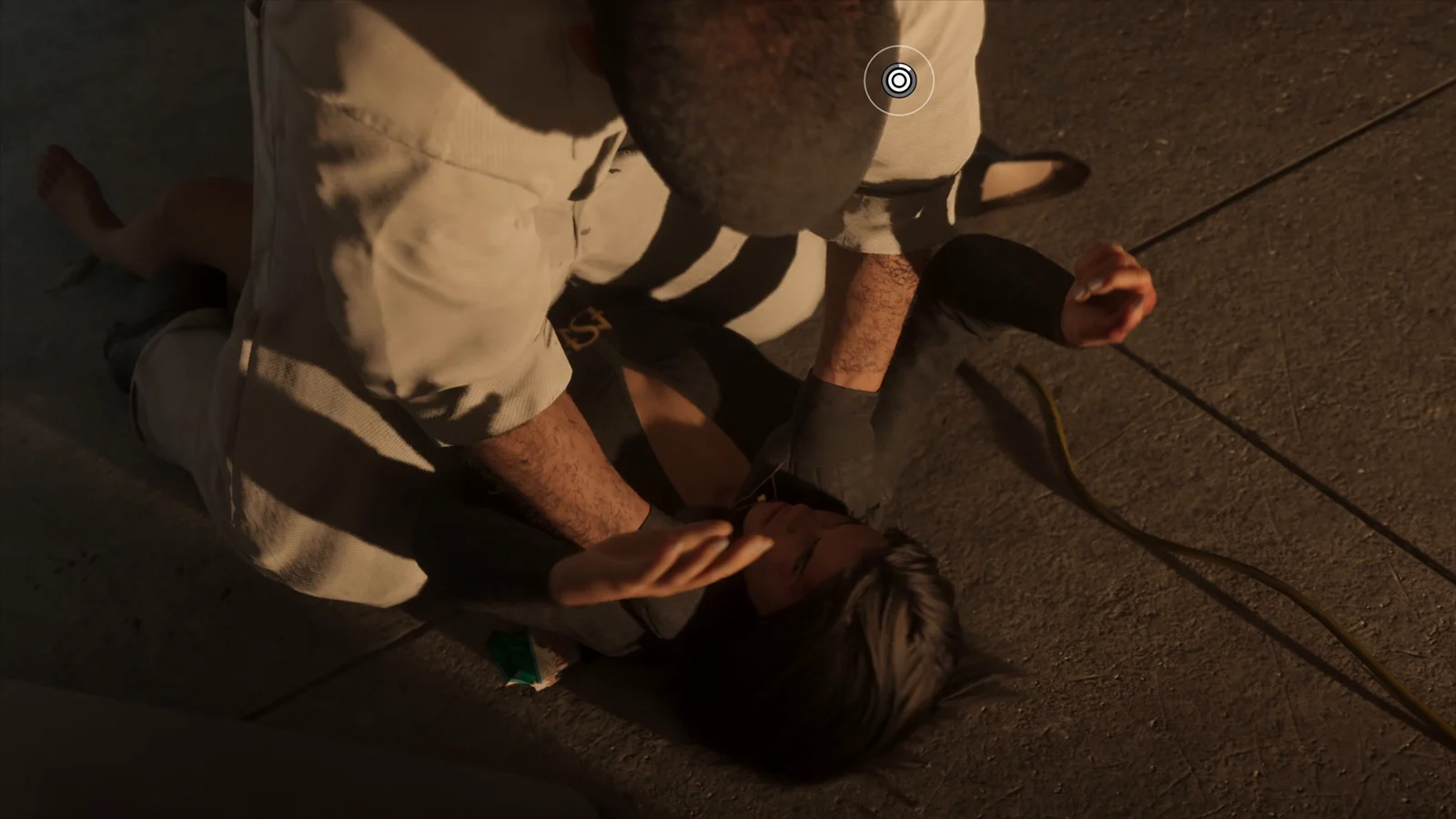
The important part is that these are live inputs, not a scripted animation you watch. Miss the window and the fight continues on the attacker’s terms. Close-quarters encounters are interactive from start to finish.
| Prompt | What it does |
|---|---|
| Pulsing Circle (tap) | Struggle out of a grapple while pinned |
| Triangle (timed window) | Counter the attacker or disarm their weapon |
| Circle (standing) | Physical takedown that subdues a target |
| Square / Triangle on weapon wheel | Quick-use adrenaline and health items |
Takedowns and stealth on the Megamundo penthouse job
The same Circle input handles physical subdual outside of a ground fight. During the jewelry store sequence, Circle is used to put an employee down without a weapon being fired.
Stealth gets a proper showcase inside Megamundo Tower. Moving through an office floor marked FLOOR 26, you can search rooms and use silent takedowns on isolated targets. Commandos sweep the building and coordinate over radios, so a missed takedown pulls in more attention. Fights in the stairwells blend gunplay with melee rather than settling into one or the other.
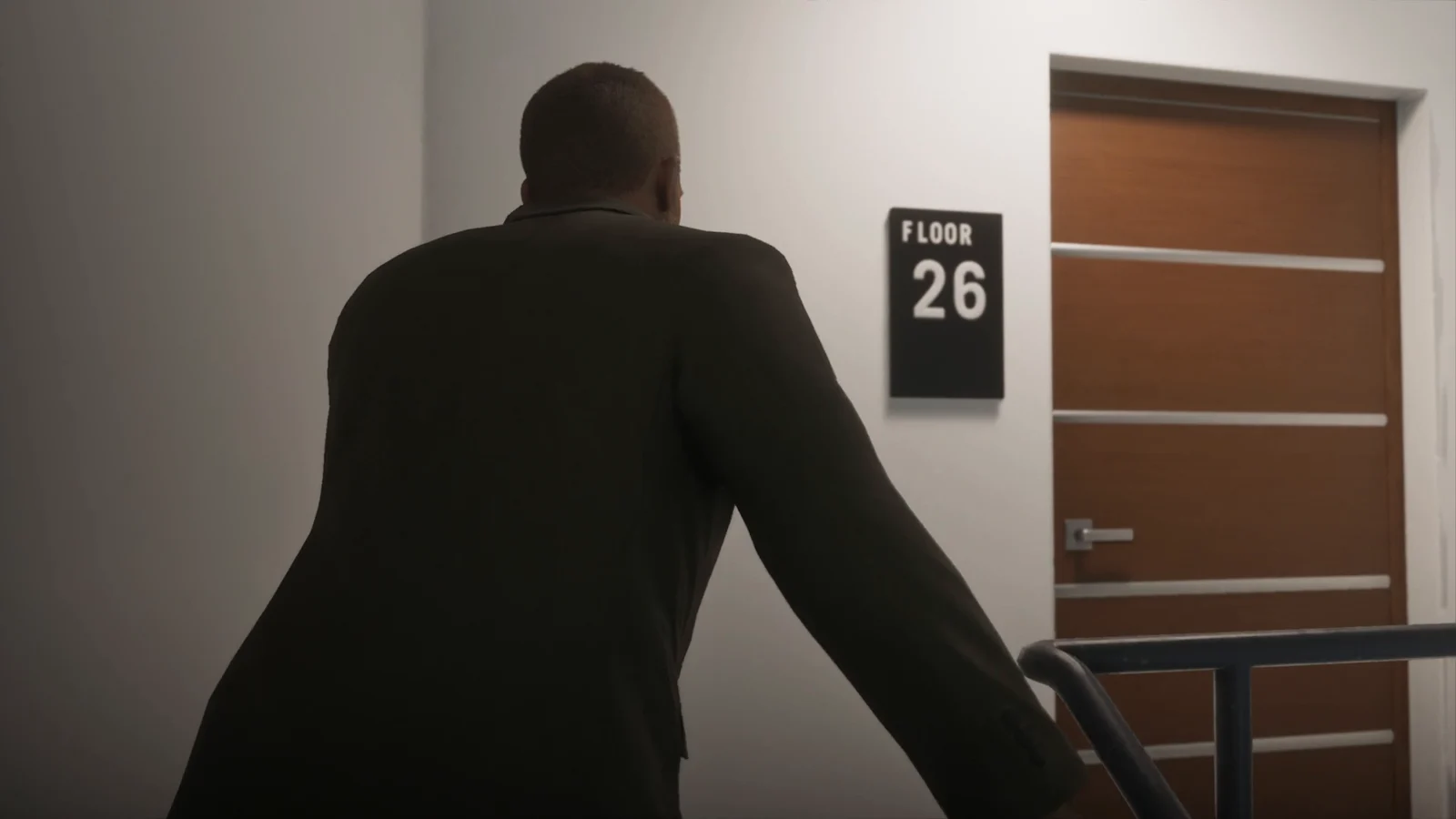
Enemies searching with radios means breaking line of sight matters. A quiet floor can turn loud quickly once one guard calls it in.
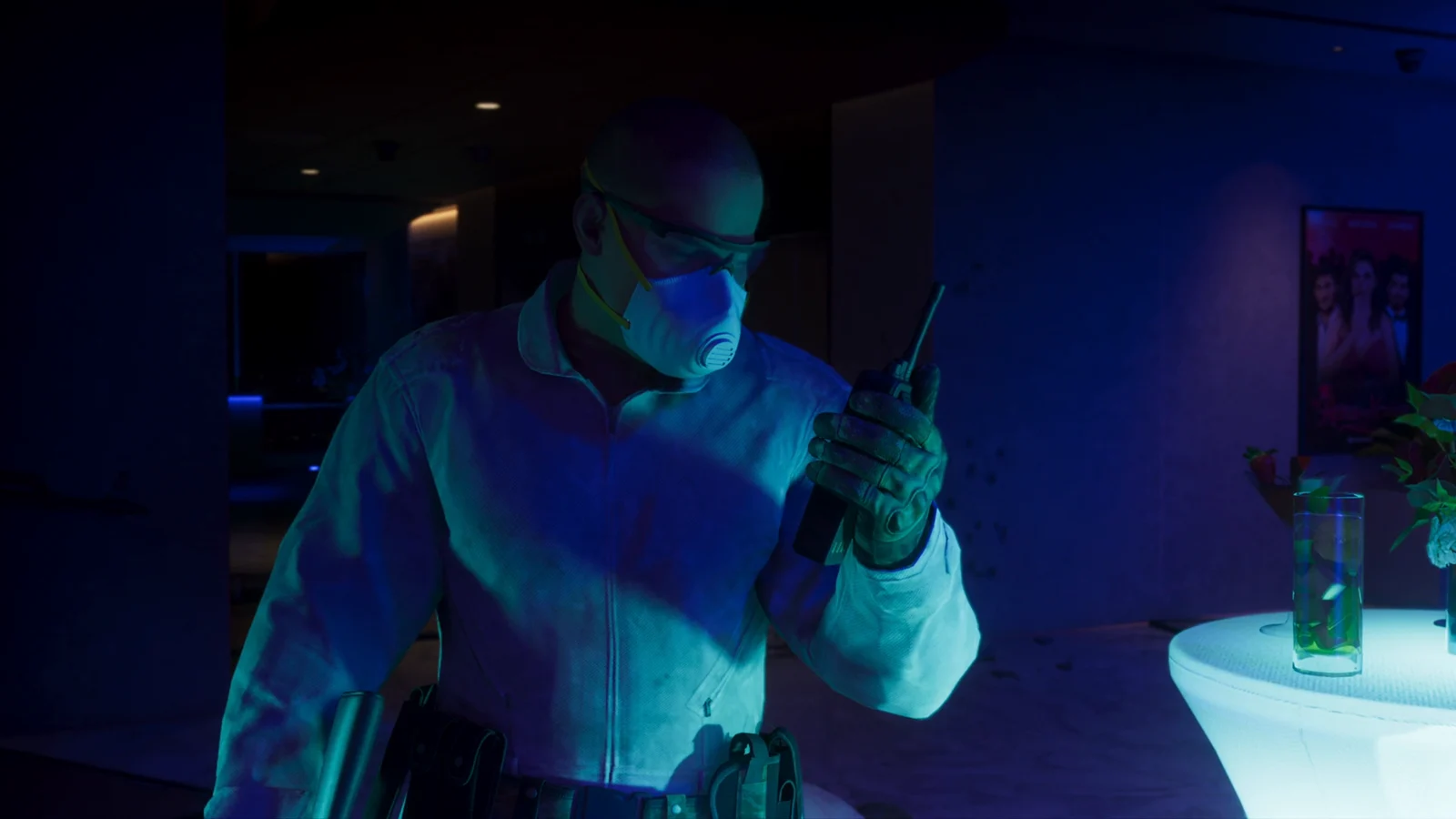
Cover, blind-fire and destructible walls
A hallway shootout with a pump shotgun shows the cover system doing more than pinning you to a wall. You can blind-fire around corners while staying behind cover, and the surfaces themselves respond. Rounds punch through walls and tear up drywall in visible patches, so a thin partition is not the same protection as a solid one.
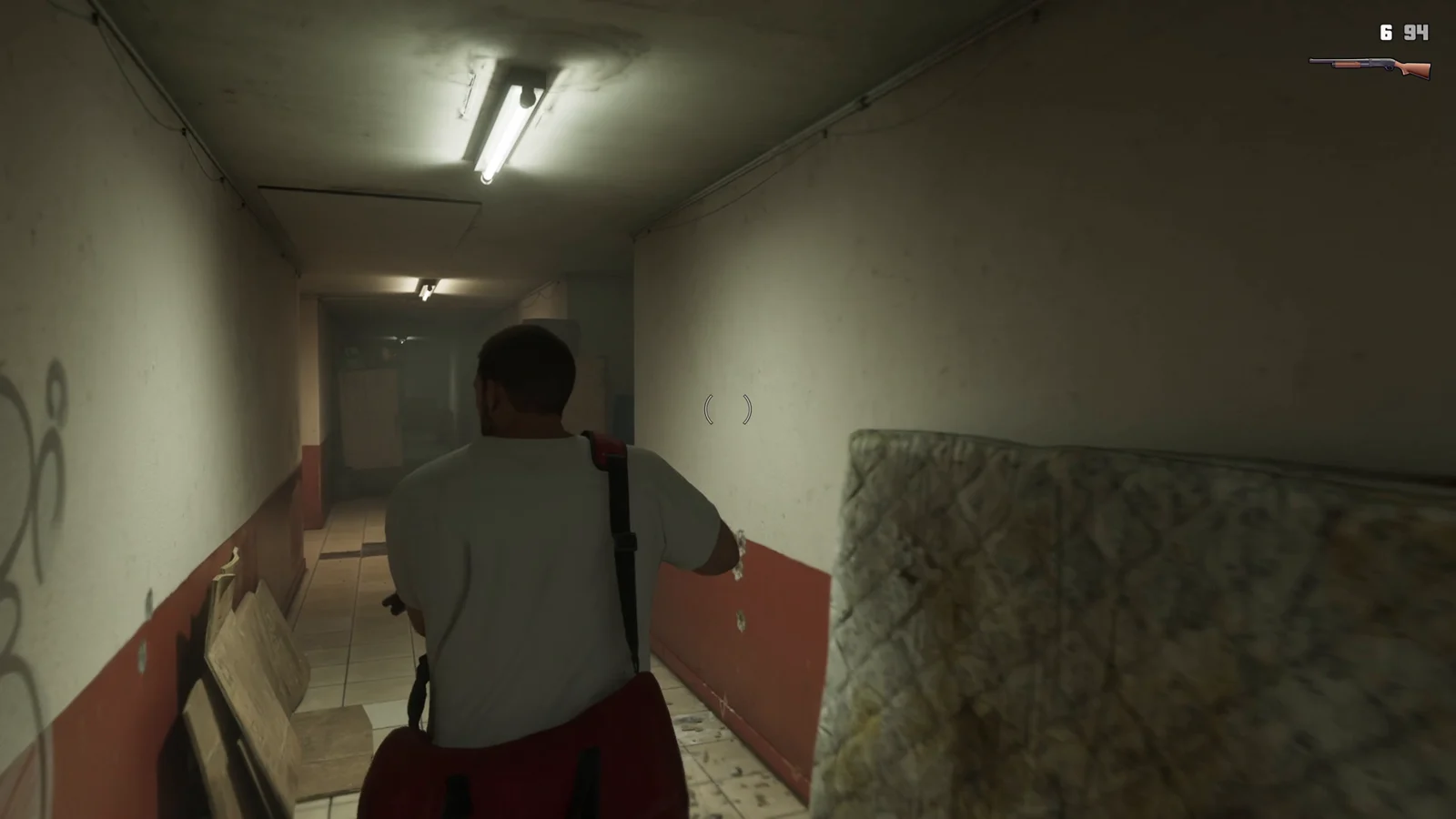
Glass behaves the same way during the Megamundo gunfights, shattering dynamically as shots land. Between penetration and breakage, cover in a firefight degrades as the fight goes on instead of staying intact.
Drive-by shooting: full upper-body lean
Drive-bys are the most obvious visual break from GTA 5. Rather than the fixed elbow-out pose, the shooter leans their entire upper body out of the window with a rifle in hand. It was shown during a four-star chase with the ammo counter reading 40/250.
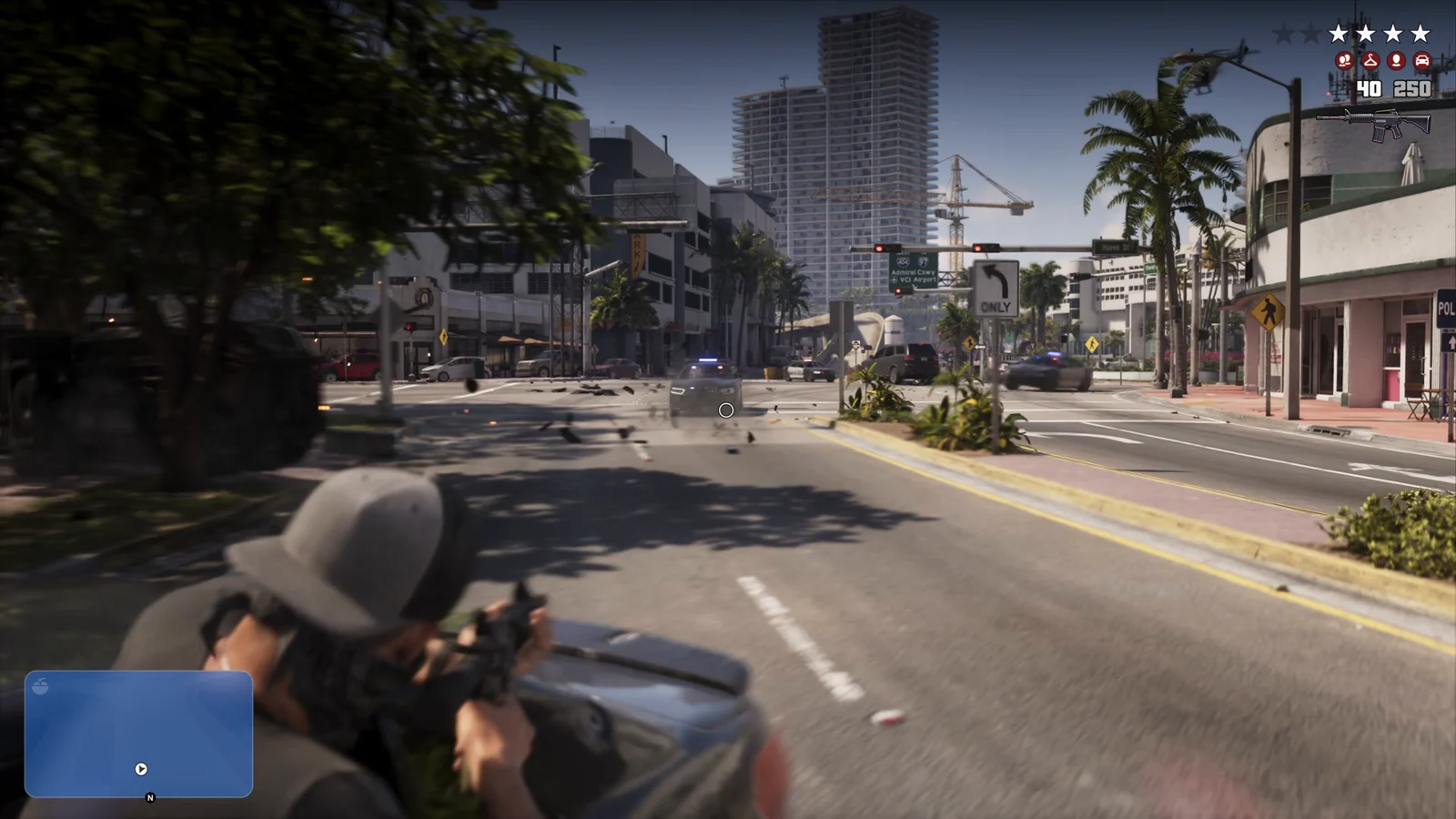
The wider firing arc that comes with leaning out changes what a passenger can cover during a pursuit, and it pairs directly with the escalating police response.
Reading the HUD during a fight
Health and armor sit in the top-left corner as bars with segment markers, so you can read remaining capacity at a glance rather than guessing from a smooth bar. Adrenaline and health items live on the weapon wheel and are triggered with Square and Triangle for quick use mid-fight.
Weapon pickups name the gun in the prompt, such as L1 MORELAND 850 SHOTGUN, so you know exactly what you are grabbing off the floor. Ammo counters show deep reserves, with a rifle reading 10/300 and the pump shotgun at 6/94 during the hallway fight.
How the wanted response escalates on screen
Police pressure is readable without checking a menu. Unit icons appear underneath the stars to show what is being sent after you, helicopters move overhead, and a red search perimeter is drawn on the minimap to mark the area being swept.
That perimeter is the practical signal to act on. It tells you where the search is concentrated and which direction gets you out of it, which matters when the fight has already moved from a building interior into a vehicle chase.
Taken together, the pieces point at fights that stay under your control at every range. Grapples resolve through inputs rather than cutscenes, cover holds up only as long as the material behind it does, stealth gives you a quiet route through a floor, and a drive-by covers more angles than it used to. Rockstar has not detailed how deeply these options are woven into individual story missions.