

With the recent KB5036980 update, Microsoft has introduced app recommendations in the Windows 11 Start Menu, a change that hasn’t been embraced by all users. While some people are still holding onto Windows 10, Windows 11 users might find these new suggestions intrusive. If you’re among those who prefer a cleaner Start Menu without unsolicited app suggestions, there’s an easy way to disable them.
Microsoft aims to encourage developers to create more apps for Windows by featuring their apps in the Start Menu’s ‘Recommended’ section. These app recommendations are displayed to individual PC users but not to business users. While some might appreciate discovering new apps, others may find these recommendations unwelcome.
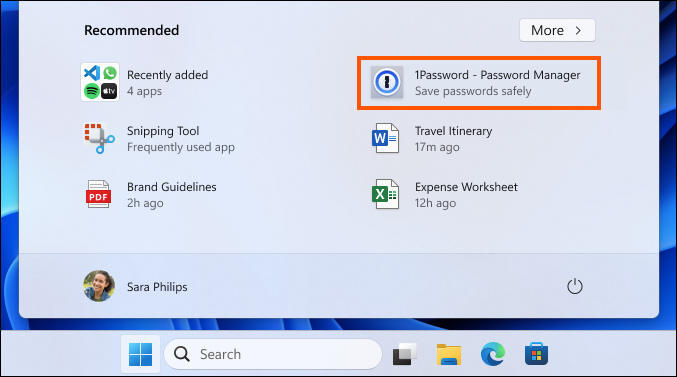
If you’re receiving these app recommendations and wish to remove them, follow the steps below to disable them:
Win + I on your keyboard.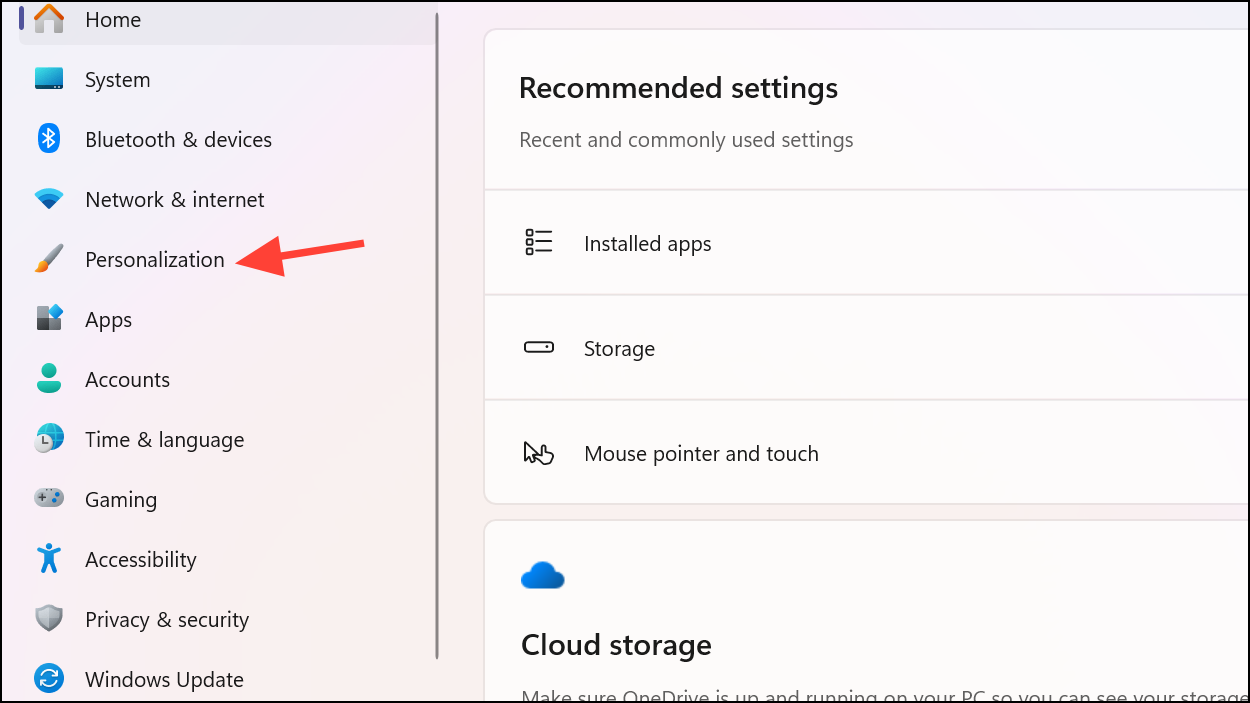
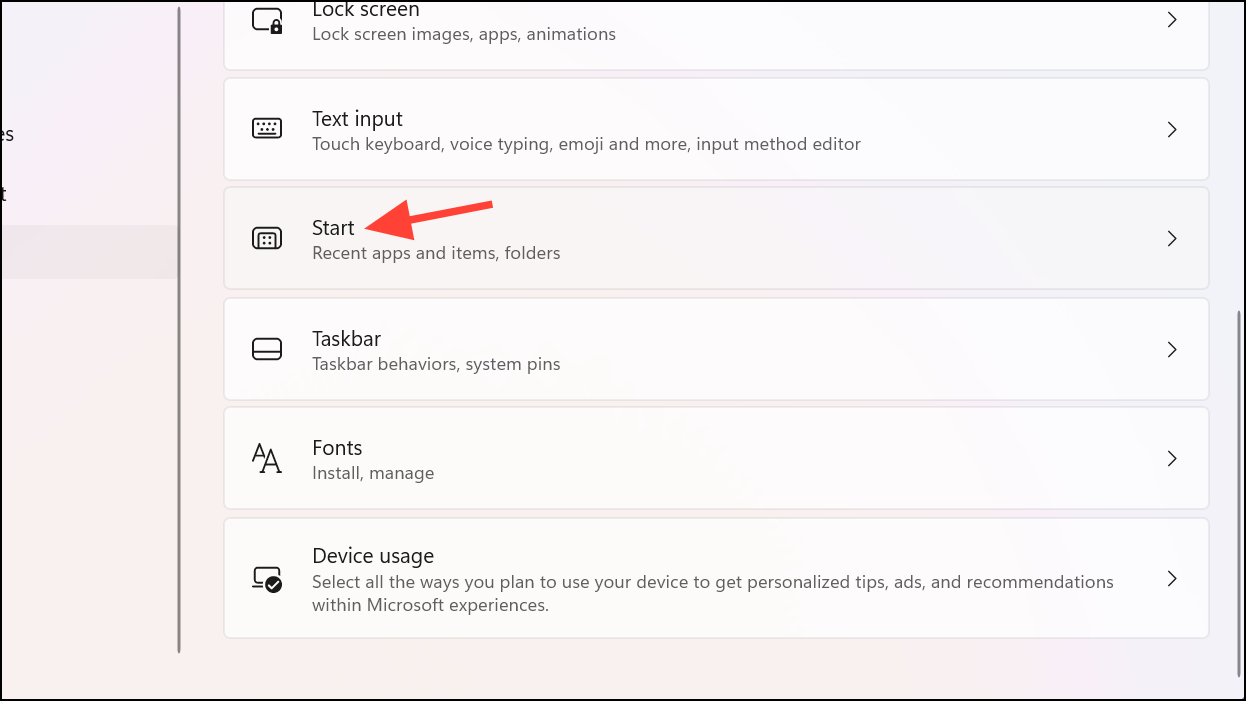
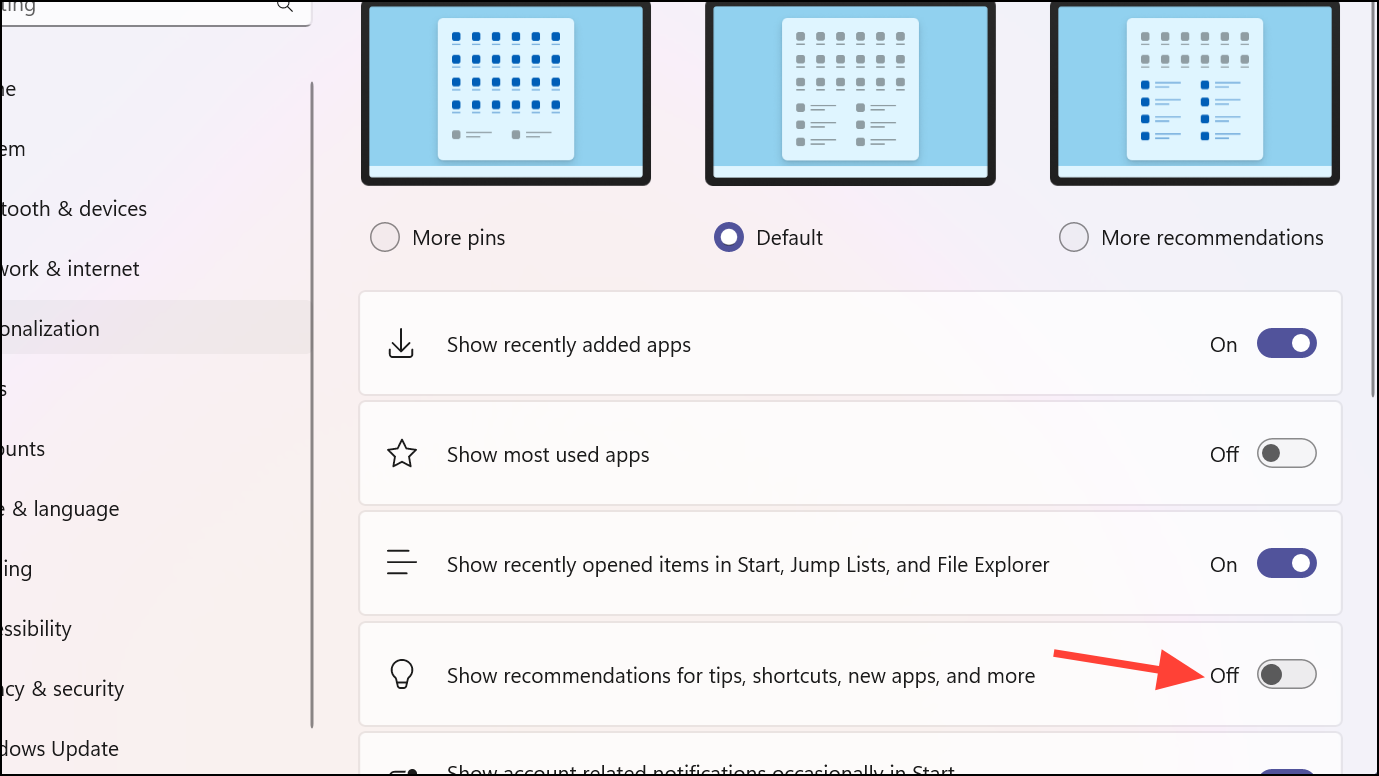
By completing these steps, you will disable the app recommendations in your Start Menu, resulting in a cleaner and more personalized interface.
If you’re looking to further customize your Start Menu or replace it entirely, third-party applications like StartAllBack or Start11 offer extensive customization options to tailor the Start Menu to your preferences.
 Pallav Pathak
Disabling app recommendations in Windows 11 is a simple way to enhance your Start Menu experience. By adjusting these settings, you can enjoy a more streamlined and personal interface on your PC.



