Error Code 2100 in Marvel Rivals is a login or connection error that blocks access to the game, typically appearing after updates or during peak server times. The problem stems from ISP routing issues, conflicting network signals between Wi-Fi and Ethernet, or server handshake failures. PC players with wired connections report this error most frequently, though it affects players across all platforms.
Quick answer: Disable Wi-Fi and Ethernet, connect via your phone’s 5G hotspot to log in, then reconnect your Ethernet cable. This bypasses ISP blocks and works for most players.
Check server status first
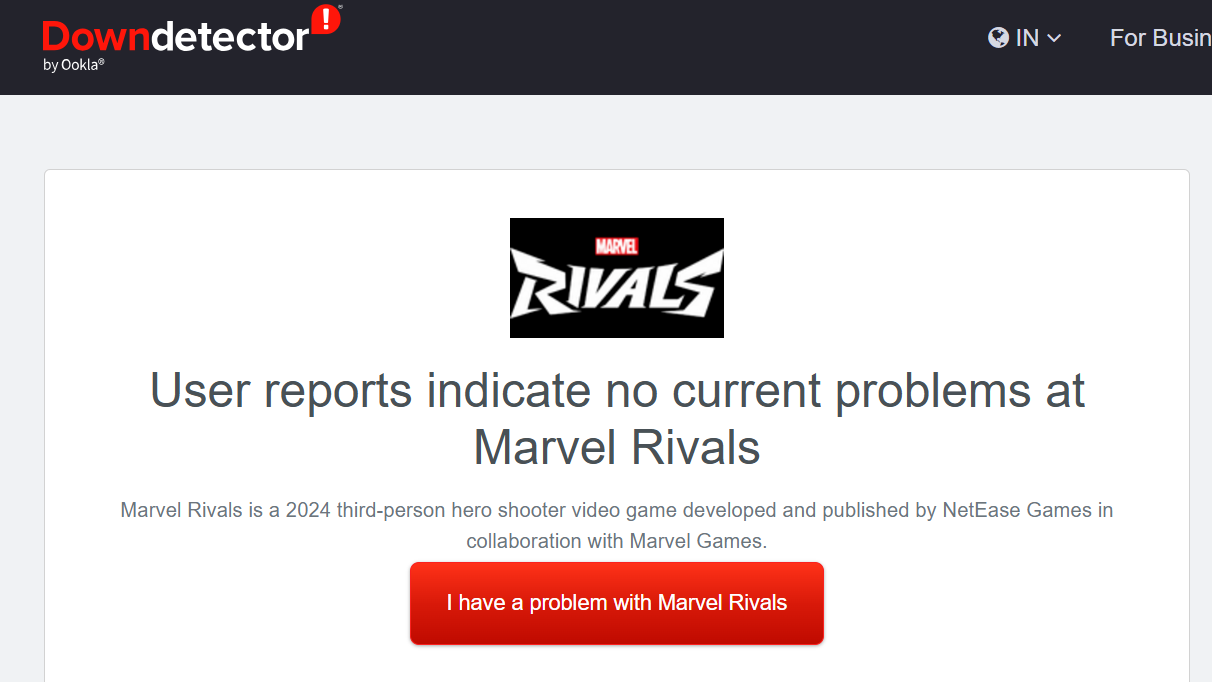
Before troubleshooting your connection, verify that Marvel Rivals servers are operational. Visit the official Marvel Rivals Discord, X (Twitter), the game’s news page, or third-party websites like Downdetector to confirm whether servers are experiencing downtime. If servers are down, wait for them to come back online rather than attempting fixes.
Restart your network hardware
This simple reset often clears temporary network state issues that trigger the error.
Use the mobile hotspot method
The most effective workaround involves temporarily switching to your phone’s mobile data. This bypasses ISP routing blocks that may be preventing the connection handshake.
This approach works because mobile networks use different routing paths than your ISP, avoiding the blocks causing the error.
Flush DNS and switch to public DNS
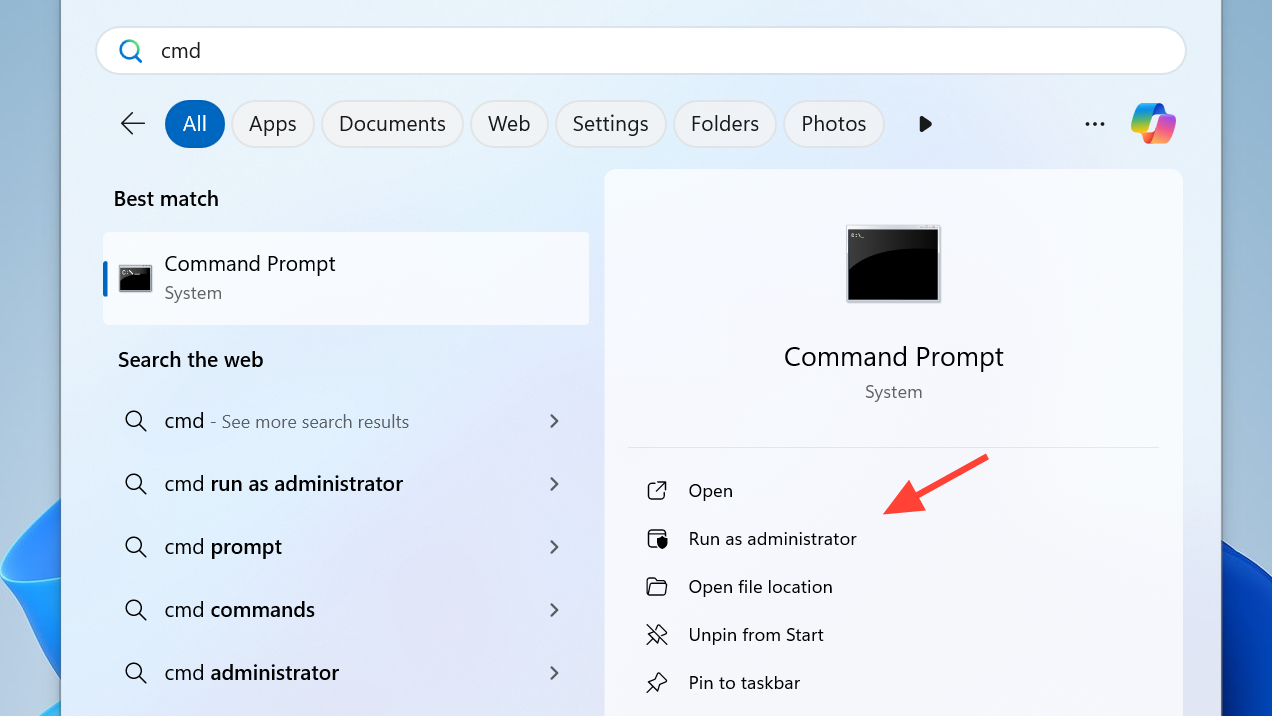
ipconfig /flushdns
ipconfig /release
ipconfig /renew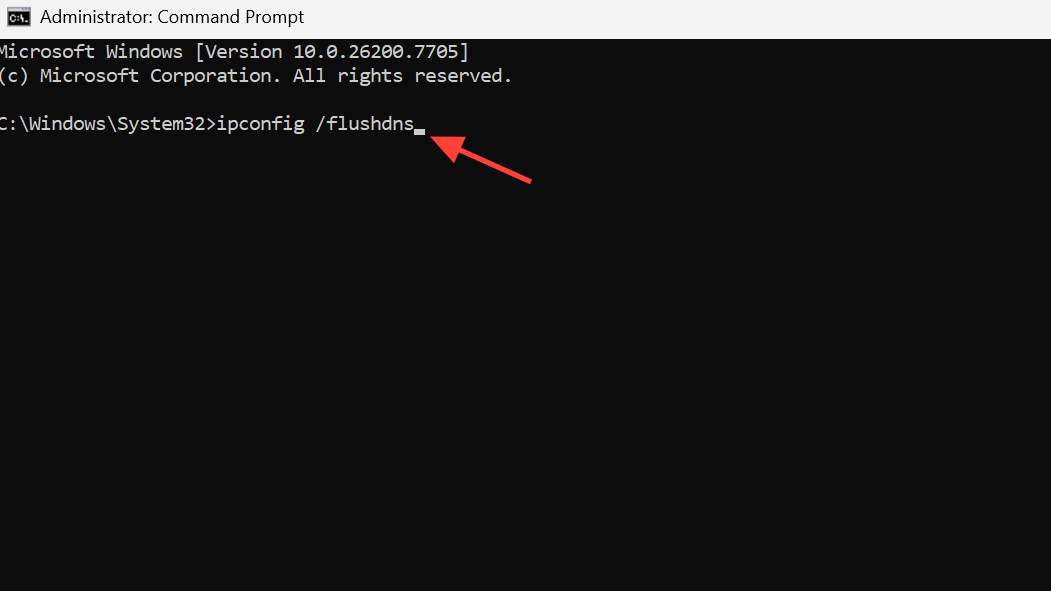
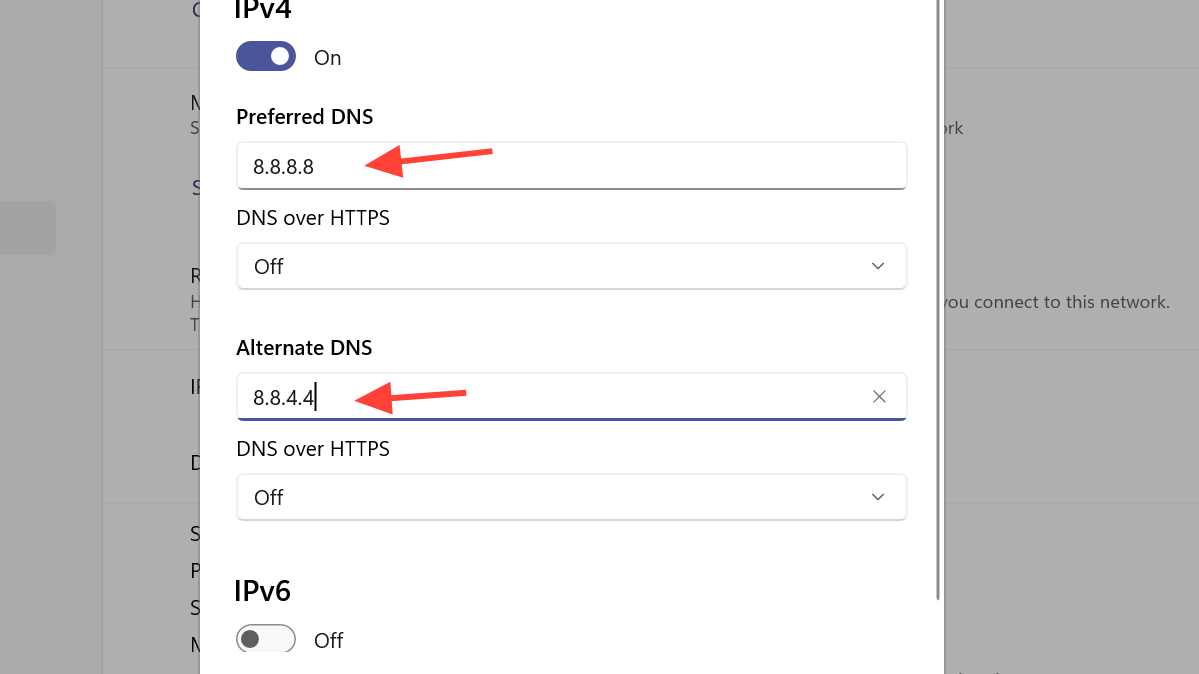
DNS flushing clears cached network data that may contain stale or incorrect routing information.
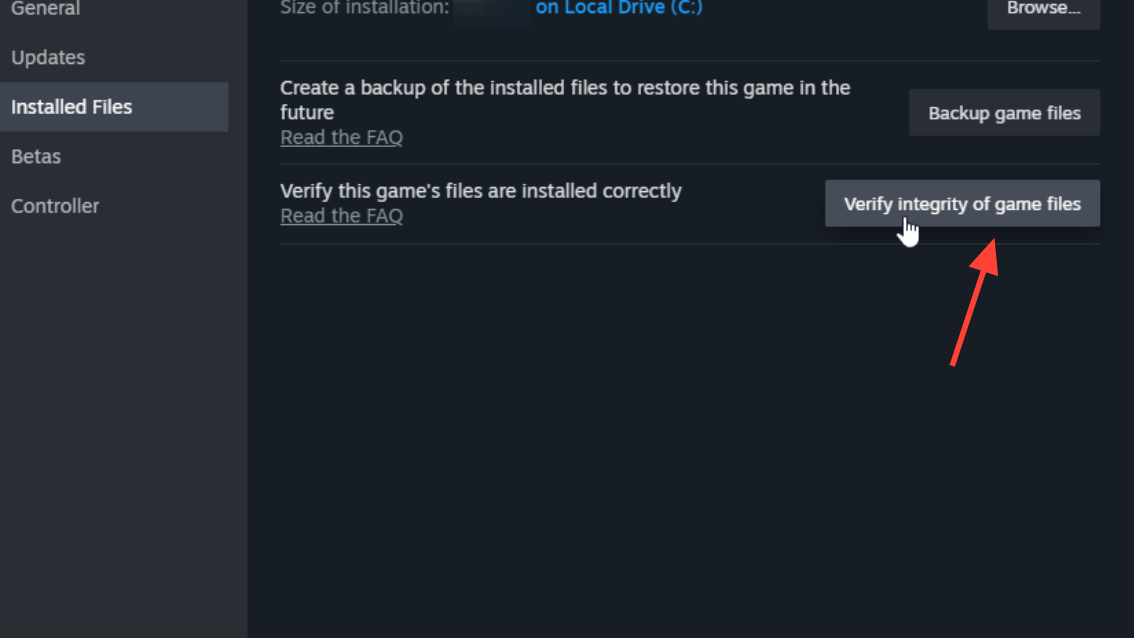
Clear launcher cache and verify game files
If network fixes don’t resolve the issue, the problem may involve corrupted launcher or game data.
If verification fails or the error persists, uninstall and reinstall the game entirely.
Verify your system time is correct
Server handshake failures can occur if your system clock is significantly out of sync. Check that your computer’s date and time match your actual timezone. Adjust it through your system settings if needed, then restart the game.
When to contact support
If you’ve completed all steps above and still encounter Error Code 2100, contact Marvel Rivals support directly. Provide details about your ISP, network setup, and which fixes you’ve already attempted. Persistent errors after these steps often indicate ISP-level routing blocks or account-specific issues that require official intervention.