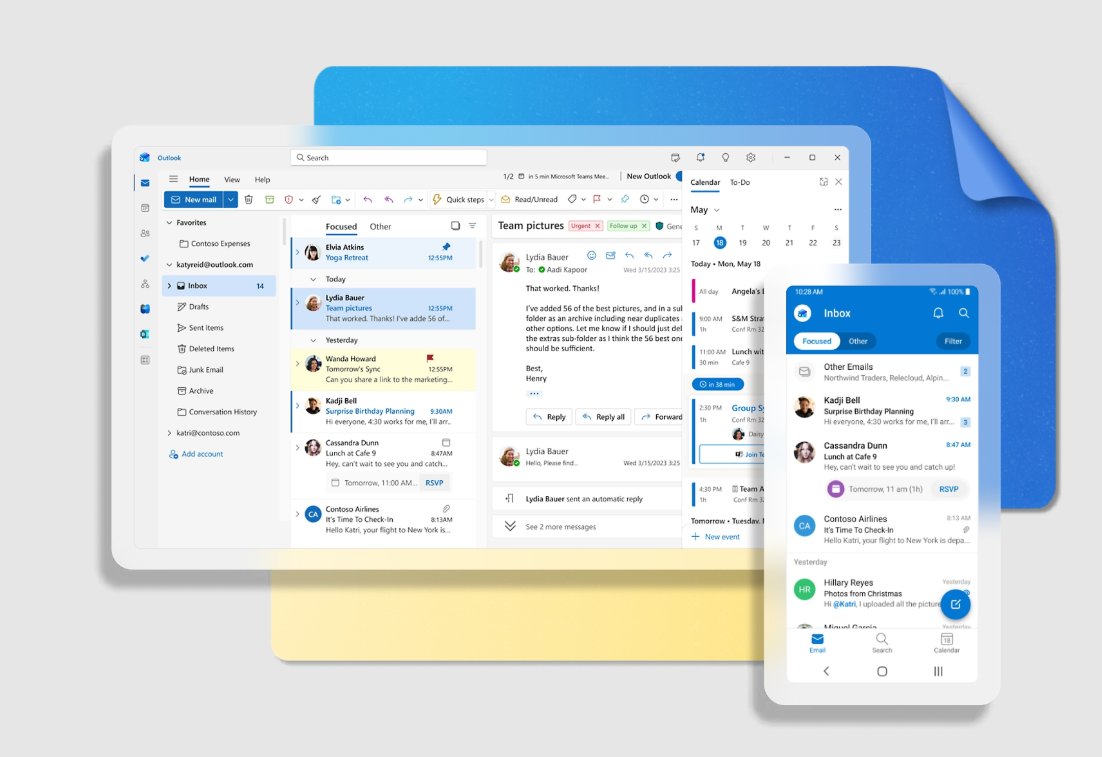
Outlook 2016 and later can display the error message “The time limit for logging on was reached while waiting for system resources. Try again. MAPI 1.0 [000004C2]” when starting the application, often causing it to crash immediately after. This issue is frequently associated with the Salesforce for Outlook add-in, outdated software, or problems with system resources. Addressing this error restores the ability to access email and calendar data without interruption, improving workflow efficiency.
Update the Salesforce for Outlook Add-in
Outdated add-ins, especially Salesforce for Outlook, are a common cause of this error. Installing the latest version of the add-in can resolve compatibility issues and restore normal Outlook operation.
Reinstall the Salesforce for Outlook Add-in and Update Outlook
Uninstalling and reinstalling the Salesforce for Outlook add-in, combined with updating Outlook itself, can address corrupted files or outdated components contributing to the error.
- Click-to-Run: Open Outlook, go to the
Filemenu, selectOffice Account, then clickUpdate Optionsand chooseUpdate Now. If updates are disabled, enable them first.
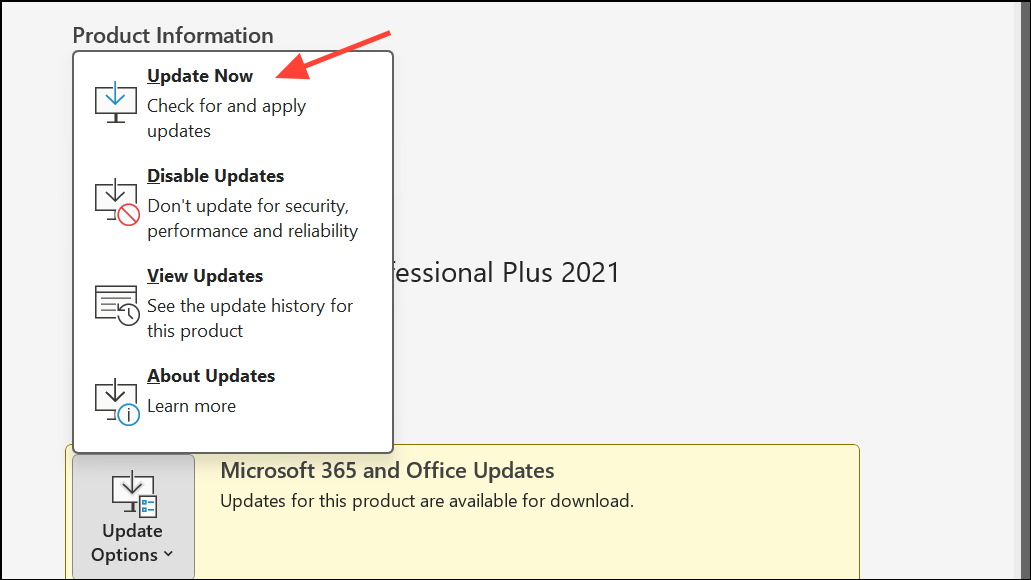
- MSI-based: Check for updates on the official Office support page and manually install any available updates for Outlook 2016.
Disable or Remove the Salesforce for Outlook Add-in
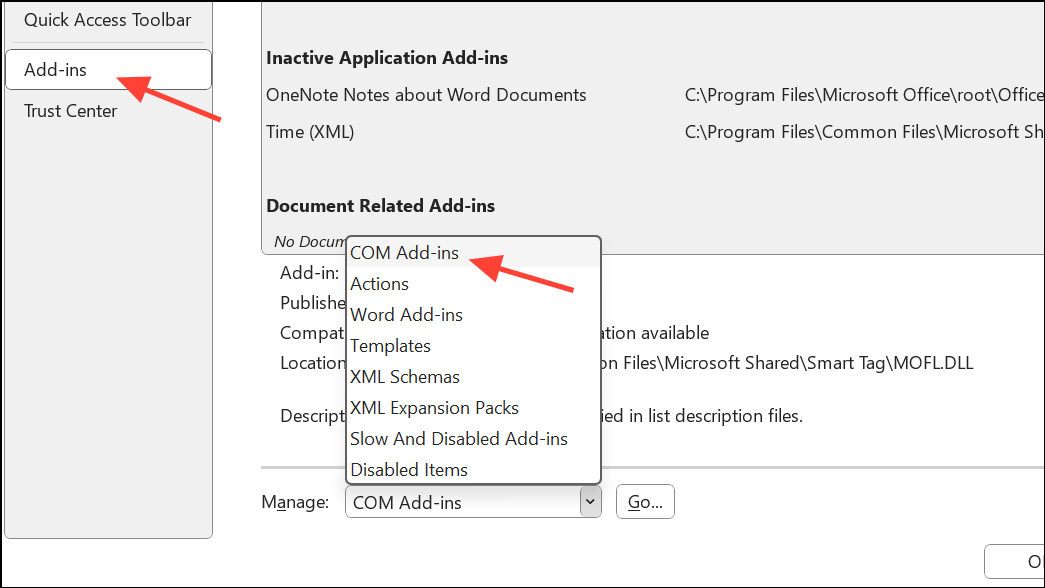
If updating or reinstalling the add-in does not resolve the issue, disabling or removing the Salesforce for Outlook add-in can isolate the problem and restore Outlook functionality.
Outlook /safe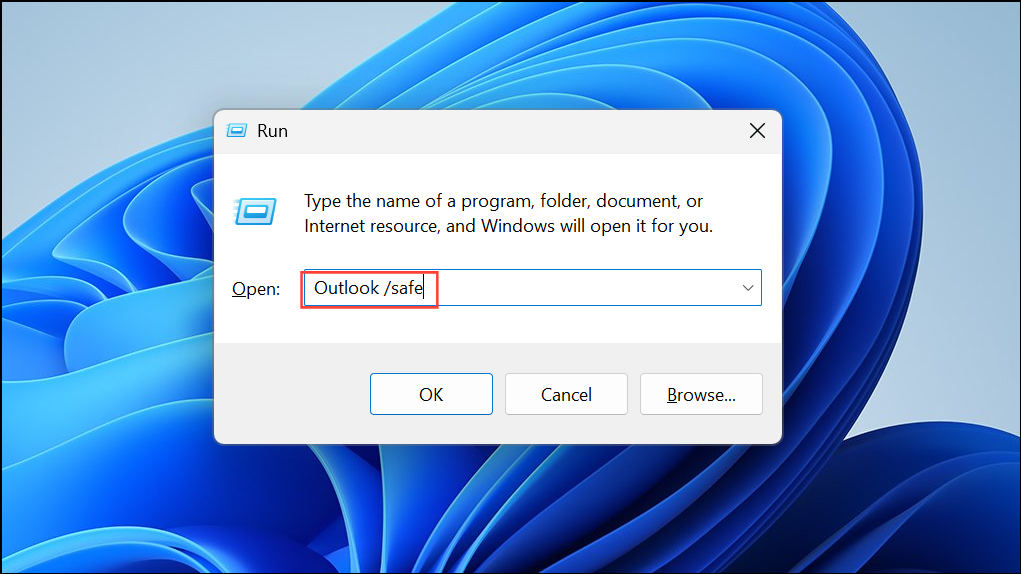
Restart Your Computer After Updates
In some cases, a simple restart after updating Office 365 or Outlook resolves the error, as pending updates may not take effect until the system reboots.
Additional Troubleshooting Tips
- If you do not have the Salesforce for Outlook add-in installed, check for other third-party add-ins that might be causing resource conflicts and disable them using the same steps as above.
- Verify that your Office installation is up to date, as outdated versions can introduce compatibility issues with add-ins.
- If Outlook continues to crash, consider repairing your Office installation through the Control Panel or Office settings.
Addressing the “time limit for logging on was reached” error in Outlook involves updating or removing problematic add-ins and keeping Outlook itself current. Restarting your system after updates often resolves lingering issues, allowing Outlook to start reliably again.