Mods drive most of your combat power in Once Human. You can fit them two ways. You can start from the mod and pick a weapon, or start from the weapon and pick a mod. Both routes use the same mod pool, and both take a few seconds once you know where the menus are.
Quick answer: Open your menu, go to the Mods tab, pick a mod, select a weapon or armor piece in the Select Gear list, and press F to equip it.
Equip a weapon mod from the Mods tab
The Mods tab is the fastest route when you already know which mod you want. It lists your whole collection by category, and from there you choose which weapon gets the mod.
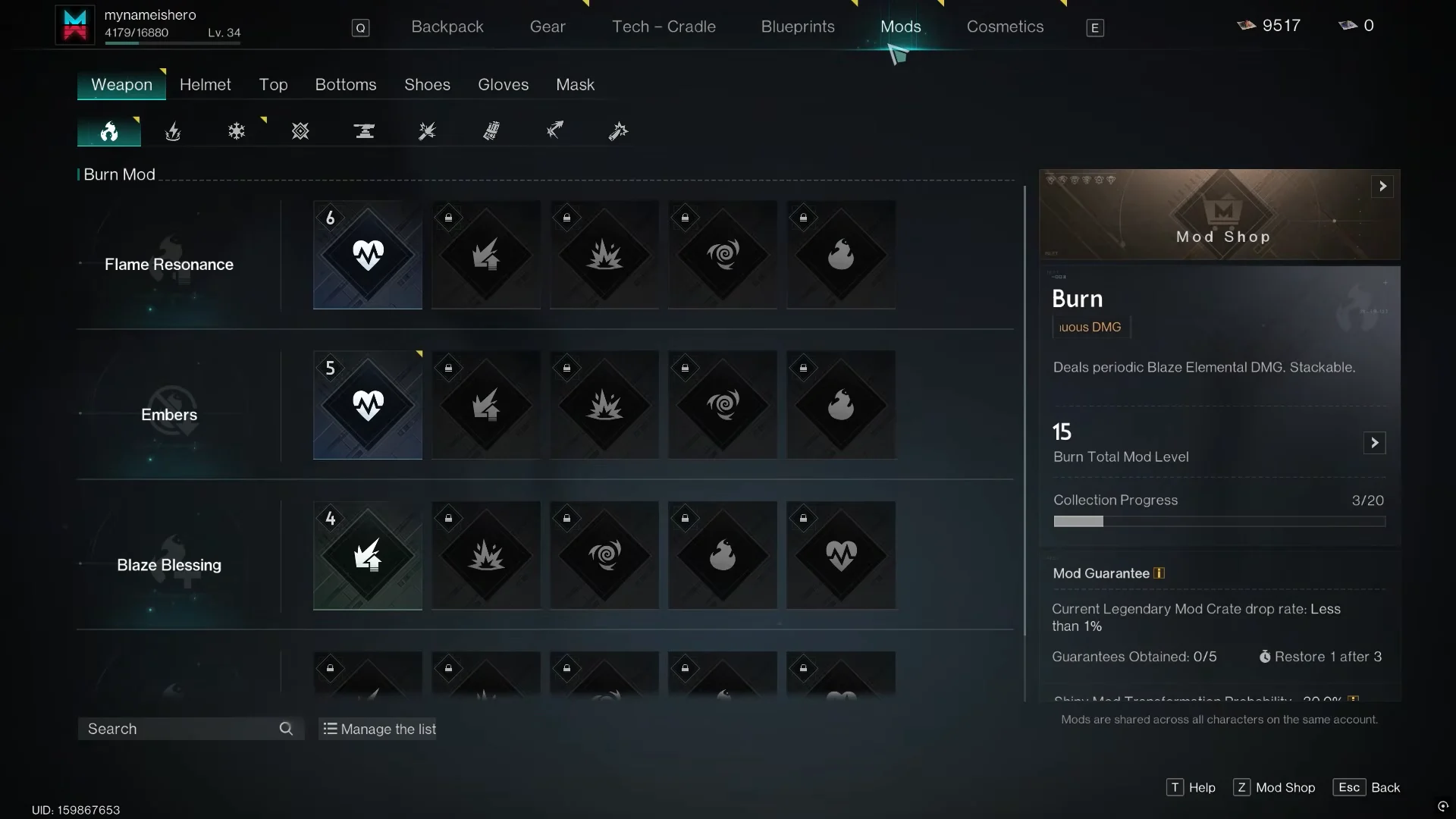
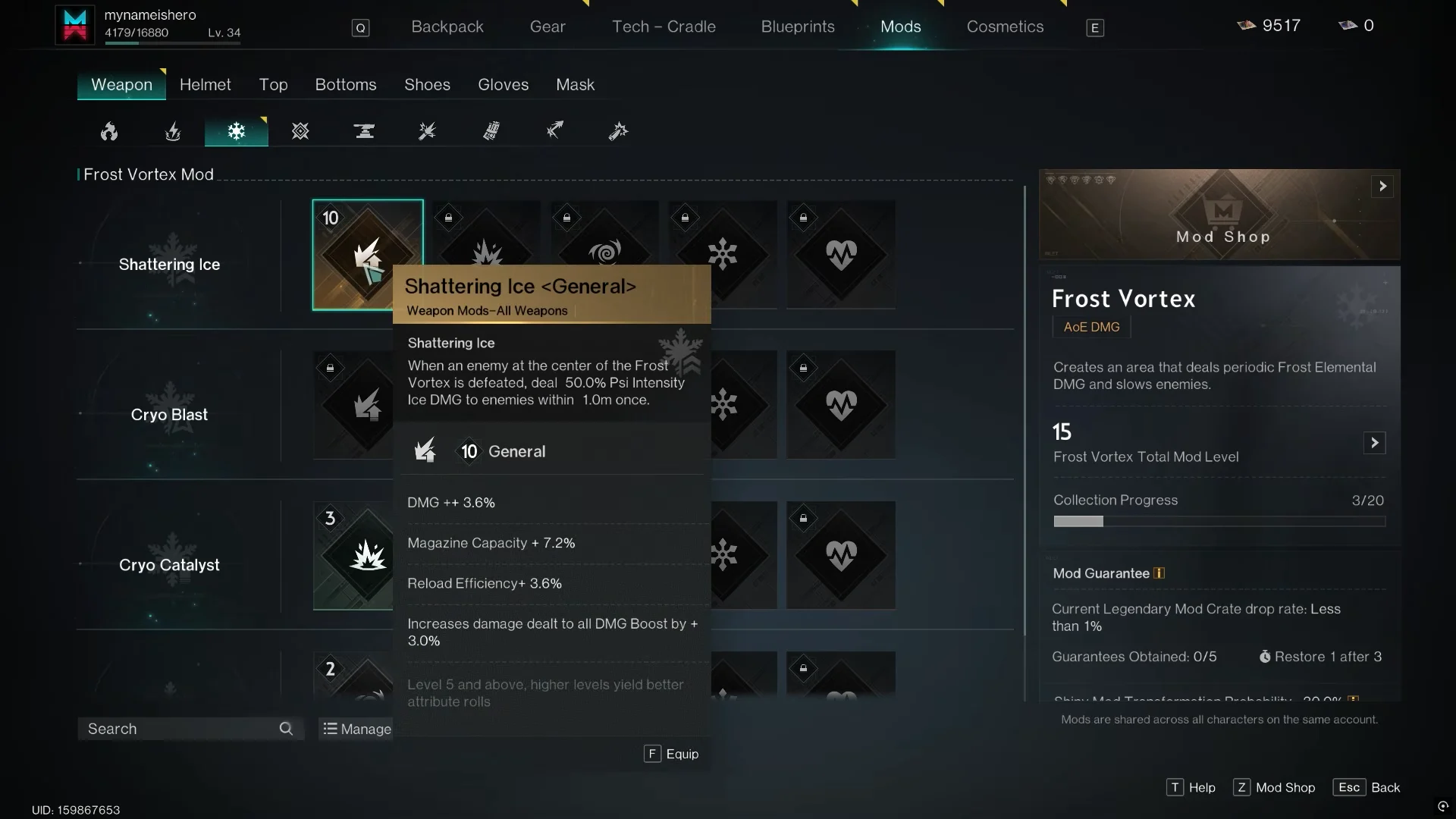
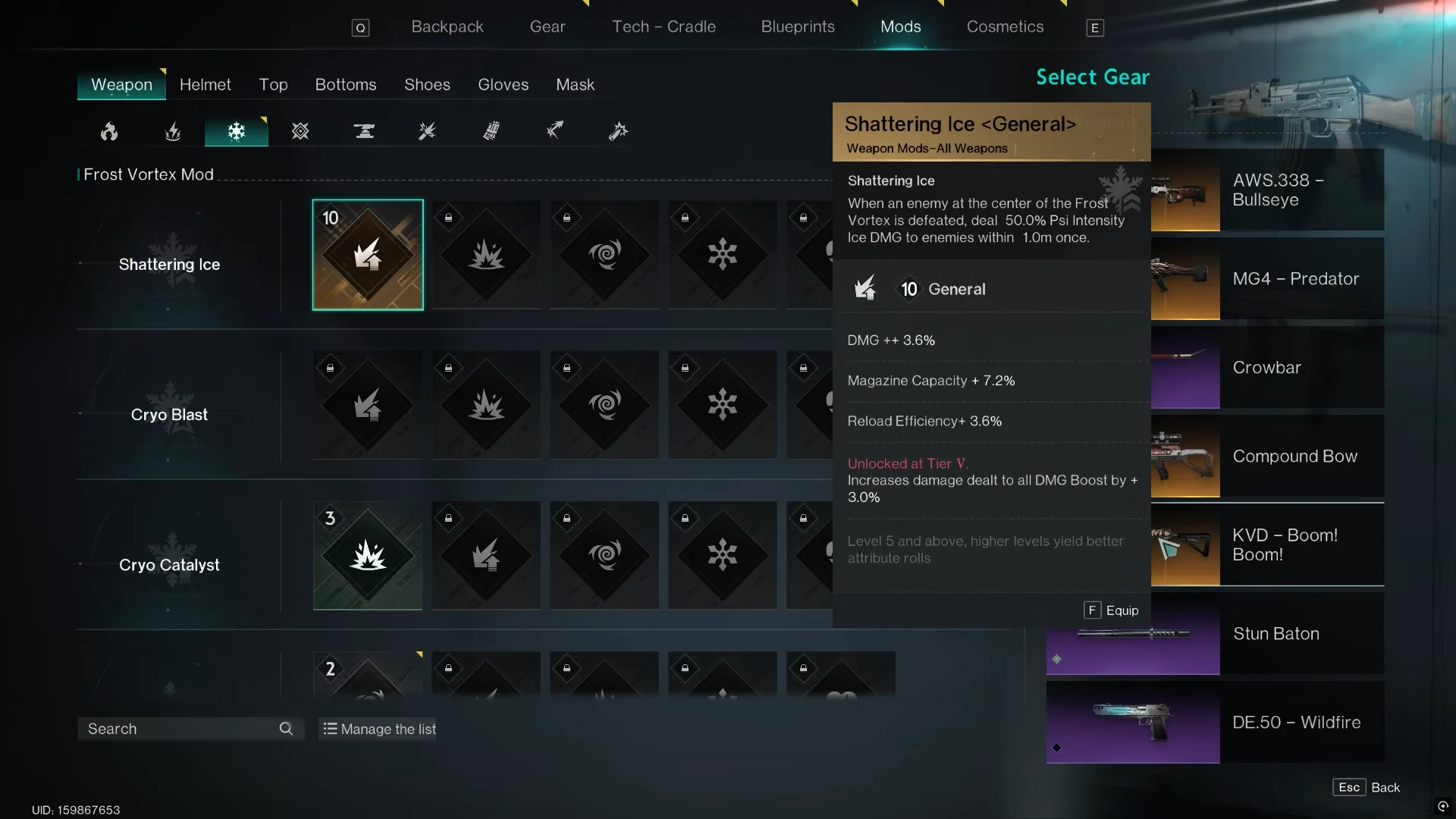
Check the Weapon Mode line before you equip. Some mods work only on melee weapons, such as Melee Amplifier, and others work only on ranged weapons, such as Munitions Amplifier.
Replace a mod that’s already equipped
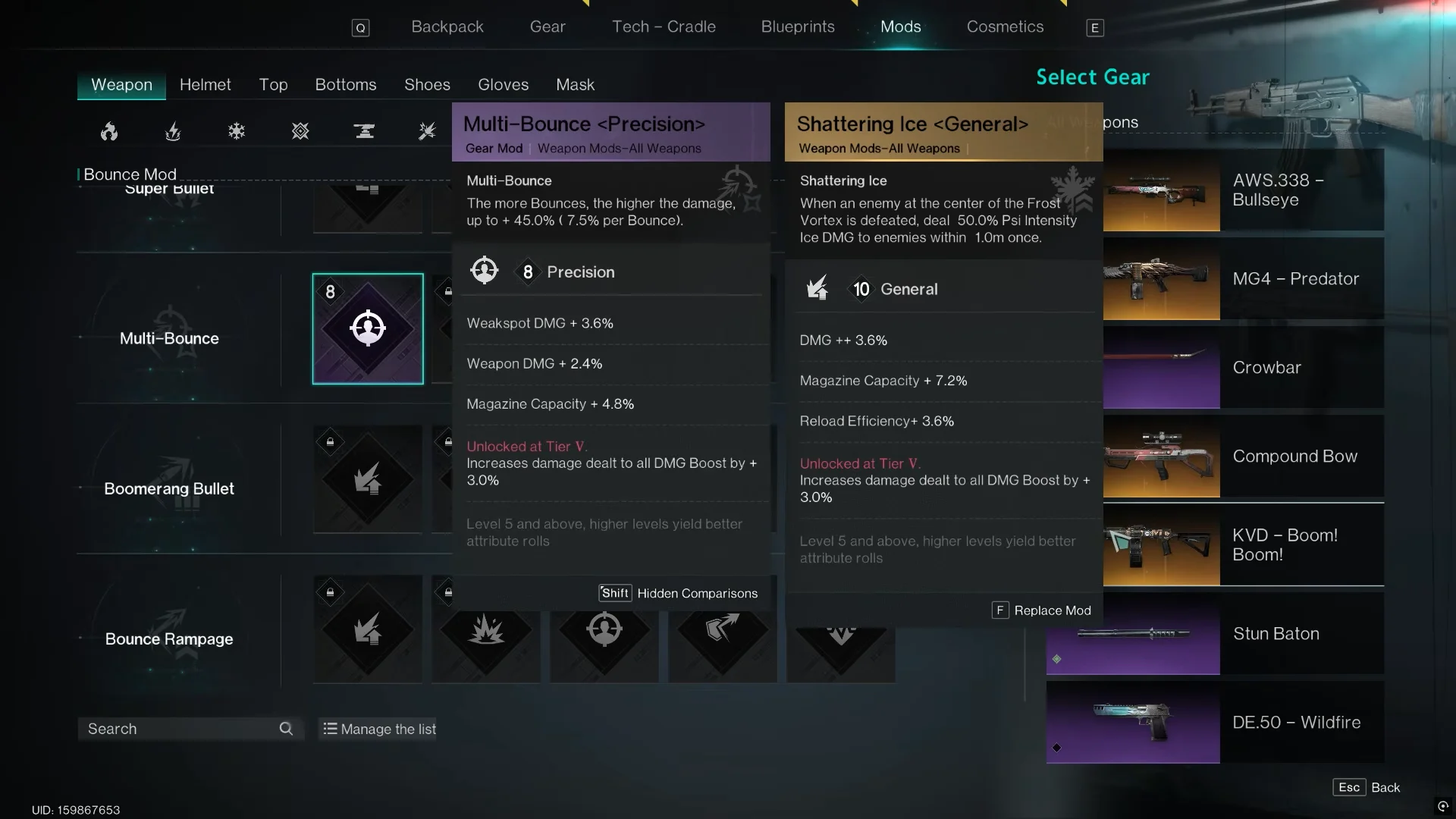
A weapon holds one mod, so swapping is just the equip process pointed at a weapon that already has a mod. Pick the new mod, select the weapon in Select Gear, and the prompt changes from “Equip” to “F Replace Mod.” Press F and the new mod overwrites the old one.
Before you confirm, the screen puts the incoming mod next to the one it’s replacing. Moving from Shattering Ice to Multi-Bounce <Precision>, for example, trades Magazine Capacity and Reload Efficiency for Weakspot DMG and Weapon DMG. Hold Shift if you want to hide that comparison.
Moving mods around has no cost or penalty, so you can test combinations as often as you like.
Armor mods: one slot at a time
Armor mods use the same pick-select-press-F flow. The difference is that each armor piece has its own tab and its own mod pool, so you equip them one slot at a time:
- Helmet (includes mods like Precise Strike, Deviation Expert, First-Move Advantage, and Mag Expansion)
- Top
- Bottoms
- Shoes
- Gloves
- Mask
A helmet mod can’t go on gloves, and the reverse is also true. Open the matching tab, pick a mod, select the armor piece, and press F.
Add mods from the Gear menu instead
If you’d rather start from the item, every weapon and armor piece has its own mod slot inside its customization screen. This route works well when you’re building around a specific gun or jacket.
Mods screen controls (PC)
| Key | Action |
|---|---|
| F | Equip / Replace Mod |
| Shift | Hidden Comparisons |
| Tab | Manage the list |
| T | Mod Shop |
| Esc | Back |
Under the current mod system, the Mods Field Guide always serves up the highest-level copy of each mod you’ve ever obtained. The version you equip is your best one, and your collection carries over between scenarios.
How to tell a mod is equipped
There are three quick checks. Any mod already fitted to a piece of gear shows a letter E in the top-right corner of its icon in your mod list. Selecting that gear again with a different mod switches the prompt to “Replace Mod” instead of “Equip.” The item’s stat panel also reflects the mod’s bonuses once it’s slotted. If you see all three, the mod is active and you’re good to head back out.