Outbreak is the Roblox disease-simulation game from 646 Studios where you engineer a pathogen and try to spread it across the globe before the world fights back. Codes hand out free coins and capsules you can spend on genes to make your outbreak spread faster and harder to stop.
Working Outbreak codes
These codes are redeemable right now. Enter them exactly as shown, since Outbreak codes are case-sensitive.
THANKYOU— 10,000 coins and a limited capsule NEW35KLIKES— Milestone reward NEW40KLIKES— Milestone reward NEW45KLIKES— Milestone reward NEW50KLIKES— Milestone reward NEWPRION— FreebiesPARASITE!— CoinsPARA..WHAT?— CoinsONETHOUSANDCCU— CoinsFUNGUY!— Coins
The like-milestone codes don’t have a published exact reward breakdown, but redeeming them adds items or coins to your account, so it’s worth entering all of them even if the payout isn’t listed in detail.
How to redeem codes in Outbreak
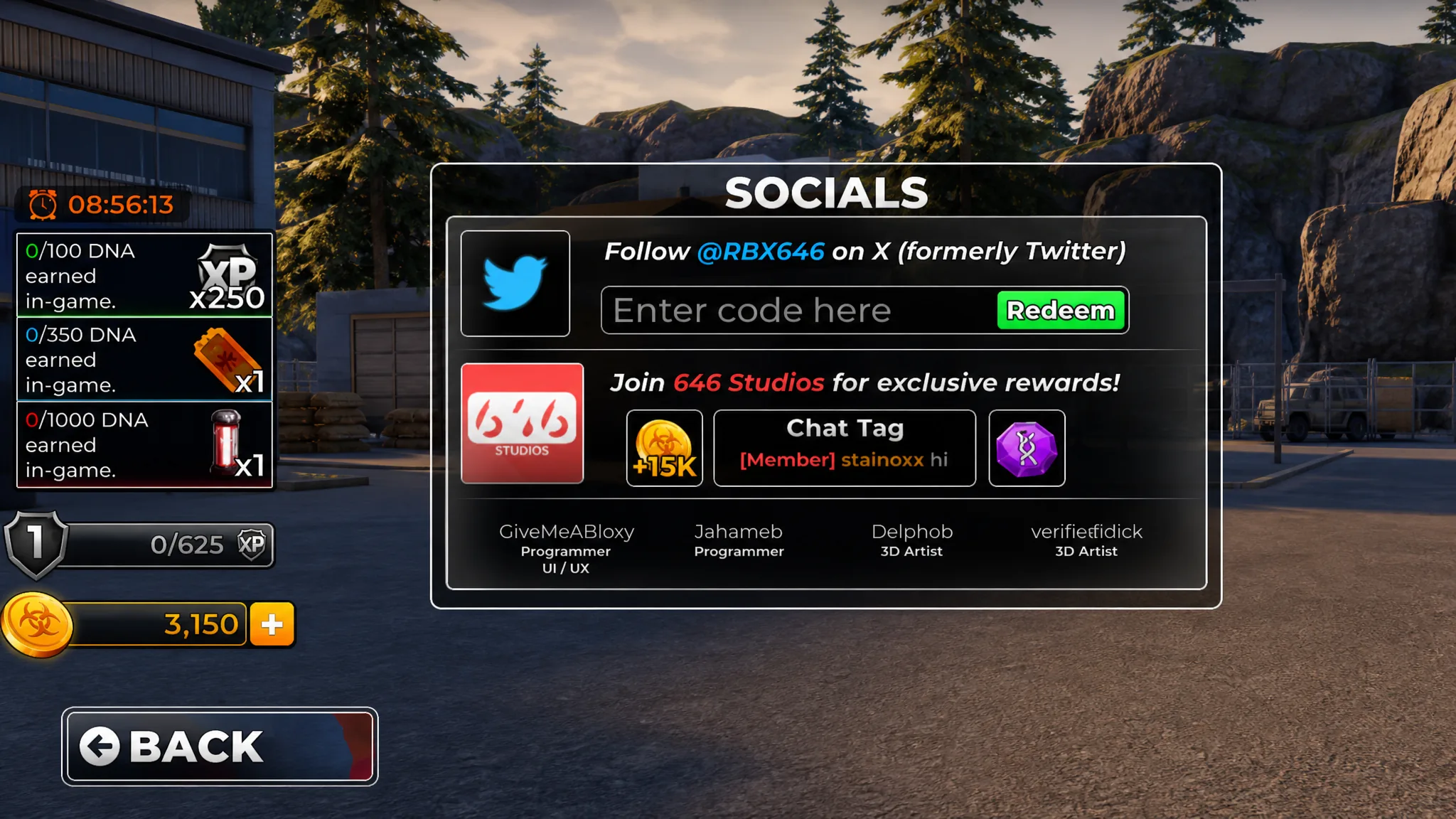
You’ll know a code worked when your coin total updates or a confirmation message appears on screen. If nothing changes after pressing redeem, the code has likely already been used on that account or has expired.
Expired Outbreak codes
The following codes no longer work, so skip these when redeeming.
20KLIKES16KLIKES14KLIKESPSST…SECRETNEXTSPINONMERELEASEVIRAL
Where new Outbreak codes come from
646 Studios releases new codes to mark milestones like like-count goals, updates, and events, and each one typically hands out coins or a limited-time capsule you can spend on genes to spread your disease faster. The studio also runs an official Outbreak Discord server, where announcements about updates and new codes usually appear first.
We check for new Outbreak codes regularly and update the working list above as soon as fresh ones appear, so bookmark this page and check back before you spend your coins.